1. Introduction
Thank you for choosing the LENGSUM Portable Charger Power Bank P88. This high-capacity 32000mAh power bank is designed for efficient and safe charging of your electronic devices on the go. Featuring 22.5W fast charging, built-in cables, and multiple output/input options, it ensures your devices stay powered when you need them most.
This manual provides essential information on how to properly use and maintain your power bank. Please read it thoroughly before use.

Figure 1: LENGSUM Portable Charger Power Bank P88
2. Product Overview
2.1 Key Features
- High Capacity: 32000mAh with new high-density polymer battery.
- Fast Charging: Up to 22.5W output (USB-A QC3.0) and 20W PD in/out (USB-C).
- Built-in Cables: Integrated USB-C and iOS (Lightning) output cables for convenience.
- Multiple Ports: 5 outputs (including built-in cables) and 3 inputs (iOS, USB-C, Micro-USB).
- Digital Display: Clear LED percentage display for remaining power.
- Wide Compatibility: Supports iPhone, iPad, Samsung, Google Pixel, and other Android devices.
2.2 Components
The power bank features a sleek design with an LED display and various ports for versatile charging.

Figure 2: Power Bank with LED Display showing 32000mAh capacity.

Figure 3: Diagram illustrating the 5 output ports and 3 input ports, including built-in cables.

Figure 4: Close-up view of the integrated USB-C and iOS (Lightning) cables.
3. Setup
3.1 Charging the Power Bank
Before first use, fully charge your power bank. The LED display will show the charging progress. You have three options to recharge the power bank:
- USB-C Input: Use a USB-C cable and a compatible power adapter (not included) to charge via the USB-C port. This port supports up to 20W PD input.
- Micro-USB Input: Use a Micro-USB cable and a compatible power adapter (not included) to charge via the Micro-USB port. This port supports up to 18W input.
- iOS (Lightning) Input: Use an iOS (Lightning) cable and a compatible power adapter (not included) to charge via the iOS input port.
The LED display will show '100%' when fully charged.
4. Operating Instructions
4.1 Charging Your Devices
The power bank offers 5 output options to charge your devices simultaneously:
- Built-in USB-C Cable: Pull out the integrated USB-C cable and connect it to your USB-C compatible device.
- Built-in iOS (Lightning) Cable: Pull out the integrated iOS (Lightning) cable and connect it to your Apple device.
- USB-A Output Ports (x2): Use your device's USB-A charging cable and plug it into either of the two USB-A output ports. USB-A supports up to 22.5W QC3.0 output.
- USB-C Output Port: Use your device's USB-C charging cable and plug it into the USB-C port. This port supports up to 20W PD output.
The power bank will automatically detect and begin charging your connected device(s). The LED display will show the remaining power percentage.

Figure 5: Illustrates fast charging capabilities for various devices.
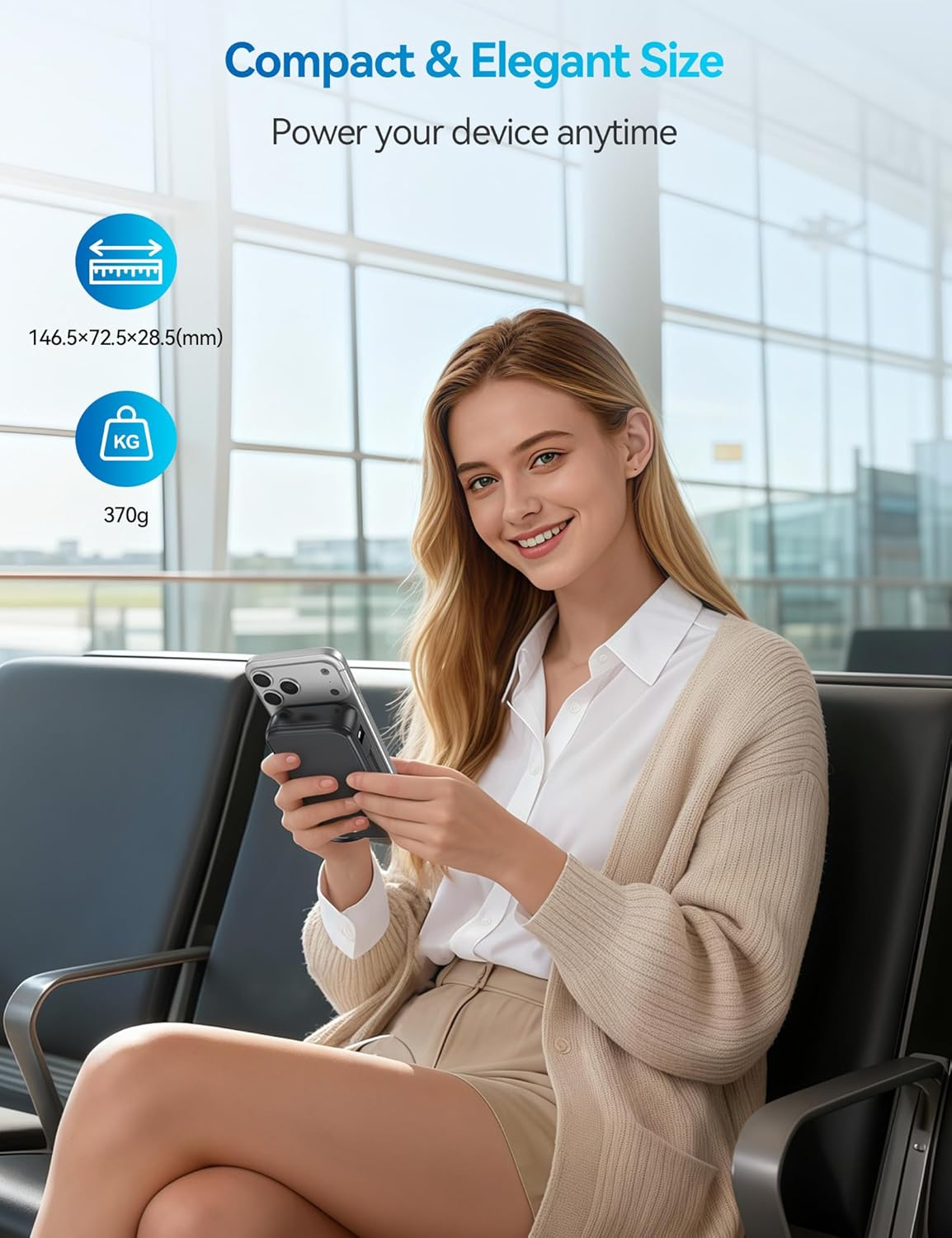
Figure 6: Example of charging multiple devices using the power bank's various outputs.
4.2 Wide Compatibility
The LENGSUM P88 is compatible with a broad range of devices, including:
- iPhone series (16/15/14/13/12/11 and older)
- iPad series (iPad Pro, Air, Mini)
- Samsung Galaxy series (S24/S23/S22/S21)
- Google Pixel and other Android smartphones
- Tablets, AirPods, and more.

Figure 7: Visual representation of the power bank's compatibility with different phone and tablet models.
5. Safety Features
The LENGSUM P88 is equipped with multiple protection technologies to ensure the safety of your devices and the power bank itself:
- Overcharge Protection
- Over Discharge Protection
- Over Voltage Protection
- High Temperature Protection
- Over Power Protection
- Restore Protection
- Short Circuit Protection
- Magnetic Field Protection

Figure 8: Icons representing the various safety protection features of the power bank.
6. Specifications
| Feature | Detail |
|---|---|
| Model Number | P88 |
| Battery Capacity | 32000mAh |
| Output Power | 22.5W (Max) |
| USB-C Port | 20W PD In/Out |
| USB-A Ports | 22.5W QC3.0 Output |
| Micro-USB Input | 18W Input |
| Built-in Cables | USB-C, iOS (Lightning) |
| Product Dimensions | 5.76 x 2.85 x 1.12 inches |
| Item Weight | 1.12 pounds |
| Battery Type | Lithium Polymer |
7. Maintenance
To ensure the longevity and optimal performance of your LENGSUM Power Bank P88, please follow these maintenance guidelines:
- Storage: Store the power bank in a cool, dry place away from direct sunlight and extreme temperatures.
- Cleaning: Use a soft, dry cloth to clean the surface of the power bank. Avoid using harsh chemicals or abrasive materials.
- Charging Cycles: For best battery health, fully charge and discharge the power bank at least once every three months if not in regular use.
- Avoid Drops: While designed to be durable, avoid dropping the device to prevent internal damage.
- Water Exposure: Keep the power bank away from water and high humidity.
8. Troubleshooting
If you encounter any issues with your power bank, please refer to the following common solutions:
- Device Not Charging:
- Ensure the power bank is sufficiently charged (check LED display).
- Verify that the charging cable is securely connected to both the power bank and your device.
- Try a different charging cable or port on the power bank.
- Press the power button on the power bank to activate charging.
- Slow Charging:
- Ensure your device supports fast charging and you are using a compatible cable and port (e.g., USB-C PD or USB-A QC3.0).
- Avoid charging multiple devices simultaneously if you require maximum speed for one device.
- Power Bank Not Charging:
- Check if the charging cable and wall adapter are functioning correctly.
- Ensure the input cable is connected to the correct input port (iOS, USB-C, or Micro-USB).
- LED Display Not Working:
- Press the power button to activate the display.
- If the issue persists, the power bank may require service.
9. Warranty and Support
Your LENGSUM Portable Charger Power Bank P88 comes with a 365-day replacement promise. If you encounter any issues or have questions about your product, please do not hesitate to contact us for assistance.
For support, please contact the seller, Lengsum-US, through your purchase platform.


