
1. Introduction
The Losfom WD10 2K Body Worn Camera is a versatile recording device designed for various applications, including law enforcement, personal security, and outdoor activities. It captures crystal-clear 2K footage, features a dual-screen display, built-in GPS for route tracking, and advanced night vision capabilities. This manual provides detailed instructions for setting up, operating, and maintaining your WD10 camera.
2. What's in the Box
- WD10 Body Camera
- Car Charger
- Car Mount
- User Manual
- Long Clip for Body Mounting
- Short Clip for Body Mounting

Image: The Losfom WD10 Body Camera shown alongside its included accessories, such as the car mount, car charger, and different clips for versatile attachment.
3. Product Overview
3.1 Key Features
- 2K Crystal-Clear Footage: Captures high-resolution video for detailed recordings day and night.
- Dual-Screen Display: Features a top display for monitoring recording status and a rear screen for direct video playback.
- Built-in GPS: Tracks your journey and allows route review on the camera or a computer.
- Night Vision: Records clear video in low-light conditions for 24/7 protection.
- 3000mAh Battery: Provides 8-10 hours of recording at 1080P with IR and screen off.
- Intuitive Large Button: Enables instant recording for emergencies.
- Dash Cam Functionality: Supports power-on recording, even when the vehicle is off.
3.2 Component Identification
The WD10 camera features a robust design with accessible controls. The main lens is located on the front, surrounded by LED lights for night vision. A top display shows recording status, while a larger rear screen allows for playback and menu navigation. Control buttons are strategically placed for ease of use.

Image: Front and back views of the Losfom WD10 Body Camera, illustrating the main lens, LED lights, top status display, and rear playback screen.
4. Setup
4.1 Charging the Battery
Before first use, fully charge the camera's built-in 3000mAh Lithium Polymer battery. Connect the camera to a power source using the provided USB cable. Charging typically takes 3-4 hours. A full charge provides approximately 8-10 hours of recording at 1080P resolution with infrared and screen off.

Image: The Losfom WD10 Body Camera being charged via a USB cable, with text indicating charging and recording times.
4.2 Powering On/Off
To power on the camera, press and hold the Power button until the screen illuminates. To power off, press and hold the Power button again until the device shuts down.
5. Operating Instructions
5.1 Recording Video
Press the dedicated large record button to start video recording instantly. Press it again to stop. The dual-screen display allows you to monitor the recording status on the top screen and review footage on the rear screen.
5.2 Taking Photos
While in standby mode, press the Photo button to capture still images.
5.3 Night Vision
The WD10 camera is equipped with automatic night vision, ensuring clear recordings even in low-light or dark conditions. This feature activates automatically to provide 24/7 surveillance.

Image: A demonstration of the camera's night vision capability, capturing a clear view of a street at night.
5.4 GPS Tracking
The built-in GPS module tracks your route. Recorded footage can be reviewed on the camera or a computer, providing accurate location data and route playback. Compatible with Windows and Mac operating systems.
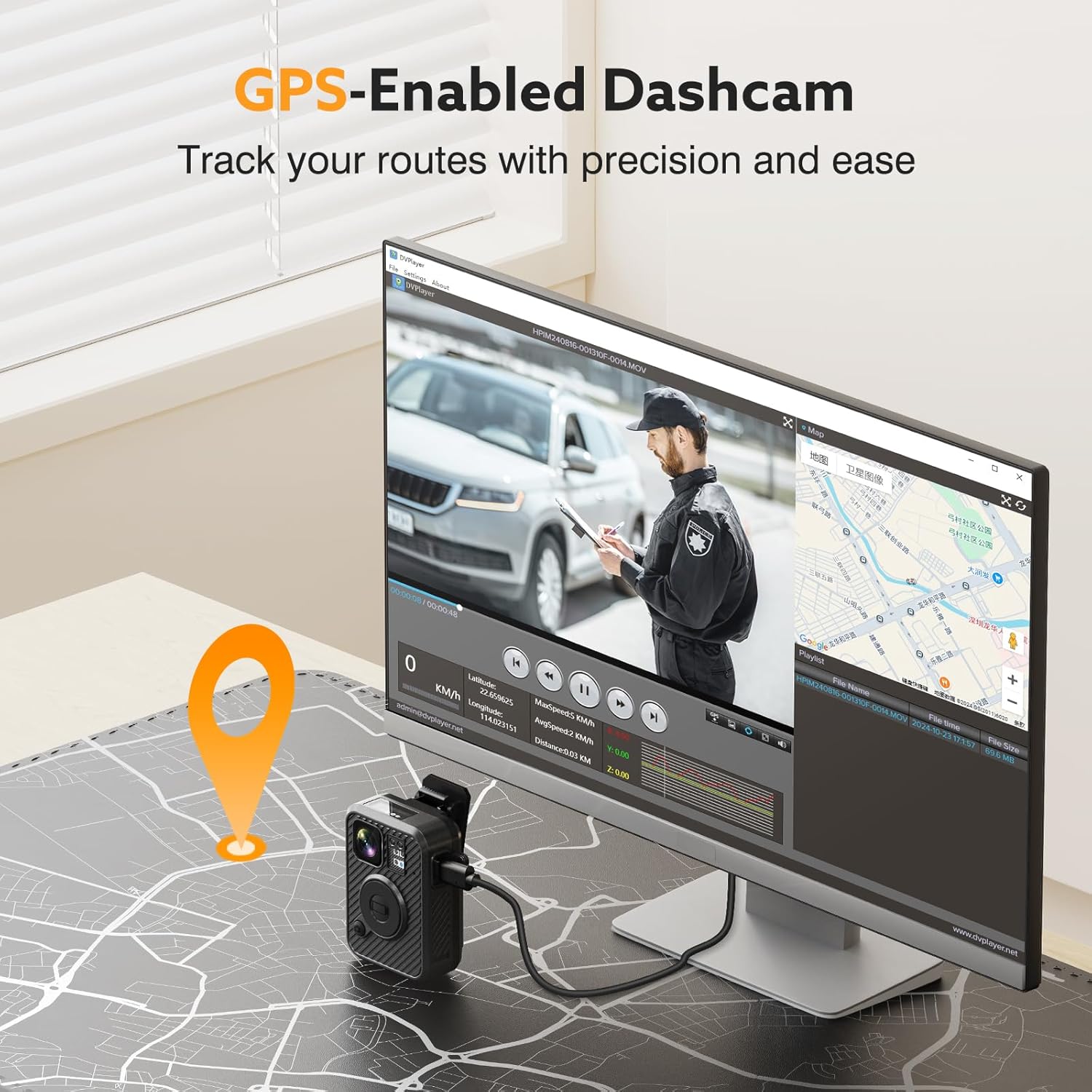
Image: A visual representation of the GPS tracking feature, showing a map and video playback on a computer screen.
5.5 Dash Cam Mode
The WD10 can function as a dash cam with a power-on recording feature. When connected to your vehicle's power, it can automatically start recording when the car is on, providing continuous surveillance for your vehicle.

Image: The Losfom WD10 camera installed on a car's windshield, demonstrating its use as a dashcam.
5.6 Versatile Usage
The camera's design and included accessories make it suitable for various scenarios:
- Law Enforcement: Securely attach to uniforms for reliable evidence collection.
- Delivery Monitoring: Document deliveries and interactions.
- Parking Surveillance: Utilize dash cam mode for vehicle protection.
- Outdoor Activities: Capture adventures with hands-free recording.

Image: A collage showing the WD10 camera being used in different contexts: as a dashcam, by a law enforcement officer, and by a person walking outdoors.
6. Mounting Options
The WD10 camera comes with multiple mounting accessories to suit your needs:
- Long and Short Clips: For flexible body mounting on clothing or gear.
- Car Mount: Securely attaches the camera to your vehicle's windshield for dash cam use.

Image: A visual comparison of the WD10 setup for dash camera use with a car mount versus law enforcement use with body clips.
7. Data Management
7.1 Transferring Files
Connect the camera to your computer using the provided USB cable to access and transfer recorded video and photo files. The camera is compatible with Windows and Mac for easy data management.
7.2 Storage
The WD10 model comes with 128GB of internal storage. Ensure regular backup of important files to prevent data loss.
8. Specifications
| Feature | Detail |
|---|---|
| Product Dimensions | 5 x 4 x 5 inches |
| Item Weight | 1.37 pounds |
| Item Model Number | WD10 |
| Batteries | 1 Lithium Polymer batteries required. (included) |
| Brand | Losfom |
| Model Name | WD10 |
| Connectivity Technology | USB |
| Special Feature | Built-In GPS, Night Vision |
| Video Capture Resolution | 1440p (2K) |
| Color | Black |
9. Troubleshooting
9.1 Camera Not Powering On
- Ensure the battery is fully charged. Connect to a power source and allow sufficient charging time.
- Press and hold the Power button for several seconds.
9.2 Poor Video Quality
- Ensure the lens is clean and free from smudges or debris.
- Check lighting conditions. Night vision should activate automatically in low light.
9.3 GPS Not Tracking
- Ensure the camera has a clear view of the sky for optimal GPS signal reception.
- Verify GPS settings in the camera menu.
9.4 Files Not Transferring to Computer
- Ensure the USB cable is securely connected to both the camera and the computer.
- Try a different USB port or cable.
- Restart both the camera and the computer.
10. Warranty and Support
For warranty information, technical support, or service inquiries, please refer to the contact details provided in the packaging or visit the official Losfom website. Keep your purchase receipt as proof of purchase.
11. Official Product Videos
Losfom WD1 Law Enforcement Camera Overview
Video: An overview of the Losfom WD1 Law Enforcement Camera, showcasing its features and what comes in the box. Note: This video features a similar model (WD1) from the same brand.
1080P FHD Body Worn Camera Features
Video: A demonstration of a 1080P FHD Body Worn Camera, highlighting its built-in battery, night vision, and durable materials. Note: This video features a similar model from the same brand.
Losfom WD1 Body Camera Battery Life
Video: A short clip showcasing the 2100mAh battery and 10 hours of recording time for the Losfom WD1 Body Camera. Note: This video features a similar model (WD1) from the same brand.

