
Introduction
Thank you for choosing the Defender ARGA GM-049 Gaming Mouse. This manual provides detailed instructions for setting up, operating, maintaining, and troubleshooting your new gaming mouse. Please read this manual carefully before use to ensure optimal performance and longevity of your device.
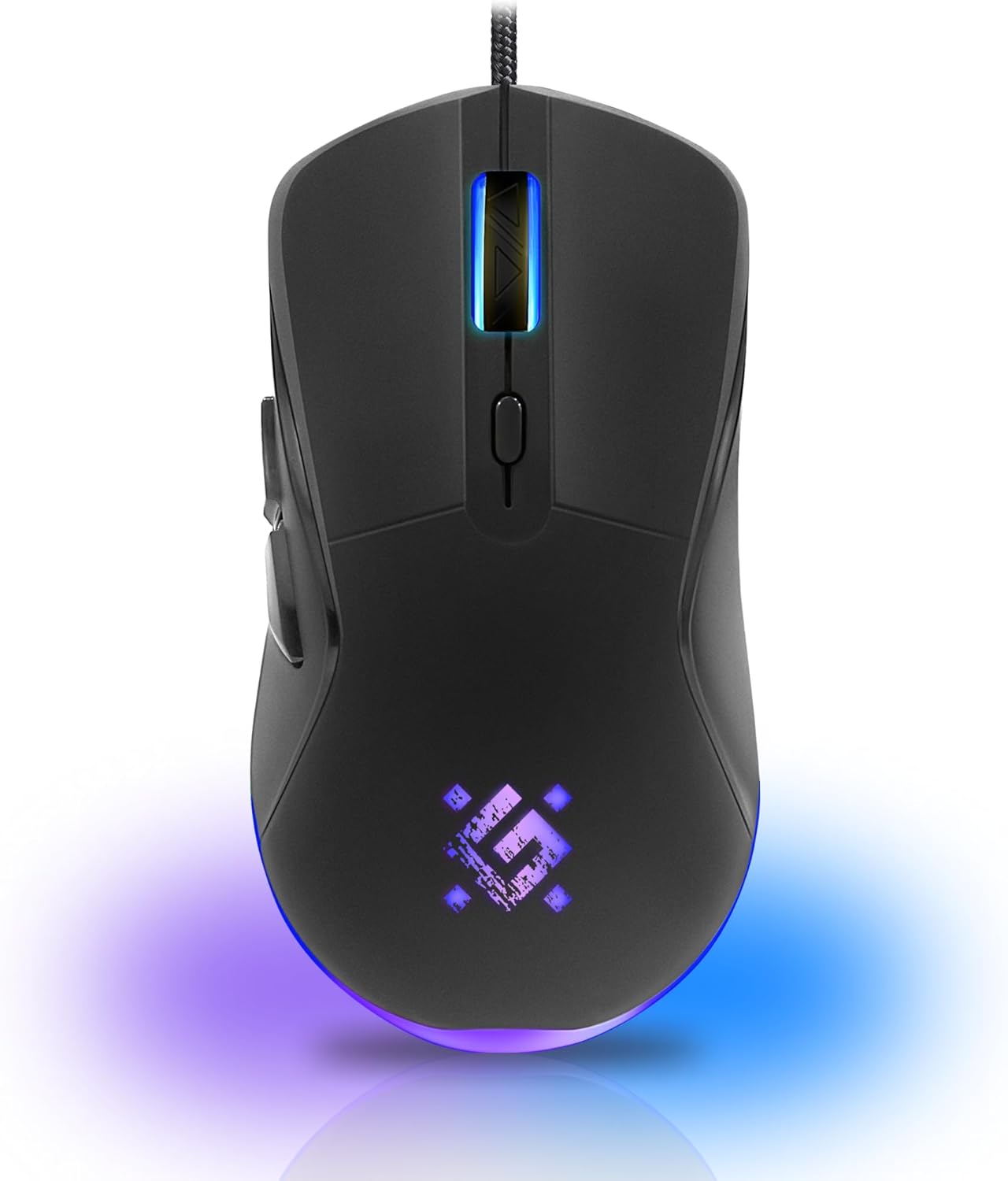
Image: Front view of the Defender ARGA GM-049 Gaming Mouse, showcasing its ergonomic design and customizable RGB lighting.
Setup
1. Connecting the Mouse
- Locate an available USB port on your computer.
- Plug the gold-plated USB connector of the Defender ARGA GM-049 mouse into the USB port.
- The operating system will automatically detect and install the necessary drivers. This process may take a few moments.
2. Software Installation (Optional)
For advanced customization, including macro programming and button remapping, install the Defender Game Center Software.
- Visit the official Defender website to download the latest version of the Defender Game Center Software.
- Follow the on-screen instructions to complete the installation.
- Once installed, launch the software to configure your mouse settings.

Image: Diagram illustrating the Defender Game Center Software, macro editor, optical sensor, and compatibility with Windows 2000/XP/Vista/7/8/10+ and macOS X10+.
Operating Instructions
1. Basic Functions
- Left Click: Primary action.
- Right Click: Secondary action, typically opens context menus.
- Scroll Wheel: Scroll up/down documents or web pages. Pressing the scroll wheel often acts as a middle click.
2. DPI Adjustment
The Defender ARGA GM-049 features adjustable DPI (Dots Per Inch) settings, allowing you to change mouse sensitivity on the fly. The available DPI levels are 1200, 1800, 2400, and 3600.
- Press the dedicated DPI button (usually located behind the scroll wheel) to cycle through the preset DPI levels.
- Each DPI level may correspond to a different LED lighting color for easy identification (refer to software for customization).
3. Programmable Buttons
The mouse is equipped with 6 buttons, 5 of which are programmable using the Defender Game Center Software. These include the two main clicks, the scroll wheel click, and two side buttons.
- Launch the Defender Game Center Software.
- Navigate to the button assignment section.
- Select a button and assign a desired function, macro, or key combination.
4. RGB Lighting
The ARGA GM-049 features customizable RGB lighting. The lighting effects and colors can be configured through the Defender Game Center Software to match your preferences or current DPI setting.

Image: Visual representation of the mouse's features including 10 million clicks lifespan, 5 programmable buttons, RGB lighting, and DPI settings (1200/1800/2400/3600).
Maintenance
Proper maintenance ensures the longevity and optimal performance of your gaming mouse.
1. Cleaning
- Disconnect the mouse from your computer before cleaning.
- Use a soft, dry, lint-free cloth to wipe the surface of the mouse.
- For stubborn dirt, slightly dampen the cloth with water or a mild, non-abrasive cleaner. Avoid harsh chemicals.
- Use a cotton swab or compressed air to clean around the buttons and scroll wheel.
- Do not allow liquids to enter the mouse casing.
2. General Care
- Avoid dropping the mouse or subjecting it to strong impacts.
- Keep the mouse away from extreme temperatures and direct sunlight.
- Do not attempt to disassemble the mouse, as this may void your warranty.
Troubleshooting
If you encounter issues with your Defender ARGA GM-049 mouse, refer to the following common solutions:
| Problem | Possible Solution |
|---|---|
| Mouse not responding |
|
| Erratic cursor movement |
|
| Buttons or scroll wheel not working |
|
| LED lighting not working |
|
Specifications
| Feature | Detail |
|---|---|
| Brand | Defender |
| Model | ARGA GM-049 |
| Connectivity Technology | Wired USB (Gold-plated connector) |
| Movement Detection Technology | Optical |
| DPI Levels | 1200 / 1800 / 2400 / 3600 |
| Number of Buttons | 6 (5 programmable) |
| Special Features | RGB LED lighting, Programmable buttons, Macro editor, Durable rubberized surface, Teflon feet, Ferrite noise filter |
| Cable Length | 1.5 meters (Braided cable structure) |
| Button Lifespan | Up to 10 million clicks |
| Compatibility | Windows 2000/XP/Vista/7/8/10+, macOS X10+ |
| Included Accessory | Mouse Pad (220 x 180 mm) |

Image: Product packaging highlighting key features such as rainbow backlight, 2 thumb buttons, 4 resolution modes up to 3600 DPI, wide rubberized backlit scroll wheel, 5 customizable buttons, durable Teflon feet, ferrite noise filter, gold-plated USB connector, and bonus mouse pad.

Image: The Defender ARGA GM-049 Gaming Mouse shown alongside its included mouse pad, indicating dimensions of 220mm by 180mm.
Warranty and Support
Warranty Information
For detailed warranty information regarding your Defender ARGA GM-049 Gaming Mouse, please refer to the warranty card included with your product or consult the retailer from whom you purchased the device. Warranty terms and conditions may vary by region and retailer.
Technical Support
If you require further assistance or encounter issues not covered in this manual, please visit the official Defender website for support resources, FAQs, and contact information for technical support.


