
Bobtot ET23

Bobtot Portable Bluetooth Speaker
User Manual
Product Overview
The Bobtot Portable Bluetooth Speaker (Model ET23) is designed to deliver powerful, clear, and stereo sound with enhanced bass, suitable for various environments including parties, camping, and travel. Its robust IPX6 waterproof rating ensures durability and versatility for outdoor and wet conditions.
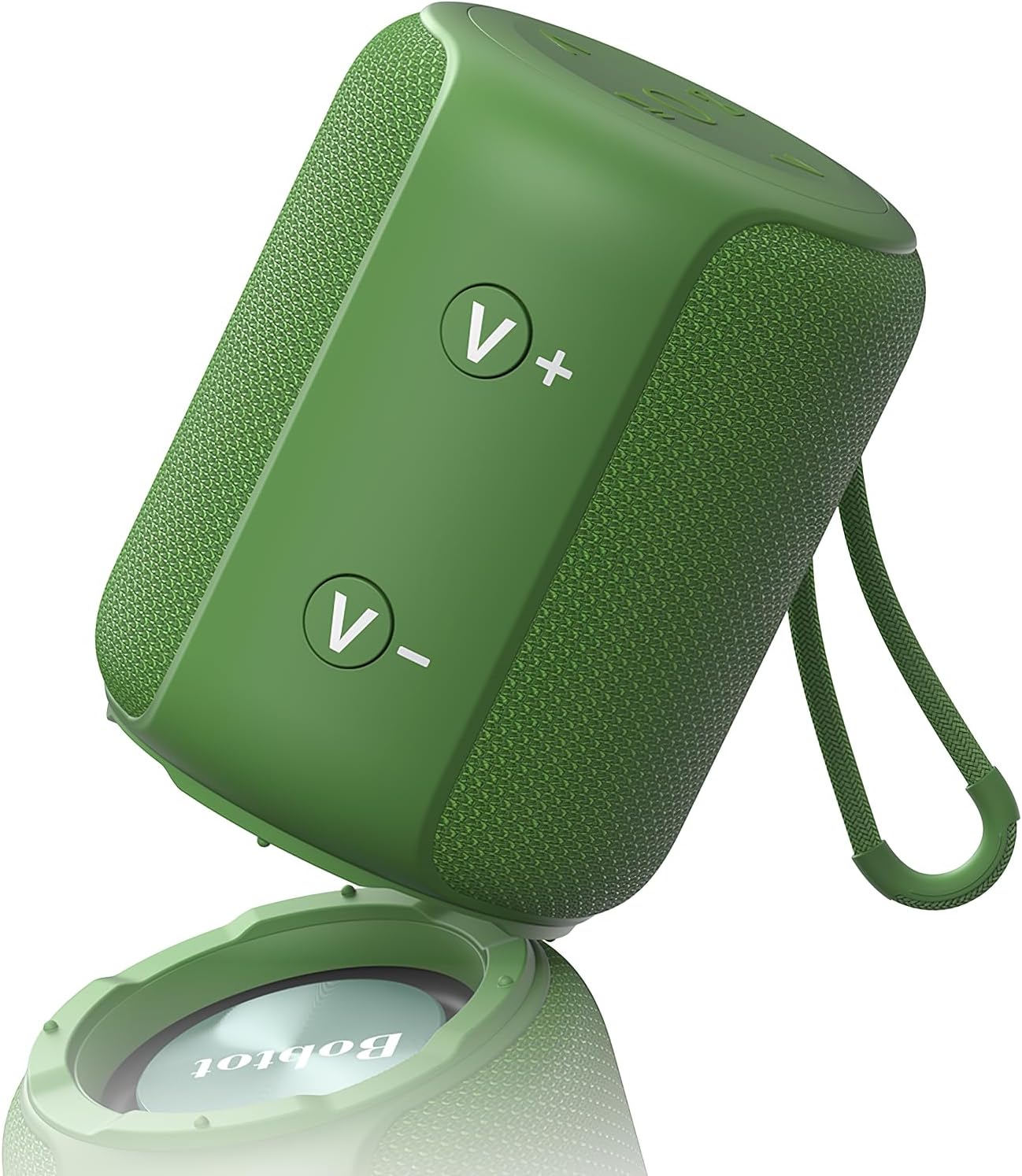
Figure 1: Bobtot Portable Bluetooth Speaker (Green)
Key Features:
- Powerful Sound with Rich Bass: Equipped with a 2-inch full-range speaker producing 10W peak sound, complemented by a passive radiator for enriched bass. Delivers clear midrange and treble without distortion.
- IPX6 Waterproof: Designed to withstand powerful water sprays, making it ideal for use at the beach, swimming pool, or in the shower.
- Dual Pairing: Features Bluetooth 5.3 for quick device connection. Allows pairing with a second speaker for 20W peak stereo sound, expanding the sound space.
- Multiple Connections: Supports Bluetooth, AUX, TF card, and USB connections for versatile compatibility with phones, laptops, projectors, and more.
- Long Playing Time: A 2500mAh battery provides up to 15 hours of playtime on a single charge, with a full charge taking approximately 5 hours.
- Compact and Portable: Small size and lightweight design with a durable built-in carrying strap for easy transport during outdoor activities.
- Built-in Microphone: Enables hands-free phone calls and online meetings with clear audio.
What's Included
Your Bobtot Portable Bluetooth Speaker package includes the following items:
- Portable Speaker (Model ET23)
- Charging Cord
- User Manual (this document)
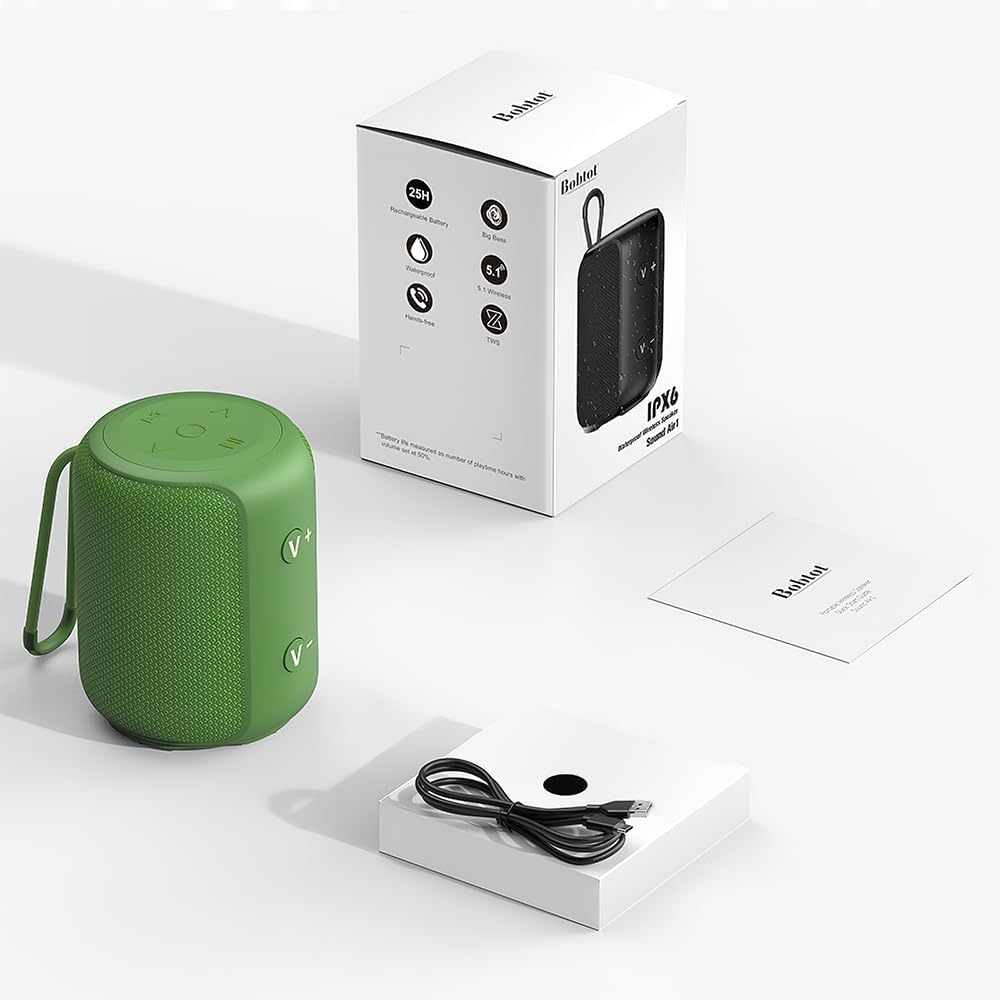
Figure 2: Package Contents
Setup Guide
1. Charging the Speaker
Before first use, fully charge your speaker. Connect the provided charging cord to the speaker's charging port (usually located under a protective flap) and plug the other end into a USB power source. The charging time is approximately 5 hours for a full charge, providing up to 15 hours of playtime.

Figure 3: Charging and Connection Ports
2. Bluetooth Pairing
- Power on the speaker by pressing and holding the power button. A blue indicator light will typically flash, indicating it's in pairing mode.
- On your device (smartphone, tablet, laptop), go to Bluetooth settings and enable Bluetooth.
- Search for available devices. The speaker will appear as "Bobtot ET23" or similar.
- Select the speaker to connect. Once connected, the blue indicator light will become solid.

Figure 4: Bluetooth Connection
3. Dual Speaker Pairing (TWS)
For an immersive stereo experience, you can pair two Bobtot ET23 speakers together:
- Ensure both speakers are powered on and not connected to any other Bluetooth device.
- On one of the speakers, press the TWS (True Wireless Stereo) button (often indicated by a chain link icon or similar). The speaker will enter TWS pairing mode.
- The two speakers will automatically connect to each other. Once connected, one speaker will act as the master (left channel) and the other as the slave (right channel).
- Now, connect your device to the master speaker via Bluetooth as described in step 2.

Figure 5: Dual Speaker Pairing for Stereo Sound
Operating Instructions
Controls:
The speaker features intuitive controls for easy operation:

Figure 6: Top Control Panel
- Power Button: Press and hold to turn the speaker on/off.
- Play/Pause Button: Press once to play or pause audio.
- Volume Up (+): Press to increase volume.
- Volume Down (-): Press to decrease volume.
- Next Track (>): Press to skip to the next song.
- Previous Track (<): Press to go to the previous song.
- Mode Button (M): Press to switch between Bluetooth, AUX, TF card, and USB input modes.
- TWS Button (Chain Link Icon): Press to initiate True Wireless Stereo pairing with another Bobtot ET23 speaker.
Making Calls:
With the built-in microphone, you can answer calls directly through the speaker when connected via Bluetooth:
- Answer Call: Press the Play/Pause button once.
- End Call: Press the Play/Pause button once during a call.
- Reject Call: Press and hold the Play/Pause button.

Figure 7: Hands-Free Calling
Maintenance and Care
To ensure the longevity and optimal performance of your Bobtot Portable Bluetooth Speaker, follow these maintenance guidelines:
- Waterproof Care: While the speaker is IPX6 waterproof, ensure all port covers are securely closed before exposing it to water or moisture. Do not submerge the speaker.
- Cleaning: Use a soft, damp cloth to clean the speaker's exterior. Avoid using harsh chemicals or abrasive cleaners.
- Storage: Store the speaker in a cool, dry place away from direct sunlight and extreme temperatures when not in use for extended periods.
- Battery Life: For best battery health, avoid fully depleting the battery frequently. Charge the speaker regularly, especially if it will be stored for a long time.

Figure 8: IPX6 Waterproof Protection
Troubleshooting
If you encounter any issues with your Bobtot Portable Bluetooth Speaker, refer to the following common troubleshooting tips:
- Speaker not turning on: Ensure the battery is charged. Connect the charging cable and try again.
- Cannot pair with Bluetooth device:
- Make sure the speaker is in pairing mode (flashing blue light).
- Ensure Bluetooth is enabled on your device.
- Move the speaker closer to your device (within 33 feet/10 meters).
- Forget the speaker from your device's Bluetooth list and try pairing again.
- Restart both the speaker and your device.
- No sound or low volume:
- Increase the volume on both the speaker and your connected device.
- Ensure the correct input mode is selected (Bluetooth, AUX, TF, USB).
- Check if the speaker is properly connected to your device.
- Sound muffled at high volume: This can sometimes occur with portable speakers. Try reducing the volume slightly to improve clarity.
- Dual pairing issues (intermittent cut-out, one speaker losing connection):
- Ensure both speakers are fully charged.
- Place the speakers closer to each other and to the source device.
- Disconnect both speakers from any device, then re-initiate TWS pairing.
- Avoid obstacles between the speakers and the source device that might interfere with the signal.
- Short battery life:
- Ensure the speaker is fully charged (approx. 5 hours).
- High volume usage can reduce battery life.
- Ensure no background apps on your connected device are draining power.
Specifications
| Feature | Specification |
|---|---|
| Model Name | ET23 |
| Brand | Bobtot |
| Speaker Type | Portable Speaker |
| Connectivity Technology | Bluetooth, AUX, TF Card, USB |
| Wireless Communication Technology | Bluetooth |
| Bluetooth Range | 33 Feet (10 meters) |
| Speaker Maximum Output Power | 5 Watts (10W Peak for single, 20W Peak for dual pairing) |
| Battery Life | 15 Hours (up to 25 Hours according to some specs) |
| Battery Capacity | 2500 mAh |
| Charging Time | 5 Hours |
| Water Resistance Level | IPX6 (Waterproof) |
| Product Dimensions | 3"D x 2.6"W x 3"H |
| Item Weight | 0.4 Kilograms (14.1 ounces) |
| Material | Acrylonitrile Butadiene Styrene (ABS) |
| Included Components | Portable Speaker, Charging Cord, User Manual |
Warranty and Support
The Bobtot Portable Bluetooth Speaker comes with an extended warranty. For specific warranty terms and conditions, please refer to the warranty card included in your product packaging or visit the official Bobtot brand store.
For further assistance, product registration, or to explore other Bobtot products, please visit the Bobtot Store on Amazon.
Related documentsET23


Ask a question about this manual
Ask about setup, troubleshooting, compatibility, parts, safety, or missing instructions. Manuals+ will review the question and use this page’s manual context to help answer it.