1. Introduction
Thank you for choosing SKIUDCT Wireless Earbuds EV68. These earbuds are designed to provide a superior audio experience with advanced features such as Bluetooth 5.3 connectivity, HiFi stereo sound, extended playtime, intuitive touch controls, and IPX7 waterproofing. This manual will guide you through the setup, operation, and maintenance of your new earbuds to ensure optimal performance and longevity.
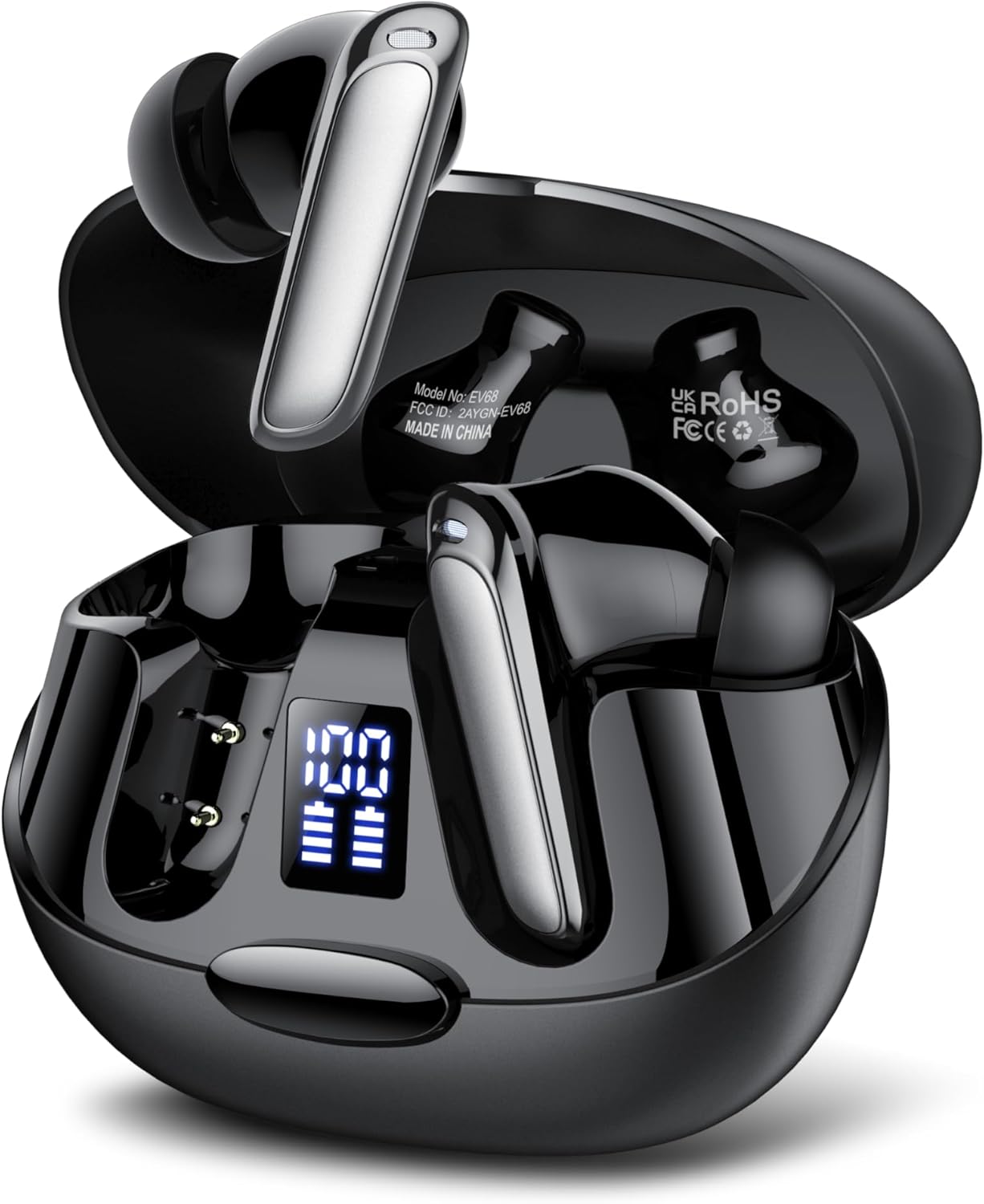
The SKIUDCT Wireless Earbuds EV68 in their open charging case, showcasing the earbuds and the LED battery display.

Illustration highlighting the unique design, comfortable fit, 3.5g ultra-lightweight earbud, in-ear form factor, and IPX7 waterproof rating of the earbuds.
2. What's in the Box
Upon opening your SKIUDCT Wireless Earbuds EV68 package, you should find the following items:
- 2 x Wireless Earbuds (Left and Right)
- 1 x Fast Charging Case
- 1 x Type-C Charging Cable
- 3 x Pairs of Eartips (Small, Medium, Large)
- 1 x Instruction Manual

A visual representation of all items included in the SKIUDCT Wireless Earbuds EV68 package.
3. Product Overview
Earbud Components
Each earbud features a sleek design with a touch control area, microphone, and charging contacts. The charging case includes a Type-C charging port and an LED display indicating battery levels for both the case and individual earbuds.

An exploded diagram showing the internal components of the SKIUDCT Wireless Earbud, including the speaker, circuit board, and touch sensor.

Detail of the 13mm bio-diaphragm dynamic speaker, engineered for high-definition sound quality and natural audio reproduction.
4. Setup
Charging the Earbuds and Case
Before first use, fully charge both the earbuds and the charging case.
- Place the earbuds into the charging case, ensuring they are properly seated.
- Connect the Type-C charging cable to the charging port on the case and the other end to a USB power source (e.g., wall adapter, computer USB port).
- The LED display on the charging case will show the charging status. A full charge typically takes about 1.5 hours.
The earbuds offer up to 8 hours of playtime on a single charge, and the charging case provides multiple additional charges, extending total playtime to up to 42 hours.

Visual representation of the 42-hour total playtime with the charging case, 8 hours on a single charge, and 1.5-hour quick charge via Type-C.
Bluetooth Pairing
The earbuds utilize Bluetooth 5.3 for a stable and fast connection.
- Open the charging case. The earbuds will automatically enter pairing mode, indicated by a flashing light on the earbuds.
- On your device (smartphone, tablet, laptop), go to Bluetooth settings and turn Bluetooth on.
- Search for available devices and select "EV68" from the list.
- Once connected, the earbud lights will stop flashing, and you will hear a confirmation tone.

The earbuds connected to a smartphone via Bluetooth 5.3, demonstrating wide compatibility with various devices.
5. Operating Instructions
Touch Controls
The SKIUDCT EV68 earbuds feature intuitive touch controls for easy management of music and calls.
| Action | Function |
|---|---|
| Single Tap (L/R) | Play/Pause Music, Answer Call |
| Double Tap (L) | Previous Song |
| Double Tap (R) | Next Song |
| Triple Tap (L) | Volume Down |
| Triple Tap (R) | Volume Up |
| Long Press (2s) (L/R) | Activate Voice Assistant (Siri/Google Assistant) |
| Long Press (2s) during call | Reject/End Call |

A user demonstrating the touch controls for music, volume, calls, and voice assistant on the SKIUDCT earbuds.

Detailed diagram illustrating the various touch control functions on the earbud, including play/pause, switch song, adjust volume, reject/end call, answer call, and voice assistant activation.
Making and Receiving Calls
The earbuds are equipped with HD microphones and noise reduction technology to ensure crystal-clear calls.
- Answering a Call: Single tap either earbud.
- Ending a Call: Long press either earbud for 2 seconds.
- Rejecting a Call: Long press either earbud for 2 seconds when an incoming call rings.
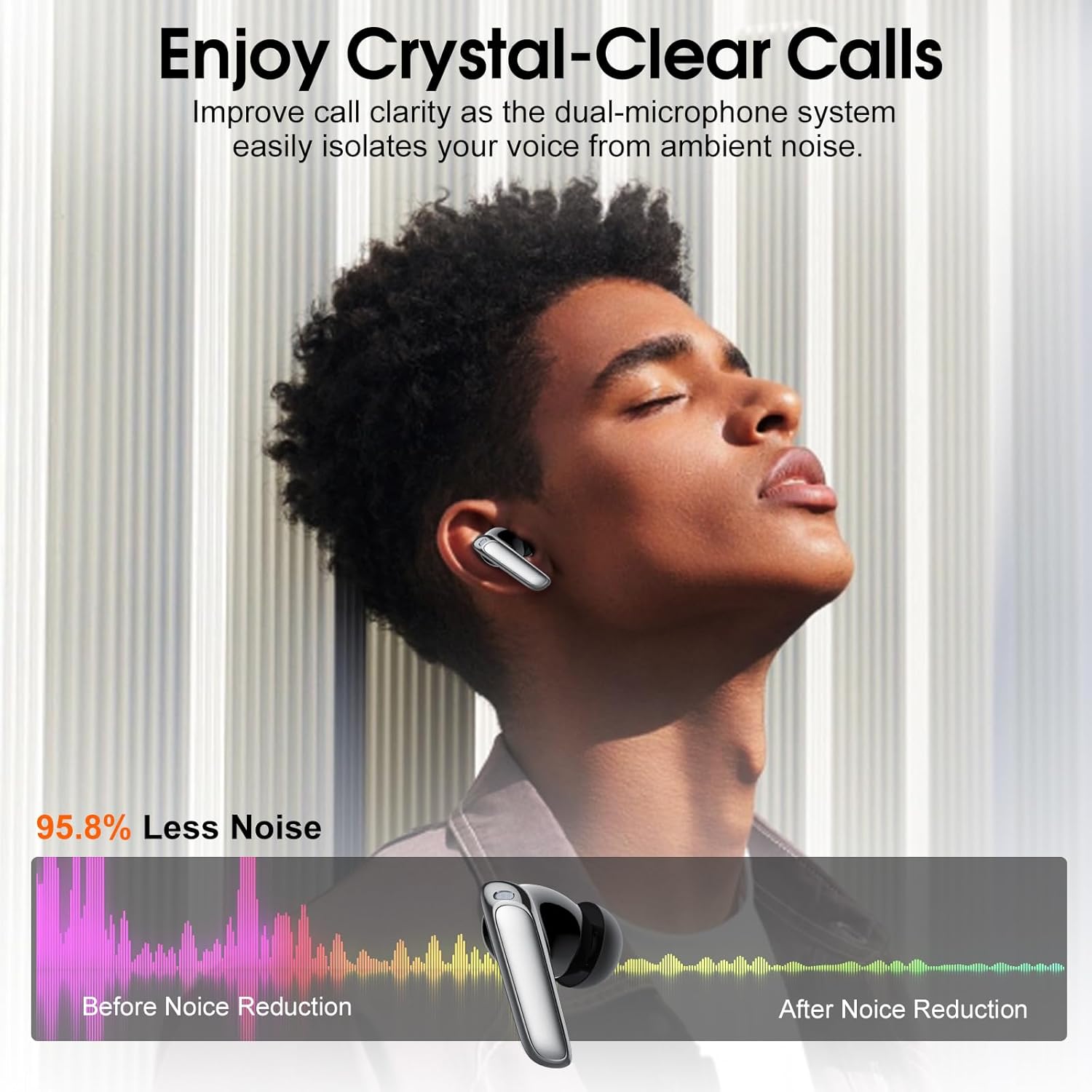
Illustration demonstrating improved call clarity with the dual-microphone system, effectively isolating voice from ambient noise.
6. Maintenance
Cleaning
To maintain optimal performance and hygiene, regularly clean your earbuds and charging case.
- Use a soft, dry, lint-free cloth to wipe the earbuds and charging case.
- For stubborn dirt, slightly dampen the cloth with water or a mild, non-abrasive cleaner.
- Gently clean the charging contacts on both the earbuds and the case with a dry cotton swab.
- Do not use harsh chemicals, aerosols, or abrasive cleaners.
Storage
When not in use, store the earbuds in their charging case to protect them from dust and damage, and to keep them charged.
Water Resistance (IPX7)
The SKIUDCT EV68 earbuds are IPX7 waterproof, meaning they can withstand immersion in water up to 1 meter for 30 minutes. This makes them suitable for workouts and light rain. However, they are not designed for swimming or prolonged submersion. Ensure the earbuds are dry before placing them back into the charging case to prevent damage.

Visual representation of the earbuds' IPX7 water resistance, showing them being splashed with water.
7. Troubleshooting
If you encounter any issues with your SKIUDCT Wireless Earbuds EV68, please refer to the following common solutions:
| Problem | Possible Cause | Solution |
|---|---|---|
| Earbuds not pairing | Out of range, low battery, or pairing mode not active. | Ensure earbuds are charged. Place them back in the case and open the lid to re-enter pairing mode. Move closer to your device. Forget "EV68" in your device's Bluetooth settings and re-pair. |
| Only one earbud working | One earbud is not charged or not connected to the other. | Ensure both earbuds are charged. Place both earbuds back into the charging case, close the lid for 5 seconds, then open it again. This should re-sync them. |
| No sound or low volume | Device volume too low, earbuds not properly connected, or dirty speaker mesh. | Increase volume on your device and earbuds. Reconnect the earbuds. Clean the speaker mesh gently with a dry cotton swab. |
| Charging case not charging | Faulty cable or power source. | Try a different Type-C cable and a different USB power adapter. Ensure the cable is fully inserted. |
| Touch controls unresponsive | Earbuds are wet, dirty, or firmware issue. | Ensure earbuds are dry and clean. Restart the earbuds by placing them in the case and taking them out. |
8. Specifications
| Feature | Detail |
|---|---|
| Model Name | EV68 |
| Brand | SKIUDCT |
| Connectivity Technology | Wireless (Bluetooth 5.3) |
| Wireless Communication Technology | Bluetooth |
| Ear Placement | In Ear |
| Form Factor | In Ear |
| Colour | Black |
| Material | Plastic or TPE |
| Waterproof Rating | IPX7 |
| Playtime (Single Charge) | Up to 8 hours |
| Total Playtime (with Case) | Up to 42 hours |
| Charging Port | Type-C |
| Package Dimensions | 9.8 x 8.1 x 3.7 cm |
| Item Weight | 100 g |
| Manufacturer | SKIUDCT |
9. Warranty and Support
SKIUDCT is committed to providing reliable product quality and excellent customer service. Your SKIUDCT Wireless Earbuds EV68 come with a 2-year warranty from the date of purchase, covering manufacturing defects. Additionally, we offer a 30-day returns and refunds policy.
For any product inquiries, technical support, or warranty claims, please contact our customer service team through the platform where you purchased the product. Please have your order number and product model (EV68) ready for faster assistance.

The earbuds are suitable for various daily activities, including relaxing with a coffee.

Their secure fit and IPX7 rating make them ideal for sports and outdoor activities.

The earbuds provide clear audio for calls and media, suitable for work environments.