
Introduction
This manual provides detailed instructions for the setup, operation, and maintenance of your ECHO Rainbow Pro S Smartwatch. Please read this manual thoroughly before using your device to ensure proper functionality and to maximize your user experience. Keep this manual for future reference.
Product Overview
The ECHO Rainbow Pro S is a versatile smartwatch designed to integrate seamlessly into your daily life, offering health monitoring, fitness tracking, and smart communication features. It features a 1.96-inch display and comes with interchangeable straps.
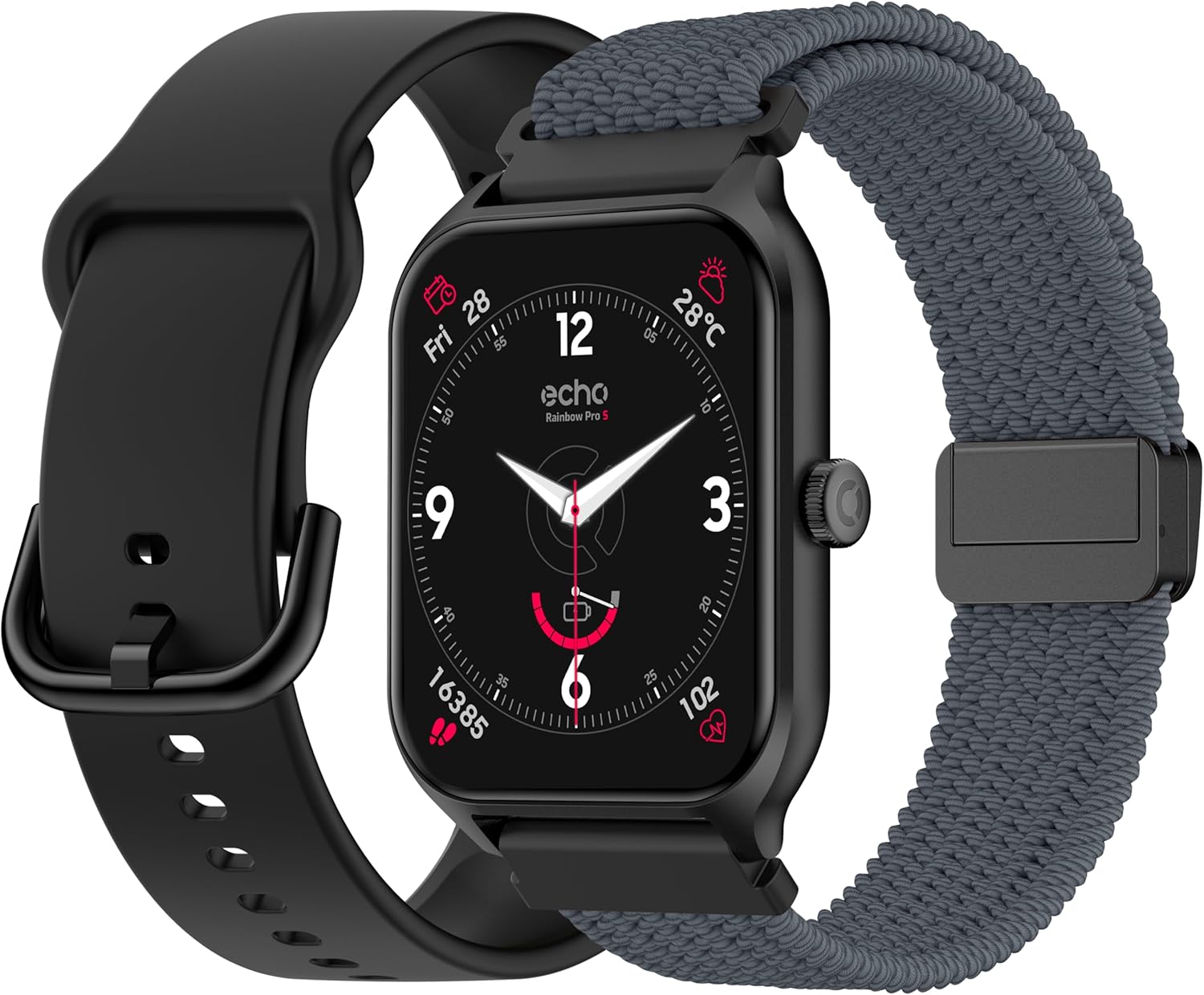
The ECHO Rainbow Pro S smartwatch comes with two interchangeable straps, one in silicone and one in woven nylon, offering versatility for different occasions. The watch features a square display and a side button for navigation.
Setup
1. Unboxing and Initial Charge
Upon opening the package, verify that all components are present: the ECHO Rainbow Pro S smartwatch, a magnetic charging cable, a silicone strap, and a woven nylon strap. Before first use, fully charge the device. Connect the magnetic charger to the charging points on the back of the watch and plug the USB end into a power source. A full charge typically takes approximately 2.5 hours.
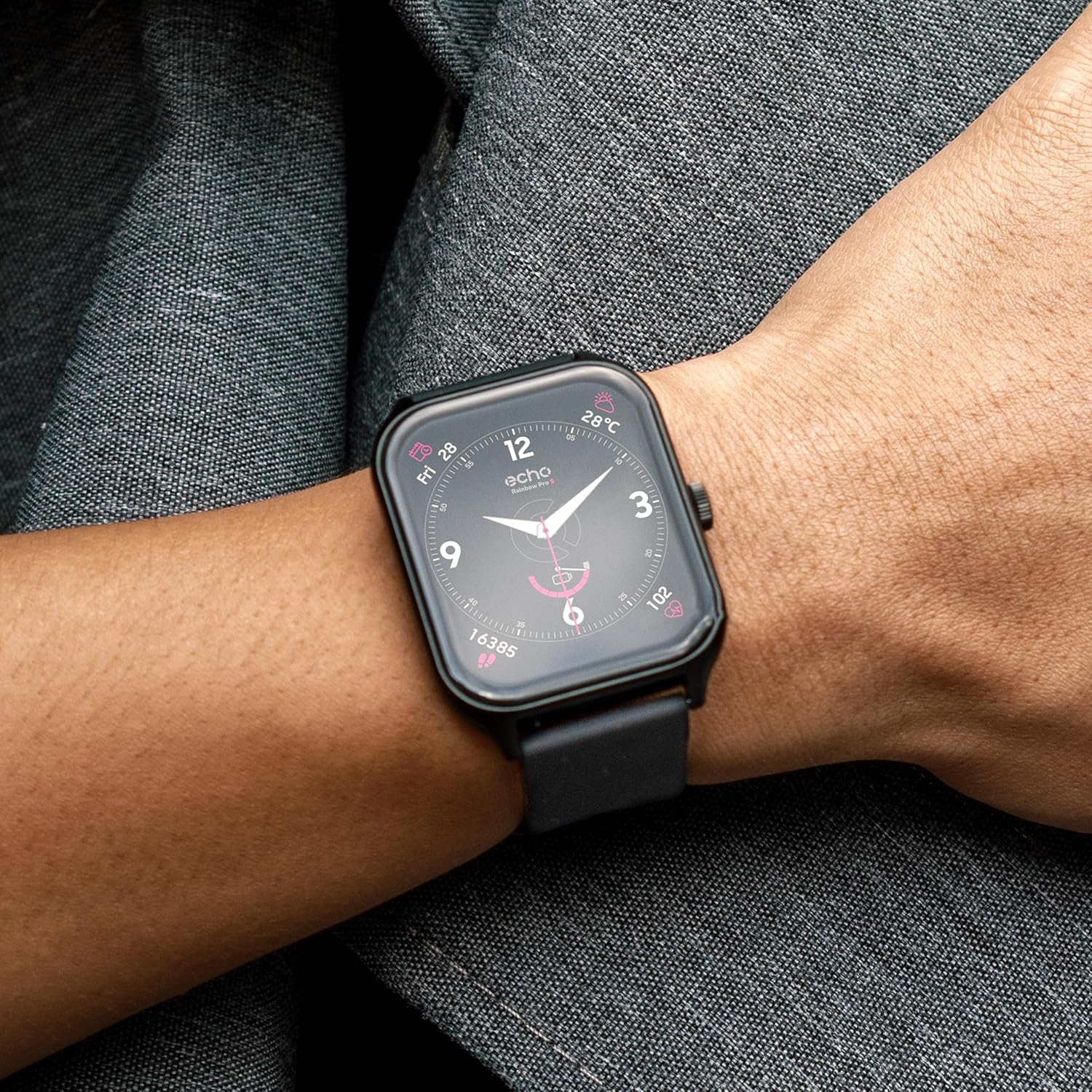
The ECHO Rainbow Pro S smartwatch package includes the watch, a magnetic charging cable, a silicone strap, and a woven nylon strap. Ensure all components are present before proceeding with setup.
2. App Installation and Pairing
- Download the Da Fit application from your smartphone's app store (available for Android and iOS).
- Open the Da Fit app and follow the on-screen instructions to create an account or log in.
- Ensure Bluetooth is enabled on your smartphone.
- In the Da Fit app, navigate to the 'Device' section and select 'Add Device'.
- Select 'ECHO Rainbow Pro S' from the list of available devices to initiate pairing.
- Confirm the pairing request on both your smartphone and the smartwatch.
Operating Instructions
Basic Navigation
- Touchscreen: Swipe left, right, up, or down to navigate through menus and access different features.
- Side Button: Press to return to the home screen or to access the app list. A long press may activate specific functions or power the device on/off.

The ECHO Rainbow Pro S smartwatch features a responsive touchscreen display. Navigate through menus by swiping left, right, up, or down. Press the side button to return to the home screen or access the app list.
Health Monitoring
The ECHO Rainbow Pro S Smartwatch is equipped with advanced sensors to track various health metrics. Data can be viewed on the watch or in more detail within the Da Fit application.
- Heart Rate: Continuous monitoring of your heart rate throughout the day.
- Blood Oxygen (SpO2): Measures the oxygen saturation level in your blood.
- Sleep Tracking: Analyzes your sleep patterns, including deep sleep, light sleep, and awake times.
- Pedometer: Counts your daily steps, distance covered, and calories burned.

The ECHO Rainbow Pro S smartwatch continuously monitors various health metrics. View your heart rate, blood oxygen saturation (SpO2), and sleep patterns directly on the watch or in detail within the Da Fit application.
Note: Health data provided by the smartwatch is for reference only and should not be used for medical diagnosis or treatment. Consult a medical professional for health-related concerns.
Sport Modes
The smartwatch supports over 100 sport modes to help you track and optimize your workouts. Access detailed statistics and coaching videos through the Da Fit app.
- Activity Tracking: Monitor duration, calories burned, and heart rate for various activities.
- Coaching Videos: Access guided exercises and training programs within the Da Fit application.
- GPS Tracking: When connected to your smartphone, the watch can utilize your phone's GPS for accurate route tracking during outdoor activities.

Engage in over 100 sport modes with the ECHO Rainbow Pro S smartwatch. Track your workouts, monitor progress, and access guided exercises through the Da Fit app. GPS tracking is available when connected to your smartphone.
AI Assistant & Customization
The ECHO Rainbow Pro S features an integrated AI assistant and extensive customization options.
- AI Voice Assistant: Interact with the watch using voice commands to get information, set reminders, or control functions.
- Custom Watch Faces: Personalize your watch's appearance by choosing from a variety of pre-installed watch faces or creating your own through the Da Fit app.
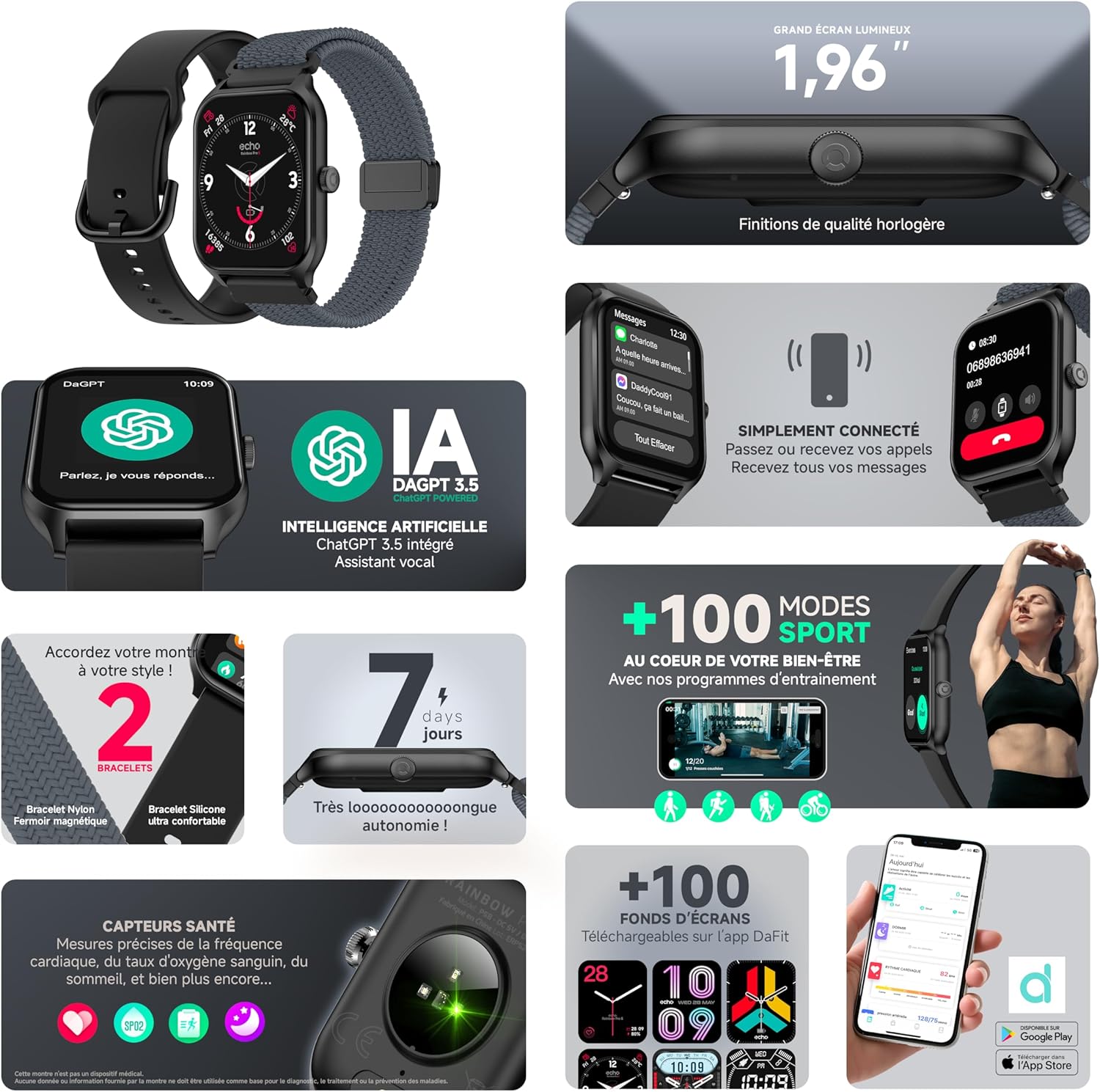
Utilize the integrated AI assistant for quick information and control. Personalize your ECHO Rainbow Pro S smartwatch with custom watch faces, accessible through the Da Fit application.
Bluetooth Calling
Make and receive calls directly from your wrist when the smartwatch is connected to your smartphone via Bluetooth.
- Hands-Free Communication: The watch features an integrated speaker and microphone for clear call quality.
- Call Management: Answer, reject, or dial calls directly from the watch interface.
The ECHO Rainbow Pro S smartwatch allows you to make and receive calls directly from your wrist via Bluetooth. The integrated speaker and microphone ensure clear communication without needing to access your smartphone.
Battery and Charging
The ECHO Rainbow Pro S Smartwatch is designed for extended use with efficient power management.
- Battery Life: Up to 7 days of typical use on a single charge.
- Charging Time: Approximately 2.5 hours for a full charge using the provided magnetic charging cable.
- Charging Indicator: The watch display will show a charging animation and battery percentage.
Maintenance
- Cleaning: Wipe the watch screen and body with a soft, dry cloth. For stubborn dirt, use a slightly damp cloth and then dry thoroughly. Avoid harsh chemicals or abrasive materials.
- Water Resistance: The device has an IP68 rating, meaning it is resistant to fresh water up to 1 meter for 30 minutes. It is suitable for daily use and light water exposure (e.g., hand washing, rain). Avoid hot water, saltwater, or prolonged submersion. Do not press buttons underwater.
- Strap Care: Clean straps regularly. Silicone straps can be washed with mild soap and water. Nylon straps may require gentle hand washing and air drying.
- Storage: Store the watch in a cool, dry place when not in use.
Troubleshooting
Common Issues and Solutions
- Watch not turning on: Ensure the watch is fully charged. Connect it to the charger for at least 30 minutes.
- Unable to pair with phone:
- Ensure Bluetooth is enabled on your phone and the watch.
- Make sure the watch is within range of your phone.
- Restart both your phone and the watch.
- Clear the Bluetooth cache on your phone (if applicable) and try again.
- Inaccurate health data: Ensure the watch is worn snugly on your wrist, about one finger's width above the wrist bone. Avoid excessive movement during measurements.
- Notifications not appearing: Check notification settings in the Da Fit app and your phone's system settings to ensure permissions are granted for the app to send notifications.
- Battery draining quickly: Reduce screen brightness, disable unnecessary features, and ensure the watch is not constantly searching for a Bluetooth connection.
Factory Reset
If issues persist, a factory reset may resolve them. This will erase all data on the watch and restore it to its original settings. Consult the Da Fit app or the watch's settings menu for the factory reset option.
Specifications
| Feature | Specification |
|---|---|
| Brand | ECHO |
| Model | Rainbow Pro S |
| Screen Size | 1.96 Inches |
| Operating System | Wear OS 3.0 |
| Connectivity | Bluetooth |
| Water Resistance | IP68 (Resistant to fresh water up to 1m for 30 min) |
| Compatible Devices | Android, iOS |
| Battery Life | Up to 7 days |
| Charging Time | Approx. 2.5 hours |
| GPS | No (uses phone's GPS) |
| Model Number | b5976b79-28bc-488a-b33b-4a31895cc621 |
Warranty and Support
For warranty information, please refer to the documentation provided with your purchase or contact ECHO customer support. For technical assistance, troubleshooting, or further inquiries, please visit the official ECHO website or contact their customer service department.
Online Support: Visit ECHO Support


