
Introduction
This manual provides comprehensive instructions for the assembly, operation, maintenance, and troubleshooting of your COMHOMA DF-H7134-BLK-N1 Swivel Rocker Recliner Chair. Please read these instructions carefully before use to ensure proper function and longevity of your product.
Safety Information
Important: Always follow the assembly instructions carefully to avoid injury. This chair is designed to withstand up to 250 lbs (113 kg) for optimal safety and comfort. Do not allow children to play on or around the recliner without adult supervision. Keep hands and feet clear of the reclining mechanism during operation.
Setup and Assembly
Your COMHOMA recliner is designed for straightforward assembly. While clear instructions are provided, it is recommended to have two people for the assembly process due to the size and weight of the components.
- Unpacking: Carefully remove all components from the packaging. Ensure all parts are present according to the included parts list. The back of the chair may be vacuum-sealed; allow it to expand before assembly.
- Base Assembly: Position the main base of the chair in your desired location.
- Arm Attachment: Attach the armrests to the main base. This step may require some effort to align and secure the metal frames.
- Backrest Installation: Slide the backrest onto the designated slots on the chair base until it clicks securely into place.
- Connect Power: Connect the power adapter for the massage and heating functions.


Operating Instructions
Reclining Function
To recline the chair, apply gentle pressure to the backrest while pushing forward on the armrests. The footrest will extend, and the backrest will lean back. To return to an upright position, lean forward and push the footrest down with your legs until it locks into place.

Swivel and Rocking Functions
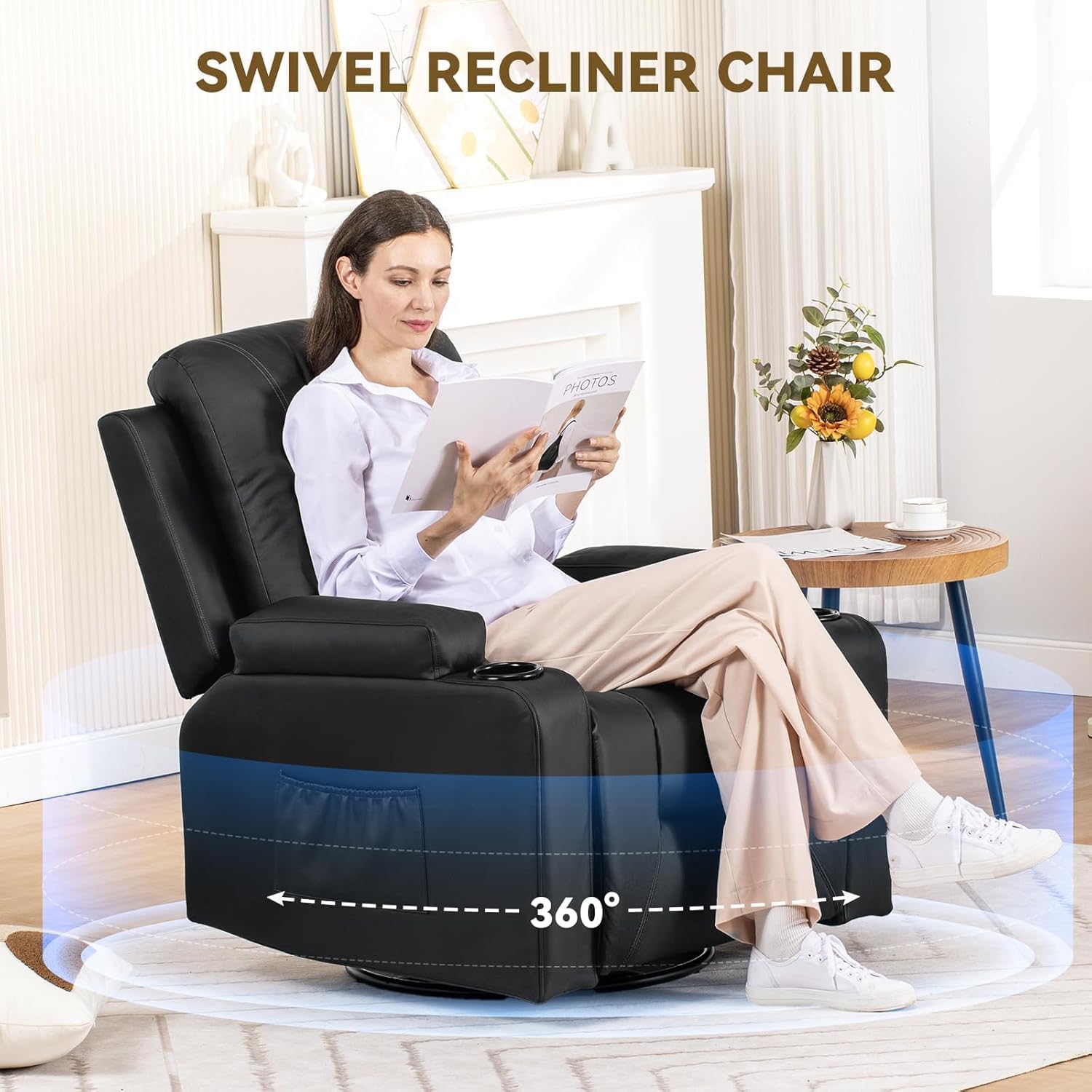
The chair features a 360° swivel base, allowing you to rotate freely without moving the entire chair. It also includes a rocking mechanism for gentle motion when not reclined.
Massage and Heat Functions
Utilize the wired remote control to activate and adjust the massage and heat features. The massage function provides vibration at various points (back, lumbar, legs) and offers different modes (pulse, press, wave, auto). The heat function is located in the lumbar area.
- Power Button: Turns the massage and heat functions on/off.
- Heat Button: Activates/deactivates the lumbar heating.
- Intensity: Adjusts the strength of the massage vibration (High/Low).
- Mode: Cycles through different massage patterns (Pulse, Press, Wave, Auto, Normal).
- Body Zone Buttons: Select specific areas for massage (Back, Lumbar, Legs).
- Timer: Sets the duration for the massage/heat session.

Note: The massage function is primarily a vibration feature, not a kneading massage. A low humming sound may be audible during massage operation.
Storage Features
The chair includes two cup holders integrated into the armrests and side pockets for convenient storage of small items like magazines or remote controls.

Maintenance
- Cleaning: Wipe the faux leather surface with a soft, damp cloth. Avoid harsh chemicals or abrasive cleaners.
- Spills: Blot spills immediately with a clean, dry cloth.
- Inspection: Periodically check all bolts and connections to ensure they are tight. Re-tighten if necessary.
- Protection: To prevent damage, avoid placing sharp objects on the chair and keep pets with sharp claws away from the upholstery.
Troubleshooting
| Problem | Possible Cause | Solution |
|---|---|---|
| Footrest does not stay up or retracts easily. | Mechanism obstruction (e.g., fabric, debris) or loose connection. | Inspect the underside of the chair for any obstructions. Ensure all connections are secure. If the issue persists, contact customer support. |
| Massage/Heat functions not working. | Power connection issue, remote control malfunction. | Check if the power adapter is securely plugged into both the chair and the wall outlet. Ensure the remote control cable is properly connected. Try pressing the power button on the remote. |
| Loud humming sound during massage. | Normal operation of the vibration motors. | This is typical for vibration-based massage units. If the sound is excessively loud or unusual, contact customer support. |
If you encounter any issues not listed here, or if the suggested solutions do not resolve the problem, please contact COMHOMA customer support for assistance.
Specifications
- Brand: COMHOMA
- Model Name: Recliner Chair
- Item Model Number: DF-H7134-BLK-N1
- Color: Black
- Product Dimensions (Upright): 37.4"D x 35.8"W x 40.94"H
- Seat Depth: 20.07 inches
- Item Weight: 91.5 pounds
- Fill Material: Foam
- Special Features: Adjustable Backrest, Cup Holders, Reclining, Side Pocket, 360° Swivel, Rocking Function, Massage (Vibration), Heat (Lumbar)
- UPC: 810170306143

Warranty and Support
For warranty information or to purchase extended protection plans, please refer to your purchase documentation or contact the retailer. For product support, technical assistance, or to report any issues, please contact COMHOMA customer service. Contact details can typically be found on the manufacturer's website or your purchase receipt.
Online Support: Visit the official COMHOMA store for additional resources and support: COMHOMA Store


