
Bobtot ET100
Bobtot Portable Bluetooth Speaker User Manual
Model: ET100
Brand: Bobtot
1. Introduction
This manual provides essential information for the safe and efficient operation of your Bobtot Portable Bluetooth Speaker (Model ET100). Please read this manual thoroughly before using the product and retain it for future reference.
2. What's in the Box
- Portable Speaker
- Charging cord
- User manual
3. Product Overview
3.1. Key Features
- Loud Sound and Deep Bass: Equipped with a 15W rectangular full-range speaker (44*80mm) and passive radiators for punchy bass and balanced audio.
- IPX6 Waterproof and Long Playtime: Designed to withstand water spills and splashes, perfect for outdoor use. Features a 4000 mAh battery providing up to 15 hours of playtime (varies by volume and RGB mode).
- Dual Pairing and Fast Connection: Utilizes Bluetooth 5.3 for stable and quick device connection. Supports dual pairing for a 30W stereo sound experience.
- Energetic Light Mode: RGB lighting with 6 colors at the top and bottom, integrating with passive radiators. Easily switch between light modes. Includes a built-in microphone for clear phone calls and remote meetings.
- Heavy Duty and Easy to Carry: Triangular and cylindrical design with non-slip feet for stable placement. Features a rubber strap for convenient portability. Built for durability with excellent longevity and falling test results.
3.2. Product Visuals

Image: The Bobtot Portable Bluetooth Speaker, showcasing its IPX6 waterproof design amidst water splashes.

Image: A close-up of the speaker's internal driver, illustrating its 30W peak power and larger size for powerful and crisp sound.
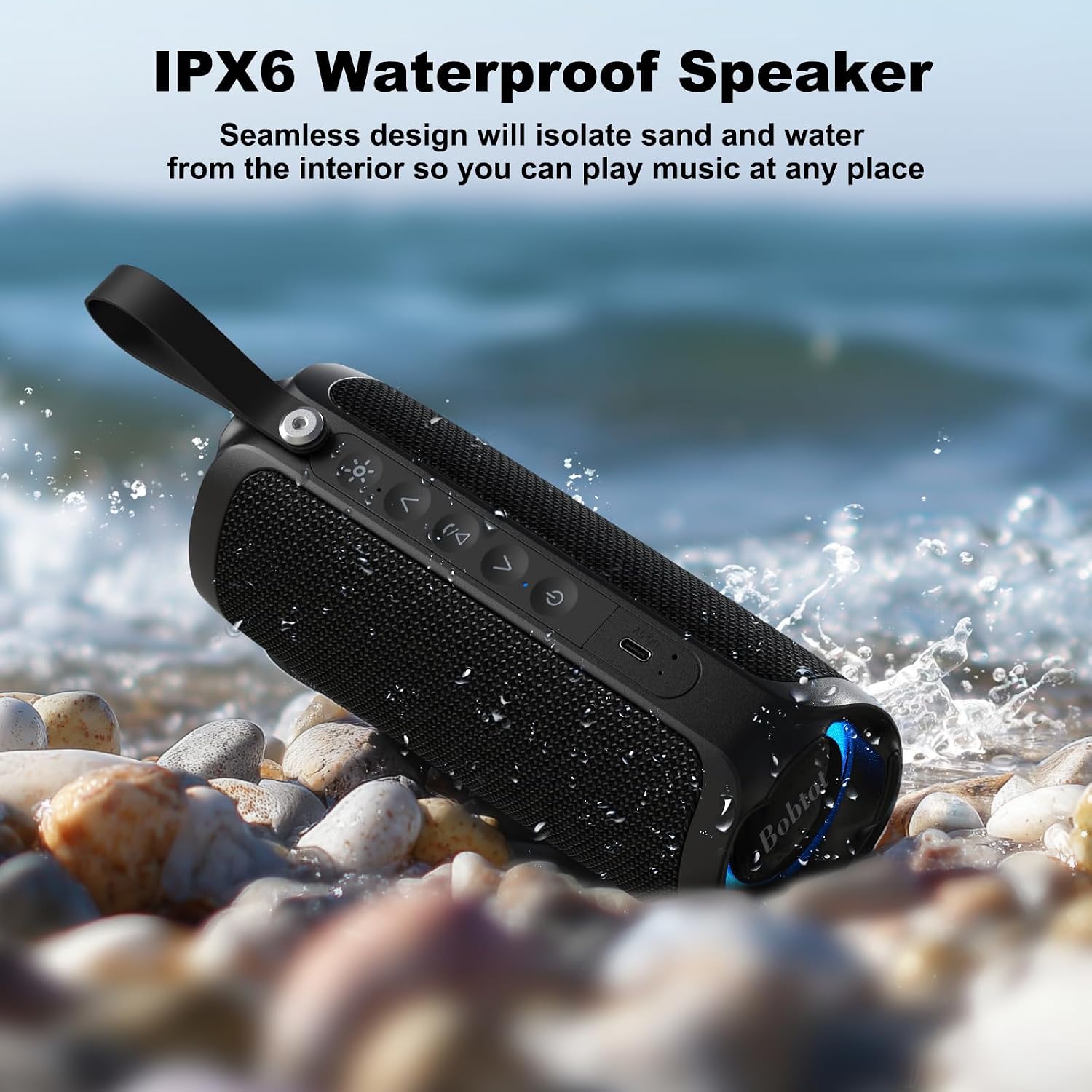
Image: The speaker positioned on a rocky beach with water, highlighting its IPX6 waterproof capability.

Image: The speaker in use by people on a beach, illustrating its long playtime of at least 15 hours.
4. Setup Guide
4.1. Charging the Speaker
Before first use, fully charge your Bobtot Portable Bluetooth Speaker. Connect the provided USB Type-C charging cable to the speaker's charging port and the other end to a compatible USB power source (e.g., wall adapter, computer USB port). The charging indicator light will show the charging status. A full charge takes approximately 3 hours.

Image: Bobtot Portable Bluetooth Speaker, charging cable, and user manual included in the box.
4.2. Powering On/Off
To power on the speaker, press and hold the power button (⏻) for a few seconds until you hear an audible prompt and the indicator light illuminates. To power off, press and hold the power button again until the speaker turns off.
4.3. Bluetooth Pairing
- Ensure the speaker is powered on and in Bluetooth pairing mode (the indicator light will flash, usually blue).
- On your device (smartphone, tablet, computer), enable Bluetooth and search for available devices.
- Select "Bobtot ET100" from the list of devices.
- Once connected, the speaker will provide an audible confirmation, and the indicator light will become solid.
5. Operating Instructions
5.1. Basic Controls
| Button/Function | Action | Description |
|---|---|---|
| Power (⏻) | Press and Hold | Power On/Off |
| Volume Up (∧) | Short Press | Increase Volume |
| Volume Down (∨) | Short Press | Decrease Volume |
| Play/Pause (▷‖) | Short Press | Play/Pause Music |
| Light Mode (☀) | Short Press | Cycle through RGB light modes (6 colors) |
| Call Answer/End | Short Press Play/Pause | Answer incoming call / End current call |
| Call Reject | Long Press Play/Pause | Reject incoming call |
5.2. True Wireless Stereo (TWS) Pairing
For an immersive stereo experience, you can pair two Bobtot ET100 speakers together.
- Ensure both speakers are powered on and not connected to any Bluetooth device.
- On one speaker (this will be the primary speaker), press and hold the Play/Pause button (▷‖) for 2-3 seconds until you hear a pairing tone.
- The speakers will automatically search for and connect to each other. Once connected, you will hear a confirmation tone.
- Now, connect your device to the primary speaker via Bluetooth as described in Section 4.3. Both speakers will play audio in stereo.

Image: Two Bobtot Portable Bluetooth Speakers paired for True Wireless Stereo sound.
5.3. Light Modes
The speaker features dynamic RGB lighting. Short press the Light Mode button (☀) to cycle through the available 6 color modes. The lights are integrated with the passive radiators, providing a visual element to your music.

Image: The Bobtot speaker showcasing its dynamic and real-time light features.
6. Maintenance
To ensure the longevity and optimal performance of your speaker, follow these maintenance guidelines:
- Cleaning: Use a soft, dry cloth to clean the speaker's exterior. Do not use abrasive cleaners, alcohol, or chemical solvents.
- Water Exposure: While the speaker is IPX6 waterproof, avoid prolonged submersion in water. Ensure the charging port cover is securely closed when exposed to water. After exposure to water, wipe the speaker dry before charging.
- Storage: Store the speaker in a cool, dry place away from direct sunlight and extreme temperatures.
- Battery Care: To preserve battery life, charge the speaker regularly, even if not in frequent use. Avoid fully discharging the battery for extended periods.
7. Troubleshooting
| Problem | Possible Cause | Solution |
|---|---|---|
| Speaker does not power on. | Low battery. | Charge the speaker fully. |
| Cannot pair with device. | Bluetooth not enabled on device; speaker not in pairing mode; device too far. | Ensure Bluetooth is on, speaker is in pairing mode (flashing light), and device is within 10 meters. Try restarting both devices. |
| No sound or low volume. | Volume too low on speaker or device; speaker not connected. | Increase volume on both speaker and connected device. Re-pair the speaker if disconnected. |
| Sound distortion. | Volume too high; interference. | Lower the volume. Move speaker away from other electronic devices that may cause interference. |
| TWS pairing fails. | Speakers already connected to other devices. | Disconnect both speakers from any Bluetooth devices before attempting TWS pairing. Ensure they are close to each other. |
8. Specifications
| Feature | Detail |
|---|---|
| Brand | Bobtot |
| Model Name | ET100 |
| Speaker Type | Portable Speaker |
| Connectivity Technology | Bluetooth 5.3 |
| Speaker Maximum Output Power | 15 Watts (30W with TWS pairing) |
| Battery Life | Up to 15 hours (varies by volume and RGB mode) |
| Battery Capacity | 4000 mAh |
| Charging Time | 3 Hours |
| Water Resistance Level | IPX6 Waterproof |
| Product Dimensions | 3"D x 3"W x 7"H |
| Item Weight | 1.21 pounds |
| Maximum Range | 10 Meters |
| Included Components | Portable Speaker, Charging cord, User manual |
9. Warranty and Support
Your Bobtot Portable Bluetooth Speaker comes with an extended warranty. For detailed warranty information, support, or service inquiries, please refer to the contact information provided on the product packaging or visit the official Bobtot website.
Official Bobtot Store: Bobtot Store on Amazon
Related documentsET100


Ask a question about this manual
Ask about setup, troubleshooting, compatibility, parts, safety, or missing instructions. Manuals+ will review the question and use this page’s manual context to help answer it.