1. Introduction
Thank you for choosing the Mycket Portable DAB/DAB+ and FM Radio. This device offers a superior audio experience with its versatile connectivity options, including DAB/DAB+ digital radio, traditional FM radio, Bluetooth 5.0 for wireless streaming, and USB playback. Its compact design and built-in rechargeable battery make it ideal for use at home or on the go. This manual will guide you through the setup, operation, and maintenance of your new radio.
2. Package Contents
Please check the box for the following items:
- 1 x Mycket Portable DAB/DAB+ and FM Radio
- 1 x USB Power Cable (Type-C)
- 1 x User Manual
3. Product Overview
Familiarize yourself with the main components and controls of your Mycket radio.

Figure 3.1: Front view of the Mycket Portable DAB/DAB+ and FM Radio, showing the LED display and control knobs.
Controls and Ports:
- Power/Mode Knob: Turn to power on/off, press to switch between DAB, FM, Bluetooth, and USB modes.
- Tuning/Select Knob: Rotate to tune stations or navigate menus, press to confirm selections.
- Preset Buttons (FAV1/2/3): Quick access to your favorite stored stations.
- LED Display: Shows station information, time, mode, and battery status.
- Telescopic Antenna: Extend for optimal radio reception.
- USB-C Charging Port (DC 5V): For charging the internal battery.
- USB-A Port: For playing MP3 files from a USB flash drive.
- 3.5mm AUX Out (Headphone Jack): For private listening with headphones.

Figure 3.2: Detailed view of the USB and 3.5mm AUX Out ports on the Mycket radio, demonstrating headphone connectivity.
4. Setup
4.1 Charging the Battery
The radio comes with a built-in 2200 mAh rechargeable battery, providing up to 12 hours of listening time on a single charge.
- Connect the supplied USB Type-C cable to the DC 5V charging port on the radio.
- Connect the other end of the USB cable to a compatible USB power adapter (not included) or a powered USB port.
- The LED display will indicate charging status. The battery icon will show full when charging is complete.

Figure 4.1: The Mycket radio being charged via its USB-C port, indicating its rechargeable battery feature.
4.2 Initial Power On
To power on the radio, rotate the Power/Mode knob clockwise. The display will light up, and the radio will enter the last used mode.
5. Operating Instructions
5.1 Mode Selection
Press the Power/Mode knob repeatedly to cycle through the available modes: DAB, FM, Bluetooth, and USB.
5.2 DAB/DAB+ Radio Operation
Extend the telescopic antenna fully for best reception.
- Switch to DAB mode.
- Automatic Scan: The radio will automatically perform a full scan for available DAB/DAB+ stations upon first use or if no stations are found. To initiate a manual scan, press and hold the Tuning/Select knob.
- Station Selection: Rotate the Tuning/Select knob to browse through the list of available stations. Press the knob to select a station.
- Storing Presets: The radio supports up to 40 DAB presets. To store a station, tune to the desired station, then press and hold one of the FAV1/2/3 buttons until the display confirms the preset is saved. For other presets, navigate to the preset menu and follow on-screen instructions.
- Recalling Presets: Briefly press FAV1/2/3 for quick access. For other presets, navigate to the preset list and select.

Figure 5.1: The Mycket radio's display showing station information, highlighting its capacity for 80 preset stations (40 DAB & 40 FM).
5.3 FM Radio Operation
Extend the telescopic antenna fully for best reception.
- Switch to FM mode.
- Automatic Scan: Press and hold the Tuning/Select knob to automatically scan and store available FM stations.
- Manual Tuning: Briefly rotate the Tuning/Select knob to fine-tune the frequency.
- Storing Presets: The radio supports up to 40 FM presets. To store a station, tune to the desired station, then press and hold one of the FAV1/2/3 buttons until the display confirms the preset is saved. For other presets, navigate to the preset menu and follow on-screen instructions.
- Recalling Presets: Briefly press FAV1/2/3 for quick access. For other presets, navigate to the preset list and select.
5.4 Bluetooth Operation
The radio features Bluetooth 5.0 for wireless audio streaming.
- Switch to Bluetooth mode. The display will show "Bluetooth" or a pairing indicator.
- On your external device (smartphone, tablet, etc.), enable Bluetooth and search for available devices.
- Select "Mycket Radio" from the list to pair. Once connected, the display will confirm the connection.
- You can now stream audio from your device to the radio.
5.5 USB Playback
The radio supports MP3 playback from a USB flash drive.
- Insert a USB flash drive containing MP3 files into the USB-A port.
- Switch to USB mode. The radio will automatically detect and begin playing the first compatible audio file.
- Use the Tuning/Select knob to navigate through tracks.
5.6 Headphone Use
For private listening, connect any standard 3.5mm headphones to the AUX Out port on the radio. The internal speaker will automatically mute when headphones are connected.
5.7 Standby Timer
The radio includes a standby timer function. Refer to the on-screen menu options for setting the desired sleep duration.
6. Maintenance
To ensure the longevity and optimal performance of your Mycket radio, follow these maintenance guidelines:
- Cleaning: Wipe the radio with a soft, dry cloth. Do not use abrasive cleaners, waxes, or solvents as they may damage the finish.
- Battery Care: To preserve battery life, avoid fully discharging the battery frequently. If storing the radio for an extended period, charge it to about 50% and recharge every few months.
- Environment: Keep the radio away from direct sunlight, extreme temperatures, high humidity, and dusty environments.
- Antenna: Handle the telescopic antenna with care to prevent bending or breaking.
7. Troubleshooting
If you encounter any issues with your radio, please refer to the following common problems and solutions:
| Problem | Possible Cause | Solution |
|---|---|---|
| Radio does not power on. | Battery is depleted. | Connect the radio to a power source using the USB cable and allow it to charge. |
| Poor DAB/FM reception. | Antenna not extended or weak signal area. | Fully extend the telescopic antenna. Try repositioning the radio or moving to an area with better signal coverage. Perform a new auto-scan. |
| Bluetooth device not pairing. | Radio not in Bluetooth mode or device too far. | Ensure the radio is in Bluetooth mode. Move your device closer to the radio (within 10 meters). Ensure no other device is currently connected to the radio. |
| USB playback not working. | USB drive not inserted correctly or unsupported file format. | Ensure the USB drive is fully inserted. Verify that the audio files are in MP3 format. Try a different USB drive. |
| No sound from speaker. | Volume too low or headphones connected. | Increase the volume. Check if headphones are plugged into the 3.5mm jack; unplug them if not needed. |
8. Specifications
| Feature | Specification |
|---|---|
| Radio Tuner | DAB/DAB+, FM |
| Bluetooth Version | 5.0 |
| Preset Stations | 80 (40 DAB, 40 FM) |
| USB Playback | MP3 files via USB-A port |
| Display | 2-inch LED screen |
| Speaker Output | 6W Internal Magnetic Speaker |
| Battery | Built-in 2200 mAh (3.7V - 2.2Ah) rechargeable Lithium-ion |
| Battery Life | Up to 12 hours (approx.) |
| Power Supply | DC 5V via USB-C |
| Headphone Output | 3.5mm AUX Out Jack |
| Dimensions (L x W x H) | 8.7 x 8.7 x 13 cm |
| Weight | 610 g |
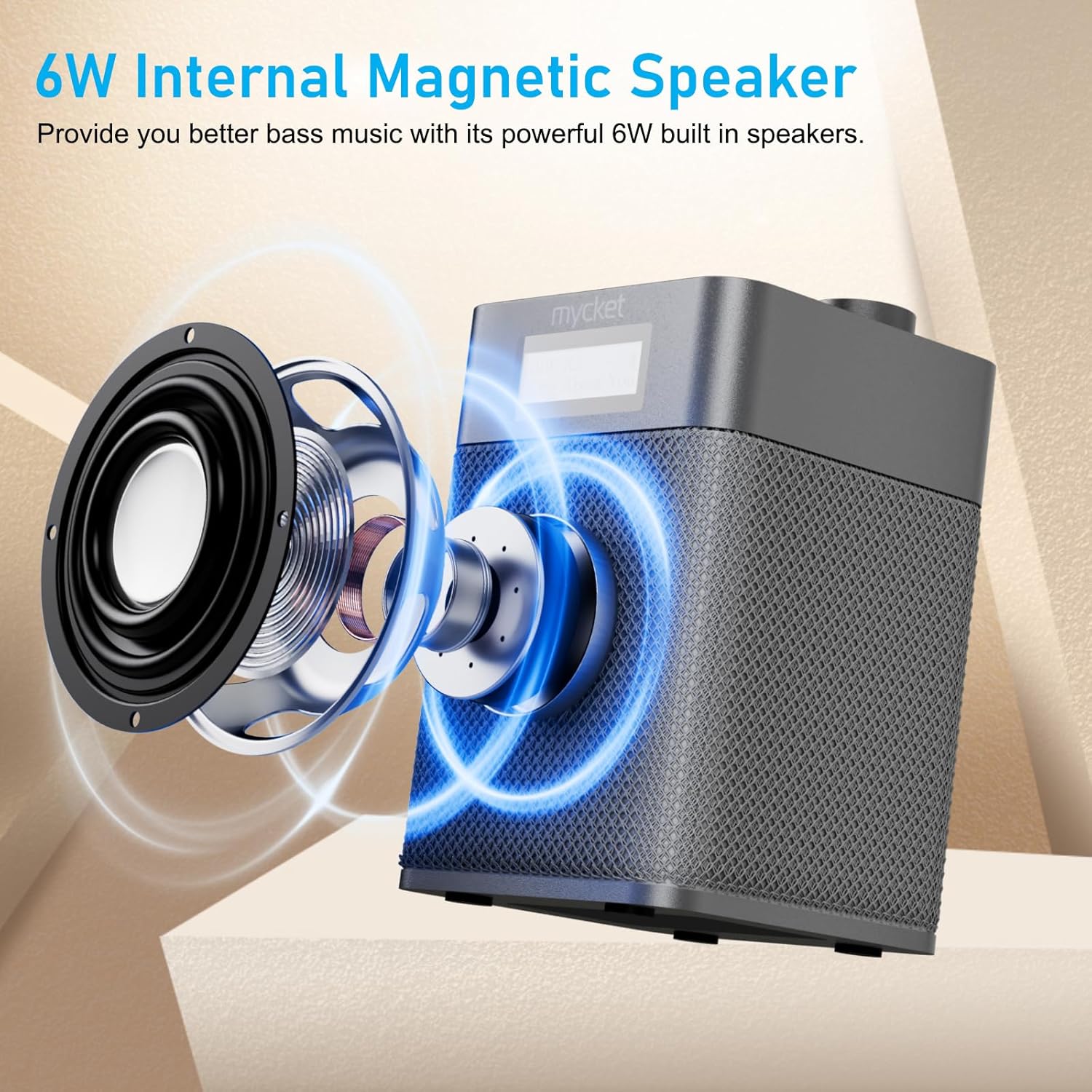
Figure 8.1: Diagram illustrating the 6W internal magnetic speaker of the Mycket radio.
9. Warranty and Support
Mycket is committed to providing high-quality products and customer satisfaction. This product comes with a 12-month coverage period from the date of purchase. For any inquiries, technical assistance, or support, please contact our customer service team. We offer 24/7 customer service to ensure a worry-free experience.


