
1. Introduction
Thank you for choosing the Newentor 20L Dehumidifier. This appliance is designed to efficiently remove excess moisture from your indoor environment, helping to prevent mold, mildew, and other humidity-related issues. Please read this manual thoroughly before operating the unit to ensure safe and optimal performance. Keep this manual for future reference.
2. Safety Instructions
Always follow basic safety precautions when using electrical appliances to reduce the risk of fire, electric shock, and injury.
- Ensure the power supply matches the voltage specified on the unit's rating label.
- Do not operate the dehumidifier with a damaged cord or plug.
- Do not block the air inlet or outlet. Maintain at least 20 cm (8 inches) clearance around the unit.
- Do not insert objects into the air vents.
- Always place the unit on a firm, level surface to prevent water spillage.
- Unplug the unit before cleaning, moving, or performing any maintenance.
- Do not use the appliance in wet areas such as bathrooms or laundries where it may come into contact with water.
- Keep out of reach of children. This appliance is not intended for use by persons with reduced physical, sensory, or mental capabilities unless supervised.
- If the supply cord is damaged, it must be replaced by the manufacturer, its service agent, or similarly qualified persons to avoid a hazard.
3. Product Overview
The Newentor 20L Dehumidifier is designed for powerful and energy-efficient moisture removal, suitable for areas up to 50 m² (150 m³). It features a quiet operation at only 39 dB and a compact design for easy placement.
Key Features:
- High Dehumidification Capacity: Removes up to 20 liters of moisture per day.
- Quiet Operation: Operates at a low noise level of 39 dB.
- Portable Design: Equipped with an integrated retractable handle and four swivel wheels for easy movement.
- Dual Drainage Options: Features a removable 3.4L water tank with overflow protection and a continuous drainage option with an included 1m hose.
- User-Friendly Controls: Intuitive LED indicator and control buttons for easy operation, including a 24-hour timer.
- Automatic Shut-off: The unit automatically turns off when the water tank is full.
- Washable Filter: For easy maintenance and improved air quality.
Internal Components:
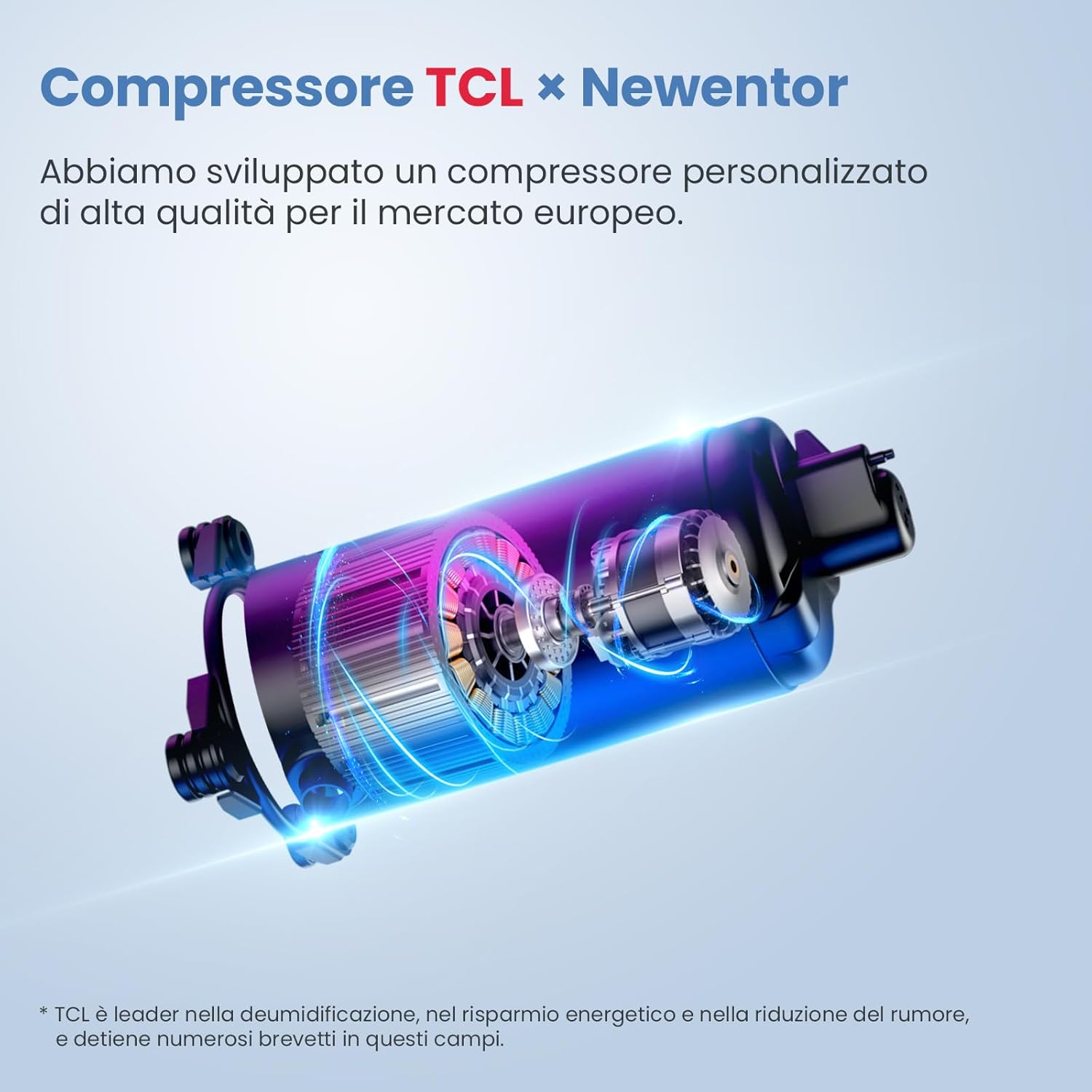
Figure 3.1: TCL x Newentor Compressor. This high-quality custom compressor is developed for the European market, focusing on efficient dehumidification, energy saving, and noise reduction.
Mobility and Dimensions:

Figure 3.2: The dehumidifier features a retractable handle and four 360-degree swivel wheels for easy portability. Dimensions are approximately 23 cm (depth) x 31 cm (width) x 49 cm (height).
Control Panel:

Figure 3.3: The intuitive control panel includes an LED display for current humidity, power button, speed settings (High, Med, Low), timer, and mode selection buttons. It also indicates when the tank is full.
4. Setup
4.1 Unpacking
- Carefully remove the dehumidifier from its packaging.
- Remove all packing materials, tapes, and protective films.
- Inspect the unit for any signs of damage. If damaged, do not operate and contact customer support.
4.2 Placement
Proper placement is crucial for efficient operation.
- Place the dehumidifier on a firm, level surface capable of supporting its weight when the water tank is full.
- Ensure there is at least 20 cm (8 inches) of clear space around all sides of the unit to allow for proper airflow. Do not place it against a wall or furniture that could obstruct air intake or exhaust.
- Avoid placing the unit near heat sources (e.g., heaters, ovens) or in direct sunlight.
- For optimal performance, close all doors and windows in the room where the dehumidifier is operating.

Figure 4.1: The dehumidifier effectively circulates air, covering up to 50 m² with a high airflow of 191 m³/h.
4.3 Drainage Options
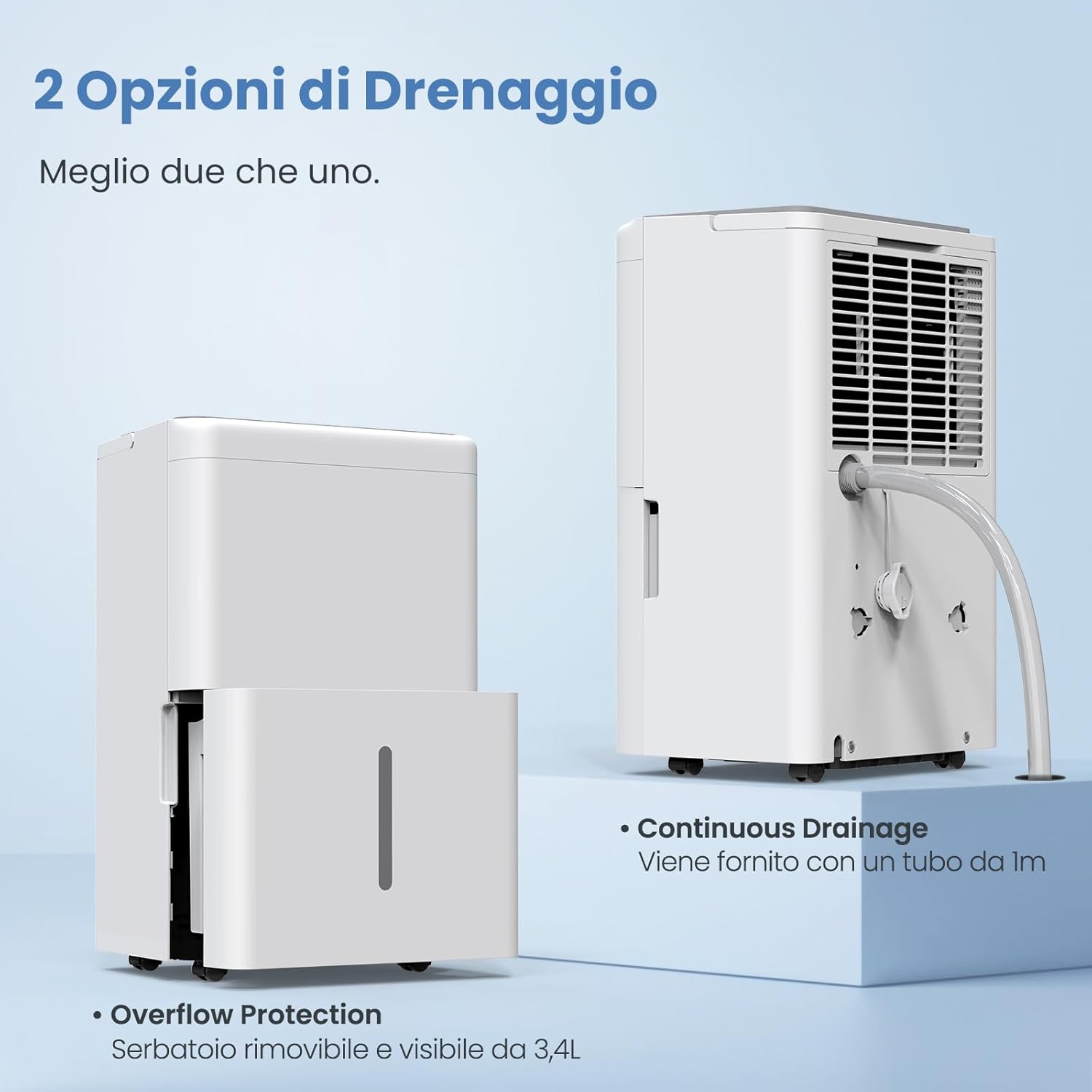
Figure 4.2: The dehumidifier offers both a removable water tank and continuous drainage.
4.3.1 Manual Drainage (Water Tank)
- The unit comes with a removable 3.4-liter water tank.
- When the tank is full, the unit will automatically shut off, and the 'Tank Full' indicator will illuminate.
- Carefully pull out the water tank from the front of the unit.
- Empty the collected water.
- Slide the empty tank back into its position until it clicks securely. The unit will resume operation.
4.3.2 Continuous Drainage
For continuous operation without needing to empty the tank, use the included drain hose.
- Locate the continuous drainage outlet at the back of the unit.
- Remove the rubber stopper from the outlet.
- Connect the provided 1-meter drain hose to the outlet, ensuring a secure fit.
- Direct the other end of the hose to a suitable drain (e.g., floor drain, large bucket) ensuring the hose is sloped downwards to allow gravity drainage. Do not allow the hose to kink or be elevated above the unit.
5. Operating Instructions
5.1 Power On/Off
- Plug the power cord into a grounded electrical outlet.
- Press the POWER button on the control panel to turn the unit on or off.
5.2 Setting Desired Humidity
- Press the HUMIDITY button to cycle through desired humidity levels (e.g., 30%, 40%, 50%, 60%, 70%, Continuous).
- The unit will operate until the room humidity reaches the set level, then it will pause. It will resume when the humidity rises above the set level.
5.3 Fan Speed Adjustment
- Press the SPEED button to select the desired fan speed: High, Medium, or Low.
- Higher fan speeds result in faster dehumidification but may produce more noise.
5.4 Timer Function
- Press the TIMER button to set the auto-on or auto-off time (from 1 to 24 hours).
- Each press increases the time by one hour. Once the desired time is set, the timer will activate.
- To cancel the timer, press the TIMER button repeatedly until '00' is displayed, or turn the unit off.
5.5 One-Time Mode

Figure 5.1: The 'One-Time Mode' is designed for environments with stable humidity, optimizing power consumption.
- The 'One-Time Mode' is specifically designed for environments where stable humidity levels are desired.
- To activate this mode, press and hold the SPEED button for 3 seconds.
- In this mode, the unit will maintain the humidity level at approximately 50% RH, adjusting power consumption as needed.
6. Maintenance
Regular maintenance ensures the longevity and efficiency of your dehumidifier.
6.1 Cleaning the Air Filter
The dehumidifier is equipped with a washable air filter. A dirty filter can reduce efficiency and airflow.
- Frequency: Clean the air filter every two weeks or more often if the unit is used in a dusty environment.
- Steps:
- Turn off the dehumidifier and unplug it from the power outlet.
- Locate the air filter (usually at the back or side of the unit).
- Carefully remove the filter.
- Wash the filter with warm, soapy water. Rinse thoroughly.
- Allow the filter to air dry completely before reinstalling it. Do not use a dryer or direct heat.
- Reinsert the dry filter into the unit.
6.2 Cleaning the Unit Exterior
- Turn off and unplug the unit.
- Wipe the exterior with a soft, damp cloth.
- Do not use harsh chemicals, abrasive cleaners, or solvents, as these can damage the surface.
6.3 Long-Term Storage
- If the unit will not be used for an extended period, turn it off and unplug it.
- Empty the water tank and ensure it is clean and dry.
- Clean the air filter.
- Store the unit upright in a cool, dry place, away from direct sunlight and extreme temperatures.
7. Troubleshooting
Before contacting customer support, please refer to the following troubleshooting guide for common issues.
| Problem | Possible Cause | Solution |
|---|---|---|
| Unit does not turn on. | No power supply. Water tank full or incorrectly placed. | Ensure the unit is plugged in and the outlet is working. Empty the water tank and ensure it is correctly inserted. |
| No water collected or low dehumidification. | Air filter clogged. Room temperature too low. Humidity level already low. Air inlet/outlet blocked. | Clean the air filter. Dehumidifiers operate best above 5°C (41°F). Check the set humidity level; it might be higher than the current room humidity. Ensure proper clearance around the unit. |
| Unit is noisy. | Unit not on a level surface. Air filter clogged. | Place the unit on a flat, stable surface. Clean the air filter. |
| Water leaks from the unit. | Water tank incorrectly placed. Continuous drain hose not properly connected or kinked. | Reinsert the water tank correctly. Check the drain hose connection and ensure it is not kinked or blocked. |
8. Specifications
| Feature | Specification |
|---|---|
| Brand | Newentor |
| Model Name | Newentor 20L IT |
| Dehumidification Capacity | 20 Liters/day |
| Recommended Coverage Area | Up to 50 m² (150 m³) |
| Noise Level | 39 dB |
| Water Tank Capacity | 3.4 Liters |
| Product Dimensions (D x W x H) | 23 cm x 31 cm x 49 cm |
| Special Features | Automatic Shut-off, 24-hour Timer, Washable Filter, Continuous Drainage |
| Recommended Use | Residential, Commercial |
| Included Components | External drain hose (1m), Integrated handle, Four swivel wheels |
9. Warranty and Support
Newentor offers a reliable 10-year warranty for this dehumidifier. This warranty covers manufacturing defects and ensures long-term protection for your investment.
For technical support, warranty claims, or any questions regarding your Newentor dehumidifier, please contact Newentor customer service through the retailer where the product was purchased or visit the official Newentor website for contact information.


