1. Introduction
Thank you for purchasing the SWOFY M4 MP3 Player. This device is designed to provide a versatile and high-quality audio experience, featuring Bluetooth 5.3 connectivity, a responsive touch screen, ample storage, and various multimedia functions. This manual will guide you through the setup, operation, and maintenance of your new MP3 player.

Image: The SWOFY M4 MP3 Player in blue, shown with its 2.4-inch touch screen displaying app icons for Music, Movie, Radio, Bluetooth, EBook, Settings, Record, Folder, and Photo. Included are black wired earbuds and a clear protective case.
2. What's in the Box
Please check the package contents to ensure all items are present:
- 1 x 64GB Bluetooth Mp3 Player
- 1 x Wired Earphone
- 1 x USB Charging Cable
- 1 x AUX Cable
- 1 x User Manual
- 1 x Protective Case

Image: A flat lay of the SWOFY M4 MP3 Player package contents, including the MP3 player, wired earphones, USB charging cable, AUX cable, user manual, and protective case, alongside the product box.
3. Product Features Overview
3.1. Bluetooth 5.3 Connectivity
The SWOFY M4 is equipped with a Bluetooth 5.3 chip and AAC audio decoding, offering enhanced compatibility, stability, and faster data transfer. It functions as a unilateral transmitter, allowing easy pairing with Bluetooth headsets and speakers. Please note, it does not connect with mobile phones or computers via Bluetooth.
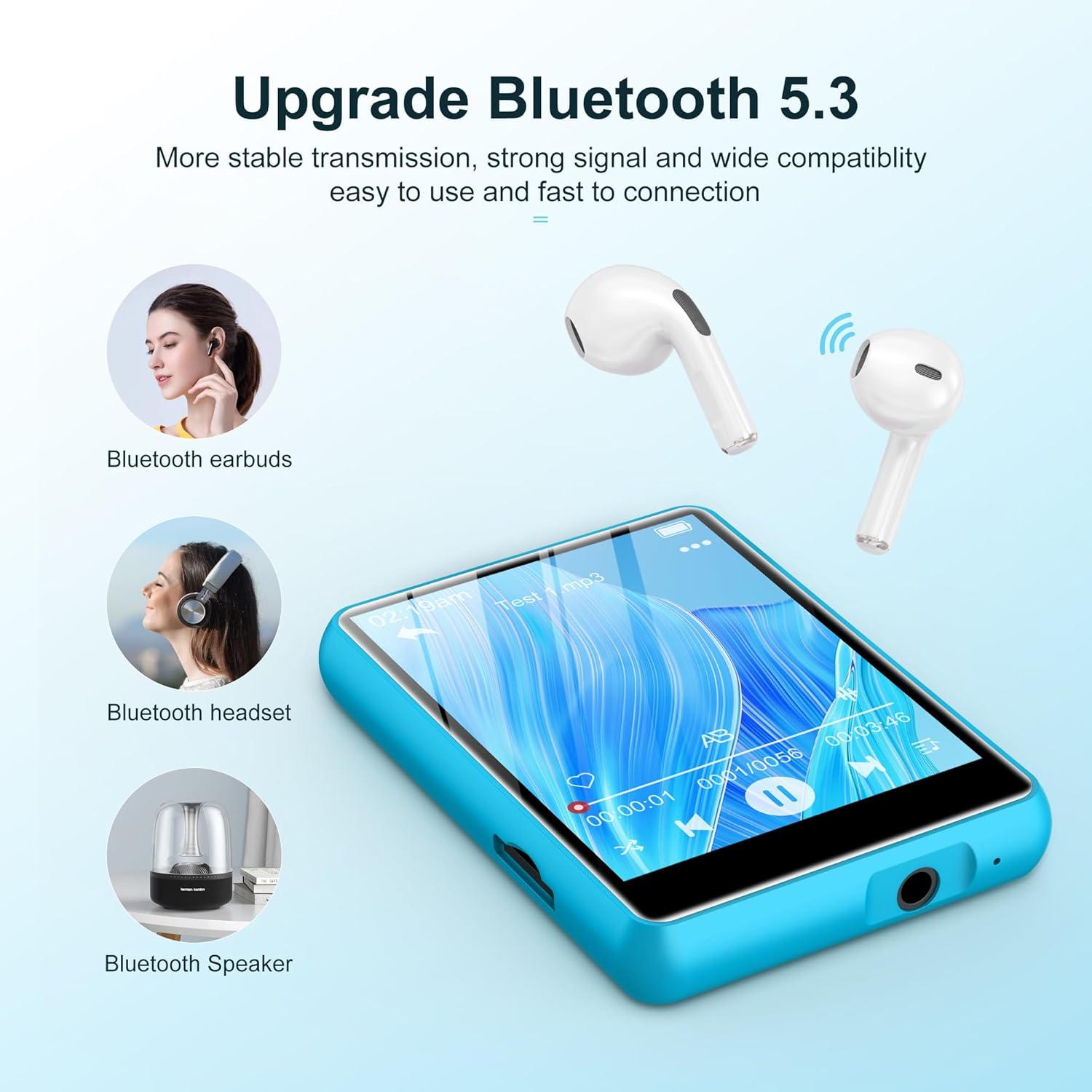
Image: The SWOFY M4 MP3 Player demonstrating its Bluetooth 5.3 capability, showing connections to Bluetooth earbuds, a Bluetooth headset, and a Bluetooth speaker.
3.2. Full-Screen Touch Functions
Navigate effortlessly with the 2.4-inch 240*320 full touch screen. This allows quick access to various functions including music, FM radio, recorder, eBooks, videos, and more. The device supports 29 languages, including English, German, and French.

Image: A hand interacting with the 2.4-inch touch screen of the SWOFY M4 MP3 Player, highlighting its responsive interface and various application icons.
3.3. Ample Storage Capacity
The MP3 player comes with 64GB of built-in storage, capable of holding up to 8000 lossless music tracks. Storage can be expanded up to 128GB via a micro SD card (not included). It supports multiple music formats and allows sorting by title, artist, or album.

Image: An illustration showing the SWOFY M4 MP3 Player with text indicating 64GB internal storage and support for up to 128GB SD card expansion, with a micro SD card depicted near the device.
3.4. Long-Lasting Battery
Equipped with a 300mAh lithium-ion battery and a low-power design, the device offers approximately 50 hours of playback with wired earbuds and 7.5 hours of FM radio recording. A full charge takes about 2 hours, making it suitable for extended use during travel or sports.
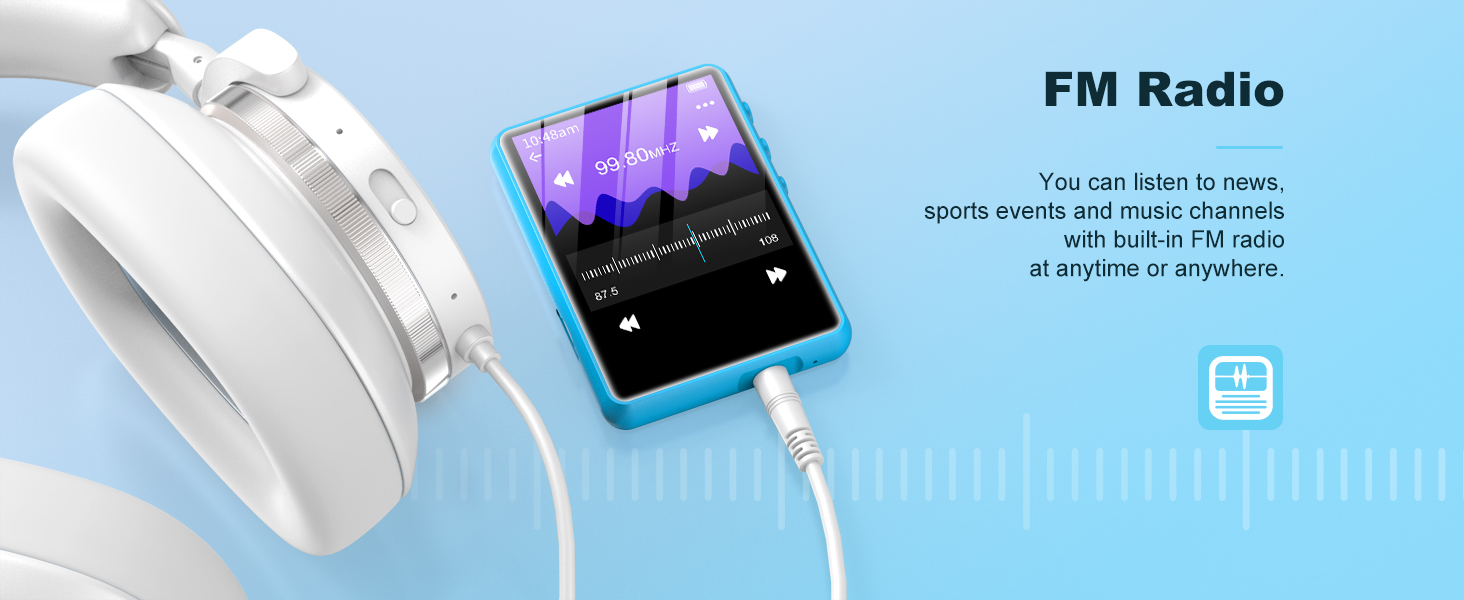
Image: The SWOFY M4 MP3 Player connected to a USB Type-C charging cable, illustrating its 300mAh long battery life and charging method.
3.5. HiFi Lossless Sound Quality
Experience superior audio quality with support for multiple lossless formats including MP3, WAV, APE, WMA, FLAC, and AAC-LC. The device features a DAC Audio Decoder and a Noise Reduction Chip for clear and immersive sound.

Image: A person enjoying music with headphones, illustrating the HiFi Lossless Sound Quality of the SWOFY M4 MP3 Player, highlighting its DAC Audio Decoder and Noise Reduction Chip.
3.6. Multifunctionality
Beyond music playback, the SWOFY M4 offers a range of functions including Bluetooth 5.3, recording, TF card slot support, e-book reading, FM radio, and an alarm clock, enriching your daily use.

Image: The SWOFY M4 MP3 Player showcasing its various functions: Music, Bluetooth 5.3, Recording, TF card slot, E-book, Full touchscreen, FM Radio, and Alarm Clock.
4. Setup Guide
4.1. Charging the Device
Before first use, fully charge the MP3 player. Connect the included USB charging cable to the device's USB-C port and plug the other end into a USB power adapter (not included) or a computer's USB port. The battery indicator on the screen will show charging status.
4.2. Powering On/Off
To power on, press and hold the power button located on the side of the device until the screen lights up. To power off, press and hold the power button until the power-off prompt appears, then confirm on the screen.
4.3. Loading Music and Files
Connect the MP3 player to your computer using the USB charging cable. The device will appear as a removable disk. You can then drag and drop music files, videos, e-books, and other supported files into the respective folders on the device's internal storage or an inserted micro SD card.
4.4. Inserting a Micro SD Card
Locate the micro SD card slot on the side of the device. Gently insert a micro SD card (up to 128GB, not included) into the slot until it clicks into place. To remove, push the card inward until it springs out.
5. Operating Instructions
5.1. Navigating the Interface
The SWOFY M4 features a full touch screen. Tap icons to open applications, swipe to navigate through menus, and use the back arrow or home button (if present on screen) to return to previous screens or the main menu.
5.2. Music Playback
- From the main menu, tap the "Music" icon.
- Browse your music by Artist, Album, Songs, Playlists, or Folders.
- Tap a song to begin playback.
- Use the on-screen controls for Play/Pause, Next/Previous track, Volume adjustment, and Repeat/Shuffle modes.
5.3. Bluetooth Connection
- From the main menu, tap the "Bluetooth" icon.
- Ensure your Bluetooth headphones or speaker are in pairing mode.
- The MP3 player will scan for available devices. Select your device from the list to pair.
- Once paired, audio will be routed to the Bluetooth device.
5.4. FM Radio
To use the FM Radio, you must connect wired earphones as they act as the antenna.
Image: The SWOFY M4 MP3 Player displaying its FM Radio interface, showing frequency ranges for Common, European, and Japan bands, with a note to insert earphones as an antenna.
- Connect the wired earphones to the 3.5mm audio jack.
- Tap the "Radio" icon from the main menu.
- Use the on-screen controls to auto-scan for stations or manually tune to a frequency.
- Save your favorite stations for quick access.
5.5. Recording
- Tap the "Record" icon from the main menu.
- Tap the record button to start recording.
- Tap again to pause/resume, and tap the stop button to finish and save the recording.
- Recordings are saved in the "Record" folder.

Image: The SWOFY M4 MP3 Player displaying its voice recording interface, showing a waveform and recording time, positioned next to a laptop.
5.6. E-book Reading
- Tap the "EBook" icon from the main menu.
- Select the e-book file you wish to read.
- Swipe left/right to turn pages.

Image: The SWOFY M4 MP3 Player displaying text from an e-book, with open books in the background, illustrating its e-book reading capability.
5.7. Video Playback
The device supports video playback. Ensure your video files are in compatible formats (e.g., AMV, AVI) for optimal performance. Tap the "Movie" icon to access your video library.
5.8. Settings
Tap the "Settings" icon to customize various aspects of your device, including language, date and time, display brightness, backlight timer, and system information.
6. Maintenance
- Cleaning: Use a soft, dry cloth to clean the device. Do not use liquid cleaners or aerosols.
- Storage: Store the MP3 player in a cool, dry place away from direct sunlight and extreme temperatures.
- Battery Care: To prolong battery life, avoid fully discharging the battery frequently. Charge the device regularly, even if not in use for extended periods.
- Avoid Drops: While durable, avoid dropping the device to prevent damage to the screen or internal components.
7. Troubleshooting
- Device does not turn on: Ensure the battery is charged. Connect the device to a charger for at least 10 minutes before attempting to power on again. If unresponsive, try a soft reset by pressing and holding the power button for an extended period (e.g., 15-20 seconds).
- Cannot connect to Bluetooth device: Ensure the Bluetooth device (headphones/speaker) is in pairing mode. Make sure the MP3 player's Bluetooth is enabled. Try restarting both devices. Remember, the MP3 player cannot connect to mobile phones or computers via Bluetooth.
- No sound: Check the volume level. Ensure headphones are properly plugged in or Bluetooth device is connected and has its own volume adjusted. Verify the audio file format is supported.
- Files not appearing on device: After transferring files, ensure the device was safely ejected from the computer. Check if files are in the correct folders. If using an SD card, ensure it is properly inserted and recognized.
- FM Radio not working: Ensure wired earphones are plugged in, as they serve as the antenna. Try auto-scanning for stations again.
- Bluetooth cuts out when walking outside: This can be due to environmental interference or distance from the paired device. Try keeping the MP3 player closer to your Bluetooth headphones/speaker.
8. Specifications
| Feature | Detail |
|---|---|
| Model | M4 |
| Brand | SWOFY |
| Package Dimensions | 5.83 x 5.79 x 0.75 inches |
| Item Weight | 7 ounces |
| ASIN | B0DHTN2N1Q |
| Batteries | 1 Lithium Polymer batteries required (included) |
| Date First Available | November 30, 2024 |
| Special Features | Built-In Speaker / Equalizer / FM Radio / Touch Screen / Video Playback / Voice Recorder |
| Connectivity Technology | Bluetooth |
| Memory Storage Capacity | 64 GB (expandable up to 128GB via Micro SD) |
| Color | Blue |
| Screen Size | 2.4 Inches |
| Compatible Devices | Bluetooth Headphone / Personal Computer / Bluetooth Speaker |
| Media Type | Micro SD |
| Included Components | 64GB Mp3 Player |
| Display Technology | LCD |
9. Warranty and Support
The SWOFY M4 MP3 Player comes with a one-year return policy from the manufacturer. For any inquiries or support needs, please contact SWOFY customer service. A 24-hour response guarantee is provided for customer support queries.
For additional support or to explore other products, you may visit the official SWOFY store on Amazon: SWOFY Store.


