
1. Introduction
Thank you for choosing the TIQLAB L-Shaped Electric Standing Desk. This manual provides essential information for the safe assembly, operation, and maintenance of your new desk. Please read it thoroughly before use and retain it for future reference.
This L-shaped standing desk is designed to provide an ample workspace, measuring 63 by 55 inches, making it ideal for corner workstations and accommodating multiple screens. Its L-shape is interchangeable, allowing you to configure it for either left or right-hand orientation to suit your space and needs. The electric height adjustment feature allows you to smoothly transition between sitting and standing positions, promoting better posture and reducing fatigue during long work sessions.
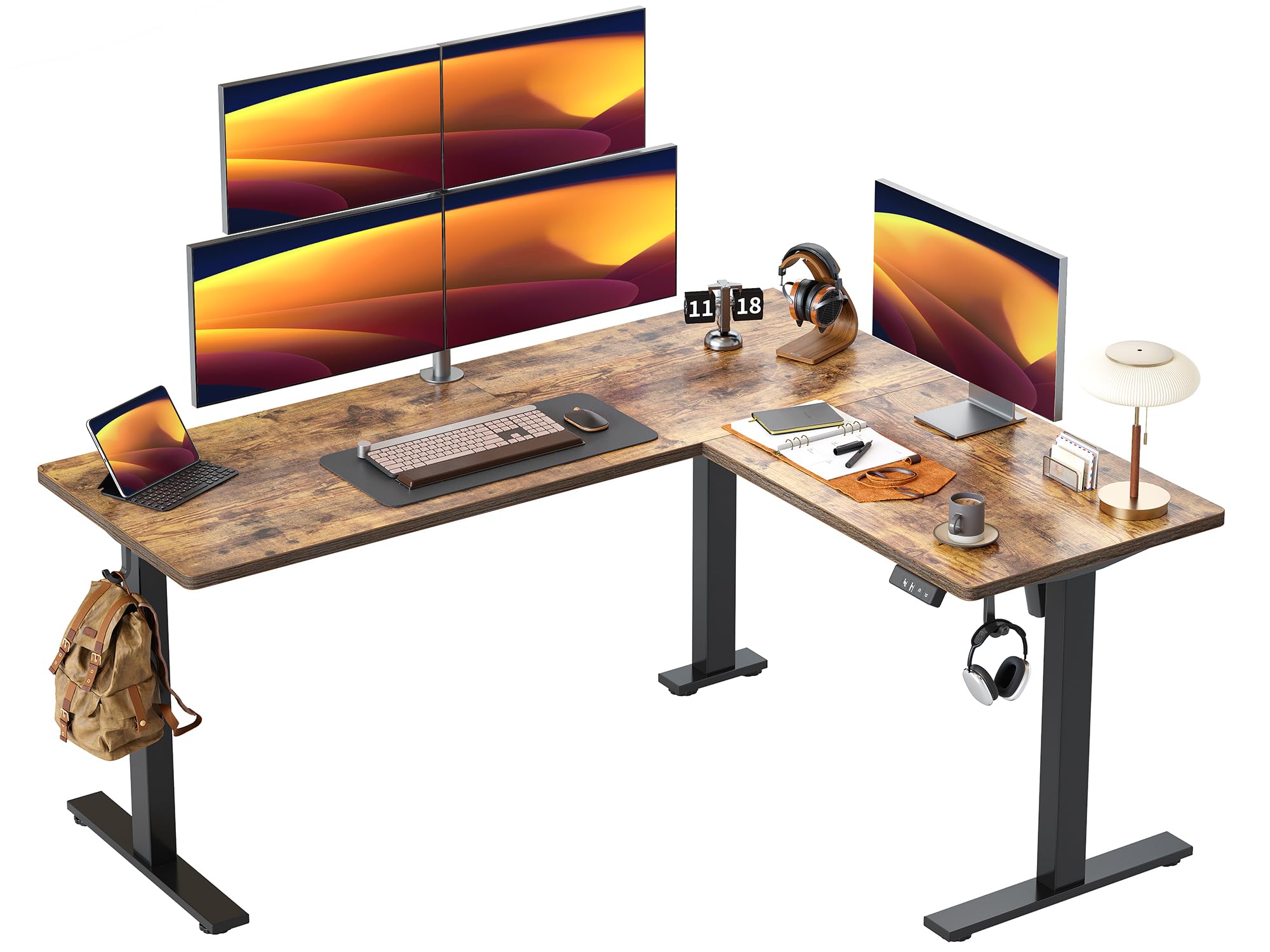
Image 1.1: The TIQLAB L-Shaped Electric Standing Desk in a typical home office setup.
2. Safety Information
- Ensure all components are securely fastened before use.
- Keep children and pets away from the desk during height adjustment.
- Do not overload the desk. The maximum weight capacity is 176 lbs (80 kg).
- Avoid placing liquids directly on the control panel or near electrical components.
- Do not attempt to disassemble or repair the motor or control system yourself. Contact qualified personnel for service.
- Ensure there are no obstructions above or below the desk when adjusting its height to prevent damage or injury.

Image 2.1: The desk has a maximum weight recommendation of 176 pounds (80 kg).
3. Setup and Assembly
Assembly of the TIQLAB L-Shaped Electric Standing Desk requires careful attention to detail. It is recommended that two people assemble the desk for ease and safety.
3.1 Assembly Video Guide
For a visual step-by-step guide, please refer to the official installation video provided by TIQLAB Direct:
Video 3.1: Official installation video for the TIQLAB standing desk, demonstrating the assembly process.
3.2 General Assembly Tips
- Unpack all components and verify against the parts list (not provided in this manual, refer to your package insert).
- Lay out all parts on a soft, clean surface to prevent scratches.
- Follow the instructions in the provided assembly manual or video carefully.
- Ensure all screws and bolts are tightened securely, but do not overtighten.
- Connect all electrical cables as instructed, ensuring they are not pinched or strained.
4. Operating Instructions
4.1 Height Adjustment
The desk features an electric height adjustment system, allowing you to change the desk height from 28.3 inches to 47.2 inches. Use the control panel located on the desk to adjust the height.
- Up/Down Buttons: Press and hold the up or down arrow buttons to continuously adjust the desk height. Release the button when the desired height is reached.
- Preset Buttons: The control panel may include preset memory buttons (e.g., 1, 2, 3) to save your preferred sitting and standing heights. To save a height, adjust the desk to your desired position, then press and hold a preset button until you hear a beep or see a confirmation on the display. To recall a saved height, simply press the corresponding preset button.

Image 4.1: The desk offers a height adjustment range from 28.3 inches to 47.2 inches.
4.2 Anti-Collision Technology
The desk is equipped with an anti-collision system. If the desk encounters an obstruction during height adjustment, it will automatically stop and reverse slightly to prevent damage to the desk or objects. Ensure the area around the desk is clear before adjusting height, but this feature provides an extra layer of safety.

Image 4.2: The anti-collision system automatically protects the desk from obstructions.
4.3 Quiet Operation
The powerful lift system ensures a smooth, steady, and quiet operation, with noise levels less than 50dB, allowing for an undisturbed work environment.

Image 4.3: The desk operates quietly, ensuring a peaceful environment.
5. Maintenance
- Regularly wipe the desk surface with a soft, damp cloth. Avoid harsh chemicals.
- Check all screws and connections periodically to ensure they remain tight.
- Keep the electrical components and cables free from dust and moisture.
- Do not place excessively hot or cold items directly on the desk surface without protection.
6. Troubleshooting
6.1 Desk Not Adjusting Height
- Check Power: Ensure the power cord is securely plugged into both the desk and a working wall outlet.
- Reset System: Unplug the desk from the power outlet for 30 seconds, then plug it back in.
- Overload: Reduce the weight on the desk to ensure it is within the 176 lbs (80 kg) limit.
6.2 Uneven Height Adjustment
- Recalibrate: Refer to the specific instructions in your package insert for recalibration procedures, as these can vary by model.
- Obstructions: Check for any obstructions under the desk that might be impeding one leg.
6.3 Unusual Noises
- Check for Loose Parts: Ensure all screws and connections are tight.
- Obstructions: Verify no objects are caught in the lifting mechanism.
If these steps do not resolve the issue, please contact TIQLAB customer support.
7. Specifications
| Feature | Detail |
|---|---|
| Brand | TIQLAB |
| Model Number | B0DHTL32PG |
| Shape | L-Shape |
| Product Dimensions (D x W x H) | 55"D x 63"W x 28.3"H |
| Size | 63*55 inch with splice board |
| Color | Rustic Brown |
| Minimum Height | 28.3 inches |
| Maximum Height | 47.2 inches |
| Maximum Weight Recommendation | 176 pounds (80 kg) |
| Lifting Mechanism | Electric |
| Noise Level | Less than 50dB |
| Top Material Type | Engineered Wood |
| Recommended People for Assembly | 2 |

Image 7.1: Detailed dimensions of the TIQLAB L-Shaped Electric Standing Desk.
8. Warranty and Support
For warranty information, specific terms, and conditions, please refer to the documentation included with your product package or contact TIQLAB customer support directly. If you encounter any issues or have questions regarding your desk, please reach out to the manufacturer for assistance.
You can typically find support contact information on the TIQLAB official website or through your purchase platform.