
1. Introduction
This manual provides detailed instructions for the setup, operation, maintenance, and troubleshooting of your Bewinner Translator Earbuds. These earbuds are designed to facilitate real-time language translation and provide a high-quality audio experience.
The Bewinner Translator Earbuds support 144 languages for online translation and are compatible with both Android and iOS devices. They feature binaural fingerprint control for various functions and offer three distinct translation modes.
2. Product Overview
The Bewinner Translator Earbuds combine advanced translation technology with a comfortable earbud design. The charging case features a digital display to indicate battery levels.

Image: Bewinner Translator Earbuds and their charging case, displaying battery levels for both earbuds and the case.
Key Features:
- 144 Language Online Translation: Supports a wide range of languages for real-time communication.
- Three Translation Modes: Touch Mode, Speaker Mode, and Talk Mode for various interaction scenarios.
- Binaural Fingerprint Control: Touch-sensitive controls on each earbud for music playback, calls, and translation functions.
- Wide Compatibility: Fully compatible with Android and iOS operating systems.
- Bluetooth 5.3 Connectivity: Ensures stable and efficient wireless connection.
- Intelligent Noise Cancellation: Enhances clarity during calls and translation.
- Long Battery Life: High-capacity battery for extended use.
- Digital Power Display: Charging case indicates battery status.
3. Package Contents
Upon opening your Bewinner Translator Earbuds package, please verify that all items are present and in good condition.

Image: The complete package contents, including the white earbuds, charging case with digital display, a USB charging cable, and multiple pairs of ear tips.
Typically included items:
- Bewinner Translator Earbuds (Left and Right)
- Charging Case with Digital Display
- USB Charging Cable
- Multiple Sizes of Ear Tips
- User Manual (this document)
4. Setup
4.1 Charging the Earbuds and Case
- Place the earbuds into the charging case. Ensure they are correctly seated.
- Connect the USB charging cable to the charging port on the case and to a suitable USB power source.
- The digital display on the charging case will show the charging status. A full charge is indicated when the display shows 100% and the earbud indicators are full.

Image: The charging case with its lid open, displaying the digital battery percentage and individual earbud charge indicators.
4.2 Downloading the Companion App
To utilize the translation features, you must download the dedicated companion application on your smartphone.
- Scan the QR code provided in the product packaging or search for the 'Bewinner Translator' app in your device's app store (Google Play Store for Android, Apple App Store for iOS).
- Download and install the application.
- Follow the on-screen instructions to create an account or log in.
4.3 Pairing with Your Device
- Ensure the earbuds are charged and removed from the charging case. They will automatically enter pairing mode.
- On your smartphone, enable Bluetooth.
- Go to your device's Bluetooth settings and search for available devices.
- Select 'Bewinner Translator Earbuds' (or similar name) from the list to connect.
- Once connected, a confirmation message will appear on your phone, and the earbuds may provide an audio prompt.
5. Operating the Earbuds
5.1 Touch Controls
The earbuds feature touch-sensitive areas for controlling various functions. Refer to the diagram below for the location of the touch control area.
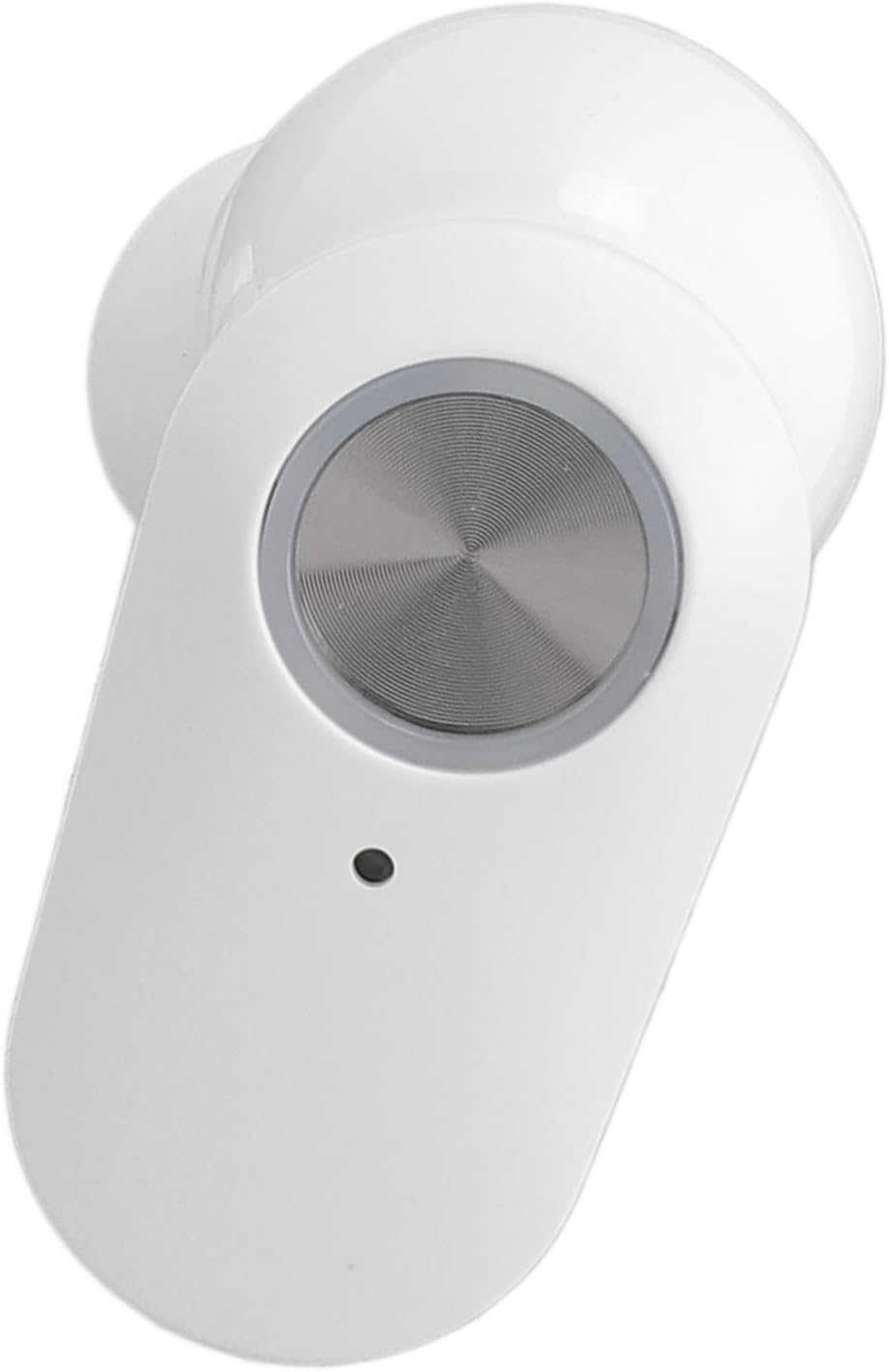
Image: A close-up view of a single white earbud, highlighting the circular touch-sensitive control panel.
| Action | Function |
|---|---|
| Single Tap | Play/Pause Music, Answer/End Call |
| Double Tap (Left Earbud) | Previous Track |
| Double Tap (Right Earbud) | Next Track |
| Long Press (Left Earbud) | Volume Down |
| Long Press (Right Earbud) | Volume Up |
| Triple Tap | Activate Voice Assistant / Translation Mode Toggle (refer to app for specific settings) |
5.2 Using Translation Modes
Open the Bewinner Translator app on your smartphone to access and configure the translation features. The app allows you to select source and target languages from the 144 supported options.
5.2.1 Touch Mode
This mode is suitable for conversations between two individuals who are comfortable sharing an earbud. Each person wears one earbud.
- In the app, select 'Touch Mode'.
- Assign a language to each earbud (e.g., Left earbud for English, Right earbud for Spanish).
- To speak, tap your earbud. The app will translate your speech and play it through the other person's earbud.
- The other person taps their earbud to respond.
5.2.2 Speaker Mode
Ideal for interacting with strangers or in situations where sharing an earbud is not practical. One person wears an earbud, and the other speaks into the phone.
- In the app, select 'Speaker Mode'.
- You wear both earbuds.
- Speak into your earbuds. The translation will be played aloud through your phone's speaker for the other person to hear.
- The other person speaks into your phone's microphone. The translation will be played through your earbuds.
5.2.3 Talk Mode
Designed for real-time, continuous translation between two individuals, each wearing an earbud.
- In the app, select 'Talk Mode'.
- Each person wears one earbud.
- Speak naturally. The earbuds will automatically detect speech, translate it, and play it in real-time through the other person's earbud.
6. Maintenance
6.1 Cleaning
- Regularly clean the earbuds and charging case with a soft, dry, lint-free cloth.
- Do not use abrasive cleaners, alcohol, or chemical solvents.
- Gently remove any earwax or debris from the earbud mesh using a small, soft brush or cotton swab.
- Ensure the charging contacts on both the earbuds and the case are clean and free of dust.
6.2 Storage
- When not in use, always store the earbuds in their charging case to protect them and keep them charged.
- Store in a cool, dry place away from direct sunlight and extreme temperatures.
6.3 Battery Care
- Avoid fully discharging the battery frequently.
- Charge the earbuds regularly, even if not used for extended periods, to maintain battery health.
7. Troubleshooting
| Problem | Possible Cause | Solution |
|---|---|---|
| Earbuds not pairing | Low battery, Bluetooth off, out of range, previously paired to another device. | Charge earbuds, ensure Bluetooth is on, move closer to device, unpair from other devices. |
| No sound from earbuds | Not connected, volume too low, media output not set to earbuds. | Check Bluetooth connection, increase volume on device and earbuds, select earbuds as audio output. |
| Translation not working | No internet connection, incorrect language selection, app not running, microphone blocked. | Ensure stable internet, verify language settings in app, restart app, check earbud microphone for obstructions. |
| Charging case display not working | Case battery depleted, charging cable issue. | Connect case to power source, try a different USB cable and power adapter. |
8. Specifications
| Feature | Detail |
|---|---|
| Model Number | Bewinnerkx08567ubp-12 |
| ASIN | B0DHT2R891 |
| Translation Languages | 144 (online translation) |
| Connectivity | Bluetooth 5.3 |
| Compatibility | iOS, Android |
| Item Weight | 2.79 ounces (79.1 grams) |
| Package Dimensions | 4.33 x 3.54 x 1.57 inches |
| Manufacturer | Bewinner |
| First Available Date | September 23, 2024 |
9. Warranty and Support
For warranty information and customer support, please refer to the documentation included with your purchase or visit the official Bewinner website. Keep your proof of purchase for any warranty claims.
If you encounter issues not covered in this manual, please contact Bewinner customer service for assistance.