
Introduction
This manual provides essential information for the safe and effective use of your Artisan Power Replacement Battery. This high-capacity Li-ion rechargeable battery pack is designed as a direct replacement for Trimble GPS Net (R5, R9) 67668-20, Trimble Battery 56108, and EPG-0908, ensuring reliable power for your compatible GPS devices.
Please read this manual thoroughly before installation and operation to ensure optimal performance and longevity of your battery.
Setup and Installation
The Artisan Power Replacement Battery is designed for user-friendly installation. Follow these steps to replace your existing battery:
- Power Off Device: Ensure your Trimble GPS device is completely powered off before attempting battery replacement.
- Locate Battery Compartment: Refer to your Trimble GPS device's original manual to locate and open the battery compartment.
- Remove Old Battery: Carefully disconnect and remove the old battery from the compartment.
- Insert New Battery: Align the Artisan Power Replacement Battery with the connectors in the compartment. Gently push until it is securely seated.
- Close Compartment: Close the battery compartment cover securely.
- Initial Charge: It is recommended to fully charge the new battery before its first use.
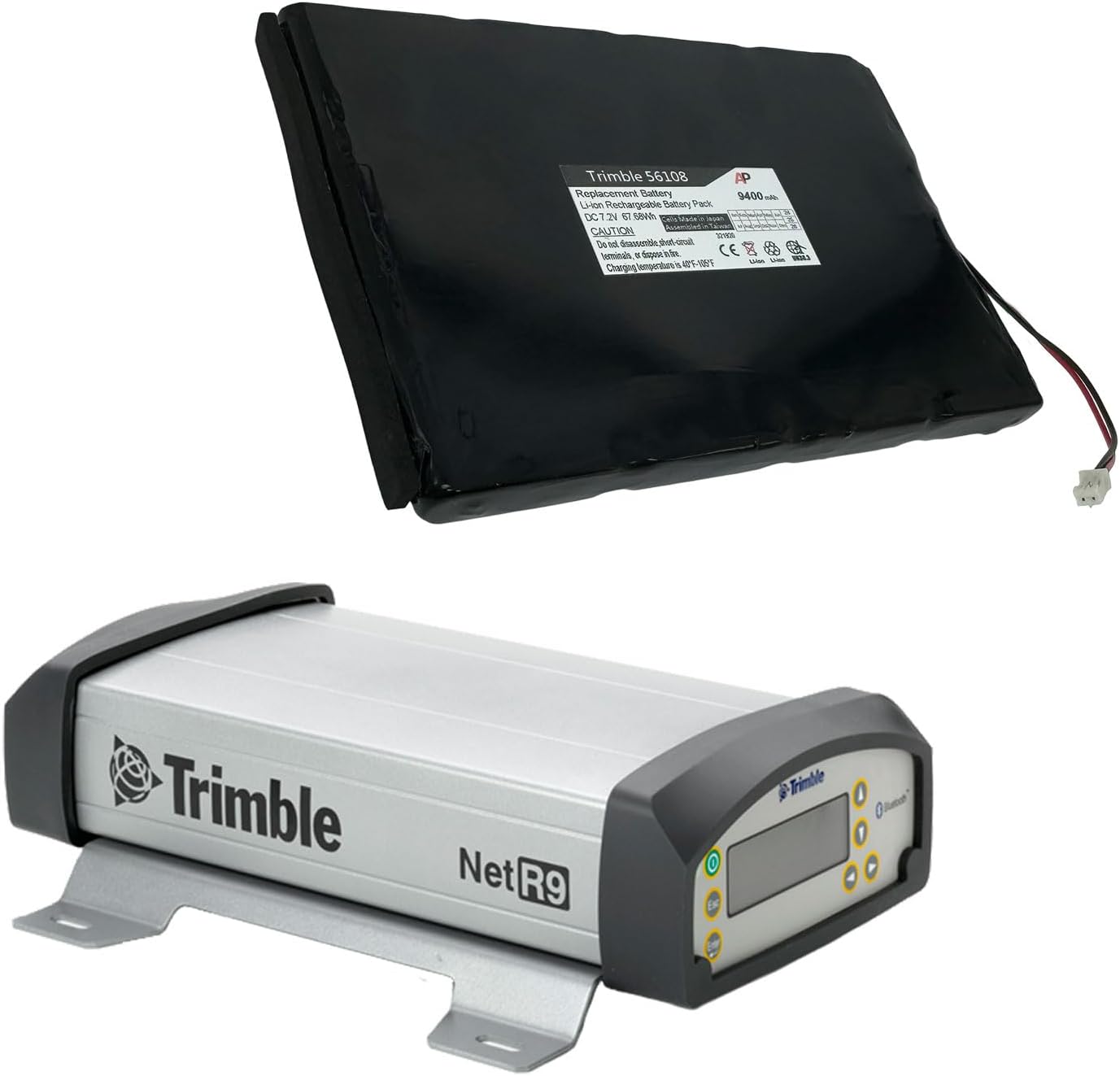
Figure 1: Artisan Power Replacement Battery shown alongside a Trimble Net R9 GPS receiver, illustrating compatibility and typical installation context.
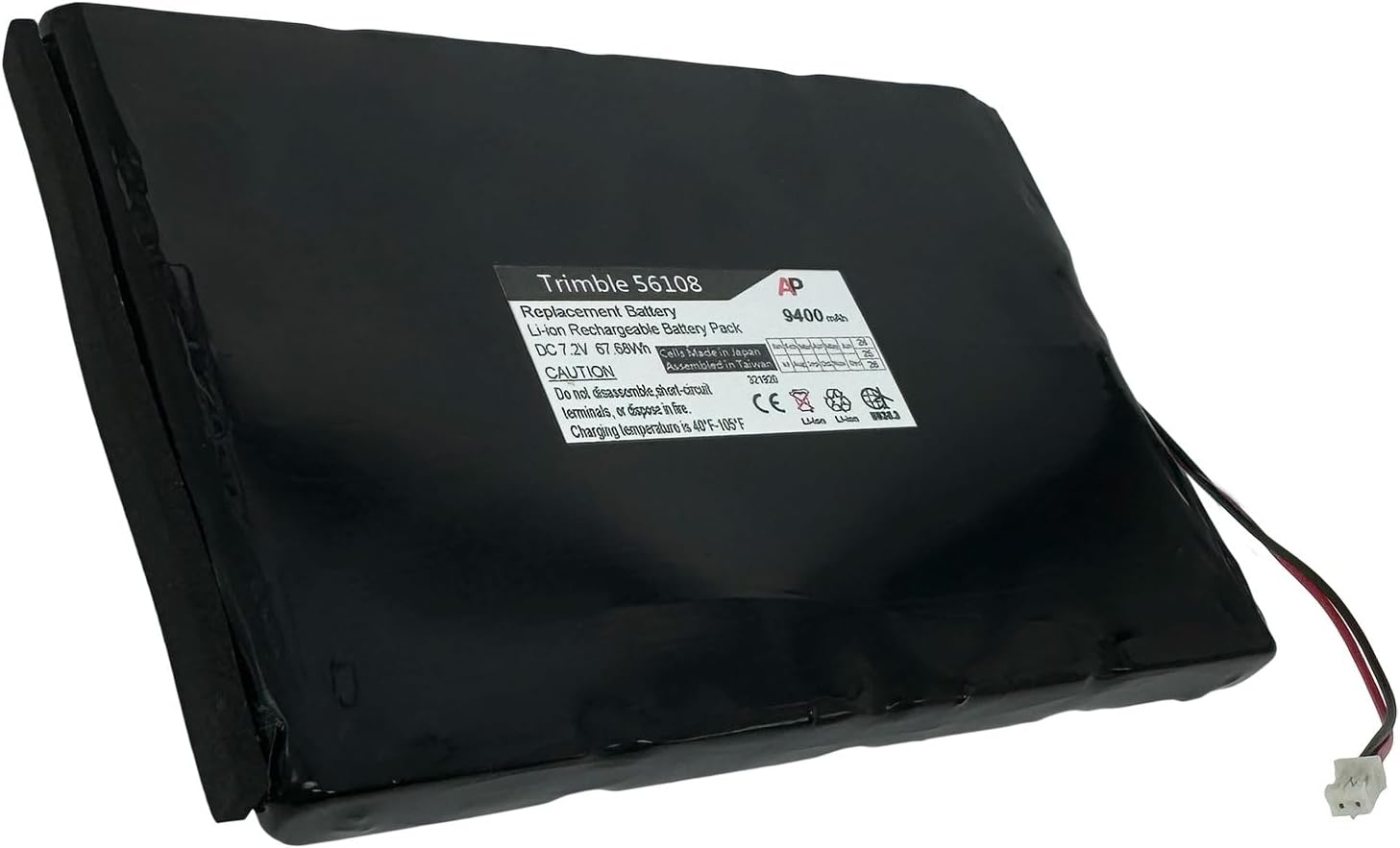
Figure 2: Close-up view of the Artisan Power Replacement Battery, highlighting its label and connectors.
Compatibility: This battery is compatible with a wide range of Trimble GPS devices, including Trimble GPS Net, GPS Net R5, GPS Net R9, and models requiring 67668-20, 56108, and EPG-0908 batteries. It also serves as a power solution for R8, R7, R6, R-8, 5700, 5800, 29518, and MT1000.
Operating Instructions
Charging the Battery
The Artisan Power Replacement Battery is a Li-ion battery and should be charged using the original or a compatible charger designed for your Trimble GPS device. Follow the charging instructions provided with your GPS unit.
- Connect the charger to your Trimble GPS device.
- Plug the charger into a power outlet.
- Monitor the charging indicator on your device. Charging temperature is 40°F - 105°F (4°C - 40°C).
- Disconnect the charger once the battery is fully charged.
Battery Life and Performance
With a powerful 9400 mAh capacity, this battery offers extended operational time, ensuring your Trimble GPS receiver remains powered throughout your workday. Actual battery life may vary depending on device usage, settings, and environmental conditions.
Maintenance and Care
- Storage: If storing the battery for an extended period, ensure it is charged to approximately 50% and stored in a cool, dry place away from direct sunlight and extreme temperatures. Avoid storing fully charged or fully discharged batteries for long periods.
- Cleaning: Use a soft, dry cloth to clean the battery terminals if necessary. Do not use liquid cleaners or solvents.
- Safety Precautions:
- Do not disassemble, puncture, or short-circuit the battery.
- Do not expose the battery to fire or excessive heat.
- Keep the battery away from water and moisture.
- Dispose of used batteries according to local regulations.
- Durability: This replacement battery is manufactured from high-quality materials to ensure durability and longevity, providing reliable performance for accurate and dependable data collection.
Troubleshooting
| Problem | Possible Cause | Solution |
|---|---|---|
| Battery not charging. | Charger not connected properly, faulty charger, or battery not seated correctly. | Ensure charger is securely connected. Try a different compatible charger. Re-seat the battery in the device. Verify charging temperature is within range (40°F - 105°F). |
| Device not powering on with new battery. | Battery not charged, battery not seated correctly, or device issue. | Ensure battery is fully charged. Re-seat the battery. Test with another known good battery if available. Consult your Trimble device manual. |
| Short operational time. | Battery not fully charged, high power consumption by device, or battery degradation over time. | Ensure battery is fully charged before use. Optimize device settings to reduce power consumption. If battery is old, consider replacement. |
If you continue to experience issues, please refer to the support section or contact Artisan Power customer service.
Specifications
| Brand | Artisan Power |
| Battery Cell Composition | Lithium Ion |
| Battery Capacity | 9400 Milliamp Hours |
| Recommended Uses For Product | GPS |
| Package Dimensions | 7.5 x 6 x 2 inches |
| Item Weight | 14.1 ounces |
| ASIN | B0DHSX6LHZ |
| Manufacturer | Artisan Power |
| Date First Available | September 23, 2024 |
Warranty Information
Specific warranty terms for Artisan Power products are provided by the manufacturer. Please refer to the documentation included with your purchase or visit the official Artisan Power website for detailed warranty information and registration procedures.
Customer Support
For technical assistance, product inquiries, or warranty claims, please contact Artisan Power directly. As a leader in replacement products, Artisan Power prioritizes user satisfaction and product excellence.