
1. Product Overview
The Konix Joypads are designed to enhance your gaming experience on Nintendo Switch and Switch OLED consoles. These wireless controllers offer universal compatibility via Bluetooth, advanced functionalities like NFC support, precise control with a 6-Axis Gyro sensor, and immersive feedback through dual vibration motors. They also feature an efficient Turbo mode for optimized gameplay.
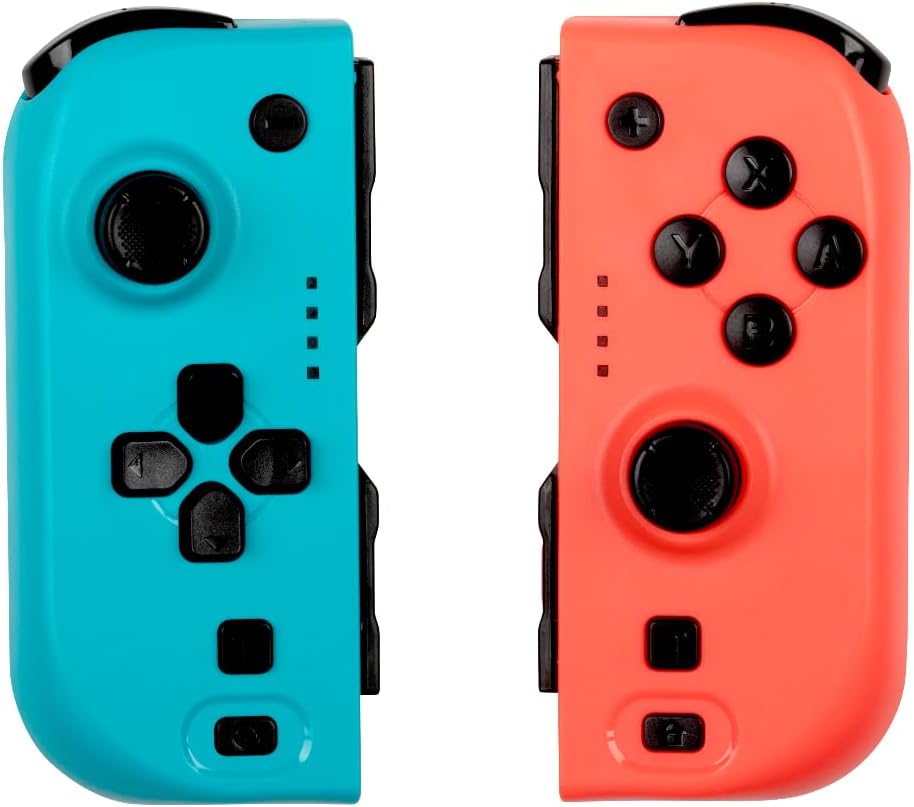
Image: Front view of the Konix Joypads, showcasing the distinct blue and red controllers. Each controller features an analog stick, directional buttons (left pad) or action buttons (right pad), and smaller function buttons.
2. Package Contents
Please verify that all items are present in your package:
- 1x Konix Blue Joypad
- 1x Konix Red Joypad
- 1x USB Charging Cable (Y-split for two controllers)
- 1x User Manual (this document)
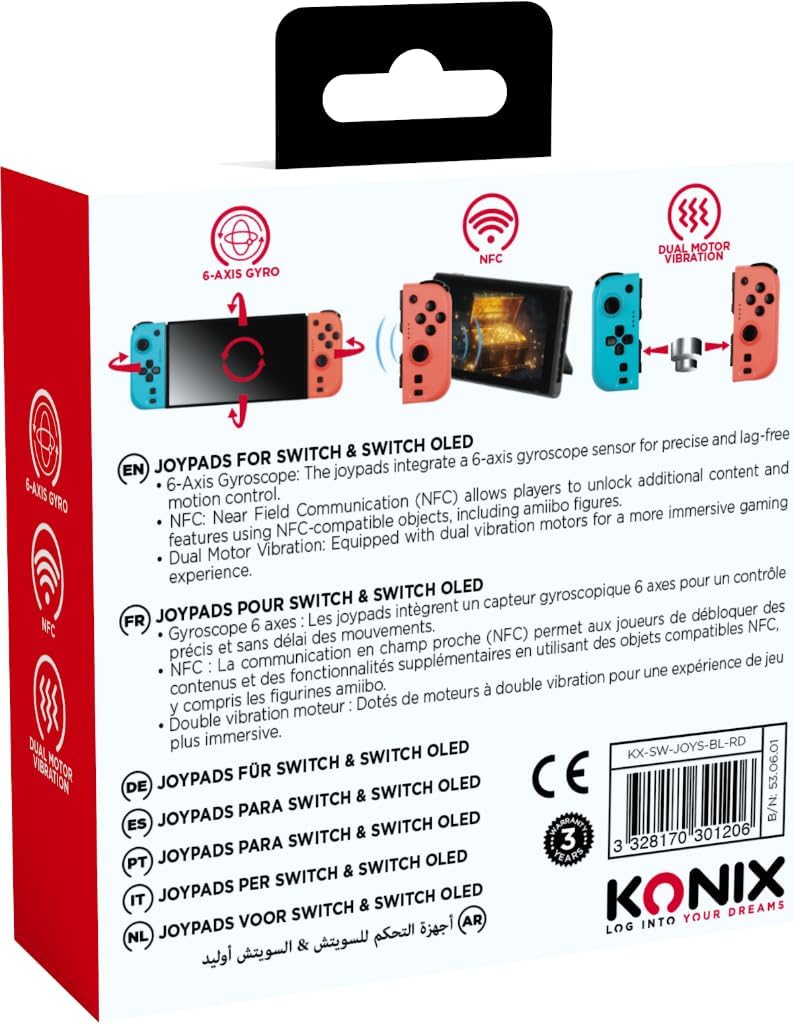
Image: The retail packaging for the Konix Joypads, displaying the blue and red controllers prominently on the front.
3. Setup and Connection
3.1 Initial Charging
Before first use, fully charge both Joypads. Connect the provided USB charging cable to the Joypads and a compatible USB power source. A full charge typically takes 3-4 hours and provides approximately 8 hours of gameplay.
3.2 Connecting to Nintendo Switch/Switch OLED
The Konix Joypads can be used in two modes: attached to the console or wirelessly.
3.2.1 Attached Mode
Slide each Joypad onto the side rails of your Nintendo Switch or Switch OLED console until you hear a click. The console will automatically recognize the controllers.
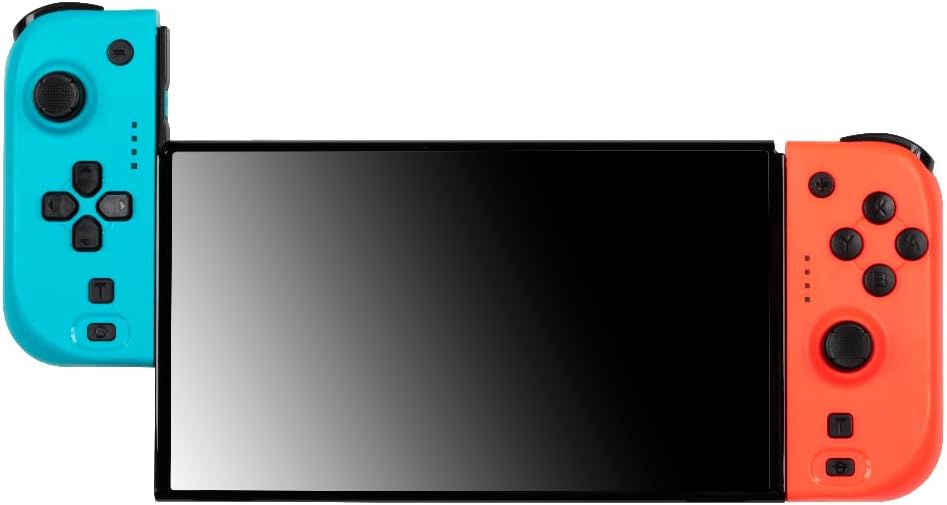
Image: The Konix Joypads securely attached to the sides of a Nintendo Switch console, ready for handheld gaming.
3.2.2 Wireless Mode (Bluetooth Pairing)
To use the Joypads wirelessly, follow these steps:
- From the Nintendo Switch HOME Menu, select "Controllers".
- Select "Change Grip/Order".
- On each Konix Joypad, locate the small Bluetooth pairing button on the side (often near the rail). Press and hold this button for approximately 3 seconds until the indicator lights begin to flash.
- The Joypads will appear on the Switch screen. Once recognized, release the button.
- The indicator lights will become solid, indicating a successful connection.
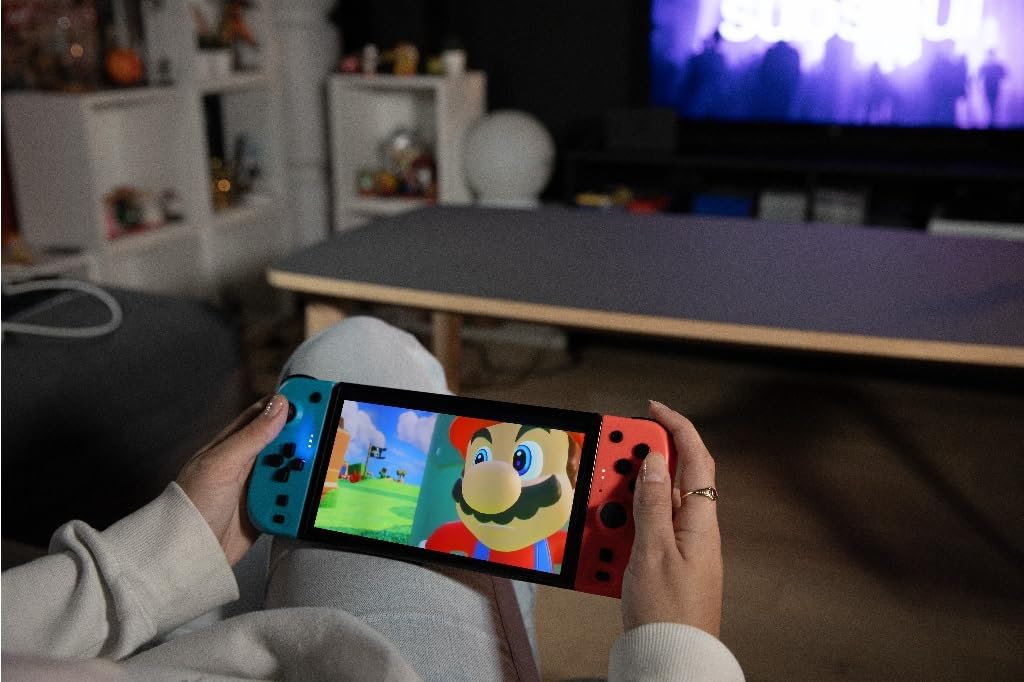
Image: A user demonstrating wireless gameplay with the Konix Joypads, highlighting their use independent of the console, with icons indicating 6-Axis Gyro, NFC, Dual Motor Vibration, and 8-hour autonomy.
4. Operating the Joypads
4.1 Key Features
- 6-Axis Gyro Sensor: Provides ultra-precise motion control for enhanced gameplay accuracy.
- Dual Vibration Motors: Delivers immersive haptic feedback, allowing you to feel every action in your game.
- NFC Support: Compatible with NFC-enabled objects, such as Amiibo figures, for advanced in-game functionalities.
- Turbo Mode: Enables rapid, automatic repetitive button presses for optimized and effortless gameplay. Consult your game's instructions for specific Turbo mode activation.
4.2 Button Layout
The Konix Joypads feature a standard button layout similar to original Switch controllers. Familiarize yourself with the position of the analog sticks, directional buttons/action buttons, shoulder buttons (L/R, ZL/ZR), and function buttons (+, -, Home, Capture).

Image: An angled perspective of the Konix Joypads, highlighting their ergonomic shape and the arrangement of buttons and analog sticks on both the blue and red units.
5. Maintenance and Care
- Keep the Joypads clean by wiping them with a soft, dry cloth. Avoid using harsh chemicals or abrasive materials.
- Store the Joypads in a cool, dry place away from direct sunlight and extreme temperatures.
- Avoid dropping the Joypads or subjecting them to strong impacts, as this can damage internal components.
- Do not attempt to disassemble or repair the Joypads yourself, as this will void the warranty.
6. Troubleshooting
6.1 Joypads Not Connecting/Pairing
- Ensure the Joypads are fully charged before attempting to pair.
- Verify that you are in the "Change Grip/Order" menu on your Nintendo Switch console when attempting wireless pairing.
- Press and hold the small Bluetooth pairing button on the side of each Joypad for at least 3 seconds until the indicator lights flash.
- If issues persist, try restarting your Nintendo Switch console and then re-attempt the pairing process.
6.2 Short Battery Life
- Ensure the Joypads are charged for the recommended 3-4 hours using the provided USB cable.
- Avoid leaving the Joypads connected to the console or charger for extended periods after they are fully charged.
- Battery performance can vary based on game usage (e.g., constant vibration).
6.3 Buttons Unresponsive or Laggy
- Ensure the Joypads are properly connected, either by sliding them firmly onto the console or by confirming a stable Bluetooth connection.
- Check for any physical obstructions or debris around the buttons.
- Try resetting the Joypads (if a reset button is available, otherwise disconnect and reconnect).
- Ensure your Nintendo Switch system software is up to date.
7. Specifications
| Feature | Specification |
|---|---|
| Model Number | 3328170301206 |
| Compatibility | Nintendo Switch, Nintendo Switch OLED |
| Connectivity | Bluetooth |
| Battery Life | Up to 8 hours |
| Charging Time | Approx. 3-4 hours |
| Dimensions (L x W x H) | 17 x 17 x 7 cm (packaged) |
| Weight | 200 grams (packaged) |
| Special Features | 6-Axis Gyro, Dual Vibration, NFC Support, Turbo Mode |
| Country of Origin | China |
8. Warranty and Support
For warranty information and technical support, please refer to the contact details provided on the product packaging or visit the official Konix website. Keep your proof of purchase for warranty claims.
For further assistance, you may also refer to the Konix Brand Store on Amazon.


