
Introduction
Thank you for choosing the 5TH WHEEL Penguin Electric Bike. This manual provides essential information for the safe operation, assembly, maintenance, and troubleshooting of your new e-bike. Please read this manual thoroughly before your first ride and keep it for future reference.
Safety Information
Always wear a helmet and appropriate safety gear when riding. Ensure all components are securely fastened before each use. Do not ride under the influence of alcohol or drugs. Adhere to local traffic laws and regulations. Regular maintenance is crucial for safe operation.
Setup and Assembly
The 5TH WHEEL Penguin Electric Bike comes 95% pre-assembled. Only minimal assembly is required, primarily installing the pedals and adjusting the seat and handlebar.
Unboxing and Initial Inspection
Carefully remove the e-bike and all components from the packaging. Inspect for any damage that may have occurred during shipping. Ensure all parts listed in the packing list are present.
Video: 5TH WHEEL Penguin Ebike Unboxing and Assembly. This video demonstrates the unboxing process and initial assembly steps for the 5TH WHEEL Penguin Electric Bike.
Handlebar Adjustment
The handlebar is foldable for compact storage. To unfold, release the quick-release lever on the stem, raise the handlebar to the upright position, and secure the lever. Ensure it is firmly locked before riding. The handlebar height can also be adjusted for rider comfort.

Image: A man demonstrates folding the handlebar of the 5TH WHEEL Penguin Electric Bike for storage in a car trunk.
Seat Installation and Adjustment
Insert the seat post into the frame's seat tube. Adjust the seat height to a comfortable position where your feet can touch the ground while seated. Secure it with the quick-release clamp. The seat is adjustable from 22.8 to 33.5 inches.
Pedal Installation
Identify the left (L) and right (R) pedals. The left pedal tightens counter-clockwise, and the right pedal tightens clockwise. Apply a small amount of grease to the pedal threads before installation. Use a wrench to securely tighten the pedals to the crank arms. Ensure they are not cross-threaded.
Tire Inflation
Check tire pressure before each ride. The 14-inch air-filled tires should be inflated to the recommended pressure indicated on the tire sidewall. An air pump is included for convenience.
Operating Instructions
Powering On/Off
To power on the e-bike, press and hold the power button on the control panel. To power off, press and hold the power button again, or the bike will automatically turn off after 5 minutes of inactivity.
Control Panel Overview
The control panel displays battery level, current speed (MPH), and assist level. Use the '+' and '-' buttons to adjust the pedal assist level. The 'M' button cycles through different display modes or settings.

Image: A detailed view of the e-bike's handlebar, showing the control panel with power, assist level, and speed indicators, along with the light and horn buttons.
Riding Modes
- Pedal Assist Mode (PAS): The motor provides assistance as you pedal.
Use the '+' and '-' buttons to select from 3 assist levels.- Gear 1: 9 MPH (15 KM/H)
- Gear 2: 15 MPH (25 KM/H)
- Gear 3: 20 MPH (32 KM/H)
- Throttle Mode: Twist the throttle on the handlebar to engage the motor without pedaling. The bike can reach up to 20 MPH.
- Manual Mode: Ride the bike like a traditional bicycle without motor assistance.
Braking System
The e-bike is equipped with front and rear dual 160MM disc brakes for reliable stopping power. Apply both brakes gently and evenly to slow down or stop. Avoid sudden, hard braking, especially at high speeds.
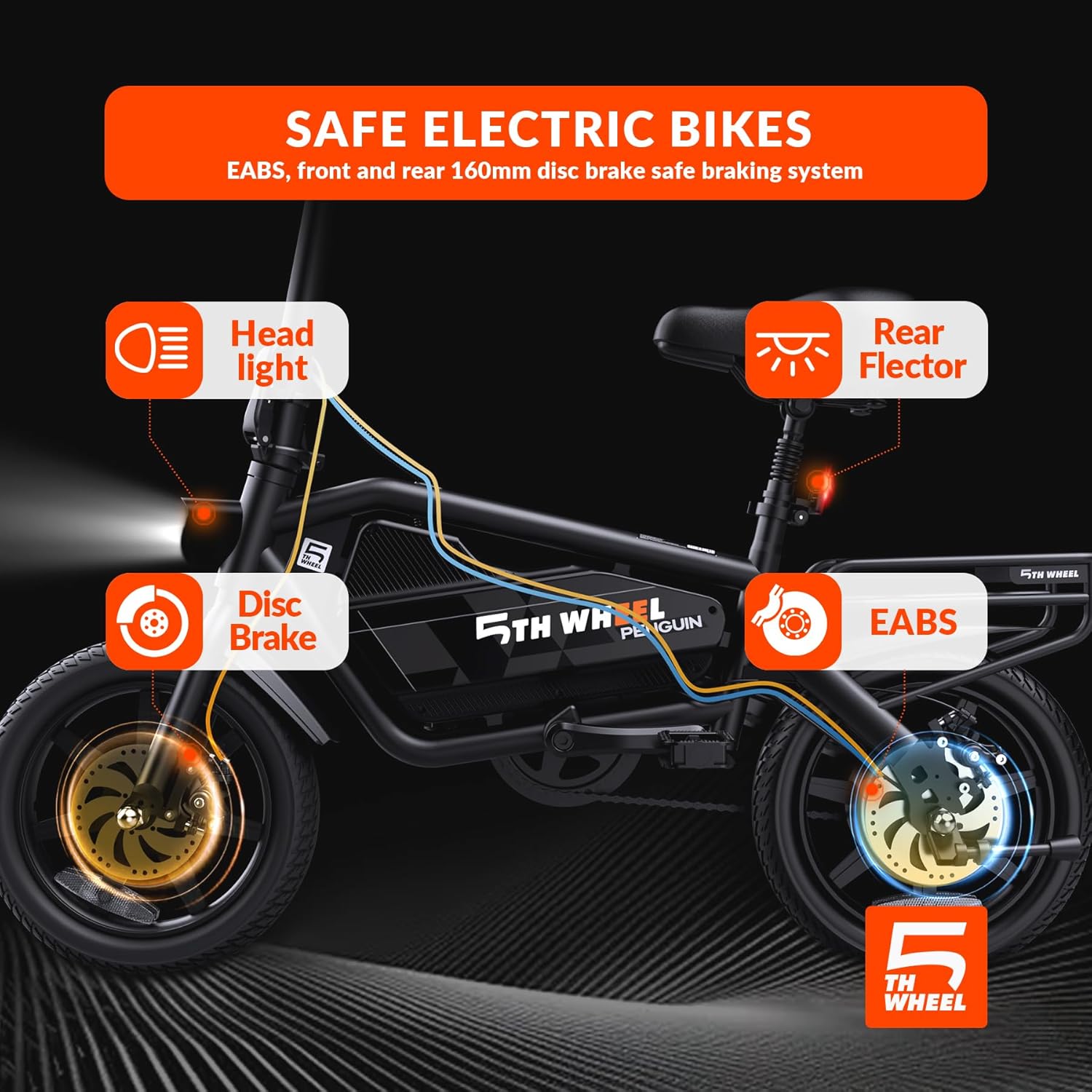
Image: An illustration highlighting the safety features of the e-bike, such as the headlight, disc brakes, rear reflector, and EABS system.
Lights and Horn
The e-bike features a bright 2-watt headlight and a rear reflector for enhanced visibility. Use the dedicated buttons on the handlebar to turn the headlight on/off and activate the horn.
Maintenance
Regular maintenance ensures the longevity and safe operation of your 5TH WHEEL Penguin Electric Bike.
Battery Care
- Charge the battery fully before the first ride and after each use.
- Avoid completely draining the battery.
- Store the e-bike and battery in a cool, dry place, away from direct sunlight and extreme temperatures.
- If storing for an extended period, charge the battery to 50-70% every 2-3 months.

Image: An illustration detailing the e-bike's battery features, including its 40-mile max range, BMS safe control, and 374.4Wh capacity.
Tire Maintenance
Regularly check tire pressure and inflate to the recommended PSI. Inspect tires for wear, punctures, or damage. Replace worn tires promptly.
Brake System Check
Periodically check brake levers for proper tension and responsiveness. Ensure brake pads are not excessively worn and replace them as needed. Keep disc rotors clean and free of oil or grease.
General Cleaning
Clean the e-bike with a damp cloth and mild soap. Avoid using high-pressure water jets directly on electrical components. Lubricate the chain regularly to ensure smooth operation.
Troubleshooting
This section addresses common issues you might encounter with your 5TH WHEEL Penguin Electric Bike.
| Problem | Possible Cause | Solution |
|---|---|---|
| E-bike does not power on | Low battery; Power button not pressed correctly; Loose battery connection | Charge the battery; Press and hold the power button for 2 seconds; Ensure battery is securely seated. |
| Motor not assisting | Pedal assist level set to 0; Brake levers engaged; Sensor issue | Increase pedal assist level; Release brake levers; Check for loose sensor cables. |
| Brakes feel weak | Worn brake pads; Loose brake cable; Contaminated rotors | Inspect and replace brake pads; Adjust brake cable tension; Clean rotors with disc brake cleaner. |
| Unusual noises during ride | Loose components; Dry chain; Tire rubbing | Check all bolts and fasteners; Lubricate chain; Inspect tire clearance. |
If you encounter issues not listed here or if the problem persists, please contact customer support.
Specifications
| Feature | Detail |
|---|---|
| Model Name | EB20 (Penguin) |
| Bike Type | Electric Bike |
| Wheel Size | 14 Inches |
| Motor | Peak 700W Brushless Motor |
| Max Speed | 20 MPH |
| Max Range (PAS Mode) | Up to 40 Miles |
| Battery Capacity | 374.7Wh (Lithium Battery with BMS) |
| Brake Style | Dual 160MM Disc Brakes (EABS) |
| Number of Speeds | 3 (Pedal Assist Gears) |
| Frame Material | Iron |
| Special Feature | Foldable Handlebar, Adjustable Seat, Cargo Rack |
| Recommended User Height | 5-6 FT (150-183 CM) |
| Max Load (Cargo Rack) | 55 LBS (25 KG) |
| Item Weight | 22 Kilograms |
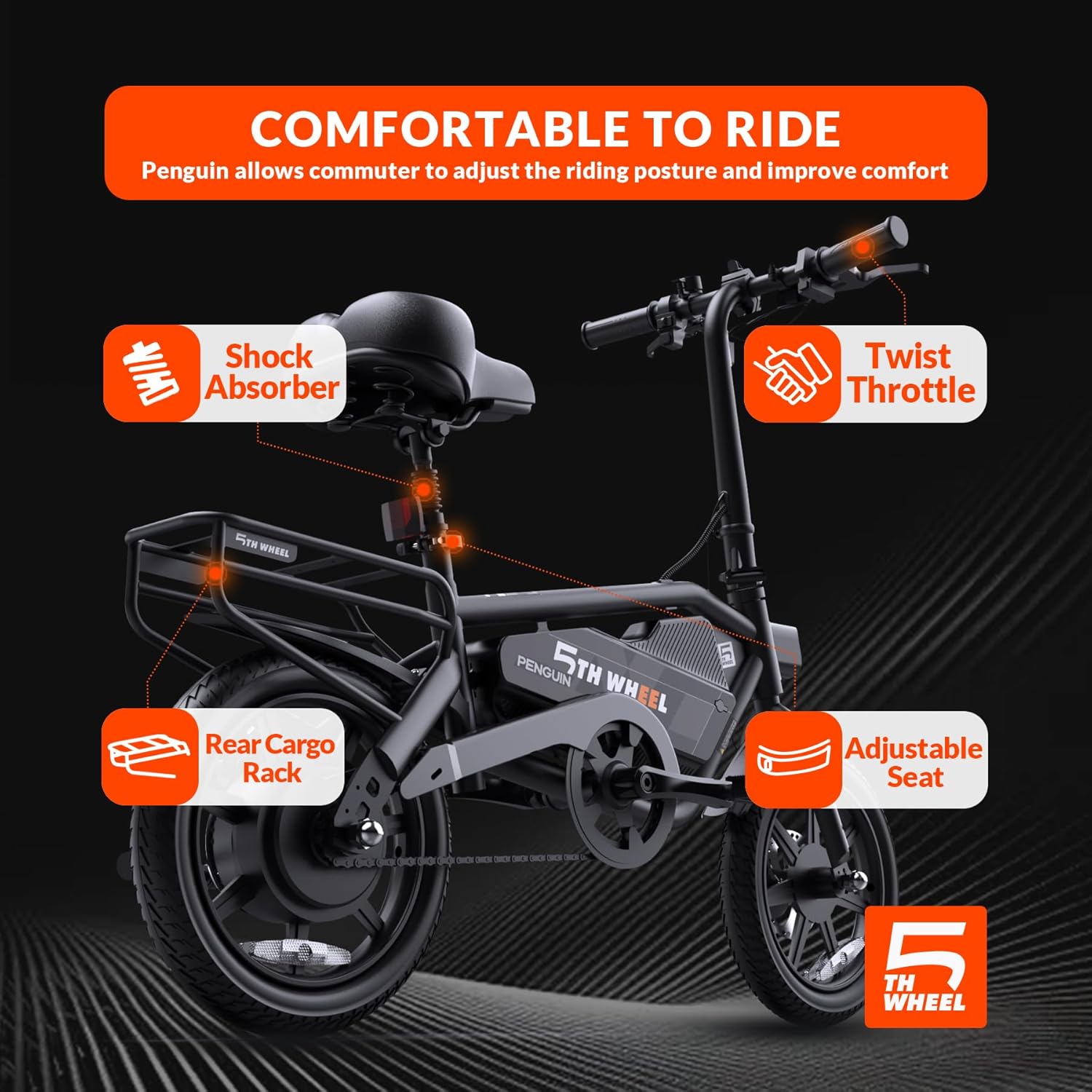
Image: A diagram illustrating the key dimensions of the 5TH WHEEL Penguin Electric Bike, including total length, handlebar height, wheelbase, seat heights, and recommended rider height and weight load.
Warranty and Support
Warranty Information
The 5TH WHEEL Penguin Electric Bike comes with a limited 1-year warranty covering the motor, battery, and charger. Please retain your proof of purchase for warranty claims. The warranty covers manufacturing defects but does not cover damage due to misuse, accidents, or normal wear and tear.
Customer Support
For any questions, technical assistance, or warranty claims, please contact 5TH WHEEL customer support. Refer to the contact information provided on the product packaging or the official 5TH WHEEL website.


