
1. Introduction
Thank you for choosing EUQQ Open Ear Bluetooth 5.4 Headphones. These headphones are designed to provide a comfortable and immersive audio experience while allowing you to stay aware of your surroundings. Featuring an open-ear design, Bluetooth 5.4 connectivity, and extended playtime, they are ideal for various activities including music listening, calls, and sports.
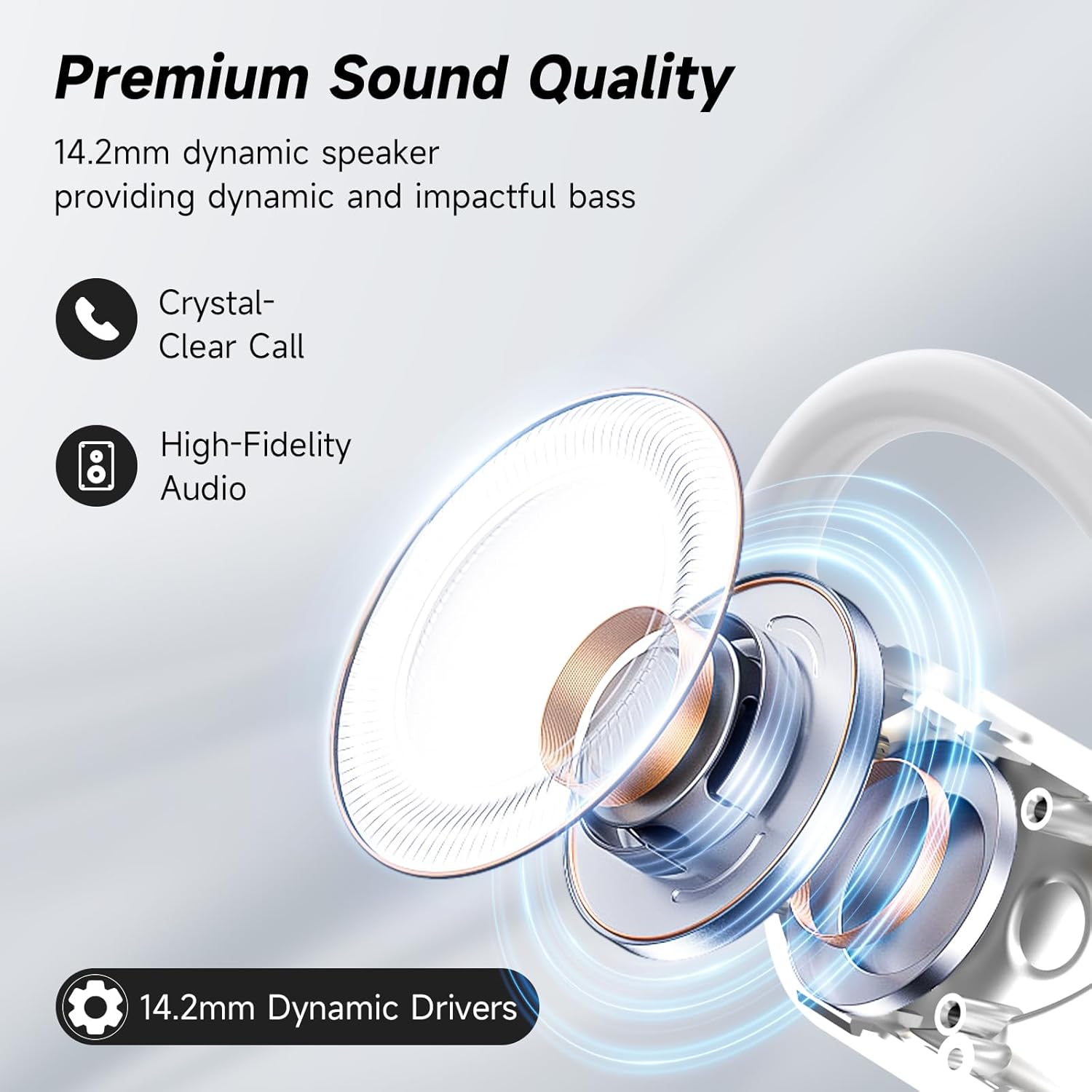
Figure 1.1: Open Ear Design Advantage. This image illustrates how the open-ear design of EUQQ headphones avoids insertion into the ear canal, reducing discomfort and allowing for environmental awareness, unlike traditional earbuds that can cause ear strain.
2. What's in the Box
Please check the package contents to ensure all items are present:
- 2 x EUQQ Open Ear Headphones
- 1 x Charging Case
- 1 x USB Type-C Charging Cable
- 1 x User Manual
- 1 x Product Box

Figure 2.1: EUQQ Open Ear Headphones and Charging Case. This image displays the two white open-ear headphones and their matching white charging case, as typically found in the product packaging.
3. Product Overview
The EUQQ Q16-W headphones feature an ergonomic open-ear design with ear hooks for a secure and comfortable fit. The charging case includes an LED digital display to show battery levels. Each earbud is equipped with a 14.2mm dynamic speaker for clear audio and touch controls for easy operation.

Figure 3.1: Premium Sound Quality Components. This diagram highlights the 14.2mm dynamic speaker within the earbud, responsible for delivering high-fidelity audio and crystal-clear calls.
4. Setup
4.1 Charging the Headphones and Case
Before first use, fully charge the headphones and charging case. The charging case provides an additional 40 hours of playtime, with a full charge taking approximately 1 hour via the included Type-C cable.
- Place the earbuds into the charging case.
- Connect the Type-C charging cable to the charging port on the case and a USB power source.
- The LED digital display on the case will indicate the charging status and battery level.

Figure 4.1: Charging Case with LED Display. This image shows the EUQQ earbuds inside their charging case, with the LED display clearly visible, indicating the remaining battery life of the case and individual earbuds.
4.2 Bluetooth Pairing
The headphones utilize Bluetooth 5.4 for enhanced connectivity, offering faster and more stable transmission speeds.
- Ensure the headphones are charged and inside the charging case.
- Open the charging case. The headphones will automatically enter pairing mode.
- On your device (smartphone, tablet, etc.), enable Bluetooth.
- Search for "Q16-W" or "EUQQ Headphones" in the list of available Bluetooth devices.
- Select the device name to connect. Once connected, you will hear an audible confirmation.

Figure 4.2: Bluetooth 5.4 Connectivity. This image highlights the benefits of Bluetooth 5.4 technology, including more stable connection, lower latency, lower power consumption, and a longer transmission range of up to 15 meters.
5. Operating Instructions
5.1 Wearing the Earbuds
The open-ear design with ear hooks ensures a secure and comfortable fit without entering the ear canal.
- Take out the earphones from the charging case.
- Hang the end of the earphones on your ear bone.
- Turn the earphones and slide them behind your ear.
- Adjust the ear hook and pull it down for a secure fit.

Figure 5.1: How to Wear the Earbuds. This visual guide demonstrates the correct method for wearing the EUQQ open-ear headphones, from taking them out of the case to securing them comfortably behind the ear.

Figure 5.2: Ultimate Comfort and Perfect Fit. This image illustrates the ergonomic design, skin-friendly material, and ultra-lightweight nature of the EUQQ headphones, contributing to a comfortable and secure fit for extended wear.
5.2 Touch Controls
The headphones feature intuitive touch controls on each earbud. Refer to the table below for specific functions:

Figure 5.3: Simple Touch Controls. This diagram provides a comprehensive overview of the touch control functions for the EUQQ headphones, detailing single taps, double taps, and long presses for managing audio playback, calls, and activating voice assistants.
Reset Earbuds: Disconnect from the phone and quickly press the left button 5 times at the same time to reset.
6. Maintenance
6.1 Cleaning
- Wipe the earbuds and charging case with a soft, dry, lint-free cloth.
- Do not use abrasive cleaners, alcohol, or chemical sprays.
6.2 Storage
- Store the headphones in their charging case when not in use to protect them and keep them charged.
- Keep in a cool, dry place away from extreme temperatures and direct sunlight.
6.3 Water Resistance
The headphones have a Waterproof rating, making them suitable for sports and outdoor activities. However, they are not designed for swimming or submersion in water. Ensure the charging port is dry before charging.
7. Troubleshooting
8. Specifications

Figure 8.1: Wide Compatibility. This image illustrates the broad compatibility of EUQQ headphones with a range of Bluetooth-enabled devices, including laptops, desktop computers, smartwatches, televisions, smartphones, and tablets.
9. Warranty and Support
EUQQ products are designed for reliability and performance. For any product-related inquiries, technical support, or warranty claims, please refer to the contact information provided with your purchase or visit the official EUQQ store on Amazon:
Please retain your proof of purchase for warranty purposes.

