
1. Introduction
This manual provides essential information for the safe and efficient operation of your Airecoler GT-XP5 Commercial Dehumidifier with Pump. This industrial-grade unit is designed for effective moisture removal in large, damp environments such as crawl spaces, basements, warehouses, and garages, covering up to 6,000 sq ft.
2. Safety Information
WARNING: Risk of Fire. This appliance contains a flammable refrigerant. Only trained service personnel should perform repairs. Do not puncture refrigerant tubing. Always ensure the unit is placed on a stable, level surface. Keep clear of obstructions to ensure proper airflow. Disconnect power before any maintenance or cleaning.
3. Product Features
- Enhanced Commercial Dehumidification: Capable of extracting up to 125 pints daily (Max.) and 60 pints at AHAM, with an airflow of 265 CFM, for spaces up to 6,000 sq ft.
- Auto Drain with Built-in Pump: Features a heavy-duty pump for automatic water drainage, providing up to 16.4 ft of vertical drainage height and including a 16.4-foot-long hose.
- Compact Design: Measures 19.2"L x 12.2"W x 13.4"H, suitable for low-clearance crawl spaces and tight basements. Offers flexible placement options including freestanding, countertop, or suspension.
- Energy-saving Efficiency: Incorporates an R32 dehumidification system for high performance with reduced electricity consumption. Includes a 24-hour auto ON/OFF timer.
- Smart Features: Adjustable humidity control, automatic defrost, digital display, auto restart, and auto fault detection.
- Washable Filter: Reusable filter for easy maintenance.

Image 1: The Airecoler GT-XP5 dehumidifier demonstrating its high moisture removal capacity of up to 125 pints per day.
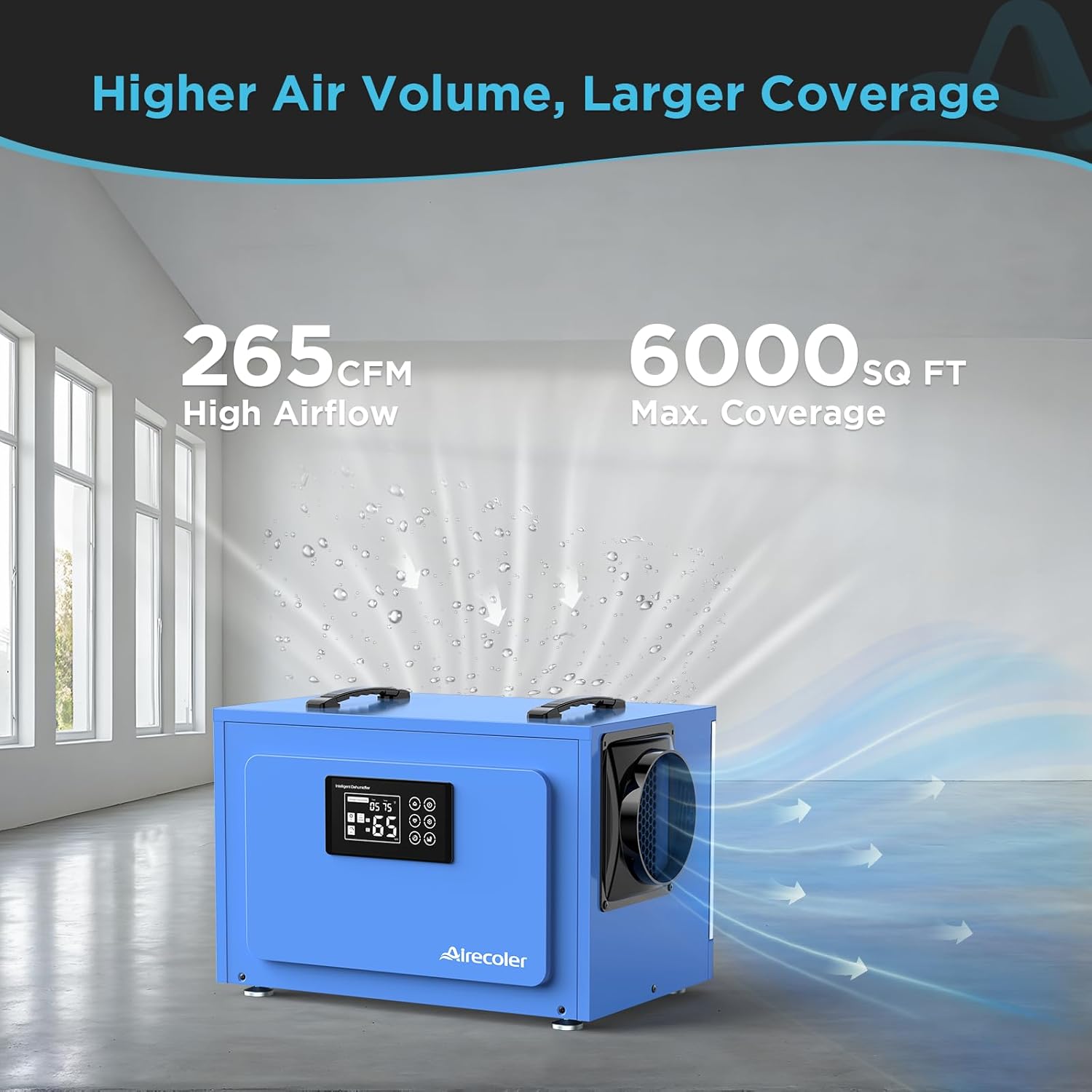
Image 2: Illustration of the dehumidifier's 265 CFM high airflow and maximum coverage area of 6,000 sq ft.
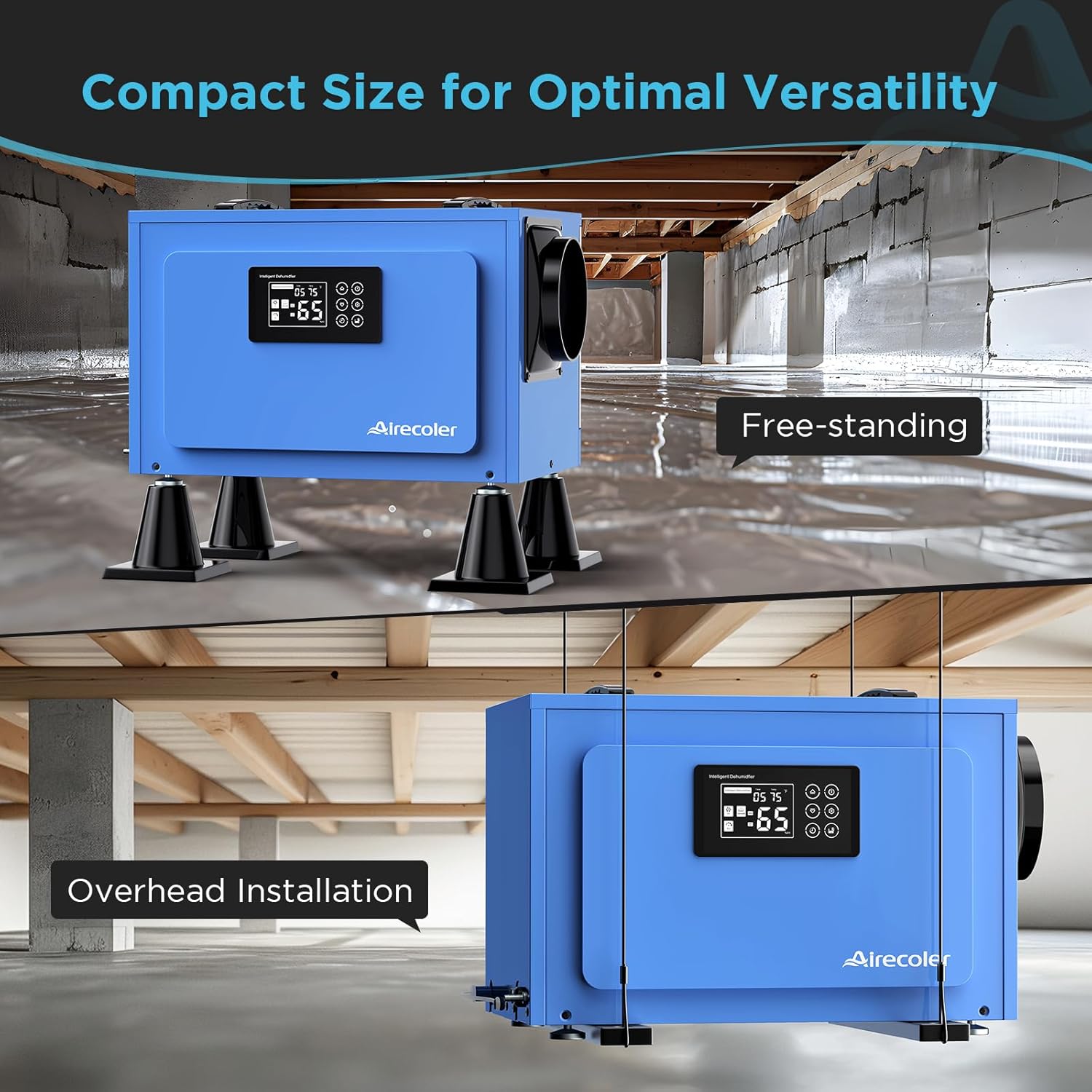
Image 3: The compact dimensions of the Airecoler GT-XP5, highlighting its versatility for various installations like freestanding or overhead.
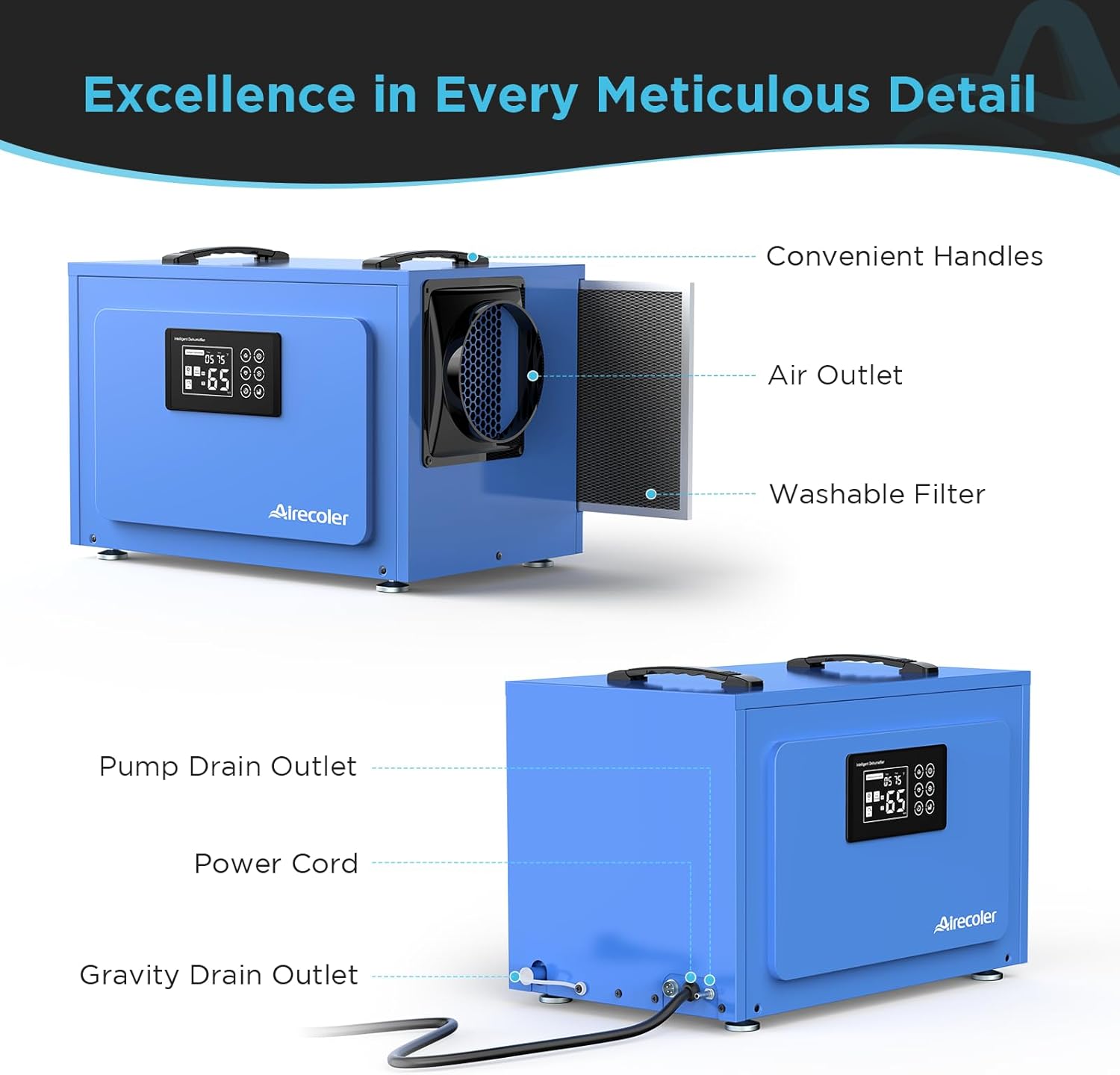
Image 4: Detailed view of the dehumidifier's components, including convenient handles, air outlet, washable filter, pump drain outlet, and gravity drain outlet.
4. Setup Instructions
- Unpacking: Carefully remove the dehumidifier from its packaging. Inspect for any shipping damage.
- Placement: Place the unit on a stable, level surface. Ensure adequate clearance around the air inlet and outlet for optimal performance. The compact design allows for placement in low-clearance crawl spaces, basements, or even suspended between floor joists.
- Drainage Connection:
- Built-in Pump Drainage: Connect the provided 16.4 ft pump drain hose to the pump drain outlet. Route the hose to a suitable drain location, ensuring the hose is not kinked or obstructed. The pump can lift water up to 16.4 ft vertically.
- Gravity Drainage: For gravity drainage, connect the 6.56 ft gravity drain hose to the gravity drain outlet. Ensure the unit is elevated above the drain point to allow water to flow downhill.
- Power Connection: Plug the power cord into a grounded electrical outlet.
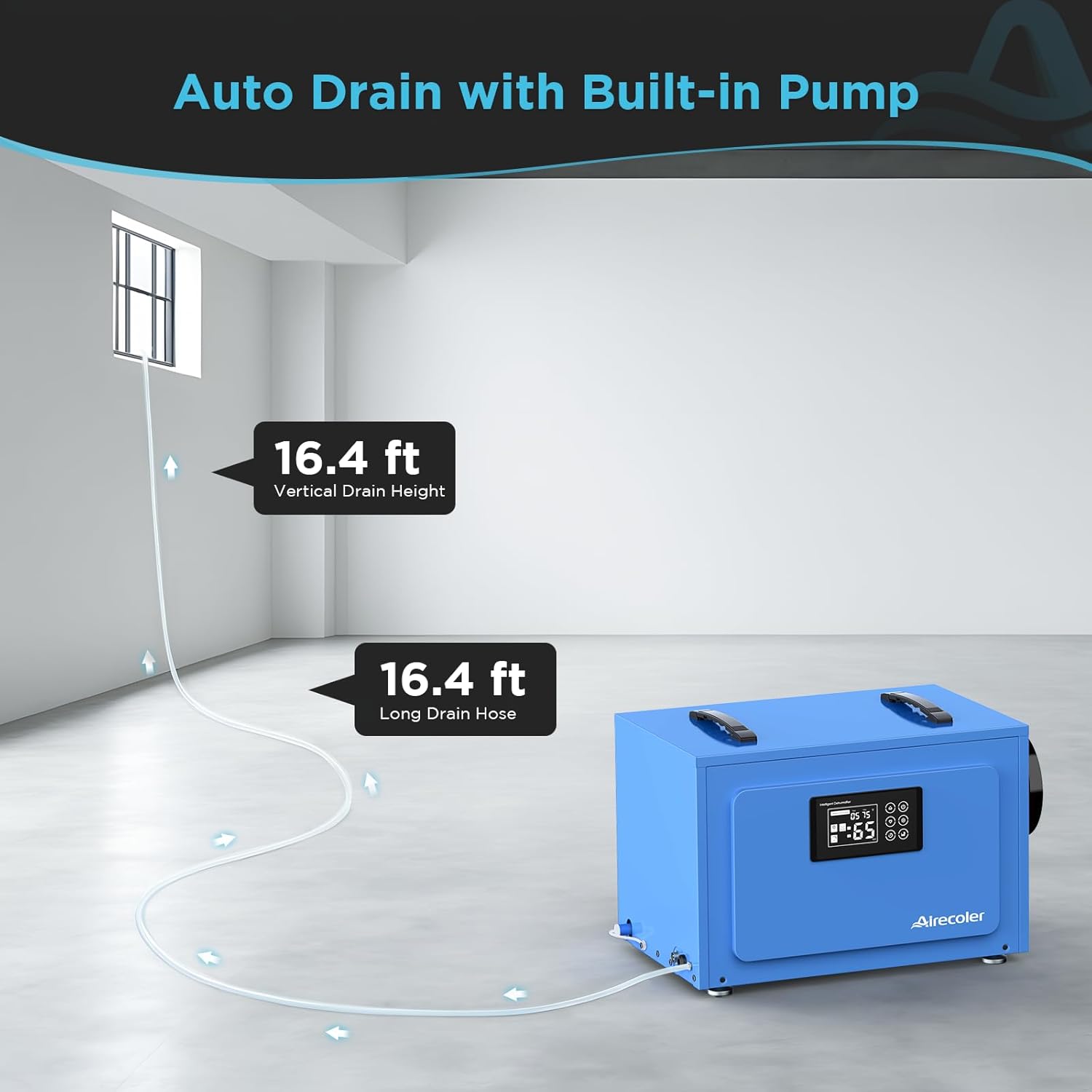
Image 5: The dehumidifier connected for auto drainage using the built-in pump, showing the 16.4 ft drain height and length capabilities.
Video 1: This video demonstrates the process of connecting the drain hose for pump drainage, illustrating how to ensure proper setup for continuous operation.
5. Operating Instructions
- Power On/Off: Press the power button on the control panel to turn the unit on or off.
- Setting Humidity Level: Use the 'Up' and 'Down' arrow buttons to adjust the desired humidity set-point (typically between 30% and 90% RH). The unit will operate until the set humidity level is reached, then cycle off.
- Timer Setting: Press the 'Timer' button to set the auto ON/OFF timer (1-24 hours). This allows you to schedule operation for specific periods.
- Fan Speed: Select between low and high fan speeds using the fan button, depending on the desired dehumidification rate and noise level.
- Pump Purge: For manual drainage or to clear the pump, press the 'Purge' button to activate the built-in pump.

Image 6: The digital control panel of the Airecoler GT-XP5, showing buttons for power, humidity adjustment, timer, and pump purge.
Video 2: This video provides a visual guide on how to operate the control panel, including setting humidity levels and using the timer function.
6. Maintenance
Regular maintenance ensures optimal performance and longevity of your dehumidifier.
- Filter Cleaning: The washable filter should be cleaned once every 1-2 weeks, or more frequently in dusty environments. Remove the filter, rinse it with warm water, and allow it to dry completely before reinserting.
- Exterior Cleaning: Wipe the exterior of the unit with a soft, damp cloth. Do not use harsh chemicals or abrasive cleaners.
- Coil Cleaning: Periodically inspect the coils for dust or debris. If necessary, use a soft brush or vacuum cleaner with a brush attachment to gently clean the coils.

Image 7: The washable and reusable filter being removed and cleaned, emphasizing the importance of regular filter maintenance.
7. Troubleshooting
| Problem | Possible Cause | Solution |
|---|---|---|
| Unit does not turn on | No power; Power button not pressed; Humidity set too high | Check power connection; Press power button; Lower humidity set-point below ambient humidity |
| No water draining | Drain hose kinked/blocked; Pump not activated; Humidity too low | Check and clear drain hose; Press 'Purge' button; Ensure ambient humidity is above set-point |
| Unit runs constantly | Humidity set too low; Large area/high moisture load | Increase humidity set-point; Allow more time for dehumidification; Ensure proper sealing of the area |
| Unusual noise | Unit not level; Fan obstruction | Ensure unit is on a flat surface; Check for debris in fan/air vents |
8. Specifications
| Feature | Detail |
|---|---|
| Brand | Airecoler |
| Model Name | GT-XP5 |
| Dehumidification Capacity (Max) | 125 Pints/Day |
| Dehumidification Capacity (AHAM) | 60 Pints/Day |
| Coverage Area | Up to 6,000 Square Feet |
| Air Flow Capacity | 265 Cubic Feet Per Minute (CFM) |
| Product Dimensions | 12.2"D x 19.2"W x 13.4"H |
| Item Weight | 51 Pounds |
| Material | Metal |
| Wattage | 830 watts |
| Special Features | 1-24 H Timer, Adjustable Humidity Control, Automatic Defrost, Digital Display, Built-in Pump |
| Included Components | 16.4 Ft Pump Drain Hose, 6.56 Ft Gravity Drain Hose, User Manual, Washable Filter |
9. Warranty & Support
The Airecoler GT-XP5 Commercial Dehumidifier is backed by a 5-year covered warranty. This includes a 2-year full warranty for the entire dehumidifier and an additional 3 years for the dehumidification system, ensuring peace of mind and long-term reliability.
For customer support, please contact Airecoler US directly. You can find their contact information on the product label or through their official website.