
1. Introduction
Thank you for choosing the WamGra Open Ear Headphones T18. These headphones are designed to provide a comfortable and safe listening experience, especially during sports and outdoor activities, by allowing you to remain aware of your surroundings. This manual will guide you through the setup, operation, and maintenance of your new headphones.
2. Package Contents
Please check the package for the following items:
- 1 × WamGra Open Ear Bluetooth Headphones T18
- 1 × USB Charging Cable
- 1 × User Manual

3. Product Overview
The WamGra Open Ear Headphones T18 feature an innovative open-ear design utilizing air conduction technology, ensuring comfort for extended wear and maintaining environmental awareness. They are lightweight, weighing only 18 grams, and are built with IPX5 water resistance, making them suitable for various activities including sports.


4. Charging the Headphones
Before first use, fully charge your headphones. The headphones are equipped with a magnetic fast charging port.
Charging Procedure:
- Connect the magnetic end of the provided USB charging cable to the charging port on the headphones.
- Connect the USB-A end of the cable to a standard USB power adapter (not included) or a computer's USB port.
- The indicator light on the headphones will show the charging status. Refer to the LED indicator section for details.
- A full charge takes approximately 1.5 hours.
Once fully charged, the headphones provide up to 10 hours of continuous music or talk time.

5. Setup: Bluetooth Pairing
Follow these steps to pair your WamGra Open Ear Headphones T18 with your device:
- Power On: Press and hold the power button on the headphones until the LED indicator flashes blue and red, indicating they are in pairing mode.
- Activate Bluetooth: On your smartphone, tablet, or other Bluetooth-enabled device, go to the Bluetooth settings and ensure Bluetooth is turned on.
- Select Device: In the list of available Bluetooth devices, locate and select "WamGra T18" (or similar name).
- Confirm Pairing: Once selected, the headphones will connect, and the LED indicator will typically show a solid blue light or flash blue slowly. A voice prompt may also confirm the connection.
- Reconnect: The headphones will automatically attempt to reconnect to the last paired device when powered on. If reconnection fails, repeat the pairing steps.
6. Operating Instructions
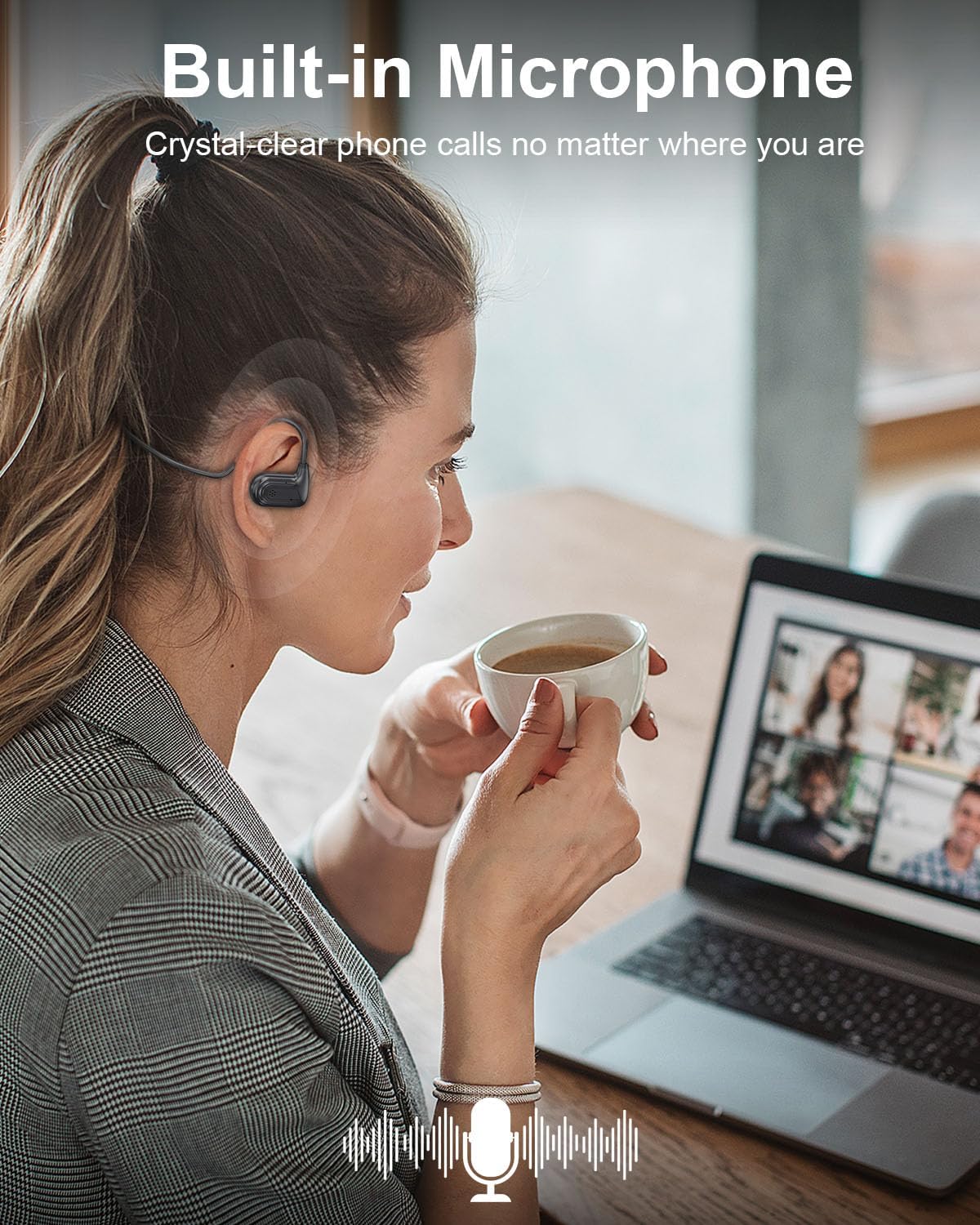
The WamGra Open Ear Headphones T18 feature intuitive touch and button controls for managing music playback and calls.
Music Playback Controls:
- Play/Pause: Tap the touch area once.
- Next Track: Double-tap the touch area.
- Previous Track: Triple-tap the touch area.
Call Management:
- Answer a Call: Tap the touch area once.
- Hang Up: Tap the touch area once during a call.
- Reject a Call: Press and hold the button.
Volume Control:
- Volume Up: Press the button once.
- Volume Down: Double-press the button quickly.

7. Maintenance
Proper care will extend the lifespan of your headphones.
Cleaning:
- Wipe the headphones with a soft, dry, or slightly damp cloth.
- Do not use harsh chemicals, cleaning solvents, or strong detergents.
Storage:
- Store the headphones in a cool, dry place away from extreme temperatures.
- Avoid direct sunlight and high humidity.
Water Resistance (IPX5):
The headphones are IPX5 rated, meaning they are resistant to splashes and sweat. They are suitable for workouts and light rain. Do not submerge the headphones in water or expose them to strong jets of water.
8. Troubleshooting
If you encounter issues with your headphones, refer to the following common problems and solutions:
| Problem | Possible Cause | Solution |
|---|---|---|
| Headphones do not power on | Low battery | Charge the headphones fully. |
| Cannot pair with device | Bluetooth not enabled, headphones not in pairing mode, device too far | Ensure Bluetooth is on, put headphones in pairing mode (flashing blue/red), keep devices within 10 meters. |
| No sound or low volume | Volume too low, headphones not connected, incorrect audio output selected | Increase headphone and device volume, re-pair headphones, check device's audio output settings. |
| Intermittent connection | Interference, device too far, low battery | Move closer to the device, avoid strong Wi-Fi or other Bluetooth signals, charge headphones. |
9. Specifications
| Feature | Detail |
|---|---|
| Model Name | T18 |
| Bluetooth Version | 5.3 |
| Connectivity Technology | Bluetooth, Wireless |
| Earpiece Shape | Open-Ear (Air Conduction) |
| Battery Life | Up to 10 Hours |
| Charging Time | Approx. 1.5 Hours |
| Item Weight | 18 Grams (0.635 ounces) |
| Water Resistance Level | IPX5 (Waterproof) |
| Frequency Range | 20 Hz - 20,000 Hz |
| Audio Driver Type | Dynamic Driver |
| Material | Plastic, Silicone |
| Product Dimensions | 5.12 x 1.38 x 5.51 inches |
10. Warranty and Support
WamGra products are designed for reliability and performance. For any issues, questions, or assistance with your WamGra Open Ear Headphones T18, please contact our customer support team through the Amazon support system. Our team is available to help resolve your concerns and ensure your satisfaction.
Please retain your proof of purchase for warranty purposes.