
Introduction
The NEEWER 60mm Telephoto Lens LS-41 PRO is designed to enhance your smartphone photography by providing 2X optical magnification. This lens allows you to capture clear, detailed images of distant subjects without the quality degradation associated with digital zoom. It is compatible with various smartphones, including iPhone and Samsung models, through a 17mm threaded phone lens clip. The kit also includes a 67mm filter adapter ring for expanded creative possibilities.
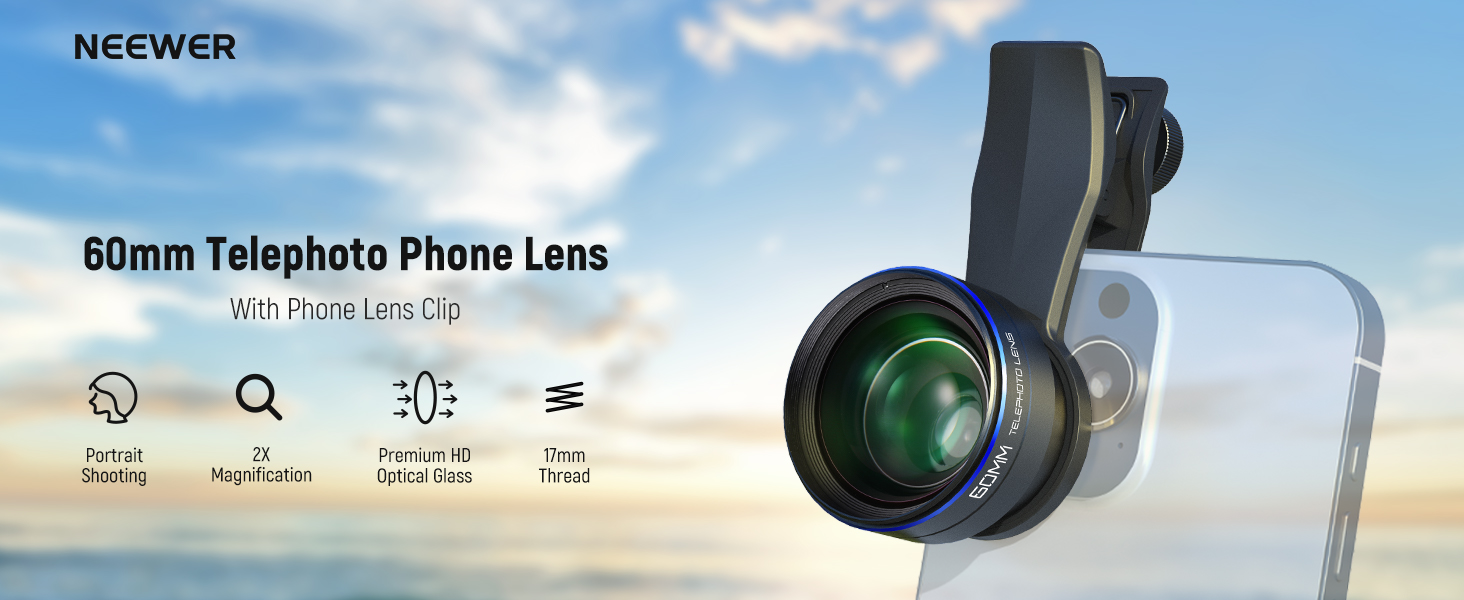
Image: NEEWER 60mm Telephoto Phone Lens overview.
Package Contents
Verify that all items listed below are present in your package:
- 1 x NEEWER 60mm Telephoto Lens
- 1 x 17mm Thread Phone Lens Clip
- 1 x 67mm Filter Adapter Ring
- 1 x Front Lens Cap
- 1 x Rear Lens Cap
- 1 x Cleaning Cloth
- 1 x Storage Case

Image: All components included in the NEEWER 60mm Telephoto Lens package.
Setup Instructions
- Prepare your phone: Before attaching the lens, ensure your smartphone's main camera and any additional cameras are clean.
- Attach the Phone Lens Clip: Align the 17mm thread phone lens clip with your smartphone's main camera lens. Ensure the clip is securely fastened to prevent movement. The clip features a non-slip pad for stability.
- Mount the Telephoto Lens: Screw the 60mm telephoto lens onto the 17mm thread of the phone lens clip. Turn clockwise until it is securely tightened.
- (Optional) Attach 67mm Filter Adapter: If you plan to use external filters, screw the included 67mm filter adapter ring onto the front of the telephoto lens. This allows for the attachment of any 67mm filter (filters not included).

Image: Visual guide for attaching the 17mm lens clip and 60mm telephoto lens to a smartphone.
Compatibility
The 17mm thread phone lens clip is compatible with a wide range of smartphones, including iPhone 17 Pro Max, iPhone 16 Pro Max, iPhone 15, iPhone 14, Samsung Galaxy S25 Ultra, and other models. It is also suitable for NEEWER phone cages, phone cases, and backplate accessories that feature 17mm threads.

Image: Examples of phone cases and cages compatible with the 17mm threaded lens mount.
Operating Instructions
The 60mm Telephoto Lens provides 2X optical magnification, ideal for capturing distant subjects with enhanced clarity. This optical zoom maintains image quality, unlike digital zoom which can degrade resolution.

Image: Demonstrating 2X magnification with the 60mm telephoto lens, showing a clearer, more detailed subject.
Optimal Usage
- Focusing: The lens features manual focus. Adjust the focus ring on the lens to achieve sharp images.
- Zoom Settings: For optimal image quality, it is recommended to shoot at 1x zoom on your phone's camera application. Avoid using digital zoom levels on your phone when the telephoto lens is attached, as this can introduce vignetting or reduce image clarity.
- Macro Mode: Disable macro mode on your phone's camera settings when using the telephoto lens.

Image: Recommended camera settings on iOS and Android for use with the telephoto lens, highlighting 1x zoom and disabled macro mode.
Applications
This telephoto lens is suitable for various photography styles, including:
- Wildlife Photography: Capture animals from a distance with clarity.
- Portraits: Achieve a natural background blur (bokeh) and detailed subject focus.
- Landscapes: Bring distant elements closer and add depth to your scenic shots.
- Sports: Get closer to the action without physical proximity.

Image: Diverse applications of the telephoto lens, including wildlife, sports, and portrait photography.
Maintenance
- Cleaning: Use the provided cleaning cloth to gently wipe the lens surfaces. Avoid using harsh chemicals or abrasive materials that could scratch the lens.
- Storage: When not in use, store the lens in its protective storage case to prevent dust accumulation and physical damage. Ensure both front and rear lens caps are securely in place.
- Handling: Handle the lens with care to avoid dropping or impacting it, which could affect its optical alignment.

Image: The portable storage case for protecting the lens during transport and storage.
Troubleshooting
| Problem | Possible Cause | Solution |
|---|---|---|
| Vignetting (dark corners in image) | Lens not securely tightened; phone's digital zoom active; phone model specific. | Ensure the lens is tightly screwed onto the clip. Disable digital zoom on your phone. Try zooming the camera magnification to 1.1x or more if your phone model experiences vignetting. |
| Blurry images | Incorrect focus; dirty lens; unstable phone. | Adjust the manual focus ring on the lens. Clean the lens with the provided cloth. Ensure your phone is stable during shooting, consider using a tripod or phone rig. |
| Lens not attaching securely | Improper alignment; incompatible phone case/clip. | Re-align the lens clip with the phone's camera. Ensure your phone case or rig has a 17mm thread for direct attachment, or use the provided clip. |
Specifications
| Feature | Detail |
|---|---|
| Model Name | LS-41 PRO |
| Magnification | 2X Telephoto |
| Lens Fixed Focal Length | 60 Millimeters |
| Lens Construction | 6 elements in 5 groups |
| Filter Adapter Ring | 67mm (for external filters) |
| Phone Attachment | 17mm Thread Phone Lens Clip (included) |
| Material | Black anodized aluminum alloy shell |
| Weight | 4oz / 113g |
| Optical Performance | Superior HD, prevents distortion and dispersion, improves light transmission, multiple coatings. |

Image: Internal optical structure of the 60mm telephoto lens, highlighting its multi-element design.
Warranty and Support
The NEEWER 60mm Telephoto Lens LS-41 PRO comes with a 1 Year Manufacturer Warranty. For technical support, troubleshooting assistance, or warranty claims, please contact NEEWER customer service through their official website or the retailer where the product was purchased.
For more information, visit the official NEEWER Store.