Introduction
Welcome to the instruction manual for your new Li-Ion Battery and Charger Set. This manual provides essential information for the safe and effective use of your 750mAh 3.7V battery and its dedicated charger. This set is designed for use with the Sky Viper Vista HD Video Drone, and is also compatible with Sky Viper V2400HD, V2450FPV, V2450GPS, SCOUT, and JOURNEY drone models.
Please read this manual thoroughly before using the product to ensure proper operation and to prevent damage or injury.
Product Overview
The set includes one 750mAh 3.7V Li-Ion battery and one USB charging cable.
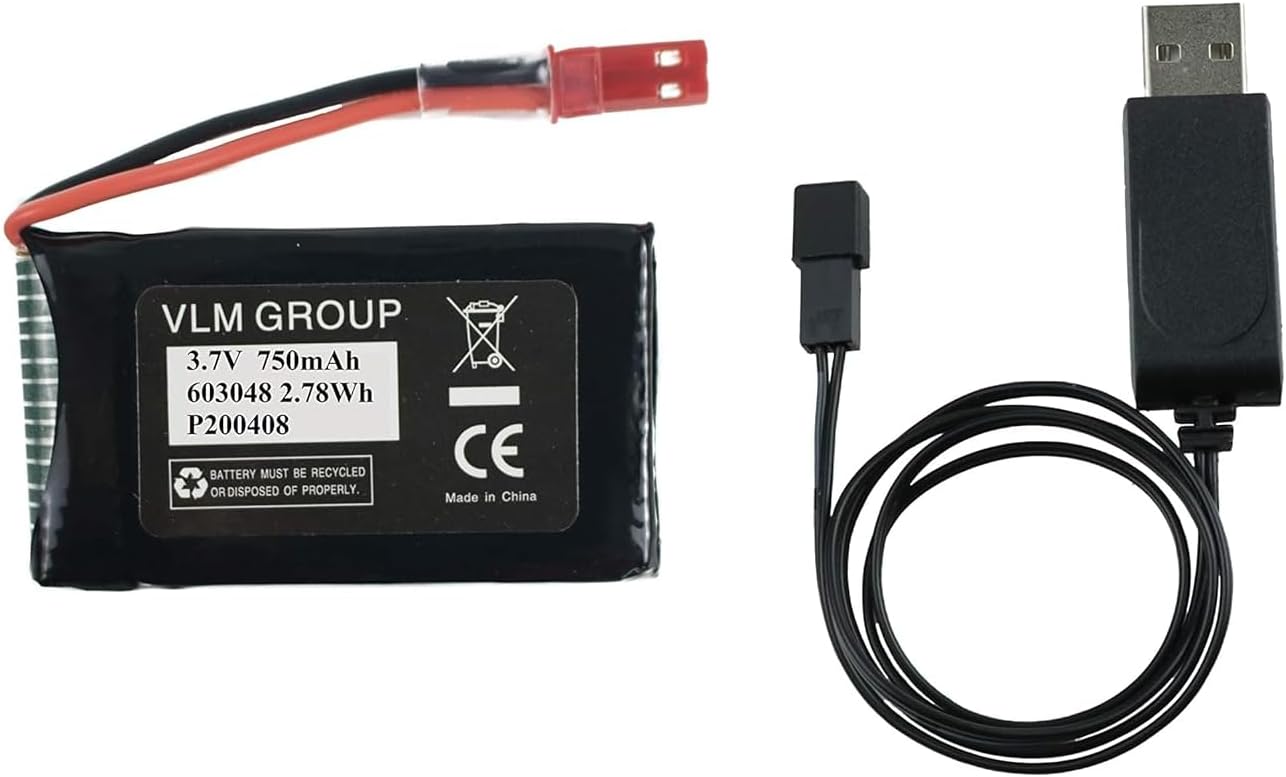
Image showing the 750mAh 3.7V Li-Ion battery and the USB charging cable included in the set.
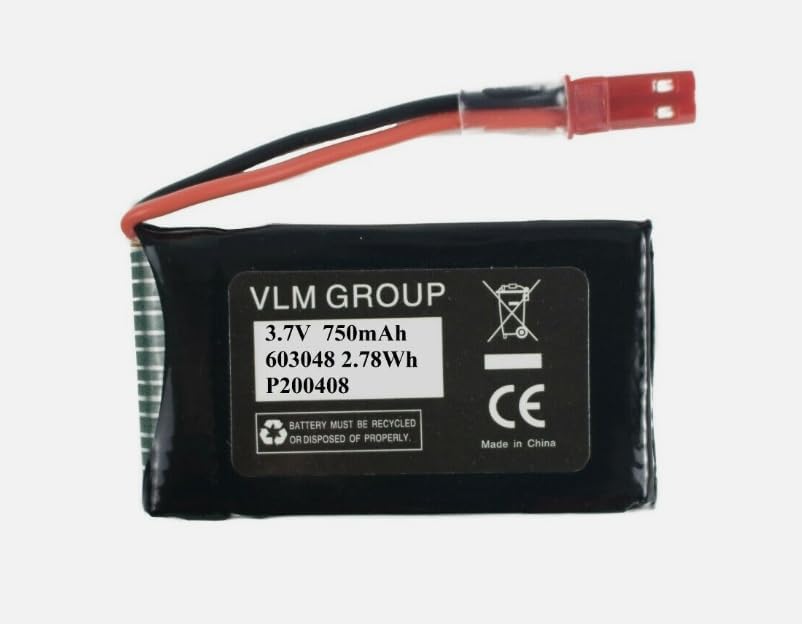
Close-up image of the 750mAh 3.7V Li-Ion battery, displaying its specifications and recycling information.

Close-up image of the USB charging cable, featuring the USB-A connector and the battery charging port.
Video demonstrating the physical components of the battery and charger set, including a size comparison with a measuring tape.
Setup
Charging the Battery:
- Connect the battery's red connector to the corresponding port on the USB charging cable.
- Plug the USB-A end of the charging cable into a compatible USB power source (e.g., computer USB port, USB wall adapter, power bank). Ensure the power source provides 5V DC.
- The charging indicator on the USB cable (if present) will illuminate during charging and may change color or turn off when charging is complete. Refer to your drone's original manual for specific charging indicator behavior if the charger has one.
- Charging time may vary depending on the power source and the battery's charge level. Typically, a full charge takes approximately 60-90 minutes.
Installing the Battery:
- Refer to your specific Sky Viper drone model's instruction manual for detailed battery compartment location and installation procedures.
- Carefully insert the charged battery into the drone's battery compartment, ensuring the connectors align correctly.
- Connect the battery to the drone's power port. Ensure a secure connection.
- Close the battery compartment cover securely.
Operating
First Use: Fully charge the battery before its first use to ensure optimal performance and battery longevity.
Battery Life: Battery life will vary based on drone model, flight conditions, and usage patterns. Always monitor your drone's battery indicator during operation.
Safe Operation: Do not attempt to operate the drone with a damaged or swollen battery. Discontinue use immediately if the battery shows any signs of damage.
Maintenance
Battery Storage: Store the battery in a cool, dry place away from direct sunlight and extreme temperatures. For long-term storage, it is recommended to store the battery at approximately 50% charge.
Charging Practices: Avoid overcharging or completely discharging the battery. Disconnect the charger once the battery is fully charged. Do not leave the battery unattended while charging.
Cleaning: Keep the battery and charger connectors clean and free of dust or debris. Use a dry, soft cloth for cleaning.
Disposal: Dispose of Li-Ion batteries responsibly according to local regulations. Do not dispose of batteries in household waste. Many electronics retailers and recycling centers offer battery recycling programs.
Troubleshooting
Battery Not Charging:
- Ensure the USB charging cable is securely connected to both the battery and the power source.
- Try a different USB power source or USB port.
- Check for any visible damage to the battery or charger cable.
Short Battery Life:
- Ensure the battery is fully charged before each use.
- Environmental factors (e.g., cold weather) can affect battery performance.
- Battery degradation can occur over time with repeated charge cycles. Consider replacing the battery if performance significantly declines.
Battery Swelling: If the battery appears swollen, discontinue use immediately and dispose of it safely. Do not attempt to charge or use a swollen battery.
Specifications
| Feature | Detail |
|---|---|
| Battery Type | Li-Ion |
| Voltage | 3.7V |
| Capacity | 750mAh |
| Energy | 2.78Wh |
| Dimensions | Approx. 1 x 1 x 1 inches (2.54 x 2.54 x 2.54 cm) |
| Weight | Approx. 4 ounces (113 grams) |
| Manufacturer | vlm |
| Country of Origin | China |
Warranty and Support
Return Policy: This product is subject to a 30-day return policy from the date of purchase. Please refer to your retailer's specific return guidelines for details.
Technical Support: For technical assistance or inquiries regarding this product, please contact the seller, VLM Group LLC, through the platform where the purchase was made.


