
1. Introduction
This manual provides essential information for the safe and efficient operation, maintenance, and care of your GreenLife Silverfox 2235D 4-Motor Luxury Electric Facial Chair. Please read this manual thoroughly before initial use and retain it for future reference. This chair is designed for professional use in spa, salon, and medical care environments, offering versatile adjustments for various treatments.
2. Safety Information
WARNING:
- Ensure the chair is not used by individuals exceeding 385 lbs (175 kg).
- Always use the motor controls gently and follow the instructions for safe operation and adjustment.
- Keep hands and feet clear of moving parts during adjustment.
- Do not attempt to disassemble or repair the chair yourself. Contact qualified service personnel for assistance.
- Ensure the power cord is not pinched or damaged.
- Unplug the chair from the power outlet before cleaning or maintenance.
3. Product Features
- 4-Motor Control System: Adjusts the backrest, height, leg section, and seat incline with ease, offering flexibility for various treatments.
- 3-Section Adjustable Design: Provides full-body support, making it suitable for facials, waxing, lashes, brows, and permanent makeup.
- High-Quality PU Upholstery: Easy-to-clean material ensures durability and maintains a professional appearance.
- Heavy-Duty Construction: Supports up to 385 lbs, ensuring stability and durability for long-term use in professional settings.
- Ergonomic Design: Designed for both client comfort and practitioner convenience, with smooth adjustments for seamless transitions between treatments.
4. Setup and Assembly
The GreenLife Silverfox 2235D chair is designed for minimal assembly. It arrives largely pre-assembled. However, two persons are required for safe handling and positioning due to its weight and size.
- Carefully unpack the chair from its packaging.
- With the assistance of another person, position the chair in its desired location. Ensure there is adequate space around the chair for full range of motion and safe operation.
- Connect the power cord to a suitable electrical outlet (100V-120V, 50Hz/60Hz).
- Ensure all components, such as armrests and headrest, are securely attached.

This diagram provides an overview of the chair's structure and dimensions, which can be helpful during setup planning.

This image illustrates the chair in a typical professional setting, demonstrating its footprint and aesthetic.
5. Operating Instructions
The Silverfox 2235D chair features a 4-motor system controlled by side switches, allowing for precise adjustments of various sections. An optional handset or foot controller can be purchased separately for additional control convenience.
5.1. Control Panel Overview

The primary controls are located on the side of the chair. Each button corresponds to a specific motor for adjusting different sections of the chair.

This image provides a closer look at the individual buttons and their corresponding functions, typically indicated by icons.
5.2. Adjusting Chair Sections
- Height Adjustment: Use the designated up/down buttons to raise or lower the entire chair to the desired working height.
- Backrest Adjustment: Use the backrest control buttons to adjust the angle of the backrest from upright to fully reclined. The backrest includes a breather hole for client comfort.
- Leg Section Adjustment: Use the leg section control buttons to adjust the angle of the leg rest.
- Seat Incline (Tilt) Adjustment: Use the seat incline buttons to tilt the entire seat section, providing a comfortable position for various treatments.

This illustration shows the range of inclination for the chair, allowing for various treatment positions.
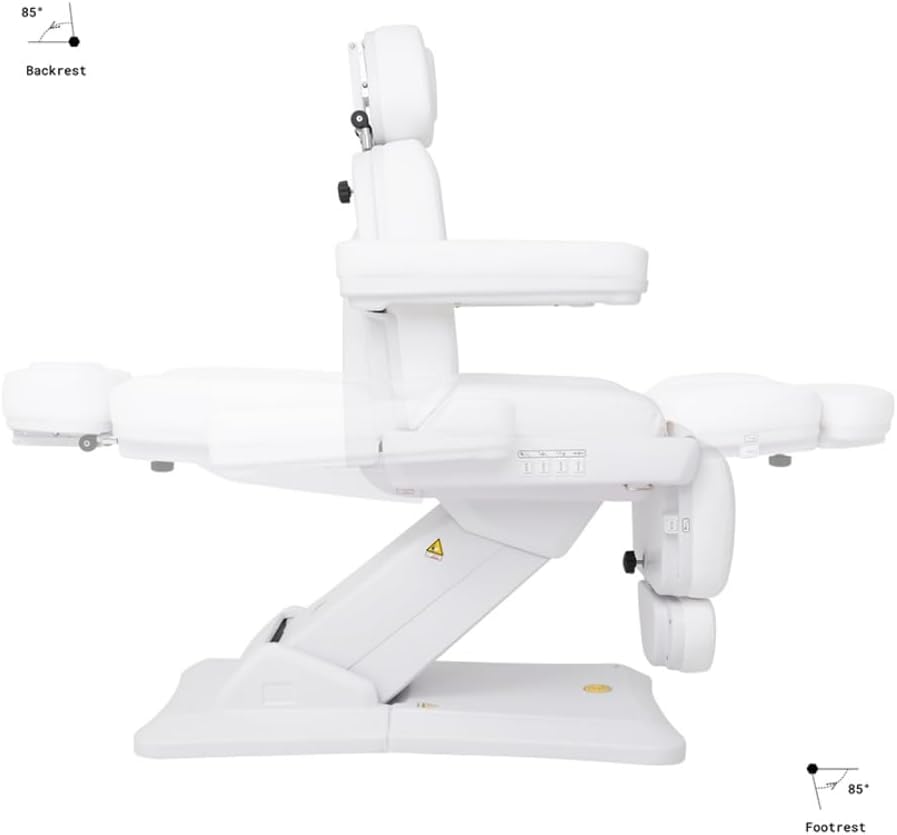
Observe how the backrest and footrest can be independently adjusted to achieve optimal client positioning.
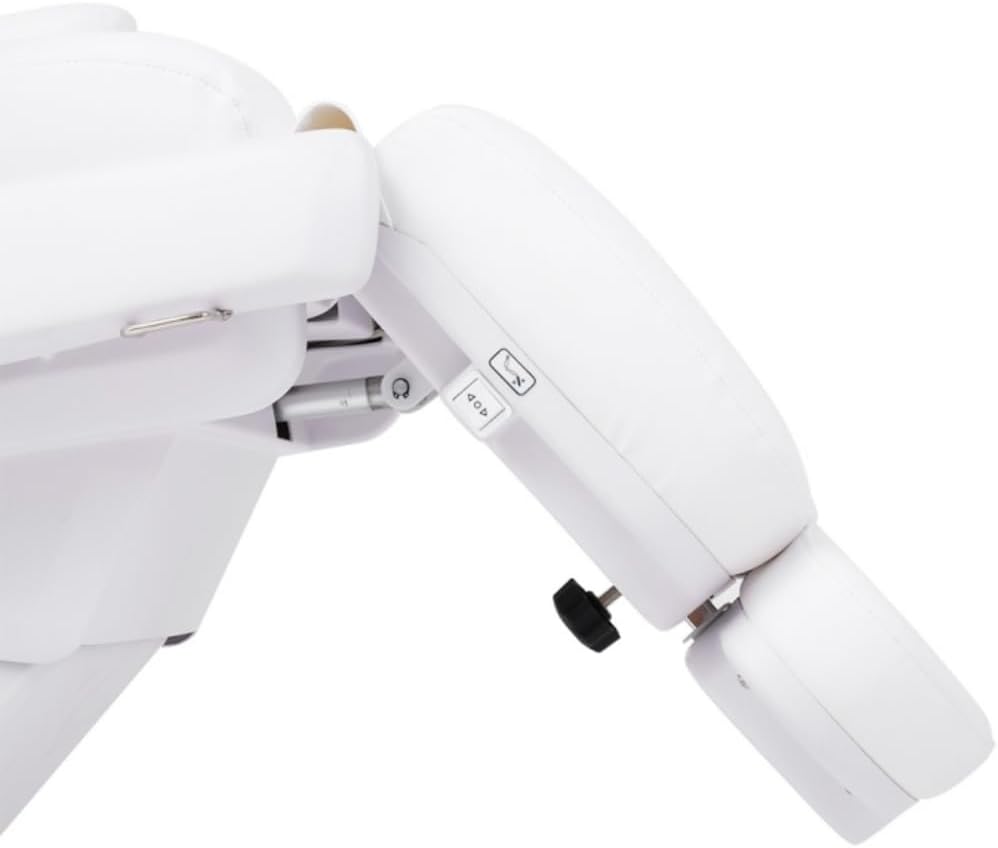
A detailed view of the leg rest, showing its articulation for customized comfort.
5.3. Headrest and Armrest Adjustments

The headrest can be adjusted manually using the knob located at the rear of the backrest. The armrests are removable for greater flexibility during treatments.

This image details the mechanism for adjusting the headrest, allowing for optimal client head positioning.
5.4. Memory Function
The chair is equipped with a memory function to bring the chair back to a zero (flat) position. Refer to the side control panel for the 'Reset' button to activate this function.
6. Maintenance
Proper maintenance ensures the longevity and optimal performance of your facial chair.
- Cleaning: The high-quality PU upholstery is easy to clean. Wipe clean with a damp cloth and mild, non-abrasive cleaner. Avoid harsh chemicals that may damage the material.
- Inspection: Regularly inspect all moving parts, cables, and connections for any signs of wear or damage.
- Lubrication: Moving parts may require periodic lubrication. Consult a qualified technician for specific lubrication requirements.
- Storage: When not in use for extended periods, store the chair in a clean, dry environment.
7. Troubleshooting
If you encounter any issues with your GreenLife Silverfox 2235D chair, please refer to the following common troubleshooting steps:
- Chair not responding to controls: Ensure the power cord is securely plugged into a working outlet. Check for any tripped circuit breakers.
- Unusual noises during operation: Discontinue use immediately and inspect for any obstructions or loose components. Contact customer support if the noise persists.
- Intermittent operation: Check all cable connections for tightness. If using an optional handset/foot controller, ensure it is properly connected.
For issues not resolved by these steps, please contact GreenLife customer support.
8. Specifications
| Feature | Specification |
|---|---|
| Model Name | 2235D |
| No. Motors | 4 |
| Max Supported Weight | 385 lbs (175 kg) |
| Product Size (L x W x H) | 72" x 33" x 23"/34" (183cm x 84cm x 58cm/86cm) |
| Packing Size (L x W x H) | 58" x 28" x 25" (147cm x 71cm x 63.5cm) |
| Net Weight (N.W) | 194 lbs (88 kg) |
| Gross Weight (G.W) | 220 lbs (100 kg) |
| Voltage | 100V-120V |
| Frequency | 50Hz/60Hz |
| Upholstery Material | High-Quality PU |
| Frame Material | Stainless Steel |
| Standard Control | Side Switches & Reset Button |
| Assembly Required | No (2 Person Installation Recommended) |
| Color | Grey |
9. Warranty and Support
GreenLife provides an industry-leading 2-year warranty against manufacturing defects for the Silverfox 2235D Electric Facial Chair. This warranty covers defects in materials and workmanship under normal use.
For any problems, warranty claims, or after-sales support, please do not hesitate to contact GreenLife customer service. Our team is dedicated to providing assistance and ensuring your satisfaction.
Silverfox, the manufacturer, has been providing exceptional quality and service since 1995, establishing itself as a leading brand in the medical wellness and beauty industries.