
Introduction
This manual provides essential information for the safe and effective use of your DOSS Extreme Boom Pro D100 Bluetooth Speaker. Please read it thoroughly before operating the device and retain it for future reference.
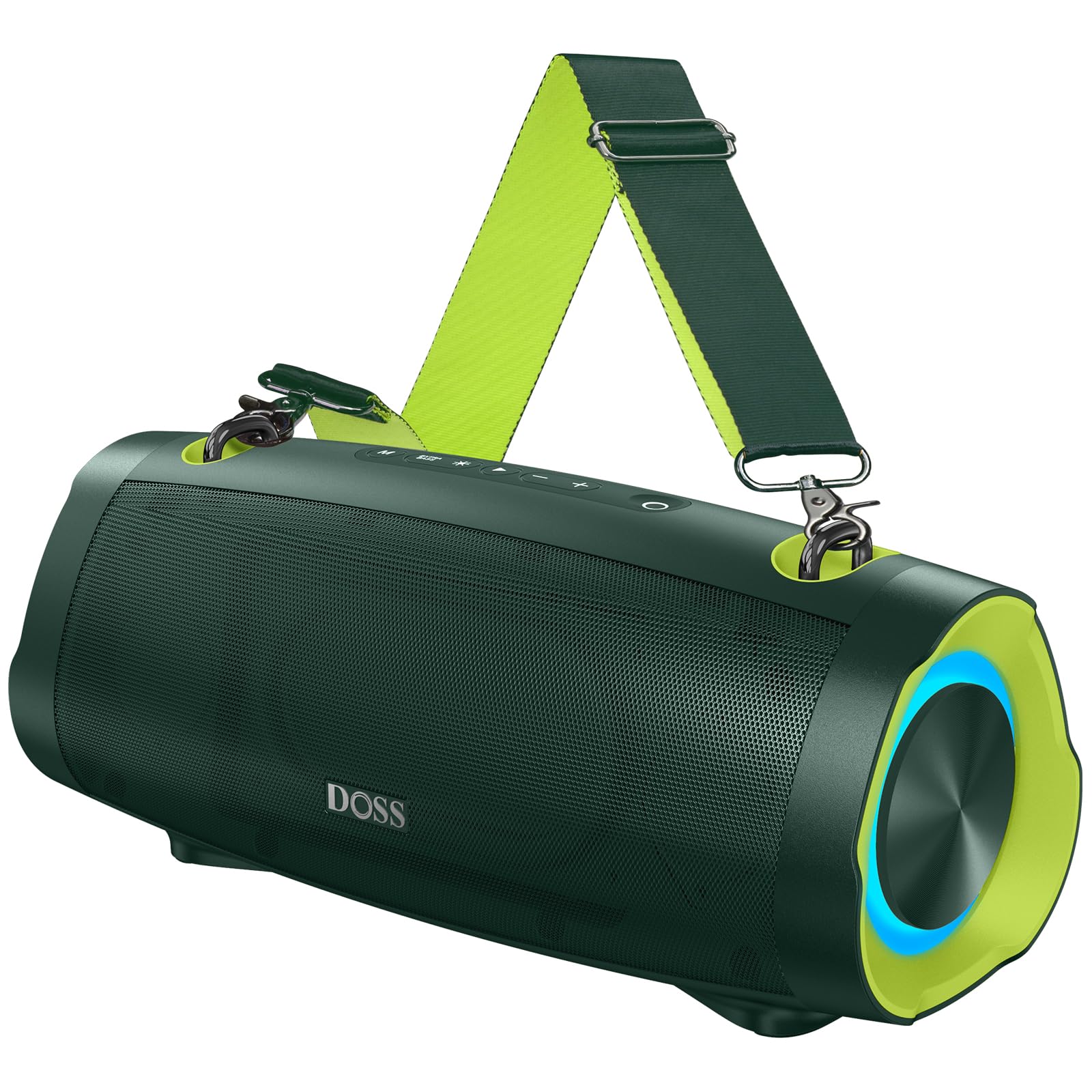
Image: The DOSS Extreme Boom Pro D100 Bluetooth Speaker, showcasing its robust design.
Product Features
- Powerful Audio: Experience 70W of bold sound (140W Peak) with a 40W full-range driver and two 15W tweeters, enhanced by three advanced DSP technologies.
- Enhanced Bass: Dual passive radiators provide deeper bass with a dedicated Extra Bass button.
- Portable Design: Features a durable, adjustable, and detachable shoulder strap for easy transport.
- True Wireless Stereo (TWS): Connect two speakers wirelessly for an immersive stereo sound experience.
- Extended Playtime: Up to 24 hours of battery life.
- Built-in Power Bank: Charge your devices directly from the speaker.
- IPX6 Waterproof: Designed to withstand water splashes and jets.
- Dynamic Light Show: Integrated lights synchronize with music rhythm.
What's in the Box
Please check the contents of your package:
- DOSS Extreme Boom Pro D100 Bluetooth Speaker
- USB-C Charging Cable
- Auxiliary Audio Cable
- Detachable Shoulder Strap
- User Manual
Product Overview
Familiarize yourself with the speaker's controls and ports.

Image: Top panel controls including Power, Volume, Play/Pause, Mode, Extra Bass, and Light buttons.

Image: An exploded view illustrating the internal speaker components, including the full-range driver and tweeters.
Setup and Operation
1. Power On/Off
Press and hold the Power button (O) for 2 seconds to turn the speaker on or off.
2. Bluetooth Pairing
To connect your DOSS Extreme Boom Pro D100 to a Bluetooth device:
- Turn on the speaker. It will automatically enter Bluetooth pairing mode, indicated by a flashing blue LED.
- On your device (smartphone, tablet, etc.), enable Bluetooth and search for available devices.
- Select "Extreme Boom Pro D100" from the list. A confirmation sound indicates successful pairing.
Video: Demonstrates how to power on the speaker and connect it via Bluetooth to a mobile device.
3. True Wireless Stereo (TWS) Pairing
For an enhanced stereo experience, you can pair two DOSS Extreme Boom Pro D100 speakers:
- Ensure both speakers are powered on and not connected to any Bluetooth device.
- On one speaker (this will be your main speaker), press and hold the 'Extra Bass' button until you hear a prompt. The LED on the main speaker will flash slowly.
- On the second speaker, press and hold the 'Extra Bass' button. The LED on the second speaker will flash quickly.
- The speakers will automatically connect to each other. A confirmation sound will indicate successful TWS pairing. The main speaker's LED will flash slowly, and the second speaker's LED will be solid.
- Connect your device to the main speaker via Bluetooth as described in the Bluetooth Pairing section.
Video: Illustrates the steps for pairing two DOSS Extreme Boom Pro D100 speakers for True Wireless Stereo sound.

Image: Two DOSS Extreme Boom Pro D100 speakers positioned for a True Wireless Stereo setup.
4. Volume Control
Press the '+' button to increase volume and the '-' button to decrease volume.
5. Extra Bass Function
Press the 'Extra Bass' button to activate or deactivate the enhanced bass mode.
Video: Shows how to activate the Extra Bass feature on the speaker.
6. Dynamic Light Show
Press the Light button (※) to cycle through different light modes or turn the lights off.
Video: Demonstrates how to change the dynamic light modes on the speaker.

Image: The speaker displaying its dynamic light show in an outdoor setting.
7. Auto-Power Off Function
The speaker has an auto-power off feature to conserve battery. You can activate or deactivate this function:
- Press and hold the 'M' (Mode) button and the 'Power' button simultaneously.
- If the LED flashes red, auto-power off is removed (deactivated).
- If the LED flashes green, auto-power off is activated.
Video: Explains how to remove or activate the auto-power off feature on the speaker.
8. Reset Function
If you encounter issues, you can reset the speaker:
- Press and hold the 'Power' button and the 'Volume Down (-)' button simultaneously.
- A confirmation sound will indicate a successful reset.
Video: Demonstrates the process of resetting the speaker.
Charging and Power Bank Function
The DOSS Extreme Boom Pro D100 features a built-in power bank to charge your external devices.
- Charging the Speaker: Connect the provided USB-C cable to the speaker's charging port and a suitable USB power adapter (not included). The charging indicator will show the charging status.
- Using as a Power Bank: Connect your device's charging cable to the speaker's USB-A output port. The speaker will begin charging your device.

Image: The speaker being used to charge a smartphone in an outdoor setting, highlighting its power bank capability.
Specifications
| Brand | DOSS |
| Model Number | Extreme Boom Pro D100 |
| Speaker Maximum Output Power | 140 Watts (Peak) / 70 Watts (RMS) |
| Connectivity Technology | Bluetooth |
| Audio Output Mode | Stereo |
| Speaker Type | Outdoor |
| Additional Features | Bass Boost, Dynamic Light Show, Power Bank |
| Color | Green (variant shown in product images) |
| Battery Average Life | 24 Hours |
| Waterproof Rating | IPX6 |
| Control Method | Touch |
| Item Dimensions (D x W x H) | 12.17"D x 5.39"W x 5.43"H |
| Item Weight | 2 Kilograms |
| Compatible Devices | Laptop, MP3 Player, Projector, Smartphone, Tablet, Television |
| Battery Capacity | 10400 Milliamp Hours |
| Battery Charge Time | 5 Hours |
Troubleshooting
If you encounter issues with your speaker, please refer to the following common solutions:
- No Power: Ensure the speaker is fully charged. Connect it to a power source and allow it to charge for at least 30 minutes before attempting to power on.
- Bluetooth Connection Issues:
- Make sure the speaker is in pairing mode (flashing blue LED).
- Ensure your device's Bluetooth is enabled and within range (up to 33 feet/10 meters).
- Forget the speaker from your device's Bluetooth list and attempt to re-pair.
- Try resetting the speaker as described in the Setup and Operation section.
- No Sound:
- Check the volume levels on both the speaker and your connected device.
- Ensure the speaker is correctly paired via Bluetooth or connected via the auxiliary cable.
- TWS Pairing Failure: Ensure both speakers are not connected to any other Bluetooth device before attempting TWS pairing. Follow the TWS pairing steps carefully.
- Water Exposure: While the speaker is IPX6 waterproof, prolonged submersion is not recommended. If exposed to water, ensure all ports are dry before charging.
For persistent issues, please contact customer support.
Maintenance
To ensure the longevity and optimal performance of your DOSS Extreme Boom Pro D100 speaker:
- Cleaning: Use a soft, dry cloth to clean the speaker's exterior. Do not use abrasive cleaners or solvents.
- Storage: Store the speaker in a cool, dry place away from direct sunlight and extreme temperatures.
- Battery Care: To maintain battery health, charge the speaker fully at least once every three months if not in regular use.
- Water Protection: Always ensure the charging port cover is securely closed when near water to maintain IPX6 water resistance.
Warranty and Support
Your DOSS Extreme Boom Pro D100 Bluetooth Speaker comes with a 1-Year Manufacturer Warranty, covering quality-related concerns from the date of purchase.
For any product issues or support inquiries, please contact us:

Image: A customer support representative with contact details.
Phone: 1-833-275-3677
Email: support@dossav.com
We are committed to providing 24-hour prompt assistance and support.