
Bobtot ET2240A
Bobtot Portable Bluetooth Speaker
User Manual
Product Overview
The Bobtot Portable Bluetooth Speaker (Model ET2240A) is a versatile and durable audio device designed for various environments, from indoor use to outdoor adventures. Featuring IPX7 waterproofing, TWS pairing capability, and a long-lasting battery, it delivers clear, loud, and stereo sound with enhanced bass.

Image: Bobtot Portable Bluetooth Speaker, showcasing its waterproof design amidst water splashes.
What's in the Box
Upon unboxing your Bobtot Portable Bluetooth Speaker, you should find the following items:
- Portable Speaker
- Charging Cord
- Carrying Strap
- User Manual
Key Features
Loud and Crisp Sound
Equipped with a 2-inch full-range speaker and dual passive radiators, this speaker delivers clear midrange, treble, and physically enriched bass. The hardware and software are balanced to maintain sound fidelity without distortion, suitable for movies, music, or dialogue.
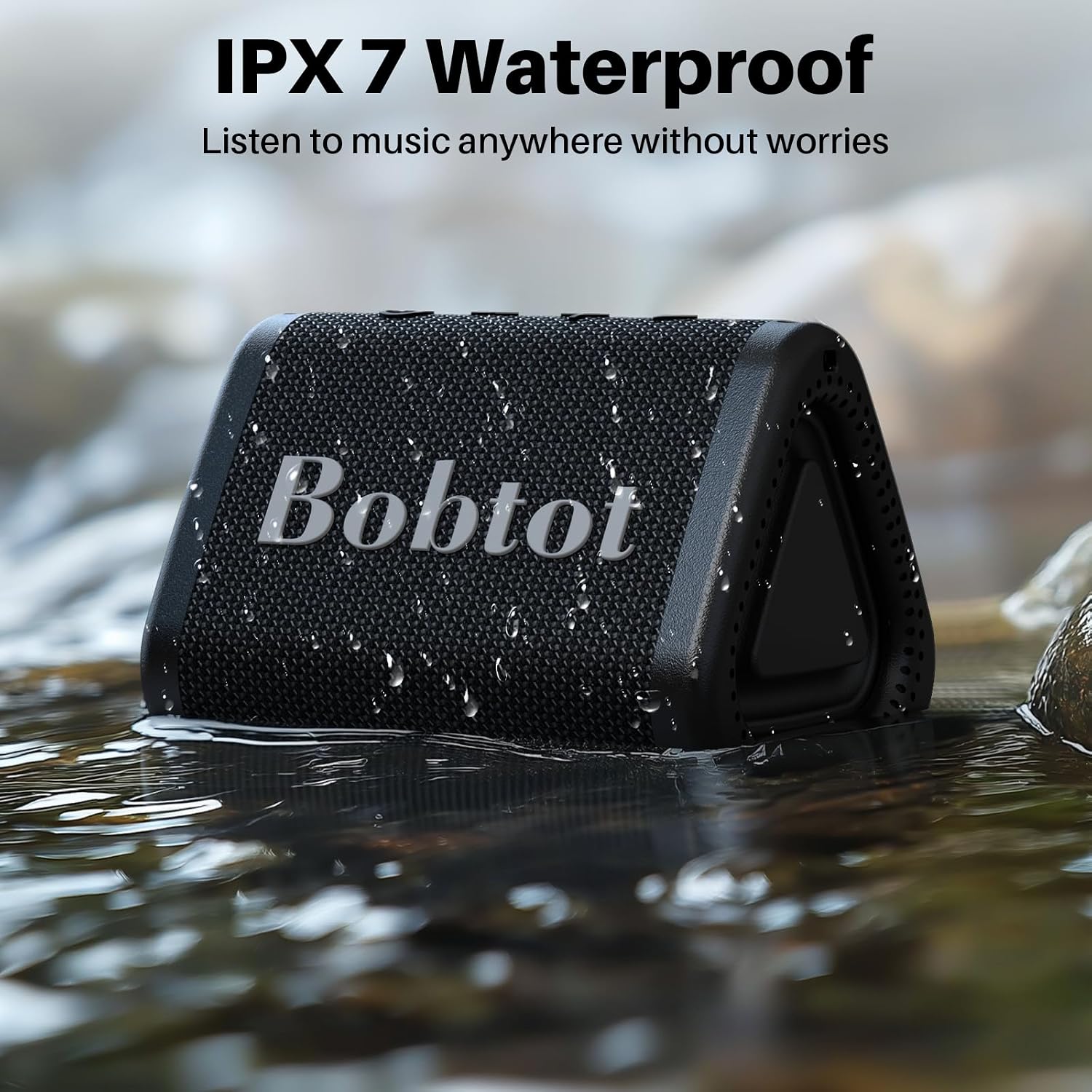
Image: Speaker highlighting 5W loud sound and passive radiators for deep bass.
IPX7 Waterproof Protection
The speaker boasts IPX7 protection, allowing it to be submerged in water up to 30 feet for 30 minutes without damage. Its robust design also withstands rigorous falling tests, making it ideal for camping, hiking, beach vacations, and travel.

Image: Speaker partially submerged in water, demonstrating its IPX7 waterproof rating.
True Wireless Stereo (TWS) Pairing
Utilize Bluetooth 5.3 for a stable and fast connection up to 30 feet. You can pair two Bobtot speakers together to create a larger sound space with 20W peak output, providing an immersive stereo experience for movies or music.

Image: Two Bobtot speakers wirelessly connected via TWS pairing on a wooden table.
Portable and Stylish Design
The speaker features a sleek, versatile triangle exterior covered with durable fabric. It comes with a carrying strap for easy portability, allowing you to attach it to bikes or bags for on-the-go listening.

Image: Bobtot speaker attached to a backpack, demonstrating its portability for outdoor activities.
Long Playing Time & Hands-Free Calling
The 1200mAh battery provides approximately 15 hours of playing time, with a full charge achieved in 3 hours. A built-in microphone ensures clear voice pickup for phone calls and online meetings, with the option to call back by double-pressing the play button.

Image: People enjoying music on a beach with the Bobtot speaker, illustrating its long playing time for outdoor activities.
Setup Guide
1. Charging the Speaker
Before first use, fully charge your Bobtot speaker. Connect the provided USB-C charging cord to the speaker's charging port and the other end to a compatible USB power adapter (not included). The charging indicator lights will show the charging status. A full charge typically takes about 3 hours.
2. Bluetooth Pairing
To connect your speaker to a Bluetooth-enabled device:
- Power on the speaker by pressing and holding the power button (⏻) for 2 seconds. The Bluetooth indicator light will begin to flash, indicating it's in pairing mode.
- On your device (smartphone, tablet, laptop), navigate to the Bluetooth settings.
- Search for available devices and select "Bobtot ET2240A" from the list.
- Once connected, the Bluetooth indicator light on the speaker will stop flashing and remain solid.

Image: A user connecting their mobile device to the Bobtot speaker via Bluetooth 5.3.
Operating Instructions
Power On/Off
- To power on, press and hold the power button (⏻) for 2 seconds.
- To power off, press and hold the power button (⏻) for 2 seconds again.
Volume Control
- To increase volume, press the "+" button.
- To decrease volume, press the "-" button.
True Wireless Stereo (TWS) Pairing
For an enhanced stereo experience, you can pair two Bobtot ET2240A speakers together:
- Ensure both speakers are powered on and not connected to any other Bluetooth device.
- On one speaker, double-press the play/pause button. It will enter TWS pairing mode.
- The two speakers will automatically connect to each other. Once connected, one speaker will act as the left channel and the other as the right channel.
- Now, connect your device to the primary speaker via Bluetooth as described in the "Bluetooth Pairing" section.
Image: Two Bobtot speakers demonstrating True Wireless Stereo pairing for a wider soundstage.
Hands-Free Calling
The built-in microphone allows for convenient hands-free calls:
- When a call comes in, press the play/pause button once to answer.
- During a call, press the play/pause button once to end the call.
- To reject an incoming call, press and hold the play/pause button for 2 seconds.
- To redial the last number, double-press the play/pause button.
Maintenance
Waterproof Care
While the speaker is IPX7 waterproof, proper care is essential:
- Ensure the charging port cover is securely closed before exposing the speaker to water.
- Avoid prolonged submersion beyond the specified depth and time (30 feet for 30 minutes).
- After exposure to chlorinated or saltwater, rinse the speaker with fresh water and dry thoroughly before charging.
Cleaning
To clean your speaker, use a soft, damp cloth. Do not use abrasive cleaners, alcohol, or chemical solvents, as these may damage the surface or internal components.
Troubleshooting
| Problem | Possible Cause | Solution |
|---|---|---|
| Speaker does not turn on | Low battery; Power button not pressed long enough | Charge the speaker fully; Press and hold the power button for 2 seconds |
| Cannot pair with Bluetooth device | Speaker not in pairing mode; Device Bluetooth off; Too far from device | Ensure speaker light is flashing; Turn on device Bluetooth; Move speaker closer to device (within 30 ft) |
| No sound or low volume | Volume too low on speaker or device; Speaker not connected | Increase volume on both speaker and device; Re-pair the speaker with your device |
| TWS pairing failed | Speakers too far apart; Already connected to another device | Ensure both speakers are within range; Disconnect speakers from other devices before TWS pairing |
Technical Specifications
| Specification | Detail |
|---|---|
| Model Name | ET2240A |
| Speaker Type | Portable Speaker |
| Connectivity Technology | Bluetooth 5.3 |
| Wireless Range | Up to 33 feet (10 meters) |
| Water Resistance Level | IPX7 (Submersible up to 30 ft for 30 min) |
| Speaker Maximum Output Power | 5 Watts (20W peak with TWS pairing) |
| Battery Life | Approx. 15 hours (at 50% volume) |
| Battery Capacity | 1200 Milliamp Hours |
| Charging Time | Approx. 3 hours |
| Charging Port | USB-C |
| Built-in Microphone | Yes |
| Product Dimensions | 3.9"D x 2.9"W x 2.7"H |
| Item Weight | 8.1 ounces (231 Grams) |
| Material | Acrylonitrile Butadiene Styrene (ABS) |
Warranty and Support
The Bobtot Portable Bluetooth Speaker (Model ET2240A) comes with an extended warranty. For detailed information regarding warranty terms, claims, or technical support, please contact Bobtot customer service directly. You can typically find contact information on the official Bobtot website or through the retailer where you purchased the product.
For further assistance or to explore other Bobtot products, please visit the Bobtot Store on Amazon.
Related documentsET2240A


Ask a question about this manual
Ask about setup, troubleshooting, compatibility, parts, safety, or missing instructions. Manuals+ will review the question and use this page’s manual context to help answer it.