
Important Safety Information
Please read all safety information carefully before using the Retevis MB63 CB Radio. Failure to follow these instructions may result in injury or damage to the device.
- Hearing Protection: Exposure to loud noises for extended periods can cause permanent or temporary hearing damage. Adjust volume to a comfortable level.
- Battery Safety:
- WARNING: NEVER KEEP NEW OR USED BATTERIES OUT OF REACH OF CHILDREN.
- WARNING: Risk of explosion if battery is replaced by an incorrect type.
- Disposing of batteries in fire or a hot oven, or mechanically crushing or cutting a battery, can result in an explosion.
- Do not expose batteries to extremely high temperatures or low air pressure.
- Environmental Conditions: Do not leave the radio in direct sunlight or hot environments (e.g., inside a parked car).
- Water Resistance: This device is NOT water resistant. Avoid exposure to water or high humidity.
- Interference: This device complies with Part 15 of the FCC Rules. Operation is subject to the condition that this device does not cause harmful interference.
- Medical Devices: Consult your physician and the manufacturer of your medical device (e.g., pacemakers, hearing aids) to determine if they are adequately shielded from RF energy.
- Driving Safety: Always prioritize driving safety. Do not operate the radio in a way that distracts you from driving.
Package Contents
Before proceeding with setup, please verify that all items listed below are included in your package:
- MB63 CB Radio x1
- Bracket x1
- Speaker Microphone x1
- Spare Fuse x1
- Bracket Knob x2
- Stop Pad x2
- Screw x4
- Non-slip Mat x4
- Antenna x1
- User Manual x1 (this document)

Figure 1: All components included in the Retevis MB63 CB Radio package. Ensure all items are present before installation.
Setup and Installation
Follow these steps to properly set up your Retevis MB63 CB Radio for optimal performance.
1. Mounting the Radio
- Choose a suitable location in your vehicle that allows for easy access to controls and clear visibility of the display, without obstructing your view or vehicle operation.
- Use the provided bracket, screws, and non-slip mats to securely mount the radio. Ensure the mounting surface is stable.
- Attach the radio to the bracket using the bracket knobs.

Figure 2: The Retevis MB63 CB Radio unit, speaker microphone, and antenna. Consider placement carefully for optimal use.
2. Connecting the Antenna
Connect the included antenna to the SO239 antenna connector on the back of the CB radio. Ensure a secure connection. For best performance, mount the antenna in a location with minimal obstructions, typically on the vehicle's roof or trunk lid.
3. Connecting the Speaker Microphone
Plug the 6-pin connector of the speaker microphone into the corresponding port on the front of the CB radio. Ensure it clicks into place for a secure connection.

Figure 3: The 6-pin connector for the speaker microphone, ensuring strong compatibility with various mic types.
4. Power Connection
Connect the power cable to a 12V or 13.8V DC power source. The radio is designed for vehicle use and can be connected to a cigarette lighter adapter (not included) or directly to the vehicle's electrical system. Ensure correct polarity.
Operating Instructions
This section details the functions and controls of your Retevis MB63 CB Radio.
1. Power On/Off and Volume
Rotate the VOLUME knob clockwise to turn the radio on and increase the volume. Rotate counter-clockwise to decrease volume and turn the radio off.
2. Channel Selection
Use the CH UP and CH DOWN buttons on the radio's front panel to navigate through the 40 available channels. The current channel number will be displayed on the LCD screen.

Figure 4: The radio supports 40 channels for broad communication capabilities.
3. AM/FM Mode Selection
Press the AM/FM/PA button to switch between AM (Amplitude Modulation) and FM (Frequency Modulation) modes. AM is typically used for long-distance communication, while FM provides clearer sound quality over shorter distances.
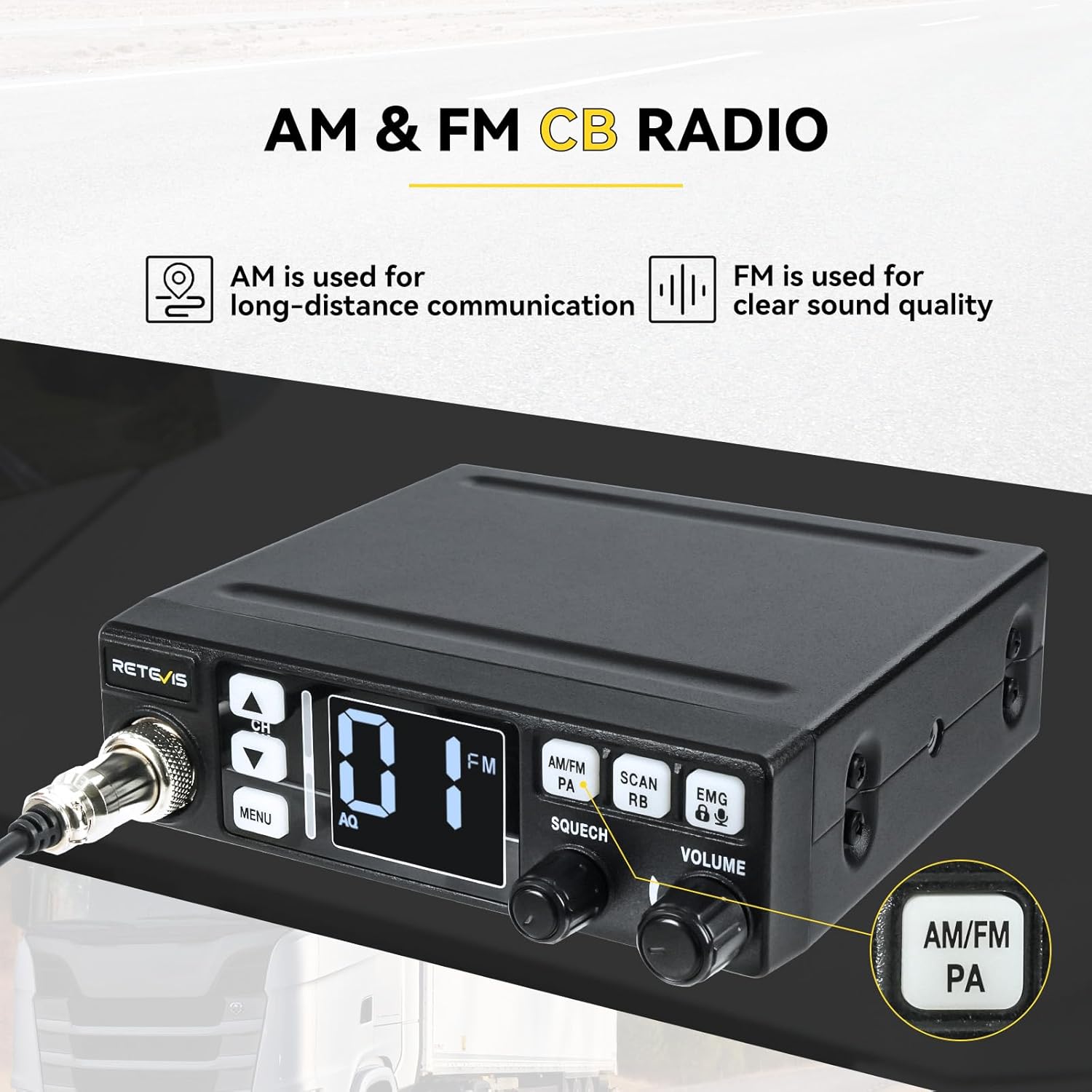
Figure 5: Toggle between AM for long-distance and FM for clear, close-range communication.
4. Squelch (SQ/ASQ)
The SQUELCH knob controls the manual squelch (SQ) level, reducing background noise. The radio also features 9-level Automatic Squelch (ASQ) for automatic noise suppression. Adjust the squelch to a level where background noise is eliminated but weak signals can still be heard.

Figure 6: Utilize squelch functions to achieve clear communication even in noisy environments.
5. VOX Function (Hands-Free)
The 9-level VOX (Voice Operated Exchange) function allows you to transmit by speaking into the microphone without pressing the PTT (Push-To-Talk) button. This is useful for hands-free operation while driving. Refer to the full user manual for detailed VOX level adjustment.

Figure 7: The VOX function enables hands-free communication, enhancing driving safety.
6. Emergency Channels (EMG CH9/19)
Press the EMG button to quickly switch to emergency channels. Channel 9 is for emergency communications, and Channel 19 is commonly used by truckers for road information. This feature enhances driving safety by providing quick access to critical channels.
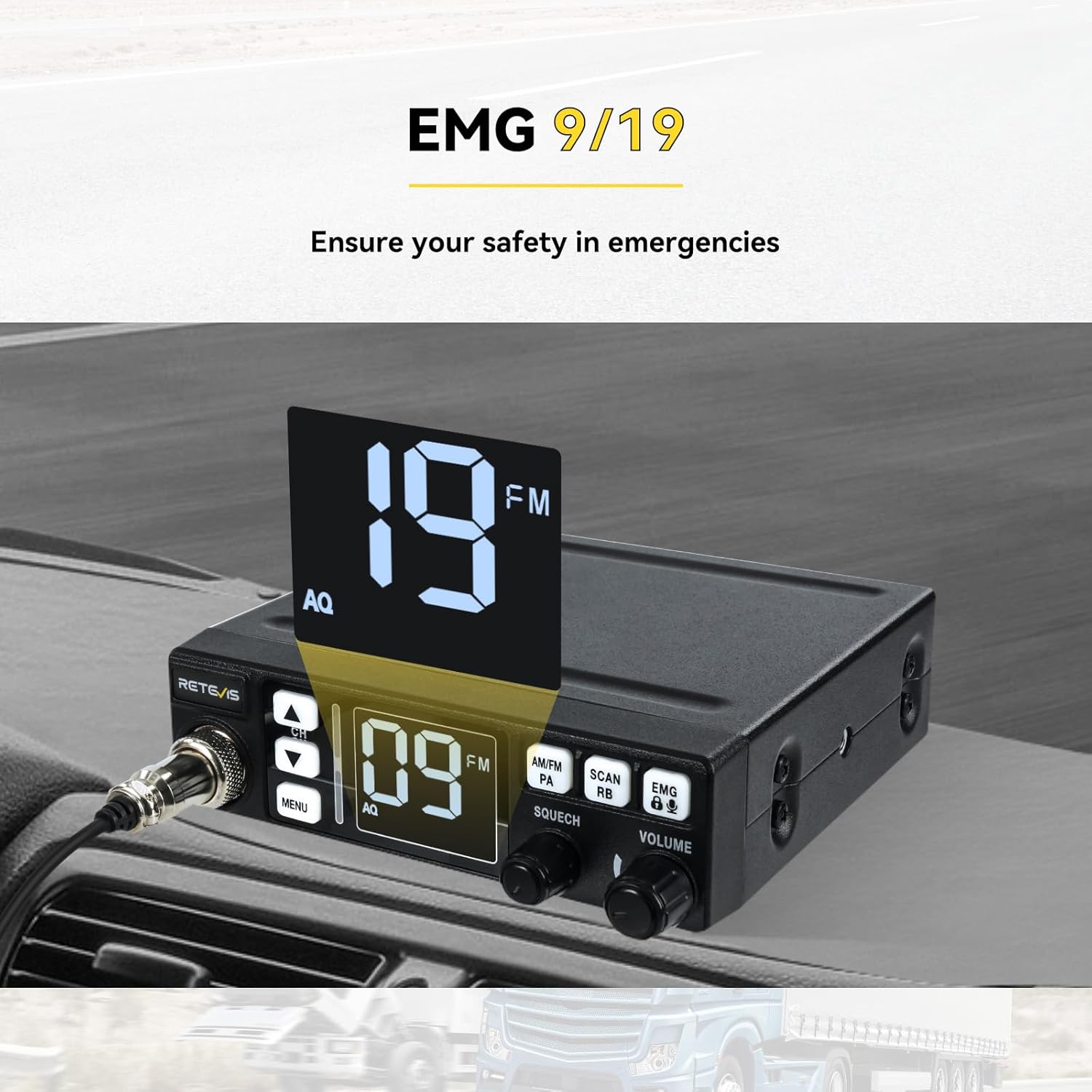
Figure 8: Quickly access emergency channels 9 and 19 for critical communications.
7. Backlight Adjustment
The mobile transceiver allows you to adjust the backlight from 1 to 3 levels. This function makes it intuitive and clear to read the radio information day and night. Consult the full user manual for specific button presses to adjust backlight.
8. Key Lock
The key lock function prevents accidental changes to settings. Refer to the full user manual for instructions on how to activate and deactivate the key lock.
Maintenance and Care
Proper maintenance ensures the longevity and optimal performance of your Retevis MB63 CB Radio.
- Cleaning: Use a soft, dry cloth to clean the radio's exterior. Do not use abrasive cleaners or solvents, as they may damage the surface.
- Environmental Protection: Keep the radio away from dust, dirt, and moisture. As the device is not water resistant, avoid exposure to rain or splashes.
- Temperature: Avoid exposing the radio to extreme temperatures, both hot and cold.
- Antenna Care: Regularly check the antenna connection for tightness and ensure the antenna itself is free from damage.
- Fuse Replacement: If the radio does not power on, check the fuse in the power cable. Replace it with the provided spare fuse if necessary.
Troubleshooting
If you encounter issues with your Retevis MB63 CB Radio, refer to the following common problems and solutions:
| Problem | Possible Cause | Solution |
|---|---|---|
| Radio does not power on. | No power connection, blown fuse, incorrect polarity. | Check power cable connection. Replace fuse if blown. Ensure correct polarity (+ to +, - to -). |
| No audio or very low audio. | Volume too low, squelch set too high, speaker microphone not connected properly. | Increase volume. Decrease squelch level. Reconnect speaker microphone. Check external speaker if used. |
| Poor reception or transmission. | Antenna not connected, antenna damaged, poor antenna tuning, interference. | Ensure antenna is securely connected. Inspect antenna for damage. Consider professional antenna tuning. Move away from sources of electrical interference. |
| Display is dim or unreadable. | Backlight setting too low. | Adjust the backlight level (refer to operating instructions). |
| Buttons are unresponsive. | Key lock activated. | Deactivate the key lock function. |
Specifications
Key technical specifications for the Retevis MB63 CB Radio:
- Model: MB63
- Product Dimensions: 4.88 x 3.98 x 1.42 inches (124 x 101 x 36 mm)
- Item Weight: 1.04 pounds (470 Grams)
- Number of Channels: 40
- Tuner Technology: AM/FM
- Voltage: 7.4 Volts (Operating range: 12-13.8V DC)
- Water Resistance Level: Not Water Resistant
- Batteries: 1 12V battery required (included for operation, not internal rechargeable)
- Antenna Connector: SO239
- Microphone Connector: 6-pin

Figure 9: The compact dimensions of the Retevis MB63 CB Radio, making it easy to install and portable.
Warranty and Support
Retevis products are manufactured to high-quality standards. For information regarding warranty coverage, please refer to the warranty card included with your product or visit the official Retevis website.
If you require technical assistance or have questions not covered in this manual, please contact Retevis customer support through their official channels. Provide your product model number (MB63) and a detailed description of your issue for efficient service.
For more information, you may visit the Retevis Store on Amazon.


