
Back Bay Audio Back Bay FirstClass 50
Back Bay Audio FirstClass 50 Earbuds User Manual
Model: Back Bay FirstClass 50
Introduction
Thank you for choosing the Back Bay Audio FirstClass 50 Active Noise Canceling Earbuds. These earbuds are designed to provide a superior audio experience with advanced features such as Active Noise Cancellation, Transparency Mode, and a long-lasting battery. This manual will guide you through the setup, operation, and maintenance of your new earbuds to ensure optimal performance and longevity.

Image: The Back Bay Audio FirstClass 50 earbuds resting in their open charging case, showcasing their sleek black design and compact form factor.

Image: A visual summary of key features including Transparency Mode, QuickCharge Battery technology, and water/sweat resistance.
What's in the Box
Your Back Bay Audio FirstClass 50 package includes the following items:
- Back Bay Audio FirstClass 50 Earbuds
- Charging Case
- USB-C Charging Cable
- Multiple Sizes of Eartips (for optimal fit)
- User Manual (this document)
Setup
1. Charging the Earbuds and Case
Before first use, fully charge your FirstClass 50 earbuds and their charging case.
- Connect the provided USB-C charging cable to the charging port on the case and to a USB power source.
- The LED indicator on the case will show charging status. A full charge typically takes approximately 2 hours.
- A 15-minute quick charge provides up to 2 hours of music playback.
- The fully charged case provides up to 25 hours of total battery life for the earbuds. Each earbud can play up to 5 hours continuously without Active Noise Cancellation (ANC).

Image: An illustration demonstrating the fast charging capability, showing that 15 minutes of charging provides 2 hours of music, and the case offers up to 25 hours of total battery life.
2. Pairing with Your Device
The FirstClass 50 earbuds use Bluetooth 5.4 for a stable and low-latency connection.
- Open the charging case. The earbuds will automatically enter pairing mode.
- On your smartphone, tablet, or computer, navigate to the Bluetooth settings.
- Select "Back Bay FirstClass 50" from the list of available devices.
- Once connected, you will hear an audible confirmation, and the LED indicator on the case will change.
The earbuds are compatible with a wide range of devices, including Apple iPhones (e.g., iPhone 16 Pro, iPhone 15 Pro, iPhone 14 Pro, iPhone 13 Pro Max, iPhone 12 Pro Max, iPhone SE, iPhone 11, iPhone XS, iPhone X, iPhone XR, iPhone 8, iPhone 7), iPads, Macbooks, Samsung Galaxy phones (e.g., S23 Ultra, S22, Z Flip 4, S21, S20 Ultra, S10, Note 20), Google Pixel phones (e.g., Pixel 7, Pixel 6, Pixel 5, Pixel 4), LG, and OnePlus devices.
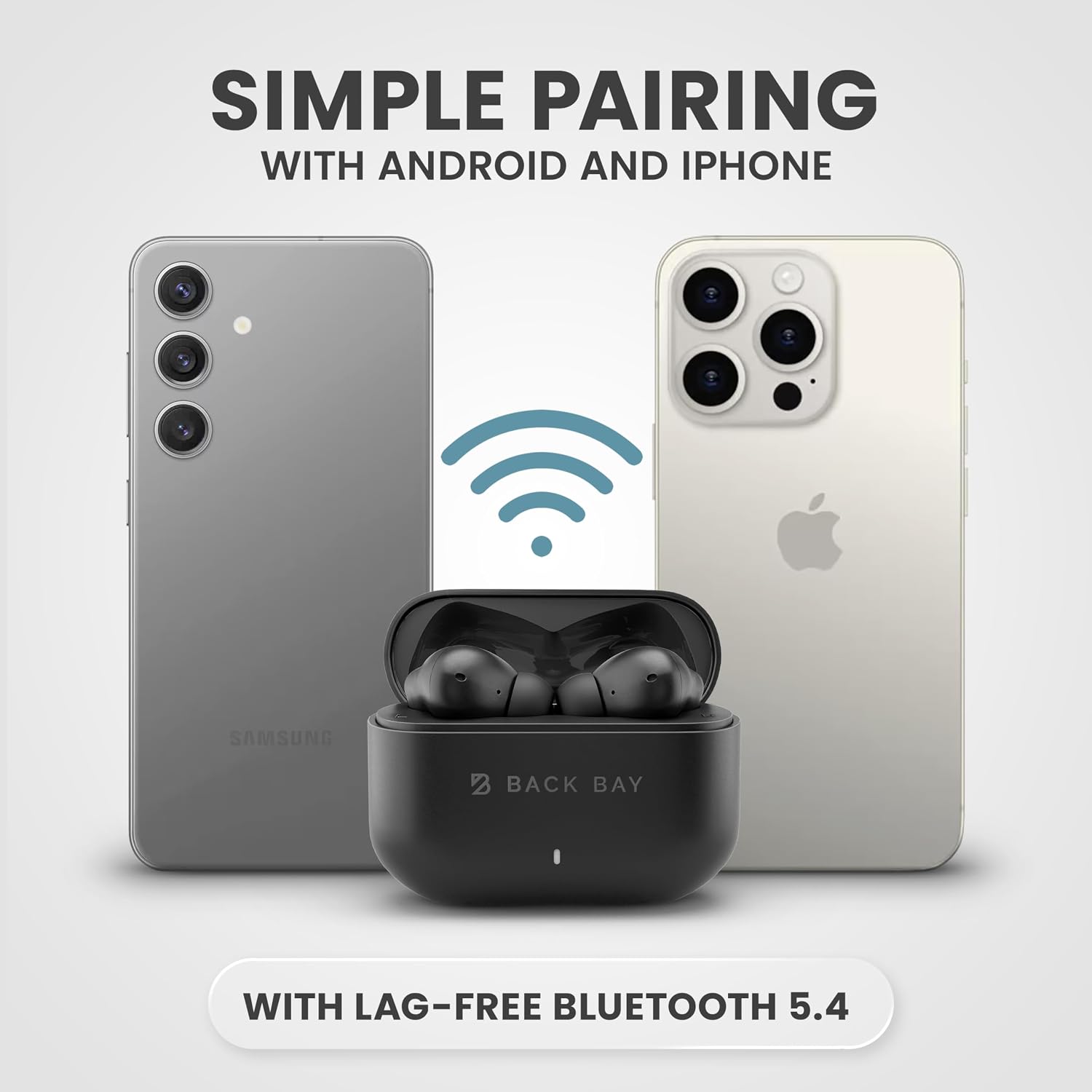
Image: An illustration showing the Back Bay Audio FirstClass 50 earbuds case positioned between an Android phone and an iPhone, with a Bluetooth signal icon indicating simple and lag-free pairing.
3. Finding the Right Fit
A proper fit is crucial for optimal sound quality and noise cancellation.
- Experiment with the different sizes of eartips included in the box.
- Gently insert the earbuds into your ears and twist them slightly until they feel secure and form a comfortable seal.
- The correct fit will block out ambient noise even before activating ANC.
Operating the Earbuds
Touch Controls
The FirstClass 50 earbuds feature intuitive touch controls on each earbud for easy management of audio playback, calls, and noise control modes.
| Action | Control |
|---|---|
| Play/Pause | Single tap on either earbud |
| Next Track | Double tap on the right earbud |
| Previous Track | Double tap on the left earbud |
| Volume Up | Triple tap on the right earbud |
| Volume Down | Triple tap on the left earbud |
| Answer/End Call | Single tap on either earbud |
| Reject Call | Press and hold either earbud for 2 seconds |
| Switch Noise Control Mode (ANC/Transparency/Off) | Press and hold the left earbud for 2 seconds |
| Switch Sound Mode (Signature/Bass) | Press and hold the right earbud for 2 seconds |

Image: A visual representation of the touch control functions on the earbud, detailing actions like pause/play, volume, skip, calls, and noise cancellation mode switching.
Active Noise Cancellation (ANC) and Transparency Mode
The FirstClass 50 earbuds offer advanced noise control features:
- Active Noise Cancellation (ANC): This mode significantly reduces ambient noise, such as engine hums, traffic, and office chatter, allowing for a more focused listening experience. It is designed to cancel up to 97% of background noise without causing head pressure.
- Transparency Mode: When activated, this mode allows you to hear your surroundings clearly without removing the earbuds. It's ideal for situations where you need to be aware of your environment, such as walking in a city or listening for announcements.
To switch between ANC, Transparency Mode, and Off, press and hold the left earbud for 2 seconds.

Image: A man wearing the earbuds in an airplane setting, illustrating the effectiveness of Active Noise Cancellation in blocking out ambient sounds.

Image: A woman wearing the earbuds in an outdoor urban setting, demonstrating the Transparency Mode which allows her to hear her surroundings.
Sound Modes
The FirstClass 50 earbuds offer two distinct sound profiles:
- Signature Sound: Our award-winning balanced audio profile, tuned in Boston for clear highs, natural mids, and rich bass.
- Bass Mode: For an enhanced, immersive audio experience with boosted low frequencies, ideal for bass-heavy music genres.
To switch between Signature Sound and Bass Mode, press and hold the right earbud for 2 seconds.

Image: A graphic illustrating the two sound modes: "Signature Mode" for balanced audio and "Boosted Bass Mode" for an immersive bass experience.
Making Calls
The FirstClass 50 earbuds are equipped with dual microphones to ensure clear call quality.
- Answering/Ending Calls: Single tap either earbud.
- Rejecting Calls: Press and hold either earbud for 2 seconds.
- The wireless Bluetooth connection remains strong during calls, minimizing interruptions.
Maintenance
Proper care will extend the life of your FirstClass 50 earbuds.
- Cleaning: Regularly wipe the earbuds and charging case with a soft, dry, lint-free cloth. For eartips, remove them and clean with a damp cloth, then dry thoroughly before reattaching. Do not use harsh chemicals or abrasive materials.
- Water Resistance: The earbuds are water resistant. Avoid submerging them in water or exposing them to high-pressure water jets. Dry them completely if they get wet before placing them back in the charging case.
- Storage: When not in use, store the earbuds in their charging case to protect them and keep them charged. Store in a cool, dry place away from extreme temperatures.
Troubleshooting
If you encounter any issues with your FirstClass 50 earbuds, try the following solutions:
- Earbuds not pairing:
- Ensure both earbuds are in the charging case and the case has sufficient battery.
- Turn off Bluetooth on your device, then turn it back on.
- Forget "Back Bay FirstClass 50" from your device's Bluetooth list and attempt to pair again.
- Ensure the earbuds are fully charged.
- No sound or low volume:
- Check the volume level on both your device and the earbuds.
- Ensure the earbuds are properly connected to your device.
- Clean any debris from the earbud nozzles and eartips.
- Charging issues:
- Verify the USB-C cable is securely connected to both the case and the power source.
- Try a different USB-C cable or power adapter.
- Ensure the charging contacts on the earbuds and inside the case are clean and free of debris.
- ANC or Transparency Mode not working:
- Ensure the earbuds are properly seated in your ears to create a good seal.
- Confirm you are pressing and holding the left earbud for 2 seconds to cycle through the modes.
Specifications
| Feature | Detail |
|---|---|
| Model Name | Back Bay FirstClass 50 |
| Noise Control | Active Noise Cancellation |
| Connectivity Technology | Wireless |
| Wireless Communication Technology | Bluetooth 5.4 |
| Bluetooth Range | Up to 30 feet (approx. 10 meters) |
| Audio Latency | 20 Milliseconds |
| Frequency Response | Up to 20,000 Hz |
| Sensitivity | 110 dB |
| Impedance | 4 Ohm |
| Audio Driver Type | Dynamic Driver |
| Audio Driver Size | 10 Millimeters |
| Battery Life (Earbuds) | Up to 5 hours (without ANC) |
| Battery Life (with Case) | Up to 25 hours |
| Charging Time | Approx. 2 Hours (full charge) |
| Control Type | Touch Control, Media Control |
| Water Resistance Level | Water Resistant |
| Earbud Material | Premium ABS Plastic |
| Case Material | Soft-Touch Rubberized Plastic |
| Earbud Weight | 32 Grams |
| Case Weight | 36 Grams |
| Case Dimensions (L x W x H) | 1 x 2.5 x 1.8 inches |
| Earbud Dimensions (H x W) | 1.4 x 0.9 inches |

Image: A diagram illustrating the physical dimensions of the earbuds (1.4" height, 0.9" width) and the charging case (1.9" height, 2.5" width).
Warranty and Support
Back Bay Audio stands behind the quality of its products.
- Warranty: Your FirstClass 50 earbuds come with a standard limited warranty. Please refer to the warranty card included in your packaging for specific terms and conditions. Amazon's return policy allows for returns within 30 days of purchase.
- Customer Support: For further assistance, troubleshooting, or warranty claims, please visit the official Back Bay Audio store on Amazon or contact their customer service directly.
Back Bay Audio Store: Visit Store
Ask a question about this manual
Ask about setup, troubleshooting, compatibility, parts, safety, or missing instructions. Manuals+ will review the question and use this page’s manual context to help answer it.