
1. Introduction
The ATN Odin 640 2-8X Obsidian LT Thermal Monocular is an advanced thermal imaging device designed for observation in various conditions, including complete darkness. It features an Obsidian LT core and a 640x480 thermal sensor, providing clear thermal images. This monocular offers both White Hot and Black Hot modes for optimized visibility and a high-resolution 1280x960 display for detailed viewing. Its compact and ergonomic design allows for versatile use, whether handheld, helmet-mounted, or head-mounted.
2. Safety Information
- Do not look directly at intense light sources (e.g., the sun, lasers) through the monocular, as this may damage the sensor.
- Keep the device away from extreme temperatures, humidity, and direct sunlight.
- Avoid dropping or subjecting the monocular to severe impacts.
- Do not attempt to disassemble or modify the device. Refer all servicing to qualified personnel.
- Ensure batteries are inserted correctly and dispose of them responsibly.
- Keep out of reach of children.
3. Package Contents
Verify that all items are present in your package:
- ATN Odin 640 2-8X Thermal Monocular
- Signature Series Gift Bundle (specific contents may vary)
- USB-C Charging Cable
- Lithium-Ion Battery (pre-installed or separate)
- User Manual
- Protective Carrying Case (if included in bundle)
4. Product Overview
Familiarize yourself with the components of your ATN Odin 640 Thermal Monocular.
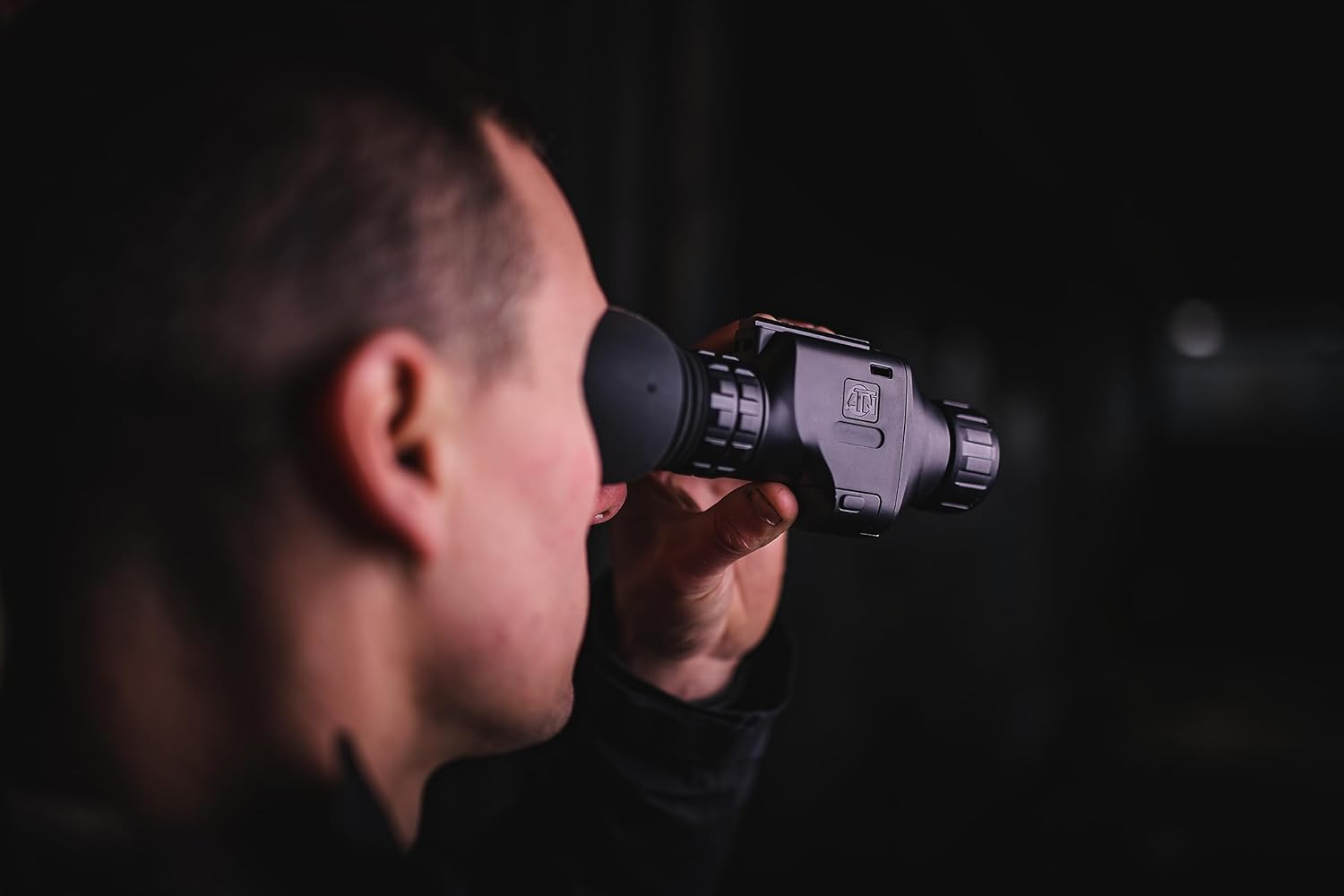
- Objective Lens: Collects thermal radiation.
- Eyepiece/Diopter Adjustment: For focusing the display to your eye.
- Control Buttons: For power, menu navigation, zoom, and mode selection.
- USB-C Port: For charging the internal battery.
- Mounting Point: For attaching to helmets or headgear.

5. Setup
5.1. Charging the Battery
- Locate the USB-C port on the monocular.
- Connect the provided USB-C cable to the monocular and a compatible USB power adapter (not included) or computer USB port.
- The charging indicator will illuminate. Allow sufficient time for a full charge before first use.
5.2. Mounting Options
The Odin 640 can be used handheld or mounted.
- Handheld Use: Simply hold the monocular comfortably in your hand for observation.
- Helmet/Head Mount: Attach the monocular to a compatible helmet or head mount using the designated mounting point. Ensure the mount is securely fastened and adjusted for optimal viewing angle.

6. Operating Instructions
6.1. Power On/Off
- Power On: Press and hold the Power button (usually marked with a power symbol) for a few seconds until the display illuminates.
- Power Off: Press and hold the Power button again until the display turns off.
6.2. Diopter Adjustment
Rotate the diopter adjustment ring on the eyepiece until the on-screen display and image appear sharp and clear to your eye.
6.3. Zoom Function
Use the designated zoom buttons (refer to your device's specific button layout) to adjust the magnification from 2x to 8x. Each press typically cycles through predefined zoom levels.
6.4. Thermal Modes (White Hot/Black Hot)
The monocular offers different thermal palettes to suit various viewing preferences and environmental conditions.
- White Hot: Hot objects appear white, and colder objects appear black. This is a common mode for general detection.
- Black Hot: Hot objects appear black, and colder objects appear white. This mode can be preferred for certain scenarios or personal preference.
- Consult the device's menu or dedicated button for switching between these modes.
7. Maintenance
7.1. Cleaning
- Lenses: Use a soft, lint-free cloth specifically designed for optics. Gently wipe the lens surfaces. For stubborn smudges, use a small amount of lens cleaning solution.
- Body: Wipe the monocular body with a soft, damp cloth. Do not use abrasive cleaners or solvents.
- Ensure all caps and covers are in place when not in use to protect the lenses.
7.2. Storage
Store the monocular in its protective case in a cool, dry place, away from direct sunlight and extreme temperatures. If storing for extended periods, ensure the battery is partially charged (around 50%) to prolong its lifespan.
7.3. Water Resistance
The ATN Odin 640 is water-resistant. However, it is not designed for submersion. Avoid exposing it to heavy rain or direct water jets. If it gets wet, wipe it dry immediately with a soft cloth.
8. Troubleshooting
| Problem | Possible Cause | Solution |
|---|---|---|
| Device does not power on. | Battery is depleted or not charged. | Charge the battery using the USB-C cable. |
| Image is blurry or out of focus. | Diopter not adjusted correctly. | Adjust the diopter ring on the eyepiece until the image is clear. |
| No thermal image displayed. | Lens cap is on or sensor is obstructed. | Remove the lens cap. Ensure nothing is blocking the objective lens. |
| Short battery life. | Battery not fully charged or aged battery. | Ensure a full charge. If battery life remains short, consider contacting support for battery replacement options. |
9. Specifications
| Feature | Detail |
|---|---|
| Brand | Certified Brands (ATN) |
| Model Name | TIMNODN625X |
| Thermal Sensor | 640x480 |
| Display Resolution | 1280x960 |
| Zoom Ratio | 2-8x |
| Power Source | Rechargeable Lithium-Ion Battery (1 included) |
| Item Weight | 12 ounces |
| Mount | Handheld/Head Mount |
| Additional Features | Water-resistant |
| UPC | 840454601367 |
| Manufacturer Part Number | XN-P01 |
10. Warranty and Support
For warranty information and technical support, please refer to the documentation provided with your purchase or visit the official website of Certified Brands or ATN. Keep your proof of purchase for any warranty claims.