
Introduction
This manual provides instructions for the safe and effective use of your LEXIBOOK Sonic The Hedgehog Nightlight with Speaker, Model NS01SN. This device combines a soft LED nightlight with an integrated speaker, designed to create a comforting environment. Please read this manual thoroughly before use and retain it for future reference.
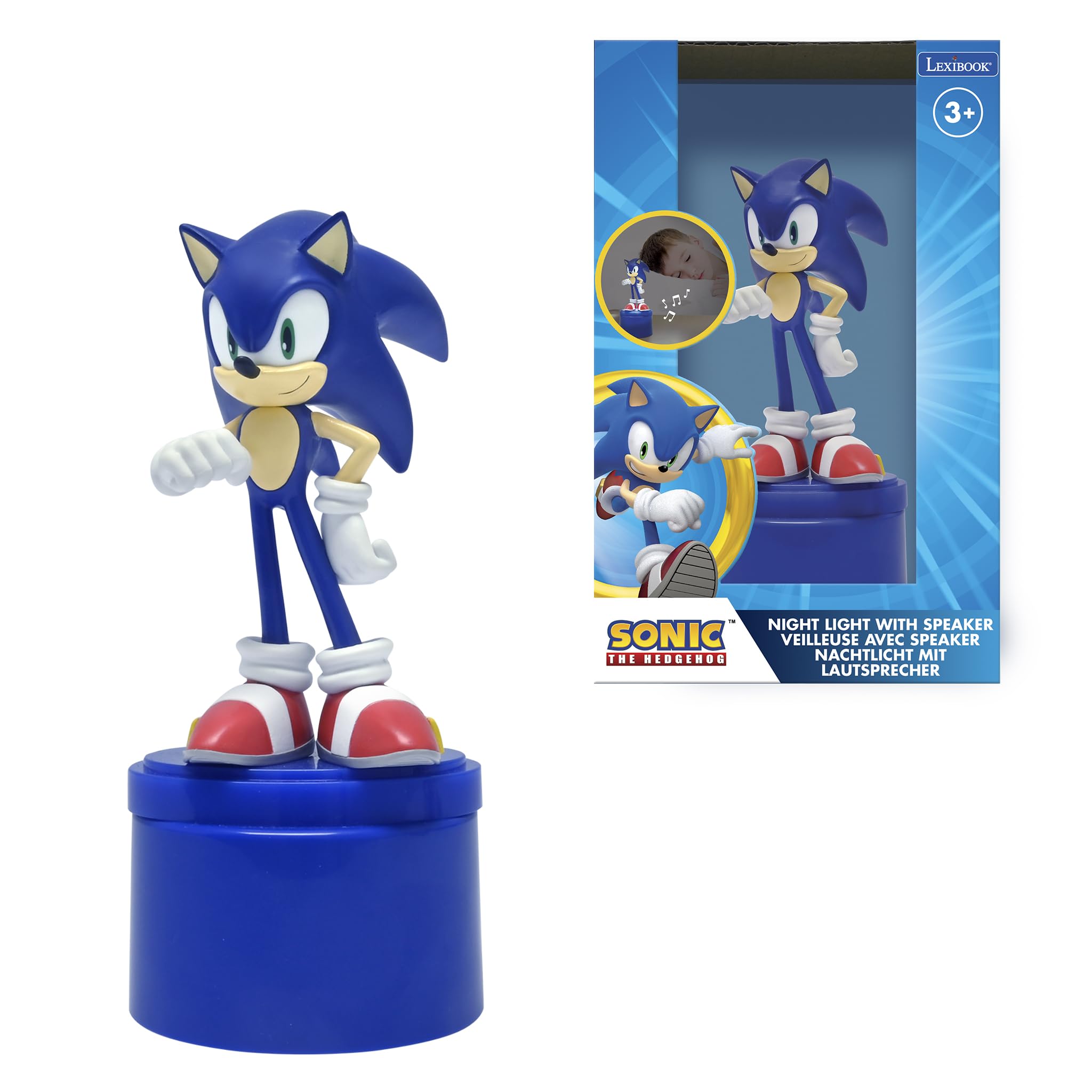
Image: The Sonic The Hedgehog Nightlight with Speaker, featuring a Sonic figurine on a blue base.
Safety Information
WARNINGS:
- Not suitable for children under the age of 3. Risk of suffocation due to small parts.
- This toy produces flashes that may trigger epilepsy in sensitive persons.
- Always supervise children when using this product.
- Do not mix old and new batteries. Do not mix alkaline, standard (carbon-zinc), or rechargeable (nickel-cadmium) batteries.
- Remove batteries if the product is not used for an extended period.
Package Contents
- 1 x Sonic The Hedgehog Nightlight with Speaker
- 1 x User Manual (this document)
- 1 x Auxiliary Audio Cable (double-headed)

Image: The product packaging, showing the nightlight and its features.
Setup
1. Battery Installation
- Locate the battery compartment on the bottom of the nightlight base.
- Using a small screwdriver, open the battery compartment cover.
- Insert 3 x AAA batteries, ensuring correct polarity (+/-) as indicated inside the compartment.
- Replace the battery compartment cover and secure it with the screw.
Note: Batteries are not included and must be purchased separately.

Image: Rear view of the nightlight base, showing the speaker grille and auxiliary input port. The battery compartment is located on the underside.
Operating Instructions
1. Turning On/Off the Nightlight
- Press the power button (typically located on the base) to turn on the soft LED light.
- The nightlight will automatically switch off after approximately 15 minutes to conserve battery life.
- To turn off manually before the timer, press the power button again.

Image: The Sonic nightlight illuminated, casting a soft glow and showing decorative musical notes.
2. Using the Built-in Speaker
- Locate the auxiliary input port on the nightlight base.
- Connect one end of the included auxiliary audio cable to the nightlight's auxiliary input port.
- Connect the other end of the auxiliary audio cable to the headphone jack or audio output of your external audio device (e.g., smartphone, tablet, MP3 player).
- Play audio from your external device. The sound will be routed through the nightlight's speaker.
- Adjust the volume directly on your external audio device. The nightlight does not have its own volume controls.

Image: The Sonic nightlight with a smartphone connected via an auxiliary cable, demonstrating the speaker function.
Maintenance
Cleaning
- Ensure the nightlight is turned off and disconnected from any audio devices before cleaning.
- Wipe the surface of the nightlight with a soft, dry, or slightly damp cloth.
- Do not use abrasive cleaners, solvents, or strong chemicals, as these can damage the product's finish.
- Avoid getting moisture into the battery compartment or speaker grille.
Storage
- If storing for an extended period, remove the batteries to prevent leakage.
- Store in a cool, dry place away from direct sunlight and extreme temperatures.
Troubleshooting
| Problem | Possible Cause | Solution |
|---|---|---|
| Nightlight does not turn on. | Batteries are dead or incorrectly installed. | Check battery polarity. Replace with fresh AAA batteries. |
| Speaker produces no sound. | Auxiliary cable not connected properly; external device volume too low; external device not playing audio. | Ensure auxiliary cable is fully inserted into both devices. Increase volume on the external audio device. Verify audio is playing on the external device. |
| Sound quality is poor. | Auxiliary cable connection is loose or damaged; external device audio quality is low. | Check auxiliary cable connection. Try a different auxiliary cable. Test with a different audio source. |
| Nightlight turns off too quickly. | This is normal operation. | The nightlight has an automatic 15-minute shut-off feature. To reactivate, press the power button again. |
Specifications
| Feature | Detail |
|---|---|
| Model Name | NS01SN |
| Brand | LEXiBOOK |
| Light Source Type | LED |
| Power Source | Battery Powered (3 x AAA batteries required) |
| Automatic Shut-off | Yes, after 15 minutes |
| Speaker | Integrated, with auxiliary input |
| Material | Plastic |
| Color | Blue |
| Product Dimensions | 4.29 x 2.76 x 6.69 inches (10.9 x 7 x 17 cm) |
| Item Weight | 5.2 ounces (0.15 Kilograms) |
| Recommended Age | 3 years and up |
Warranty and Support
For warranty information and customer support, please refer to the official LEXiBOOK website or contact their customer service directly. Details are typically provided on the product packaging or the manufacturer's official online resources.
You can visit the LEXiBOOK store on Amazon for more information: LEXiBOOK Store