
1. Introduction
Thank you for choosing the WVCLTVJA XG07C Small Cabinet Lock. This electric control lock is designed for secure and reliable operation in various applications, particularly where water resistance is required. This manual provides essential information for the proper installation, operation, and maintenance of your lock.
2. Safety Information
- Ensure the power supply matches the lock's voltage requirements (DC 12V for this model). Incorrect voltage can damage the device.
- Disconnect power before performing any installation, wiring, or maintenance.
- Avoid exposing the lock to extreme temperatures or corrosive environments beyond its specified operating conditions.
- Do not attempt to disassemble or modify the lock, as this may void the warranty and compromise safety.
- Keep out of reach of children.
3. Package Contents
Please check the package for the following items:
- 1 x XG07C Small Cabinet Lock (12V Waterproof Type)
- 1 x Strike Plate (U-shaped bracket)
4. Product Overview
The XG07C lock features a robust design for secure cabinet locking. Below is an illustration of the lock's main components and their functions.

Image 1: XG07C Small Cabinet Lock with labeled components. This image shows the lock body, the manual press-to-unlock pin, the blue and white signal feedback line, and the black and red power cord.
- Lock Body: The main housing containing the locking mechanism.
- Lock Bolt: The retractable metal pin that secures the cabinet.
- Manual Release Pin: A spring-loaded pin that allows manual unlocking in case of power failure or emergency.
- Power Cord (Black/Red): Connects to the DC 12V power supply to operate the lock.
- Signal Feedback Line (Blue/White): Provides feedback on the lock's status (locked/unlocked) to a control system.
- Strike Plate: The metal bracket installed on the cabinet door/frame that the lock bolt engages with.

Image 2: Main view of the XG07C Small Cabinet Lock, showing the lock body, bolt, and wiring harness.
5. Specifications
Refer to the table below for detailed technical specifications of the XG07C Small Cabinet Lock (12V Waterproof Type).

Image 3: Dimensions of the XG07C Small Cabinet Lock and its strike plate, showing measurements in millimeters.
| Feature | Specification |
|---|---|
| Model | XG07C |
| Type | Electric Control Lock, Electromagnetic |
| Voltage | DC 12V |
| Waterproof Rating | Waterproof Type |
| Item Weight | 50 Grams (approx. 1.76 ounces) |
| Dimensions (Lock Body) | Approx. 73mm (L) x 58mm (W) x 13mm (H) |
| Dimensions (Strike Plate) | Approx. 34.5mm (L) x 20mm (W) x 26mm (H) |
| Brand | WVCLTVJA |
6. Setup and Installation
Follow these steps for proper installation of the XG07C cabinet lock:
- Determine Mounting Location: Choose a suitable location on your cabinet or drawer where the lock body and strike plate can be securely mounted and align correctly. Consider the dimensions provided in Image 3.
- Mount the Lock Body: Position the lock body on the cabinet frame or door. Mark the screw holes. Drill pilot holes if necessary, then secure the lock body using appropriate screws (not included). Ensure the lock bolt can extend and retract freely.
- Mount the Strike Plate: With the lock body securely mounted and the cabinet door/drawer closed, align the strike plate so that the lock bolt can fully engage with it when extended. Mark the screw holes for the strike plate. Drill pilot holes if necessary, then secure the strike plate. Test the alignment by manually extending the bolt.
- Wiring the Power: Connect the black and red wires of the power cord to your DC 12V power supply. Typically, red is positive (+) and black is negative (-). Ensure correct polarity to prevent damage.
- Wiring the Signal Feedback (Optional): Connect the blue and white wires of the signal feedback line to your control system if you require status monitoring. Consult your control system's documentation for specific wiring requirements.
- Test Operation: Once all connections are made, apply power and test the lock's operation. The lock should retract when power is applied and extend when power is removed (fail-secure) or vice-versa (fail-safe), depending on the specific model's configuration.
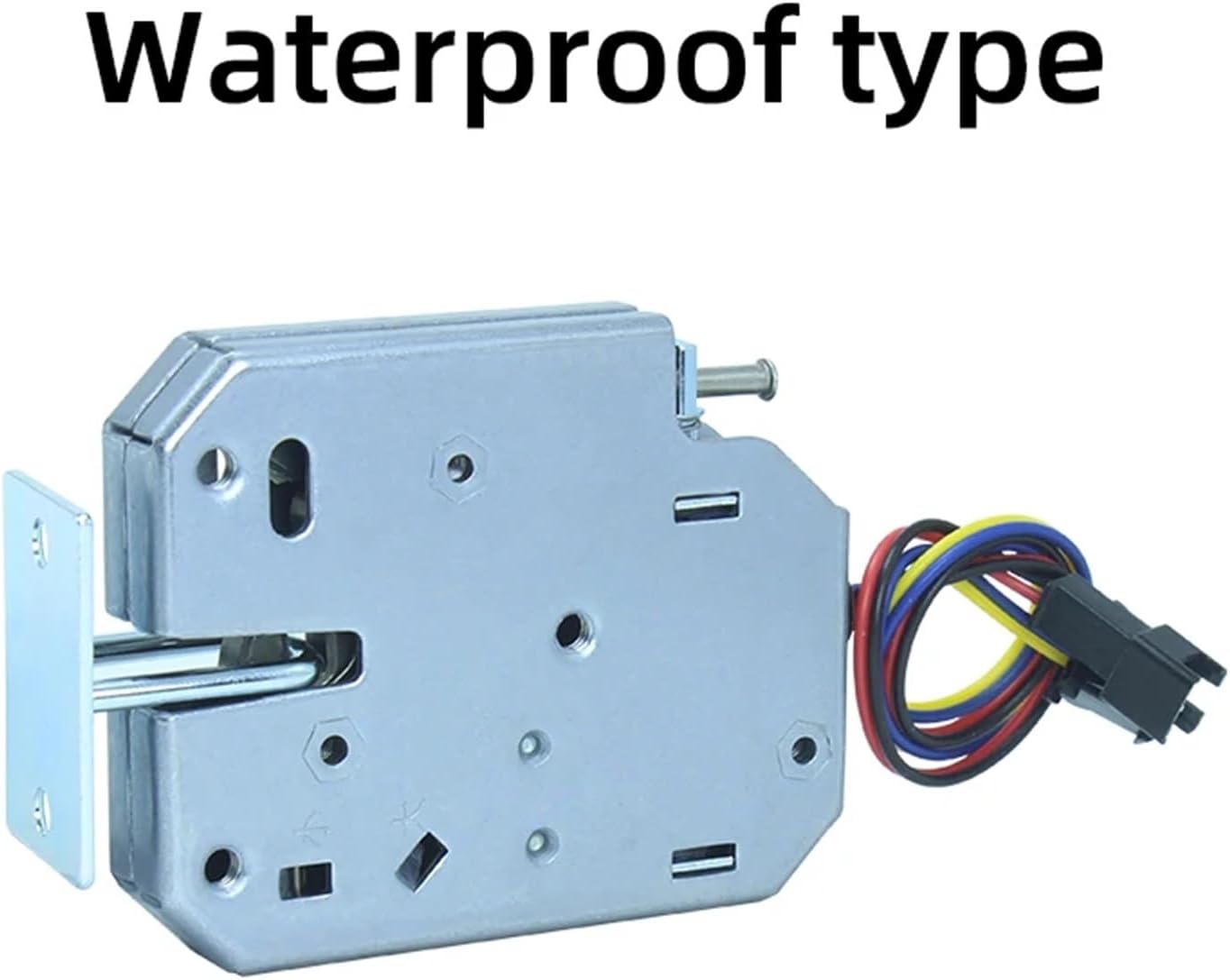
Image 4: The XG07C Small Cabinet Lock, highlighting its waterproof design, suitable for environments where moisture is a concern.
7. Operating Instructions
- Electric Control: The lock is operated by applying or removing DC 12V power. The specific locking/unlocking behavior (fail-safe or fail-secure) depends on the lock's internal design. Typically, applying power will retract the bolt, and removing power will extend it, or vice-versa.
- Manual Release: In case of power failure or for emergency access, the lock can be manually unlocked by pressing the manual release pin (refer to Image 1). This will retract the bolt, allowing the cabinet to open.
- Status Feedback: If connected, the signal feedback line provides real-time information about the lock's status (locked or unlocked) to your integrated control system.
8. Maintenance
- Regular Cleaning: Keep the lock body and bolt free from dust and debris. Use a soft, dry cloth for cleaning. Avoid abrasive cleaners or solvents.
- Check Connections: Periodically inspect all wiring connections to ensure they are secure and free from corrosion.
- Lubrication: The internal mechanism is generally maintenance-free. If the bolt movement becomes stiff, a small amount of silicone-based lubricant can be applied to the moving parts, avoiding electrical contacts.
- Environmental Protection: Although this is a waterproof type, prolonged exposure to harsh weather or submersion is not recommended unless specifically rated for such conditions.
9. Troubleshooting
| Problem | Possible Cause | Solution |
|---|---|---|
| Lock does not respond to power. | No power, incorrect voltage, incorrect wiring, faulty power supply. | Check power supply, verify voltage (DC 12V), check wiring polarity, test power supply. |
| Lock bolt does not fully retract/extend. | Obstruction, misalignment, low voltage, internal mechanism issue. | Clear any obstructions, adjust lock body or strike plate alignment, verify correct voltage, contact support if issue persists. |
| Manual release does not work. | Mechanism jammed, damaged pin. | Ensure no external pressure on the bolt. If damaged, contact support. |
| Signal feedback is incorrect. | Incorrect wiring, faulty control system input. | Check signal line wiring, consult control system manual. |
10. Warranty and Support
For warranty information and technical support, please refer to the documentation provided at the time of purchase or contact your seller directly. Keep your purchase receipt as proof of purchase.