
1. Introduction
Thank you for choosing the MANGOKIT MS1 CD Player with DAB/DAB+ FM Radio, Bluetooth, and 80W Stereo Hi-Fi System. This manual provides essential information for the safe and efficient operation of your device. Please read it thoroughly before use and retain it for future reference.
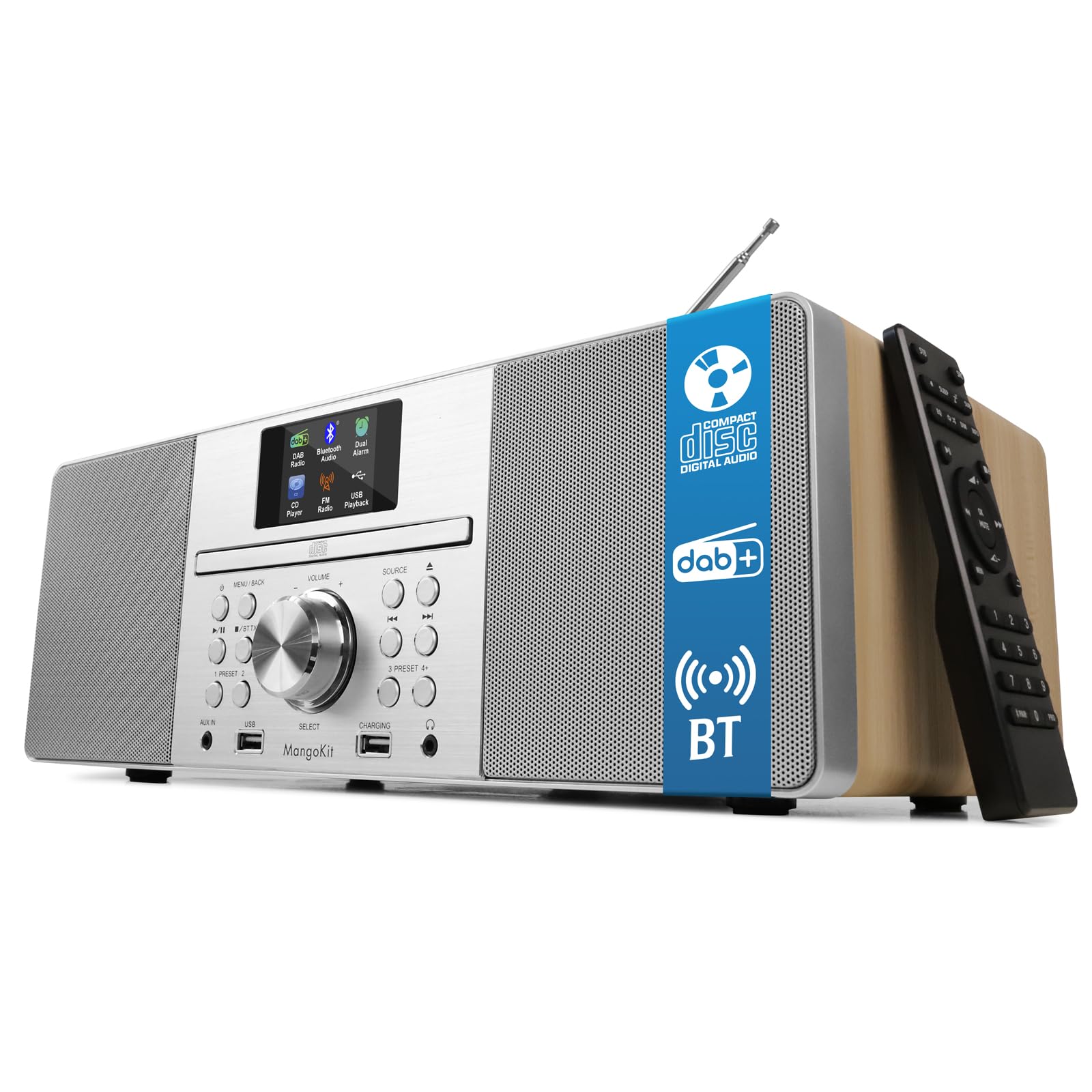
The MANGOKIT MS1 CD Player, a versatile audio system featuring a wooden acoustic cabinet.
2. Safety Information
- Power Source: Use only the specified power adapter. Ensure the voltage matches your local power supply.
- Ventilation: Do not block any ventilation openings. Maintain adequate space around the unit for proper airflow.
- Water and Moisture: Do not expose the unit to rain, moisture, or dripping/splashing liquids. Keep away from water sources.
- Heat: Do not place near heat sources such as radiators, heat registers, stoves, or other apparatus (including amplifiers) that produce heat.
- Cleaning: Unplug the unit from the wall outlet before cleaning. Use a soft, dry cloth. Do not use liquid cleaners or aerosol cleaners.
- Servicing: Do not attempt to service this product yourself. Refer all servicing to qualified service personnel.
- Placement: Place the unit on a stable, flat surface to prevent it from falling.
3. Package Contents
Verify that all items are present in the box:
- MANGOKIT MS1 CD Player System
- Power Cable
- Remote Control
- Owner's Manual
4. Product Overview
The MANGOKIT MS1 offers multiple audio sources and convenient controls for an enhanced listening experience.

Front view of the MANGOKIT MS1, highlighting its multi-source capabilities including CD, DAB+, FM, and Bluetooth.
Front Panel Controls and Ports

Detailed view of the MANGOKIT MS1 front panel, showing the AUX IN port, USB port for playback, USB port for charging, and the 3.5mm headphone jack.
- Display Screen: 2.4-inch color display for station information, track details, and settings.
- CD Tray: Front-loading CD player.
- Control Knobs/Buttons: For power, volume, source selection, tuning, menu navigation, and presets.
- USB Port (Playback): For playing audio files from a USB drive.
- USB Port (Charging): For charging external devices.
- AUX IN (3.5mm): For connecting external audio sources.
- Headphone Jack (3.5mm): For private listening.
- Telescopic Antenna: For DAB/DAB+ and FM radio reception.
5. Setup
- Unpacking: Carefully remove all components from the packaging.
- Placement: Place the MS1 on a stable, flat surface. Ensure there is adequate space around the unit for ventilation.
- Antenna: Fully extend the telescopic antenna for optimal radio reception.
- Power Connection: Connect the power cable to the DC IN port on the back of the unit and then plug it into a wall outlet.
- Initial Power On: Press the Power button on the unit or remote control to turn on the device. The unit will typically perform an automatic scan for DAB/DAB+ stations upon first use.
6. Operating Instructions
6.1 Source Selection
Press the 'Source' button on the unit or remote control to cycle through available modes: DAB/DAB+ Radio, FM Radio, CD Player, Bluetooth, USB, and AUX Input.
6.2 DAB/DAB+ Radio
- Select DAB mode. The unit will scan for available stations.
- Use the 'Tune' or navigation buttons to browse the list of available stations.
- Press 'Select' or 'Enter' to choose a station.
- To save a preset: Press and hold a 'Preset' button (1-5) until the display confirms the station is saved. You can save up to 60 stations.
- To recall a preset: Briefly press the corresponding 'Preset' button.
6.3 FM Radio
- Select FM mode.
- Press the 'Scan' button to automatically search for and store available stations.
- Alternatively, use the 'Tune' or navigation buttons to manually tune to a frequency.
- Saving and recalling presets works similarly to DAB mode.
6.4 CD Player

The MANGOKIT MS1 CD player with a disc inserted and the remote control for easy operation.
- Select CD mode.
- Gently insert a CD into the CD slot with the label side facing up. The unit will automatically load the disc.
- Playback will begin automatically. Use the 'Play/Pause', 'Skip Track', and 'Stop' buttons on the unit or remote control to manage playback.
6.5 Bluetooth Streaming

The MANGOKIT MS1 connected via Bluetooth to a smartphone, demonstrating wireless music streaming.
- Select Bluetooth mode. The display will show 'Pairing' or 'Waiting for connection'.
- On your smartphone or tablet, enable Bluetooth and search for available devices.
- Select 'MANGOKIT MS1' from the list to pair. Once connected, you can stream audio from your device.
6.6 USB Playback and Charging
- Playback: Insert a USB drive containing MP3 files into the USB playback port. Select USB mode to browse and play files.
- Charging: Connect your device's charging cable to the USB charging port to power up your smartphone or tablet.
6.7 AUX Input
Connect an external audio device (e.g., MP3 player) to the AUX IN port using a 3.5mm audio cable. Select AUX mode to play audio from the connected device.
6.8 Alarms and Sleep Timer
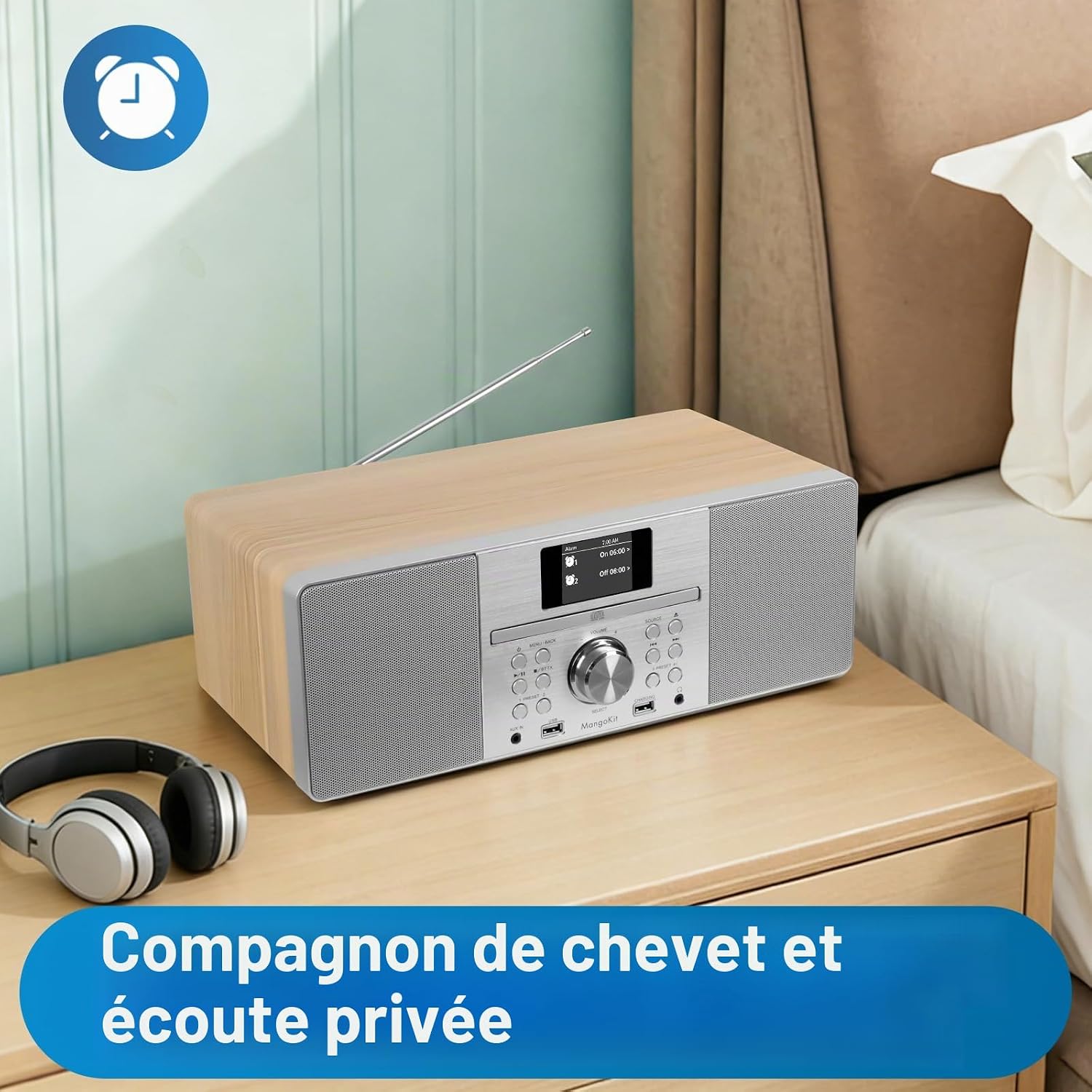
The MANGOKIT MS1 positioned on a bedside table, suitable for use as an alarm clock and for private listening with headphones.
- Setting Alarms: Access the 'Alarm' menu in the system settings. You can set up to two alarms with customizable sources (DAB, FM, Buzzer) and schedules (daily, weekdays, weekends).
- Sleep Timer: Activate the 'Sleep Timer' function to automatically turn off the unit after a set period (e.g., 15, 30, 60 minutes).
6.9 Equalization Modes
The unit features equalization modes to adapt the sound profile. Navigate to the 'Equalizer' settings in the menu to select options like Flat, Rock, Pop, Jazz, Classic, or adjust custom bass/treble levels.
7. Maintenance
- Cleaning: Use a soft, dry, lint-free cloth to clean the unit's exterior. Do not use abrasive cleaners, waxes, or solvents.
- CD Player Care: Handle CDs by their edges to avoid fingerprints and scratches. Use a CD cleaning kit if necessary.
- Storage: If storing the unit for an extended period, unplug it from the power outlet and store it in a cool, dry place.
8. Troubleshooting
| Problem | Possible Cause | Solution |
|---|---|---|
| No power | Power cable not connected; Power outlet faulty | Ensure power cable is securely connected. Try a different power outlet. |
| No sound | Volume too low; Mute activated; Incorrect source selected | Increase volume. Check if mute is active. Select the correct audio source. |
| Poor radio reception | Antenna not extended; Weak signal | Fully extend and adjust the telescopic antenna. Try repositioning the unit. |
| CD not playing | CD inserted incorrectly; CD scratched/dirty; Incorrect source | Re-insert CD correctly. Clean or replace CD. Select CD source. |
| Bluetooth not pairing | Bluetooth not enabled on device; Device too far; Incorrect mode | Ensure Bluetooth is enabled on your external device. Move device closer. Select Bluetooth mode on MS1. |
| Remote control not working | Batteries depleted; Obstruction; Remote out of range | Replace batteries. Remove any obstructions between remote and unit. Ensure remote is within range. |
9. Specifications
| Brand | MangoKit |
| Model Number | MS1 |
| Connectivity Technology | Bluetooth (5.3), USB |
| Audio Output Power | 80 W (Stereo Hi-Fi System) |
| Supported Audio Formats | CD-DA, MP3 |
| Media Type | Audio CD |
| Tuner Type | DAB/DAB+, FM Digital Radio |
| Presets | 60 Stations |
| Display | 2.4-inch Color Screen |
| Headphone Jack | 3.5 mm |
| AUX Input | 3.5 mm Jack |
| Dimensions (L x W x H) | 38L x 13.9W x 21.2H cm |
| Item Weight | 4 Kilograms |
| Compatible Devices | MP3 Player, Smartphone, Tablet |
10. Warranty and Support
- Warranty: This product comes with a one-year warranty from the date of purchase.
- Spare Parts Availability: Spare parts are available for 7 years.
- Customer Support: For technical assistance, troubleshooting, or warranty claims, please contact MangoKit customer support through your retailer or the official MangoKit website.

