
AGARO Royal (34298)
Contents
AGARO Royal 3D Vibration Plate Massager User Manual
Model: Royal (34298)
Brand: AGARO
1. Introduction
Welcome to the AGARO Royal 3D Vibration Plate Massager. This manual provides essential information for the safe and effective use of your new fitness equipment. Please read it thoroughly before operation and retain it for future reference. This device is designed to assist with muscle toning, calorie burning, massaging, weight loss, and pain relief through vibration therapy.
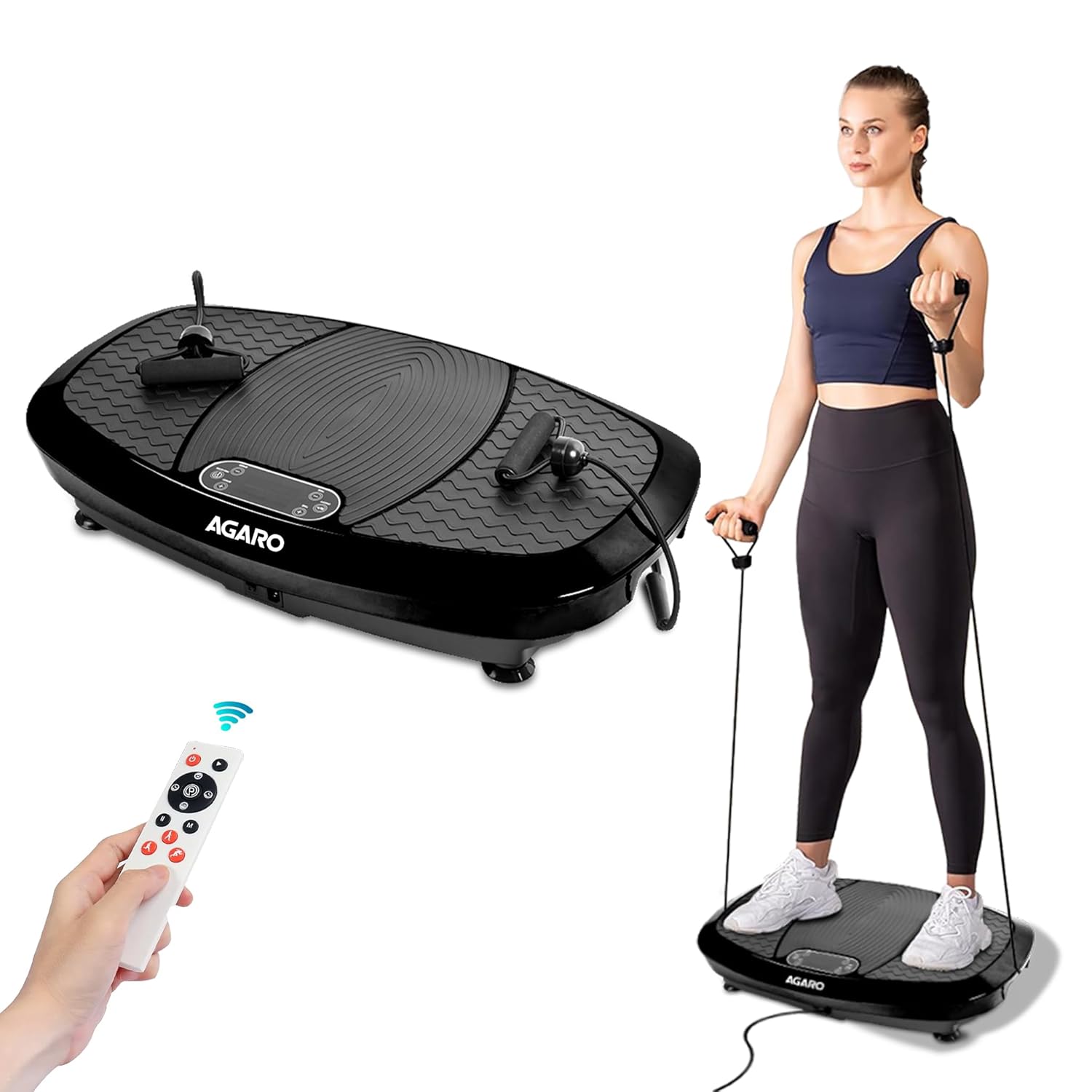
Image: The AGARO Royal 3D Vibration Plate Massager, showcasing the main unit, remote control, and a user demonstrating its use with resistance bands.
2. Important Safety Information
To reduce the risk of serious injury, always read and follow all warnings and instructions before using this vibration plate. Consult your physician before starting any new exercise program, especially if you have pre-existing medical conditions, are pregnant, or have recently undergone surgery.
- Do not use if you have pacemakers, heart conditions, epilepsy, or acute thrombosis.
- Keep children and pets away from the machine during operation.
- Ensure the power cord is not damaged and is properly plugged into a grounded outlet.
- Do not use the machine in wet or damp environments.
- The maximum user weight capacity is 180 kg (396 lbs). Do not exceed this limit.
- Always maintain balance while on the plate. Use the resistance bands for added stability if needed.
- Stop use immediately if you feel dizzy, nauseous, or experience any pain.
3. Package Contents
Carefully unpack your AGARO Royal 3D Vibration Plate Massager and check that all items are present and in good condition. If any items are missing or damaged, please contact customer support.
- Vibration Plate x 1
- Remote Control x 1
- Resistance Bands x 2
- User Manual x 1
- Cleaning Brush x 1

Image: A visual representation of the items included in the product box: the vibration plate, remote control, resistance bands, and user manual.
4. Product Features
The AGARO Royal 3D Vibration Plate Massager is equipped with advanced features to enhance your workout and massage experience:
- Adjustable Speed: Offers a wide speed range from 0 to 180 levels for customized intensity.
- 5 Pre-set Programs (P1-P5): Automated workout routines for varied training.
- User-friendly Display: Clear and intuitive interface for easy operation.
- Bluetooth Speaker: Connect your device to enjoy music during your workout.
- Max Load 180kg: Robust design to support a high weight capacity.
- Anti-Slip Rubber Surface: Ensures stability and safety during use.
- Calorie Count: Tracks estimated calories burned during your session.
- Stable Base: Designed for secure placement on various floor types.

Image: An illustration highlighting the key features of the vibration plate, including adjustable speed, pre-set programs, max load, anti-slip rubber, user-friendly display, Bluetooth speaker, and calorie count.
5. Setup
Follow these steps to set up your vibration plate for first use:
- Placement: Choose a flat, stable, and non-slip surface for the vibration plate. Ensure there is enough clear space around the unit for safe operation.
- Power Connection: Plug the power cord into the designated port on the vibration plate, then plug the other end into a standard 110-240V/50Hz electrical outlet.
- Resistance Bands (Optional): If desired, attach the resistance bands to the designated anchor points on the sides of the vibration plate. Ensure they are securely fastened before use.
6. Operating Instructions
Your AGARO Royal 3D Vibration Plate can be controlled via its touch control panel or the included remote control.
6.1. Touch Control Panel
The touch control panel on the plate allows for direct adjustments.

Image: The touch control panel on the vibration plate, indicating easy operation.
6.2. Remote Control
The remote control offers convenient operation from a distance.

Image: A detailed view of the remote control, with labels for Power Button, Start Button, Timer Decrease/Increase, Speed Increase/Decrease, Program Button, Stop Button, M (Speed Control Shortcuts), and Speed Levels (60/120/180).
- Power Button: Turns the unit on or off.
- Start Button: Initiates the vibration.
- Stop Button: Halts the vibration.
- Speed Increase/Decrease: Adjusts the vibration intensity (0-180 levels).
- Timer Increase/Decrease: Sets the duration of your session.
- Program Button (P): Cycles through the 5 pre-program modes (P1-P5).
- M (Mode) Button: Provides shortcuts for speed control.
- Speed Level Shortcuts: Direct buttons for 60, 120, and 180 speed levels.
6.3. Program Modes
The machine comes with 5 pre-program modes (P1 to P5) designed for various workout intensities and goals. Refer to the display for the active program.
6.4. Multi-Functional Vibration
The vibration plate simulates different movement types based on foot placement:
- Running (Strong): Wider stance for higher intensity.
- Jogging (Comfortable): Medium stance for moderate intensity.
- Walking (Relax): Narrower stance for lower intensity.

Image: Diagram illustrating how different foot placements on the vibration plate simulate running (strong), jogging (comfortable), and walking (relax) intensities.
7. Usage Guidelines and Benefits
Regular use of the AGARO Royal 3D Vibration Plate can contribute to various fitness and wellness goals.
7.1. Recommended Use
Start with short sessions (e.g., 5-10 minutes) at lower speeds and gradually increase duration and intensity as your body adapts. Aim for 10-20 minutes per session, 3-5 times a week.
7.2. Benefits
- Muscle Toning: Vibrations engage muscles, promoting strength and definition.
- Calorie Burning: Increased muscle activity contributes to calorie expenditure.
- Massaging & Pain Relief: Helps relax muscle fatigue and alleviate minor aches.
- Improved Flexibility: Can enhance overall body flexibility.
- Stimulate Circulation: Vibrations can help improve blood flow.
- Enhance Strength: Regular use can lead to increased muscle strength.

Image: A user performing squats on the vibration plate, with icons illustrating benefits such as activating muscles, increasing strength, enhancing flexibility, and stimulating circulation.
8. Maintenance
Proper maintenance ensures the longevity and optimal performance of your vibration plate.
- Cleaning: Wipe the surface of the machine with a soft, damp cloth after each use. Do not use abrasive cleaners or solvents. Ensure the machine is unplugged before cleaning.
- Storage: Store the vibration plate in a cool, dry place away from direct sunlight and moisture. Its compact design allows for easy storage under furniture or in a closet.
- Inspection: Periodically check the power cord for any signs of damage. Ensure all connections are secure.
Image: The vibration plate shown stored neatly under a sofa, demonstrating its easy storage capability.
9. Troubleshooting
If you encounter any issues with your AGARO Royal 3D Vibration Plate, refer to the following common problems and solutions:
| Problem | Possible Cause | Solution |
|---|---|---|
| Machine does not power on. | Power cord not properly connected; Power outlet not working; Main power switch off. | Ensure power cord is securely plugged in. Test the outlet with another device. Check the main power switch on the unit. |
| No vibration. | Machine is on but not started; Speed level is set to 0. | Press the Start button. Increase the speed level using the remote or control panel. |
| Remote control not working. | Batteries are dead or incorrectly inserted; Obstruction between remote and receiver. | Replace batteries, ensuring correct polarity. Remove any obstructions. Point remote directly at the unit. |
| Unusual noise during operation. | Unit not on a flat surface; Loose components. | Ensure the machine is on a completely flat and stable surface. If noise persists, contact customer support. |
If the problem persists after attempting these solutions, please contact AGARO customer support for assistance.
10. Specifications
| Specification | Detail |
|---|---|
| Model Number | 34298 |
| Rated Voltage | 110-240V/50HZ |
| Power | 200W + 200W |
| Speed Range | 0 to 180 levels |
| Amplitude | 0-12mm |
| Max Loading Capacity | 180 kgs (396 lbs) |
| Product Dimensions (LxWxH) | 77.5 x 45 x 14.5 cm |
| Item Weight | 16.8 kg |
11. Warranty and Support
The AGARO Royal 3D Vibration Plate Massager comes with a 1-Year Warranty from the date of purchase, covering manufacturing defects. Please retain your proof of purchase for warranty claims.
For technical support, warranty claims, or any product-related inquiries, please contact AGARO customer service through the contact information provided on the product packaging or the official AGARO website.
Documents and downloads
Ask a question about this manual
Ask about setup, troubleshooting, compatibility, parts, safety, or missing instructions. Manuals+ will review the question and use this page’s manual context to help answer it.