Important Safety Information
- Always supervise your pet during play to prevent accidental ingestion of parts.
- This toy is not intended for aggressive chewers. Inspect regularly for damage and discontinue use if any part becomes loose or detached.
- Keep the internal electronic module dry. Do not immerse the module in water.
- Ensure the charging port is securely covered when not charging to prevent moisture ingress.
- Keep out of reach of children.
Product Overview
The PETGEEK Interactive Dog Ball Toy is designed to provide engaging entertainment for your dog through musical sounds, vibrations, and a voice recording feature. Its soft plush cover and crinkle tail add sensory stimulation.
Components
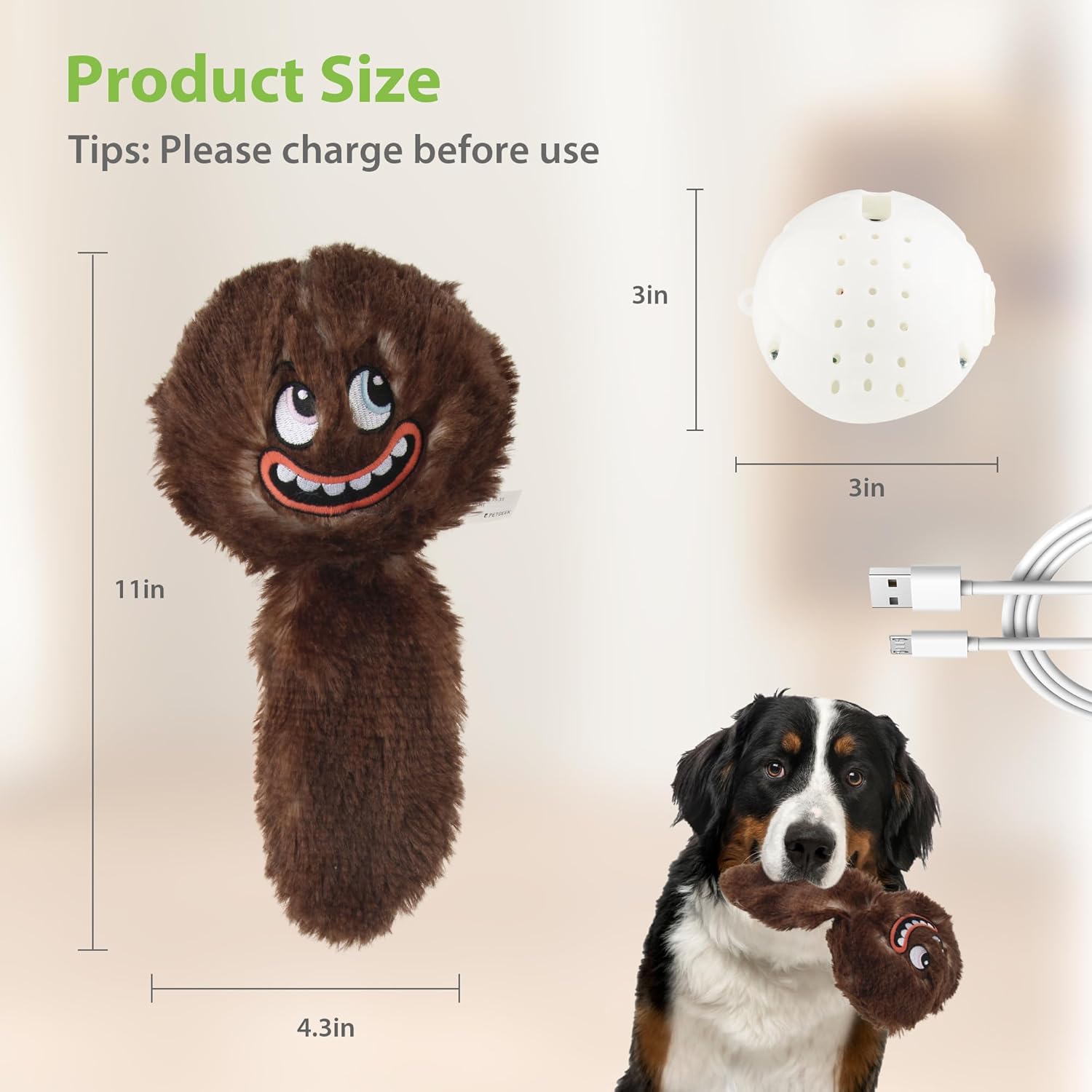
- Interactive Ball Module (internal electronic unit)
- Plush Cover (external soft toy)
- USB Charging Cable

Setup
Charging the Device
Before first use, fully charge the interactive ball module.
- Locate the Velcro opening on the plush cover and carefully open it to access the internal ball module.
- Gently shake the ball module to reveal the charging port.
- Connect the provided USB charging cable to the port on the ball module and to a standard USB power source.
- The indicator light will be red during charging and will turn off when fully charged.

Assembling the Toy
- After charging, ensure the ball module is powered off (if not already).
- Carefully insert the ball module back into the plush cover, aligning the Velcro opening.
- Securely close the Velcro opening.

Operating Instructions
Powering On/Off
To power on the toy, locate the power button inside the plush cover (accessible via the Velcro opening) and press it. The toy will activate. To power off, press the button again.
Musical Jumping Action
Once powered on, tap or shake the toy to activate its musical and vibrating functions. Each tap will cycle through five different lively tunes, providing varied entertainment for your pet.

Voice Recording Feature
The toy includes a voice recording function. To record, press the power button once to enter recording mode. Speak clearly into the toy. The toy will then play back your recorded voice or your dog's barks while vibrating, creating a personalized interactive experience.

Crinkle Tail
The toy features a tail filled with crinkle paper. This provides an additional auditory and tactile stimulus, encouraging your dog to interact further with the toy.
Maintenance
Cleaning the Plush Cover
The plush cover is detachable and washable for easy maintenance.
- Carefully remove the internal interactive ball module from the plush cover.
- The plush cover can be hand-washed or machine-washed on a gentle cycle with mild detergent.
- Allow the plush cover to air dry completely before reinserting the electronic module.
- Do not wash the electronic ball module. Wipe it clean with a dry cloth if necessary.

Storage
Store the toy in a dry place away from direct sunlight when not in use. Ensure the electronic module is fully charged before long-term storage to maintain battery health.
Troubleshooting
| Issue | Possible Solution |
|---|---|
| Toy does not turn on or respond. | Ensure the battery is charged. Connect the USB cable and charge until the indicator light turns off. Press the power button firmly. |
| Music or vibration stops unexpectedly. | The battery may be low; recharge the device. Ensure the internal module is securely placed within the plush cover. |
| Voice recording is unclear or not working. | Ensure the toy is powered on and in recording mode. Speak clearly and close to the toy's internal module. |
| Toy appears damaged. | Discontinue use immediately. Contact customer support for assistance. |
Specifications
| Feature | Detail |
|---|---|
| Model Number | B0DHGJSDD6 |
| Brand | PETGEEK |
| Item Weight | 8.4 ounces |
| Item Dimensions (LxWxH) | 3 x 3 x 3 inches (internal module) |
| Overall Toy Dimensions (approx.) | 11 inches (length) x 4.3 inches (width) |
| Power Source | USB Rechargeable |
| Interactive Features | Musical, Vibrating, Voice Recording, Crinkle Tail |
| Target Audience | Dogs (Puppies and Adult dogs) |
| Breed Recommendation | All Breed Sizes |
Warranty and Support
For any quality problems with your PETGEEK Interactive Dog Ball Toy or if you require further assistance, please contact PETGEEK customer service. Refer to your purchase documentation for specific warranty details and contact information.
You can often find support information on the official PETGEEK website or through the retailer where the product was purchased.


