
Introduction
Thank you for choosing the RAINBEAN CM241-RBAU Single Serve Coffee Maker. This compact and efficient appliance is designed to provide you with a fresh, hot cup of coffee using your favorite ground coffee. Featuring a programmable timer, auto start/off function, and clear water level markings, it simplifies your daily brewing routine. Please read this manual thoroughly before use to ensure safe and optimal operation.
Safety Instructions
- Read all instructions before operating the coffee maker.
- Do not immerse the appliance, cord, or plug in water or other liquids.
- Close supervision is necessary when any appliance is used by or near children.
- Unplug from outlet when not in use and before cleaning. Allow to cool before putting on or taking off parts, and before cleaning the appliance.
- Do not operate any appliance with a damaged cord or plug, or after the appliance malfunctions or has been damaged in any manner.
- The use of accessory attachments not recommended by the appliance manufacturer may result in fire, electric shock, or injury to persons.
- Do not use outdoors.
- Do not let the cord hang over the edge of a table or counter, or touch hot surfaces.
- Do not place on or near a hot gas or electric burner, or in a heated oven.
- Always fill the water reservoir with fresh, cold water only.
- Do not open the top lid during the brewing cycle.
- This appliance is for household use only.
Product Components
The RAINBEAN CM241-RBAU Single Serve Coffee Maker includes the following components:
- Main Coffee Maker Unit
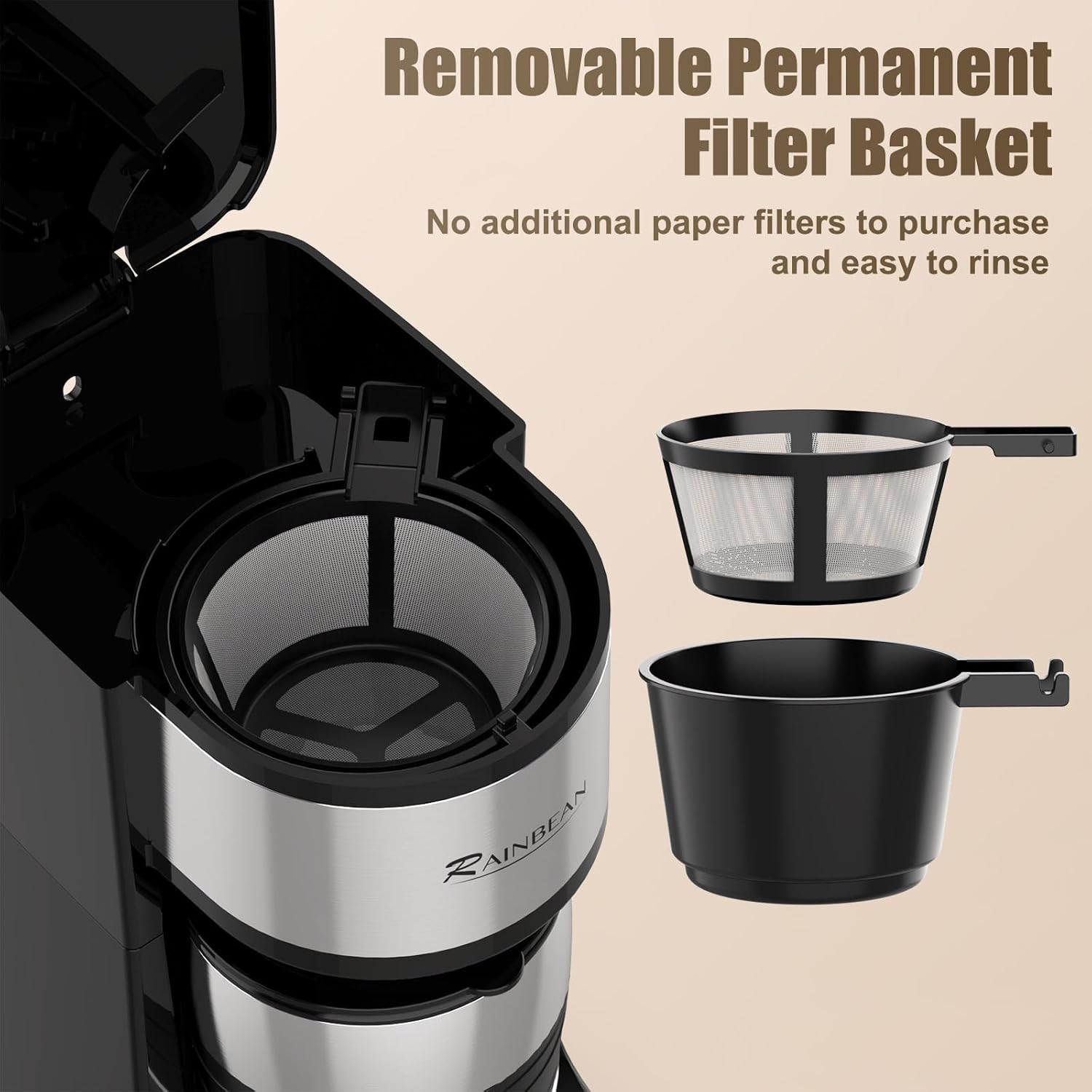
- Removable Permanent Filter Basket
- 14 oz Insulated Thermal Travel Mug
- Removable Drip Tray
Setup
- Unpack: Carefully remove all packaging materials and the coffee maker from the box.
- Initial Cleaning: Before first use, wash the permanent filter basket, travel mug, and drip tray in warm, soapy water. Rinse thoroughly and dry. Wipe the exterior of the coffee maker with a damp cloth.
- Position: Place the coffee maker on a dry, level, heat-resistant surface near an electrical outlet.
- Rinse Cycle: Fill the water reservoir to the MAX (14 oz) line with cold water. Place the empty travel mug on the drip tray. Close the lid and press the ON/OFF button to run a brew cycle without coffee. Discard the water. This cleans the internal components and prepares the unit for brewing.
Operating Instructions
Brewing Coffee
- Fill Water Reservoir: Open the top lid and fill the water reservoir with fresh, cold water. Use the clear markings (8oz, 10oz, 14oz) to select your desired brew size. Do not exceed the 14 oz MAX line.
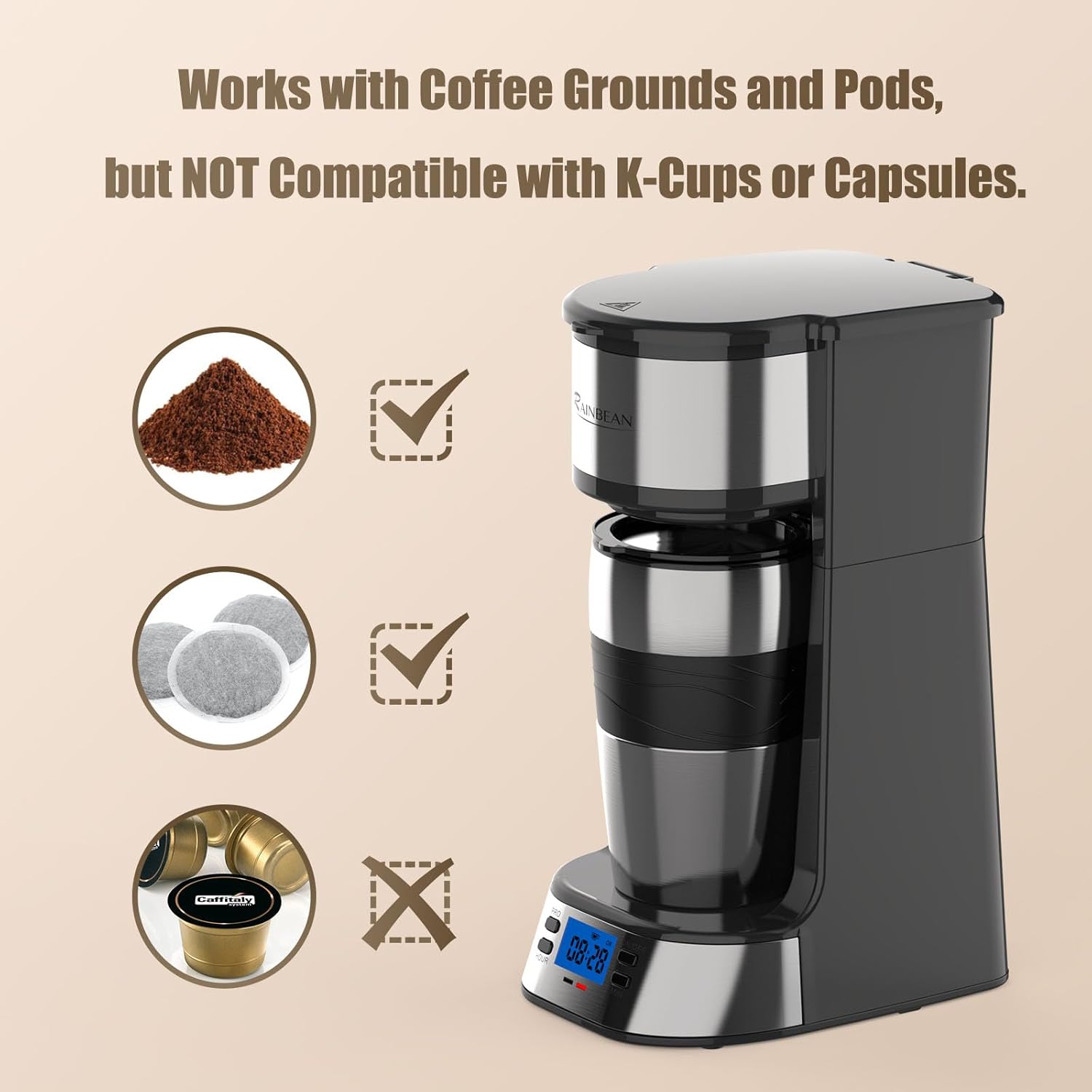
- Add Ground Coffee: Place the permanent filter basket into its holder. Add your preferred amount of ground coffee to the filter. For best results, use medium-ground coffee.
- Place Mug: Place the included 14 oz insulated travel mug or your preferred coffee mug on the drip tray. Ensure the mug is centered under the dispenser.
- Start Brewing: Close the top lid securely. Press the ON/OFF button. The indicator light will illuminate, and brewing will begin. The coffee maker will automatically shut off once brewing is complete (approximately 3 minutes).
- Enjoy: Carefully remove your hot coffee. Allow the unit to cool before cleaning.
Setting the Programmable Timer
The programmable timer allows you to set a delayed brew time, so your coffee is ready when you wake up or arrive home.
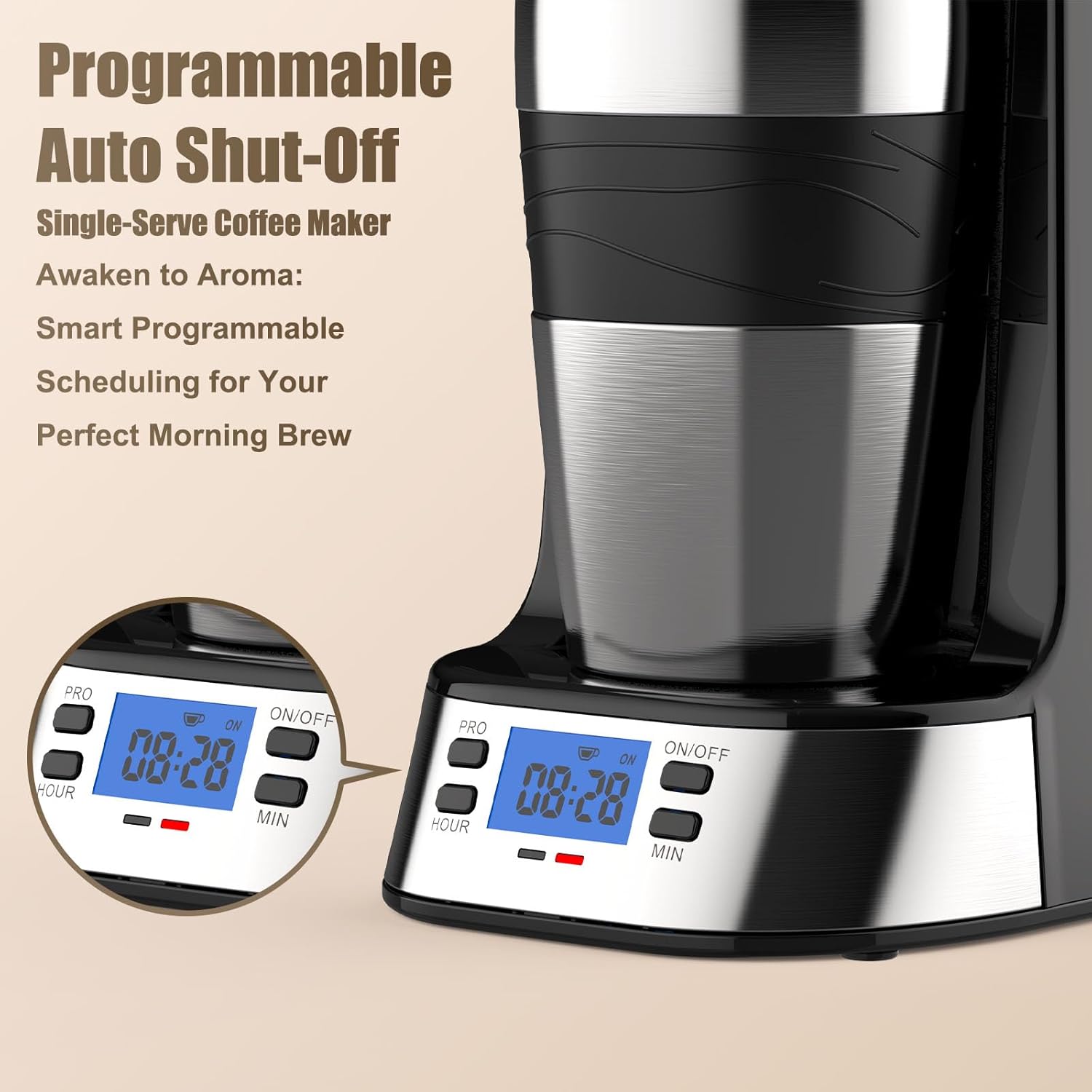
- Set Current Time: When the coffee maker is plugged in, the LCD display will flash '12:00'. Press the 'HOUR' and 'MIN' buttons to set the current time.
- Set Auto-Brew Time: Press the 'PRO' (Program) button. The display will show 'PROGRAM' and flash '12:00'. Use the 'HOUR' and 'MIN' buttons to set your desired auto-brew time.
- Activate Auto-Brew: After setting the auto-brew time, press the 'PRO' button again to confirm. The 'AUTO' indicator will appear on the display. The coffee maker is now set to automatically brew at the programmed time.
- Cancel Auto-Brew: To cancel the programmed auto-brew, press and hold the 'PRO' button for 3 seconds until the 'AUTO' indicator disappears from the display.
Cleaning and Maintenance
Regular cleaning ensures optimal performance and extends the lifespan of your coffee maker.
Daily Cleaning
- Unplug: Always unplug the coffee maker and allow it to cool completely before cleaning.
- Filter Basket: Remove the permanent filter basket and discard used coffee grounds. Wash the basket in warm, soapy water and rinse thoroughly.
- Travel Mug: Wash the insulated travel mug in warm, soapy water. It is not dishwasher safe.
- Drip Tray: Remove and empty the drip tray. Wash it in warm, soapy water and rinse.
- Exterior: Wipe the exterior of the coffee maker with a soft, damp cloth. Do not use abrasive cleaners or scouring pads.
Descaling (Monthly or as needed)
Mineral deposits from water can build up in your coffee maker over time, affecting performance. Descale your unit monthly or when you notice slower brewing or reduced coffee temperature.
- Prepare Solution: Fill the water reservoir with a mixture of 1 part white vinegar and 2 parts water.
- Run Cycle: Place an empty mug on the drip tray. Press the ON/OFF button to run a full brew cycle with the vinegar solution.
- Rinse Cycles: After the cycle is complete, discard the solution. Fill the reservoir with fresh, cold water and run 2-3 plain water cycles to rinse out any remaining vinegar taste.
Troubleshooting
| Problem | Possible Cause | Solution |
|---|---|---|
| Coffee maker does not brew. | No water in reservoir; unit not plugged in; power button not pressed. | Fill reservoir; ensure unit is plugged in; press ON/OFF button. |
| Coffee is too weak. | Not enough coffee grounds; coffee grounds too coarse; too much water. | Add more coffee; use finer grounds; use less water. |
| Coffee overflows from mug. | Too much water in reservoir; mug too small. | Use less water (max 14 oz); use a larger mug. |
| Brewing is slow. | Mineral buildup. | Perform a descaling cycle as described in the Maintenance section. |
Specifications
- Brand: RAINBEAN
- Model: CM241-RBAU
- Color: Black
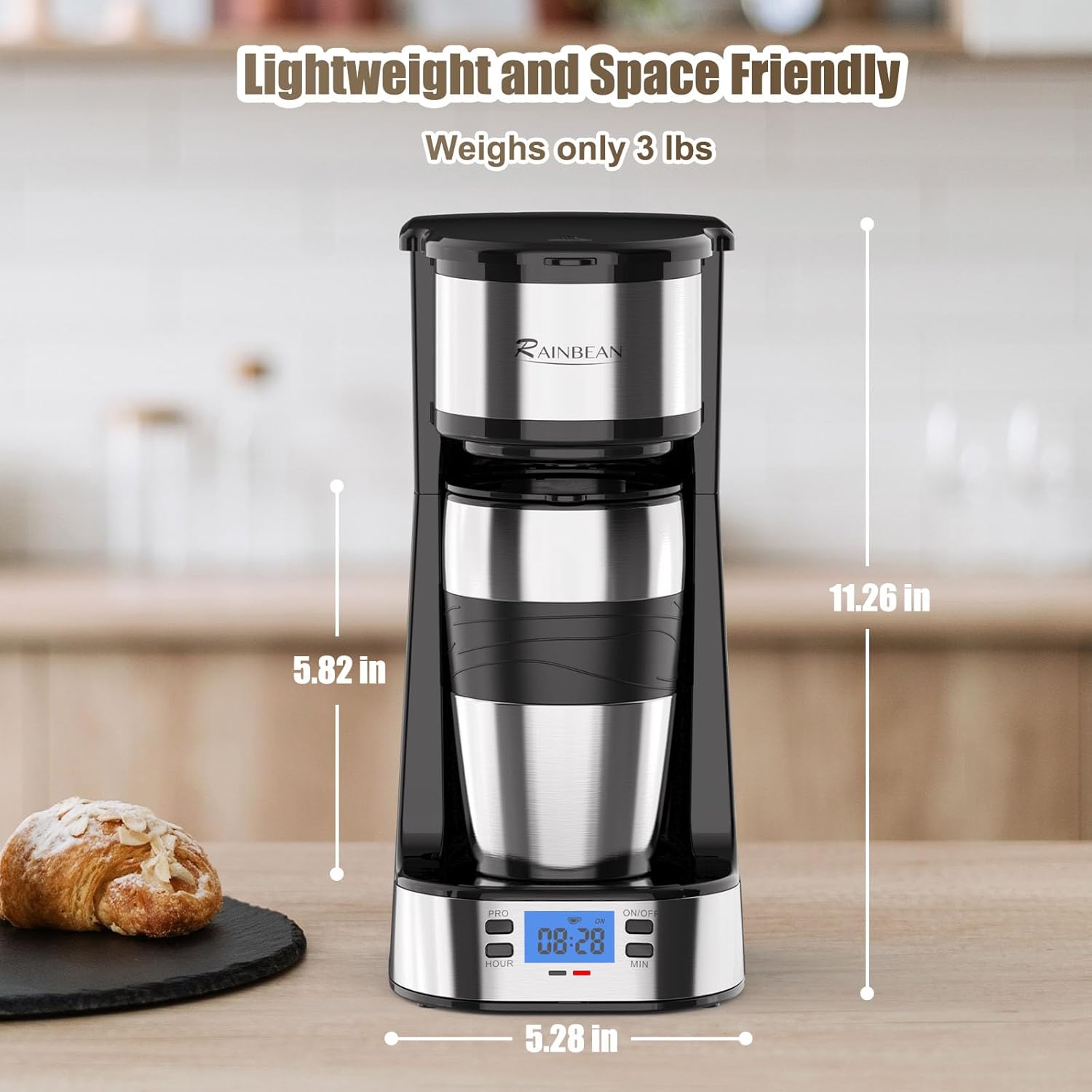
- Product Dimensions: 12.44"D x 5.91"W x 8.5"H
- Item Weight: 2.72 pounds
- Power: 700W
- Capacity: 14 Fluid Ounces (Max)
- Coffee Input Type: Ground Coffee
- Special Features: Auto On/Off, Portable, Programmable, Removable filter, Timer
- Included Components: Coffee Maker, Insulated Travel Mug
- Operation Mode: Semi-Automatic
- Human Interface Input: Buttons
- Dishwasher Safe: No
Warranty and Support
For warranty information or customer support, please refer to the documentation included with your product packaging or contact RAINBEAN customer service directly. Keep your purchase receipt as proof of purchase for any warranty claims.