
1. Product Overview
The Qubo Car Air Purifier Pro is designed to enhance the air quality within your vehicle. It features a multi-stage filtration system and negative ion technology to remove various airborne pollutants.
Key Features:
- Negative Ion Technology: Emits up to 50 million negative ions to eliminate 99.8% of viruses, bacteria, PM2.5, PM10, and dust.
- 3-Layer Filtration: Includes a Pre-filter, HEPA13 filter, and Activated Carbon filter for comprehensive air purification.
- 3 Modes of Purification: Offers Silent, Active, and Turbo modes to adapt to varying air quality levels.
- Easy Plug and Use: Operates by plugging into your car's USB port, designed without an in-built battery for safety.
- Ergonomic Design: Built with premium aluminum alloy and a tumbler-style base to fit securely in standard car cup holders.

Image: Qubo Car Air Purifier Pro highlighting its advanced features including 3-layer filtration, tapered bottom, 3 purification modes, aluminum alloy body, and low noise operation.
2. Setup and Installation
Follow these steps to set up your Qubo Car Air Purifier Pro:
- Unpack the Device: Carefully remove the air purifier and its accessories from the packaging. Ensure all components listed in the 'What's in the Box' section are present.
- Place in Cup Holder: Position the air purifier securely in a standard car cup holder. The tumbler-shaped base is designed for a stable fit.
- Connect Power: Plug the provided USB cable into the air purifier's power input and then into an available USB port in your car. The device is designed for safe operation without an internal battery, reducing fire risk.

Image: The Qubo Car Air Purifier Pro placed in a car's cup holder, demonstrating its sleek design and compatibility.

Image: A hand plugging the USB cable into the Qubo Car Air Purifier Pro, illustrating its easy plug-and-play operation.
3. Operating Instructions
The Qubo Car Air Purifier Pro features a simple one-button operation to control its purification modes.
Power On/Off and Mode Selection:
- Once connected to power, the device will automatically turn on.
- To cycle through purification modes (Silent, Active, Turbo) or to turn off the device, press the top-mounted mode button.
Purification Modes:
- Silent Mode (Blue Light): Ideal for normal air quality conditions, providing quiet operation.
- Active Mode (Yellow Light): Suitable for moderate air quality, offering increased purification.
- Turbo Mode (Red Light): For high pollution levels, providing maximum purification power.
Image: Diagram illustrating the three operational modes (Silent, Active, Turbo) of the Qubo Car Air Purifier Pro, indicated by different colored lights.
4. Maintenance
Regular maintenance ensures optimal performance and longevity of your air purifier.
Filter Replacement:
The Qubo Car Air Purifier Pro uses a 3-layer filter system (Pre-filter, HEPA13, Activated Carbon) that requires periodic replacement. The frequency of replacement depends on usage and air quality conditions. Typically, filters should be checked every 3-6 months.
- To replace the filter, twist the bottom section of the purifier counter-clockwise to detach it.
- Remove the old filter and insert a new Qubo replacement filter, ensuring it is seated correctly.
- Reattach the bottom section by twisting clockwise until secure.

Image: An exploded view diagram showing the three layers of the filter: Pre-filter, True HEPA 13, and Dynamic Activated Carbon.
Cleaning the Device:
- Wipe the exterior of the purifier with a soft, dry cloth.
- Do not use abrasive cleaners or immerse the device in water.
- Ensure the device is unplugged before cleaning.
5. Troubleshooting
If you encounter issues with your Qubo Car Air Purifier Pro, refer to the following common problems and solutions:
| Problem | Possible Cause | Solution |
|---|---|---|
| Device does not power on | No power supply; Loose USB connection; Faulty USB port/cable | Ensure the USB cable is securely connected to both the purifier and the car's USB port. Try a different USB port or cable. Check if the car's ignition is on. |
| Low airflow or purification efficiency | Clogged filter; Air intake/outflow blocked | Check and replace the filter if it appears dirty. Ensure the air intake and outflow vents are not obstructed by objects or the cup holder. |
| Unusual noise during operation | Foreign object inside; Improperly seated filter | Turn off and unplug the device. Carefully check for any foreign objects. Ensure the filter is correctly installed. If the noise persists, contact customer support. |
| Indicator light not working | Device malfunction | If the device is otherwise functioning, this may be a minor issue. If the device is not purifying, refer to 'Device does not power on' or contact support. |
6. Specifications
| Feature | Detail |
|---|---|
| Model Number | HPA02 |
| Dimensions (LxWxH) | 6.3 x 6.3 x 18.7 Centimeters |
| Item Weight | 396 Grams |
| Power Source | Corded Electric (USB) |
| Filtration Type | 3-Layer (Pre-filter, HEPA13, Activated Carbon) |
| Technology | Negative Ion Technology |
| Included Components | Car Air purifier with Filters (1N), 0.5 meter USB Cable (1N), QR Card (Warranty & Digital User Manual) |
| Manufacturer | Hero Electronix Pvt. Ltd |
| Country of Origin | China |
7. Warranty and Support
Qubo products are backed by a commitment to quality and customer satisfaction.
Warranty Information:
Your Qubo Car Air Purifier Pro comes with a manufacturer's warranty. Details regarding the warranty period and terms can be found on the QR Card included in the packaging or by visiting the official Qubo website.
Customer Support:
For any queries, technical assistance, or service requests, please contact Qubo customer support:
- Toll-free helpline number: 9319095757
- Support Services: On-Call & Field support available Pan India.
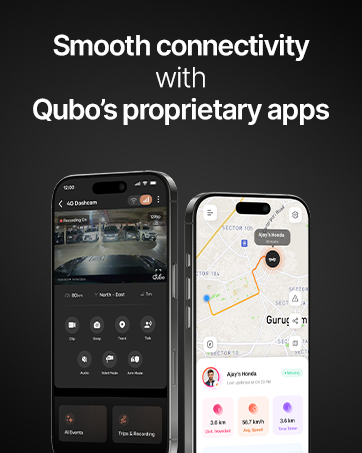
Image: Information indicating Qubo's customer support, including on-call and field support across India.