
1. Introduction
The BAKON BK601Pro is a state-of-the-art 120W precision soldering iron station designed for a wide range of soldering applications, from intricate electronics to general DIY projects. It features advanced microcomputer control for stable and precise temperature management, a large LCD for clear data display, and user-friendly functions like temperature presets and automatic sleep mode. This manual provides essential information for the safe and effective operation, maintenance, and troubleshooting of your BK601Pro soldering station.

Figure 1.1: The BAKON BK601Pro Soldering Station and included accessories.
2. Safety Instructions
Always adhere to the following safety precautions to prevent injury or damage to the equipment:
- Electrical Safety: Ensure the soldering station is connected to a grounded 110V US-standard power outlet. Do not operate with wet hands or in damp environments.
- Heat Hazard: The soldering iron tip reaches very high temperatures (up to 896°F / 480°C). Avoid direct contact with the tip or heated components. Allow the iron to cool completely before handling or storing.
- Fume Ventilation: Soldering produces fumes that can be harmful. Always work in a well-ventilated area or use a fume extractor.
- Eye Protection: Always wear safety glasses or goggles to protect your eyes from solder splashes or flying debris.
- Fire Prevention: Keep flammable materials away from the soldering area. Use a heat-resistant mat. Always place the soldering iron in its designated stand when not in use.
- Proper Handling: Do not drop or subject the unit to excessive shock. Do not modify the soldering station or its components.
- Children and Pets: Keep the soldering station and all accessories out of reach of children and pets.
3. Package Contents
Verify that all items listed below are included in your package:
- BK601Pro Soldering Station Unit
- C210 Soldering Iron Handle
- 1 x C210 Soldering Tip (standard)
- Metallic Iron Holder
- ESD-safe Tweezers
- Desoldering Pump
- Roll of LEAD-FREE Solder (35g)
- Tip Cleaner (brass wool)
- Cleaning Sponge
- Power Cable (110V US-standard)
4. Setup
Follow these steps for initial setup of your soldering station:
- Unpack: Carefully remove all components from the packaging.
- Placement: Place the soldering station on a stable, heat-resistant, and non-flammable surface. Ensure adequate ventilation.
- Connect Soldering Iron: Connect the C210 soldering iron handle cable to the designated port on the soldering station. Ensure a secure connection.
- Insert Soldering Tip: Insert the C210 soldering tip into the soldering iron handle. The one-piece heater core design allows for easy and quick replacement.
- Position Iron Holder: Place the metallic iron holder in a convenient and safe location near the station.
- Prepare Cleaners: Place the brass wool tip cleaner in its designated slot on the station. Dampen the cleaning sponge with water and place it in its tray.
- Power Connection: Plug the power cable into the soldering station and then into a grounded 110V US-standard power outlet.
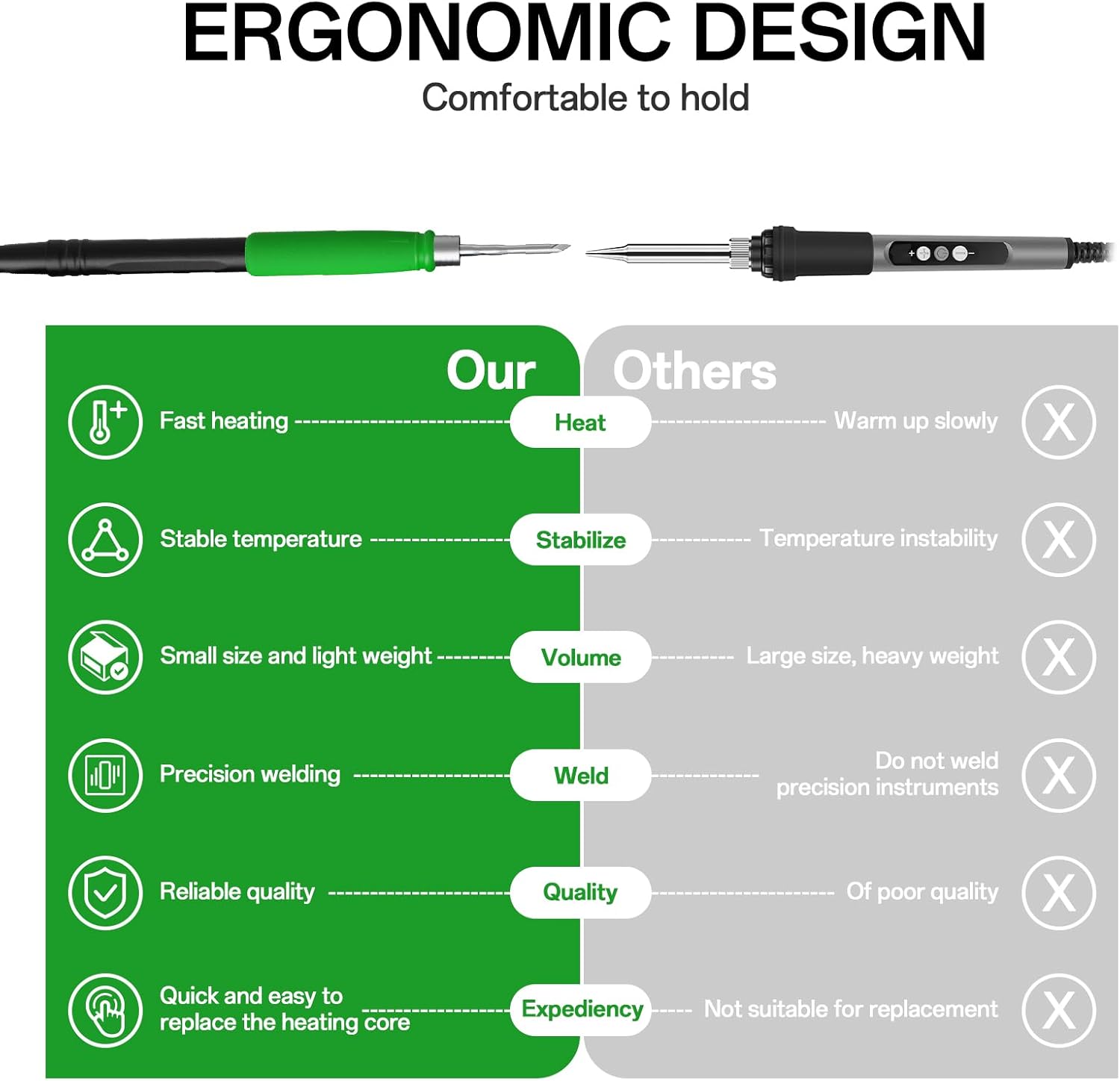
Figure 4.1: Easy installation and removal of the soldering iron tip.
5. Operating Instructions
5.1 Power On/Off
Press the power button located on the front panel to turn the unit ON or OFF. The large LCD HD display will illuminate upon power-on, showing the current temperature and settings.
5.2 Temperature Control and Presets
The BK601Pro allows for precise temperature adjustment and features three preset channels (CH1, CH2, CH3) for frequently used temperatures.
- Adjusting Temperature: Use the Up and Down arrow buttons to increase or decrease the desired temperature. The temperature range is 302°F to 896°F (150°C to 480°C).
- °C/°F Conversion: The unit supports conversion between Celsius and Fahrenheit. Refer to the system settings menu for this option.
- Setting Presets (CH1, CH2, CH3):
- Adjust the temperature to your desired value using the Up/Down arrows.
- Long-press the desired channel button (CH1, CH2, or CH3) for a few seconds until the display confirms the setting (e.g., "SUC" for success).
- To recall a preset temperature, simply short-press the corresponding channel button (CH1, CH2, or CH3).

Figure 5.1: The large LCD HD display provides clear operational data.

Figure 5.2: Dedicated shortcut buttons for quick temperature recall.
5.3 C210 Soldering Iron Usage
The C210 soldering iron is designed for micro and standard-sized components. It features 3-second fast heating thanks to its high-power ceramic one-piece heater core.
- Tinning the Tip: Before first use and periodically during operation, tin the soldering tip by melting a small amount of solder onto it. This protects the tip and improves heat transfer.
- Soldering Technique: Apply the heated tip to both the component lead and the PCB pad simultaneously. Once both are heated, apply solder to the joint, allowing it to flow smoothly. Remove the solder, then remove the iron.
- Tip Compatibility: The station is compatible with C210 (standard), C115 (optional), and C245 (optional) heater cores. Note that different tip types may require a compatible soldering handle.

Figure 5.3: The one-piece heating core ensures rapid heating and stable temperature.
5.4 Sleep Mode & Auto Standby
The BK601Pro features an intelligent sleep mode to extend the life of the soldering tip and save energy.
- Activation: When the soldering iron is placed in its stand, the sleep mode is automatically activated after a user-defined period (0 to 99 seconds). The temperature will drop to a preset lower temperature.
- Wake-up: Simply pick up the soldering iron from the stand, and it will quickly return to the set operating temperature.

Figure 5.4: Automatic dormancy extends the service life of the soldering iron.
5.5 Applications
The BK601Pro is suitable for various precision welding tasks:

Figure 5.5: Common applications for the BK601Pro soldering station.
6. Maintenance
Proper maintenance ensures the longevity and optimal performance of your soldering station:
- Tip Cleaning: Regularly clean the soldering tip using the brass wool cleaner or the damp sponge. This removes oxidation and old solder, ensuring efficient heat transfer.
- Tip Tinning: Always tin the tip with fresh solder after cleaning and before storing to prevent oxidation.
- Station Cleaning: Wipe down the station and iron handle with a soft, dry cloth. Do not use abrasive cleaners or solvents.
- Storage: Store the soldering station in a clean, dry environment when not in use. Ensure the iron is cooled and placed securely in its holder.
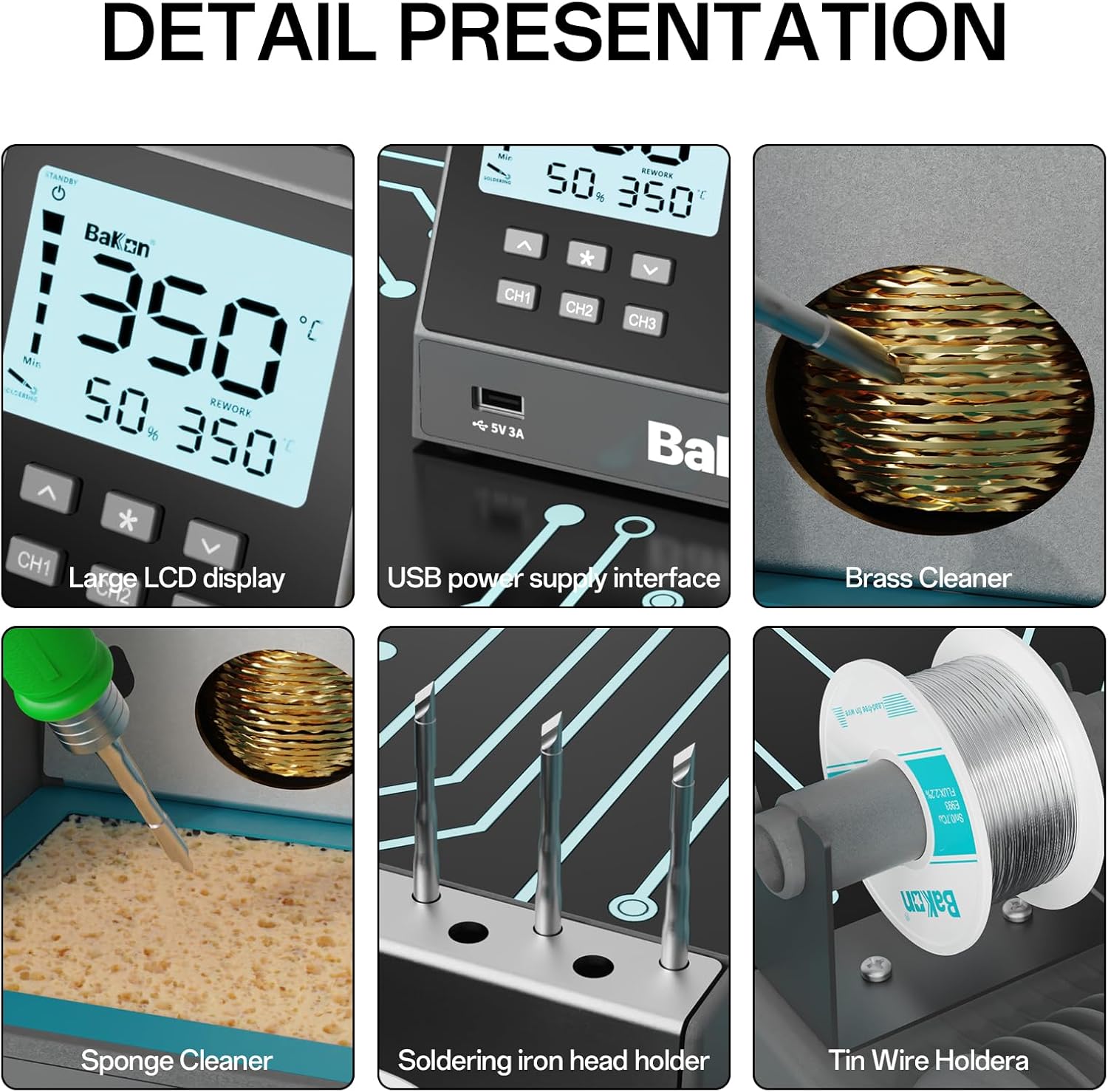
Figure 6.1: Key components for maintenance, including brass and sponge cleaners.
7. Troubleshooting
This section addresses common issues you might encounter:
| Problem | Possible Cause | Solution |
|---|---|---|
| Soldering iron not heating up. | Power not connected, faulty tip, or iron handle connection issue. | Check power cable and outlet. Ensure iron handle is securely connected. Try replacing the soldering tip. |
| Temperature unstable or inaccurate. | Tip oxidation, incorrect calibration, or environmental factors. | Clean and re-tin the soldering tip. If issue persists, consult the manual for temperature offset calibration (if applicable) or contact support. |
| Solder not melting or flowing well. | Insufficient temperature, dirty tip, or old solder. | Increase temperature. Clean and re-tin the tip. Use fresh solder. |
| Faint ringing/buzzing sound from station. | Normal operation for some components (e.g., transformer). | This is often normal and very quiet. If it becomes loud or disruptive, ensure proper ventilation and contact support if concerned. |
| Auto-sleep not activating. | Iron not placed in stand correctly, or sleep timer set to 0. | Ensure the iron is fully seated in its stand. Check the sleep timer setting in the menu (0-99 seconds). |
8. Specifications
Key technical specifications for the BAKON BK601Pro Soldering Station:
| Feature | Specification |
|---|---|
| Model Number | BK601Pro |
| Manufacturer | BAKON |
| Wattage | 55 watts (Station), 120W (Peak) |
| Voltage | 110 Volts (DC) |
| Temperature Range | 302°F to 896°F (150°C to 480°C) |
| Temperature Stability | ±35.6°F (±2°C) |
| Display Type | LCD HD Display |
| Product Dimensions | 6.5 x 6.3 x 4.1 inches |
| Item Weight | 2.92 pounds |
| Power Source | AC |
| Included Components | Soldering kit (as listed in Package Contents) |
9. Warranty and Support
BAKON is committed to providing high-quality products and customer satisfaction.
- Return Policy: This product is typically eligible for a 30-day refund/replacement policy from the date of purchase. Please refer to your retailer's specific return policy for details.
- Protection Plans: Extended protection plans may be available for purchase, offering coverage beyond the standard warranty. Options may include 3-Year or 4-Year Protection Plans. Please check with your retailer for availability and terms.
- Customer Support: For technical assistance, troubleshooting not covered in this manual, or warranty inquiries, please contact BAKON customer support through the official BAKON website or your purchase platform.