
Avhrit AH04
Avhrit 1500Nm Cordless Impact Wrench User Manual
Model: AH04
Introduction
Thank you for choosing the Avhrit 1500Nm/1106Ft-lbs Cordless Impact Wrench. This powerful and versatile tool is engineered for demanding fastening and loosening tasks, providing exceptional torque and efficiency. Designed with a durable brushless motor and long-lasting batteries, it is an essential tool for automotive repairs, heavy equipment maintenance, and various DIY projects. Please read this manual thoroughly before operation to ensure safe and effective use of your new impact wrench.
Safety Information
Always wear appropriate personal protective equipment, including safety glasses, gloves, and hearing protection, when operating the impact wrench. Ensure your work area is well-lit and clear of obstructions. Keep children and bystanders away from the operating area. Do not operate the tool in explosive atmospheres, such as in the presence of flammable liquids, gases, or dust. Always disconnect the battery pack before making any adjustments, changing accessories, or storing the tool.
- Read all instructions carefully before use.
- Use only the specified battery packs and charger.
- Do not expose the tool or battery to water or excessive heat.
- Ensure the workpiece is stable and secured before applying torque.
- Avoid accidental starting. Be sure the switch is in the off-position before inserting battery pack.
Product Overview and Components
The Avhrit Cordless Impact Wrench kit includes everything you need for immediate use.

Figure 1: Complete Avhrit Cordless Impact Wrench Kit.
Included Components:
- 1x Avhrit 1500N.m Cordless Impact Wrench
- 2x 4000mAh Lithium-Ion Battery Packs (21V)
- 1x Fast Charger
- 4x Impact Sockets (17mm, 19mm, 21mm, 24mm)
- 1x 5-inch Extension Bar
- 1x Durable Carry Case

Figure 2: Detailed view of all items included in the kit.
Setup
1. Charging the Battery:
Before first use, fully charge both 4000mAh battery packs.
- Connect the fast charger to a standard power outlet.
- Slide the battery pack onto the charger until it clicks into place.
- The charger's indicator light will show the charging status. A full charge typically takes 1-2 hours.
- Once fully charged, remove the battery from the charger.
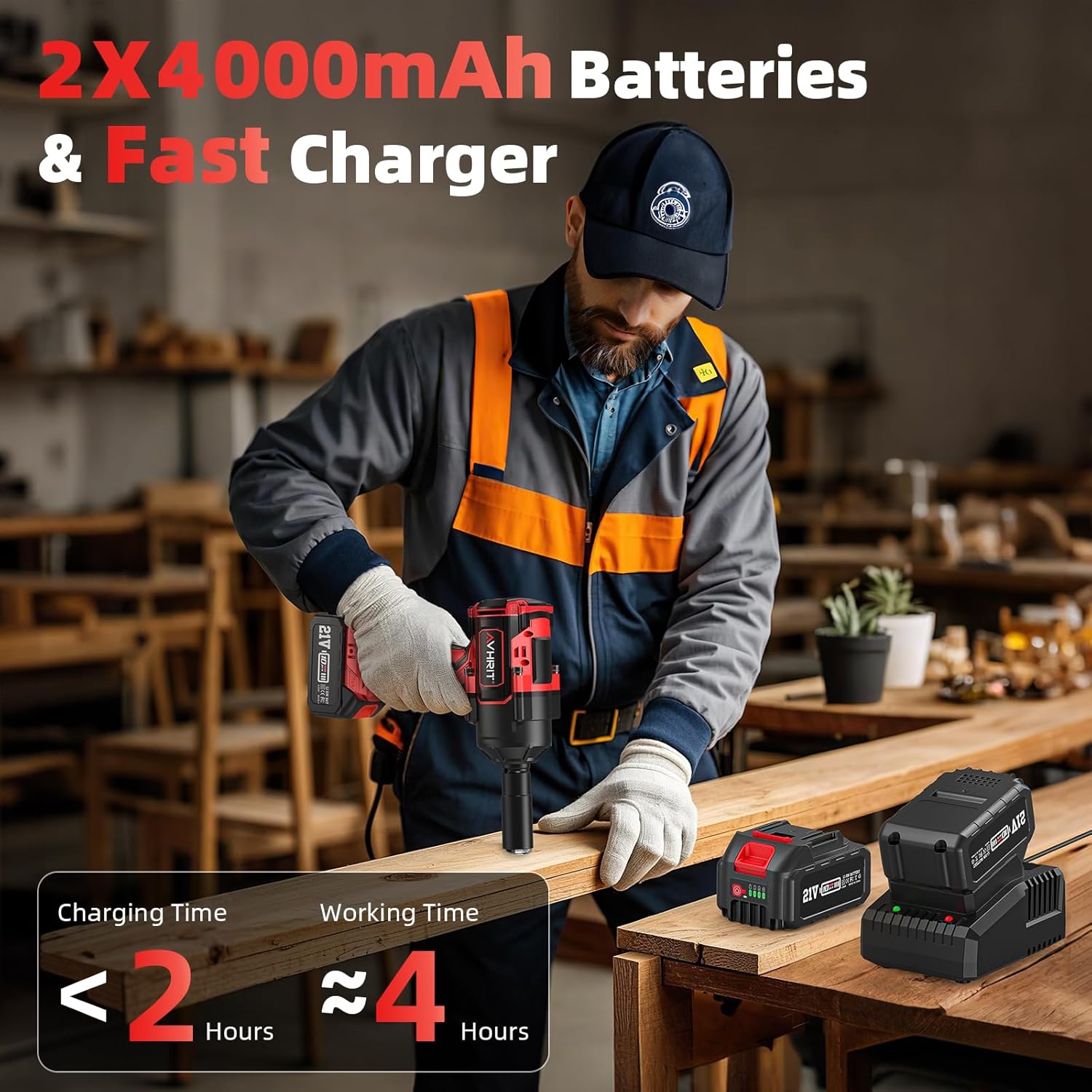
Figure 3: Charging the 4000mAh battery packs.
2. Installing the Battery Pack:
Align the battery pack with the base of the impact wrench and slide it in until it locks securely.

Figure 4: Attaching the battery to the impact wrench.
3. Attaching Sockets:
Select the appropriate impact socket (17mm, 19mm, 21mm, or 24mm) for your task. Push the socket firmly onto the 1/2-inch square drive until it clicks into place. For hard-to-reach areas, use the 5-inch extension bar.
Operating Instructions
1. Powering On/Off:
Press the power button on the control panel to turn the tool on or off.
2. Adjusting Speed Settings:
The impact wrench features three-speed settings to adapt to different applications:
- Low Speed (0-1800 RPM): Ideal for precision work and delicate tasks.
- Middle Speed (0-2100 RPM): Suitable for general use and common fastening.
- High Speed (0-2400 RPM): For heavy-duty tasks requiring maximum torque (up to 1500Nm/1106Ft-lbs).
Use the speed selection button on the control panel to cycle through the settings.

Figure 5: Three adjustable speed settings for various tasks.

Figure 6: Smart control panel for speed selection.
3. Forward and Reverse Operation:
Use the forward/reverse switch located above the trigger to select the desired rotation direction.
- Push the switch to the left for forward rotation (tightening).
- Push the switch to the right for reverse rotation (loosening).
- Center the switch for the lock position, which prevents accidental starting.

Figure 7: Forward and Reverse Switch for tightening and loosening.

Figure 8: Forward-Stop-Reverse switch and Reverse Automatic Stop Function.
4. Two-Way Brake Stop Function:
In reverse mode, once a nut or bolt is loosened, the brake stop function automatically reduces the speed and torque. This prevents the fastener from flying off and getting lost, enhancing safety and efficiency.

Figure 9: Reverse Automatic Stop Function in action.
5. Built-in LED Light:
The integrated LED light illuminates your work area, providing better visibility in dim or confined spaces. It activates automatically when the trigger is pressed.
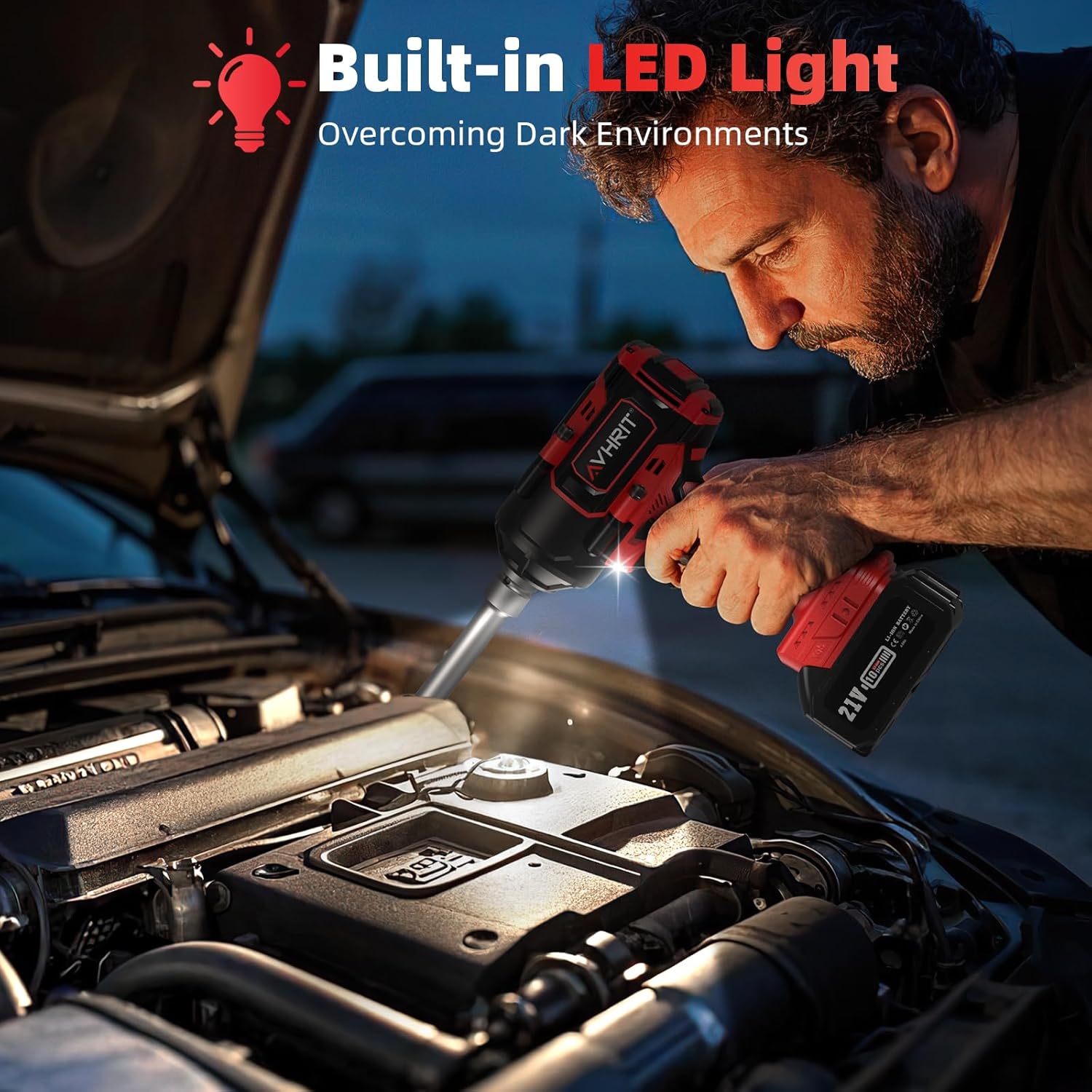
Figure 10: Built-in LED light for improved visibility.
Maintenance
Regular maintenance ensures the longevity and optimal performance of your Avhrit Impact Wrench.
- Cleaning: After each use, wipe down the tool with a clean, damp cloth. Do not use harsh chemicals or abrasive cleaners.
- Storage: Store the tool and batteries in the provided carry case in a dry, cool place, away from direct sunlight and moisture.
- Battery Care: Do not store batteries in a discharged state. Recharge them periodically if not used for extended periods.
- Inspection: Periodically inspect the tool for any signs of damage, loose screws, or worn parts. Do not use a damaged tool.
Troubleshooting
If you encounter issues with your impact wrench, refer to the following common problems and solutions:
| Problem | Possible Cause | Solution |
|---|---|---|
| Tool does not start | Battery not charged or improperly installed. | Ensure battery is fully charged and securely inserted. |
| Reduced power/torque | Low battery charge; incorrect speed setting. | Recharge battery; select a higher speed setting. |
| Excessive vibration or noise | Loose socket; damaged internal components. | Check socket attachment; discontinue use and contact support if problem persists. |
If the problem persists after attempting these solutions, please contact Avhrit customer support.
Specifications
| Feature | Detail |
|---|---|
| Model Number | AH04 |
| Brand | Avhrit |
| Max Torque | 1500 Nm / 1106 Ft-lbs |
| Motor Type | Brushless |
| Speed Settings | 3 (0-1800 RPM, 0-2100 RPM, 0-2400 RPM) |
| Battery Voltage | 21 Volts (DC) |
| Battery Capacity | 4000 mAh (each) |
| Charging Time | 1-2 hours |
| Head Style | 1/2 Inch Square Drive |
| Item Weight | 12.81 pounds (approx. 5812 grams) |
| Wattage | 800 watts |
Warranty and Support
Avhrit stands behind the quality of its products. For warranty information, technical support, or service inquiries, please refer to the warranty card included in your product packaging or visit the official Avhrit website.
Online Support: Visit the Avhrit Store on Amazon
Ask a question about this manual
Ask about setup, troubleshooting, compatibility, parts, safety, or missing instructions. Manuals+ will review the question and use this page’s manual context to help answer it.