1. Introduction
This manual provides comprehensive instructions for the TODAAIR AC1200 Outdoor WiFi Extender, designed to expand your wireless network coverage in outdoor environments. It supports dual-band high-speed transmission and features an IP65 weatherproof design, ensuring reliable performance in various conditions.
Package Contents
Please verify that all items are present in your package:
- Outdoor WiFi Extender *1
- Quick Installation Guide *1
- Power Adapter 12V/1A *1
- Plastic Cable Tie *1
- Stainless Steel Tie *1
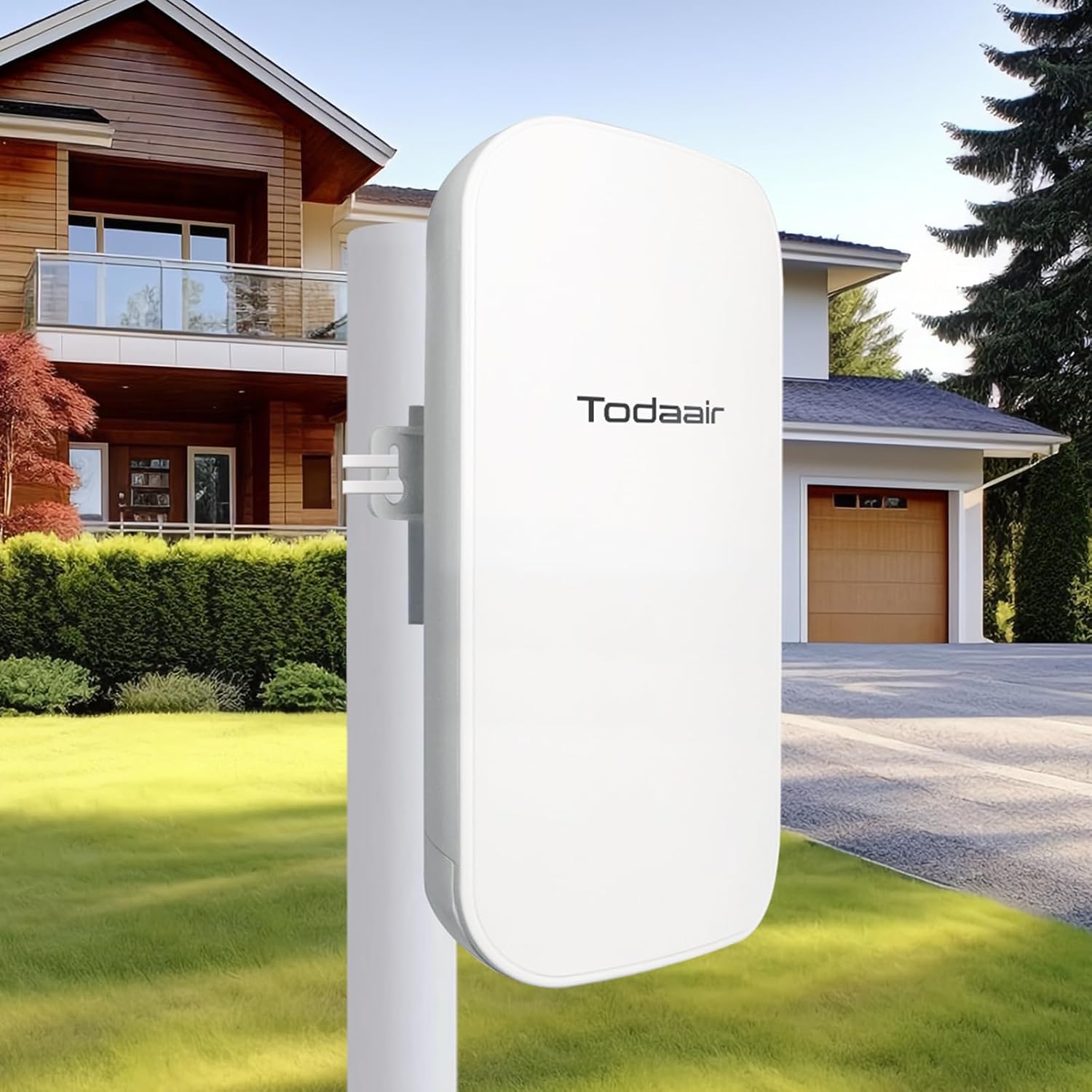
Image 1.1: TODAAIR AC1200 Outdoor WiFi Extender and its components.
2. Product Overview
The TODAAIR AC1200 Outdoor WiFi Extender is engineered to provide robust and extended wireless connectivity. Key features include:
- Dual-Frequency High-Speed Transmission: Supports 2.4GHz (up to 300Mbps) and 5GHz (up to 867Mbps) bands for stable network connections.
- Intelligent Reset (AI Watchdog): Automatically restarts and restores normal operation if faults or abnormalities occur, ensuring continuous network availability.
- Two Working Modes: Functions as both a Repeater and an Access Point (AP) to suit diverse network requirements.
- Wide Compatibility: Compatible with various mainstream WiFi devices and routers.
- Enhanced Security: Supports WPA-PSK/WPA2-PSK and WPA/WPA2 wireless security protocols to protect your network.
- Outdoor IP65 Weatherproof: Features an IP65 waterproof, lightning-proof, dust-proof, anti-freezing, and high-temperature resistant shell for reliable outdoor operation.

Image 2.1: The TODAAIR AC1200 supports dual-band WiFi for various smart home applications.

Image 2.2: The extender provides strong signal coverage up to 1200Mbps for outdoor areas.
Video 2.1: An overview of the TODAAIR Outdoor WiFi Extender, including unboxing and key features.
Video 2.2: Demonstration of the TODAAIR SmartHome layout, illustrating WiFi coverage extension within a home environment.
3. Setup and Installation
Follow these steps to set up your TODAAIR AC1200 Outdoor WiFi Extender:
- Unpack the Device: Carefully remove the WiFi extender, power adapter, quick installation guide, and cable ties from the packaging.
- Identify Ports: Locate the PWR (power), LAN, and RES (reset) ports on the device. The LAN port is an Ethernet port for wired connections.
- Power On: Connect the 12V/1A power adapter to the PWR port on the extender and plug it into a power outlet.
- Mounting (Optional): Use the provided plastic or stainless steel cable ties to securely mount the extender in your desired outdoor location. Ensure it is positioned for optimal signal coverage and away from obstructions.
- Initial Configuration: Refer to the Quick Installation Guide for detailed steps on connecting to the extender's default WiFi network and accessing the web-based management interface for initial setup.
4. Operating Modes
The TODAAIR AC1200 Outdoor WiFi Extender supports two primary operating modes:
4.1 Repeater Mode
In Repeater Mode, the extender wirelessly connects to your existing router and re-transmits the signal, extending your WiFi coverage to areas with weak or no signal. This mode is ideal for expanding your current wireless network without running additional cables.
4.2 AP (Access Point) Mode
In AP Mode, the extender connects to your router via an Ethernet cable and creates a new wireless network. This mode is suitable for converting a wired internet connection into a wireless access point, providing a strong and stable WiFi signal in a specific area.
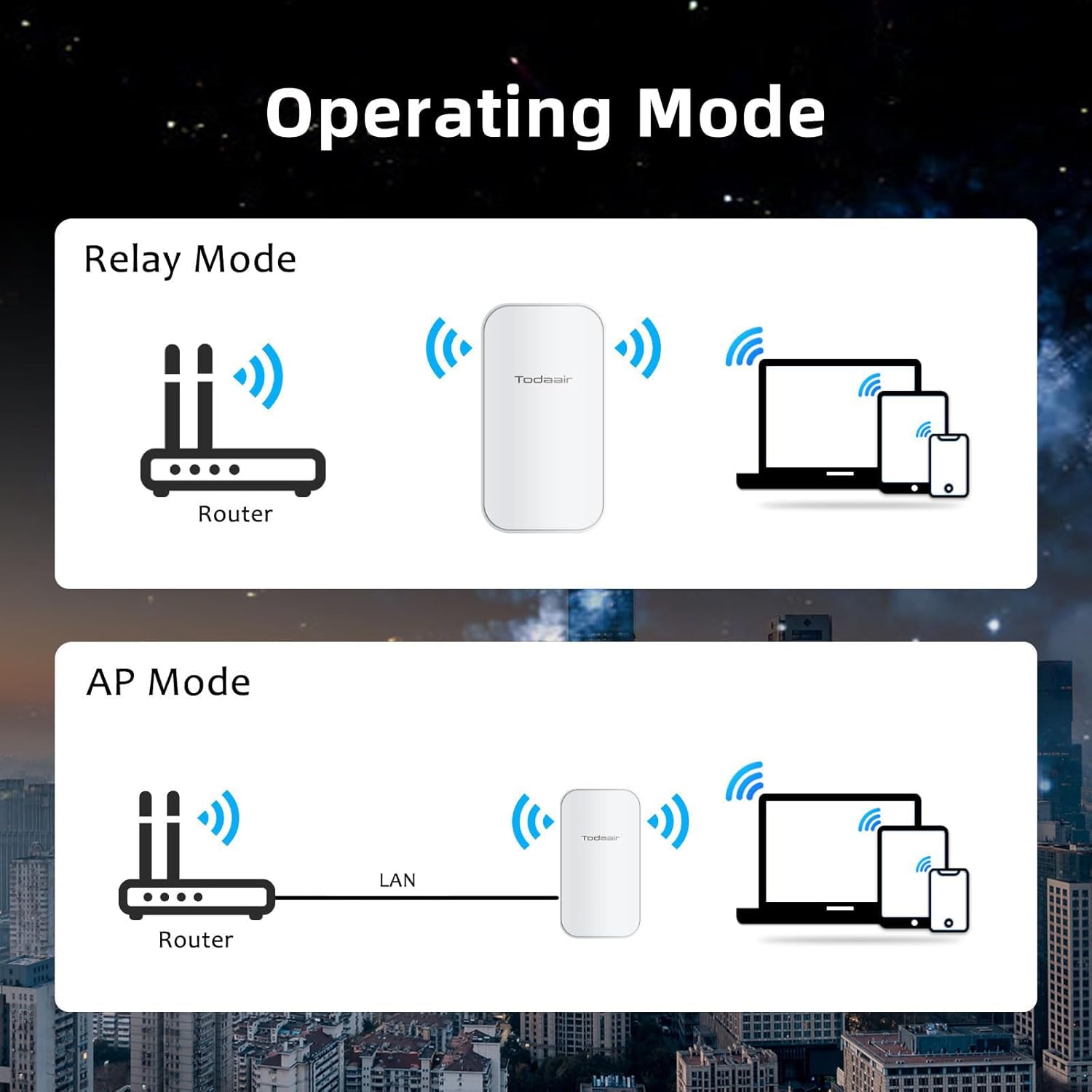
Image 4.1: Visual representation of Repeater Mode and AP Mode configurations.
5. Maintenance
To ensure optimal performance and longevity of your TODAAIR AC1200 Outdoor WiFi Extender, consider the following maintenance aspects:
- IP65 Weatherproof Design: The device is built with an IP65-rated shell, offering protection against rain, snow, lightning, dust, frost, and high temperatures. Regular visual inspection for any physical damage or debris accumulation is recommended.
- AI Watchdog Function: The intelligent reset mechanism automatically detects and recovers from operational faults, minimizing manual intervention. Ensure the device has stable power to allow this function to operate effectively.
- Firmware Updates: Periodically check the manufacturer's website for available firmware updates to enhance performance, security, and stability.

Image 5.1: The IP65 weatherproof rating ensures durability in various outdoor conditions.
6. Troubleshooting
If you encounter issues with your WiFi extender, try the following troubleshooting steps:
- No Power: Ensure the power adapter is securely connected to both the extender and a working power outlet. Check if the power indicator light is on.
- No Internet Connection: Verify that your main router has an active internet connection. In Repeater Mode, ensure the extender is within range of your main router's signal. In AP Mode, check the Ethernet cable connection to the router.
- Weak Signal or Dead Zones: Reposition the extender to a location that provides better line-of-sight to your main router and the areas needing coverage. Avoid placing it near large metal objects or thick walls.
- Cannot Access Setup Page: Ensure your device is connected to the extender's WiFi network. Try clearing your browser's cache or using a different browser. Verify the correct IP address for the setup page (usually found in the Quick Installation Guide or on the device label).
- Frequent Disconnections: This could be due to interference or an unstable connection to the main router. Try changing the WiFi channel on your main router or the extender. Ensure the extender's firmware is up to date.
- Resetting the Device: If issues persist, use a pin to press and hold the RES (reset) button for approximately 5-10 seconds until the indicator lights flash. This will restore the extender to its factory default settings. You will need to reconfigure it after a reset.
7. Specifications
| Feature | Detail |
|---|---|
| Brand | TODAAIR |
| Model Number | TD-MRT20 (Outdoor AC1200) |
| Product Dimensions | 9 x 3 x 4 inches |
| Item Weight | 14.9 ounces |
| Wireless Communication Standard | 802.11a/b/g/n/ac |
| Data Transfer Rate | 1200 Megabytes Per Second (Mbps) |
| Frequency Band Class | Dual-Band (2.4GHz & 5GHz) |
| Special Features | Outdoor IP65 Waterproof, Repeater & AP Mode, AI Watchdog |
| Ethernet Interface | 10/100Mbps |
| Coverage Area (Approx.) | 85m (as per video), up to 3440 Sq. ft |
| Supported Users (Approx.) | 65 Users (as per video), up to 30 Devices |
8. Warranty and Support
TODAAIR is committed to providing quality products and customer satisfaction. If you encounter any problems during the installation or use of your WiFi Extender, please contact our professional technical support team. Our team is available to assist you with any questions or issues you may have.
For support, please refer to the contact information provided in your Quick Installation Guide or visit the official TODAAIR website.


