
Memorex MX-BCCD50
Memorex AM/FM Top Loading CD Player with Cassette Player
Model: MX-BCCD50 | Brand: Memorex
Introduction
This instruction manual provides detailed information on the operation and maintenance of your Memorex Portable Stereo System. Designed for versatile audio playback, this unit combines a top-loading CD player, an AM/FM radio, and a cassette player, along with an auxiliary input for external devices. Its portable design allows for use both at home and on the go.

Front view of the Memorex Portable Stereo System, showing the top-loading CD compartment, control buttons, volume and tuning knobs, and front speakers.
Safety Information
Please read all safety instructions carefully before using this product. Retain this manual for future reference.
- Do not expose the unit to rain or moisture.
- Do not block any ventilation openings.
- Ensure proper power source (AC adapter or 6 'C' batteries).
- Avoid placing the unit near heat sources or direct sunlight.
- Do not attempt to service the unit yourself. Refer all servicing to qualified personnel.
Package Contents
Verify that all items are present in the package:
- Memorex Portable Stereo System (1 unit)
- AC Power Adapter (1 unit)
- Instruction Manual (this document)
Note: 6 'C' batteries are not included and must be purchased separately for portable operation.
Setup
Powering the Unit
Your Memorex Portable Stereo System can be powered by either the included AC adapter or by 6 'C' batteries.
AC Power:
- Locate the AC IN jack on the back of the unit.
- Insert the small end of the AC adapter into the AC IN jack.
- Plug the other end of the AC adapter into a standard wall outlet (AC 120V ~ 60Hz).
Battery Power:
- Open the battery compartment located on the bottom of the unit.
- Insert 6 'C' size batteries (not included), ensuring correct polarity (+/-).
- Close the battery compartment cover securely.

Rear view of the unit, highlighting the battery compartment and the telescopic antenna.
Operating Instructions
General Controls
- Power Button: Press to turn the unit ON or OFF.
- Volume Knob: Rotate to adjust the audio output level.
- Function Selector: Switch between CD, Tape, and Radio modes. (Located on the side/back of the unit)
- LED Display: Shows track numbers for CD playback and other status indicators.
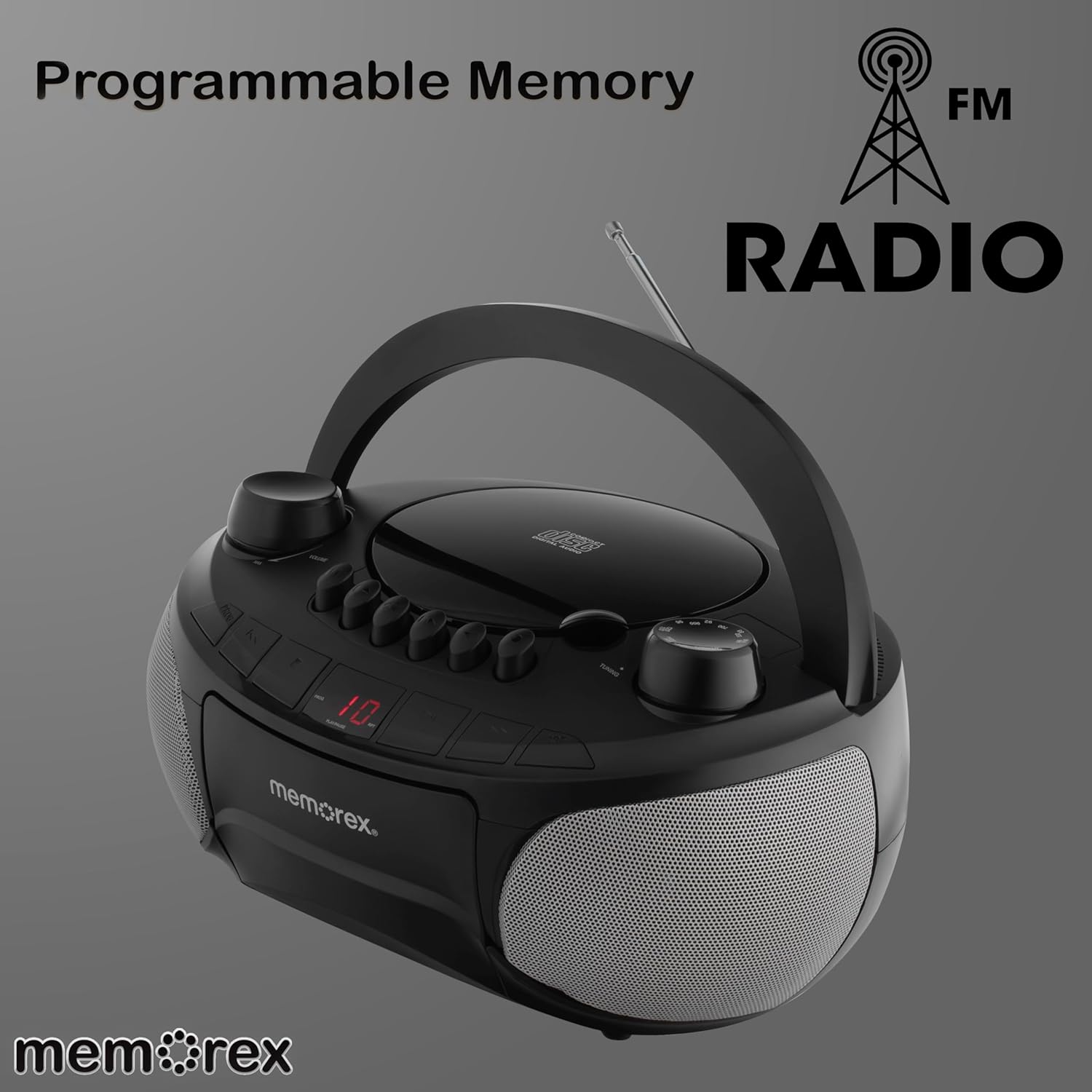
Top view of the unit, illustrating the control layout and the LED display.
CD Player Operation
- Ensure the Function Selector is set to "CD".
- Open the top-loading CD compartment cover.
- Place a CD (or CD-R/RW) with the label side facing up onto the spindle.
- Close the CD compartment cover firmly.
- Press the PLAY/PAUSE button to begin playback.
- Use the SKIP/SEARCH buttons (<< / >>) to navigate between tracks. Press and hold to fast forward or rewind within a track.
- Press the STOP button to stop playback.
- The RPT (Repeat) button allows you to repeat the current track or all tracks.
- The PROG (Program) button allows you to program a custom playback order for CD tracks.

The unit with its top-loading CD compartment open and the cassette door also open, ready for media insertion.
Cassette Player Operation
- Ensure the Function Selector is set to "TAPE".
- Press the STOP/EJECT button to open the cassette door.
- Insert a cassette tape with the open edge facing upwards.
- Close the cassette door.
- Press the PLAY button to begin playback.
- Use the FAST FORWARD (>>) and REWIND (<<) buttons to quickly advance or rewind the tape.
- Press the STOP/EJECT button to stop playback and eject the tape.
- The cassette deck features an auto-stop mechanism.

The unit displaying its cassette player functionality with the tape door open and the antenna extended for radio reception.
AM/FM Radio Operation
- Ensure the Function Selector is set to "RADIO".
- Extend the telescopic antenna for optimal FM reception. For AM reception, rotate the unit for best signal.
- Rotate the TUNING knob to select your desired radio station.
- Adjust the VOLUME knob to your preferred listening level.

The Memorex Portable Stereo System with its telescopic antenna fully extended, ready for radio tuning.
Auxiliary Input (AUX IN)
The 3.5mm auxiliary input allows you to connect external audio devices such as smartphones, MP3 players, or tablets.
- Connect one end of a 3.5mm audio cable (not included) to the AUX IN jack on the unit.
- Connect the other end of the audio cable to the headphone jack or audio output of your external device.
- Ensure the Function Selector is set to "AUX".
- Play audio from your external device. The sound will be output through the stereo system's speakers.
- Adjust the volume using the unit's Volume knob and/or your external device's volume control.
Maintenance
Cleaning:
- Wipe the exterior of the unit with a soft, damp cloth. Do not use abrasive cleaners or solvents.
- For the CD lens, use a specialized CD lens cleaner.
- Regularly clean the cassette player's head and pinch rollers with a cotton swab lightly dampened with isopropyl alcohol to ensure optimal sound quality and prevent tape damage.
Storage:
When not in use for extended periods, remove batteries to prevent leakage and store the unit in a cool, dry place away from direct sunlight and extreme temperatures.
Troubleshooting
| Problem | Possible Cause | Solution |
|---|---|---|
| No Power | AC adapter not connected; Batteries depleted or incorrectly inserted. | Check AC connection; Replace batteries or ensure correct polarity. |
| No Sound | Volume too low; Incorrect function selected; Headphones connected. | Increase volume; Select correct function (CD/Tape/Radio/AUX); Disconnect headphones. |
| CD Skips/Doesn't Play | CD dirty or scratched; CD inserted incorrectly; CD compartment not closed. | Clean or replace CD; Insert CD label-side up; Close compartment firmly. |
| Poor Radio Reception | Antenna not extended; Weak signal. | Fully extend FM antenna; Rotate unit for better AM reception; Try different location. |
| Cassette Tape Issues | Tape tangled or damaged; Cassette heads dirty. | Inspect tape for damage; Clean cassette heads and pinch rollers. |
Specifications
- Model Number: MX-BCCD50
- Brand: Memorex
- Product Dimensions: 10 x 10 x 6 inches (L x W x H)
- Item Weight: 2.14 pounds
- Power Source: AC 120V ~ 60Hz or 6 x 'C' Batteries (not included)
- Connectivity: Auxiliary Input (3.5mm)
- Speaker Type: Stereo
- Color: Black
- CD Compatibility: CD, CD-R/RW
- Cassette Deck: Auto-stop
- Radio Tuner: AM/FM
Warranty and Support
For warranty information and customer support, please refer to the documentation included with your purchase or visit the official Memorex website. Keep your purchase receipt as proof of purchase for any warranty claims.
Related documentsMX-BCCD50


Ask a question about this manual
Ask about setup, troubleshooting, compatibility, parts, safety, or missing instructions. Manuals+ will review the question and use this page’s manual context to help answer it.