
1. Product Overview
The Klipsch Flexus CORE 300 is a 5.1.2 channel sound bar powered by Onkyo, designed to deliver an immersive audio experience. It features Dirac Live Room Correction for optimized sound tailored to your environment, along with Dolby Atmos and custom-tuned bass for lifelike surround sound and powerful low frequencies.
Key Features
- World's first sound bar with Dirac Live Room Correction for optimal acoustic performance.
- Powered by Onkyo, combining Klipsch acoustics with Japanese engineering for reliable, high-quality sound.
- Dolby Atmos advanced sound experience with built-in elevation and side-firing speakers for multidimensional audio.
- Klipsch Connect Plus App for streamlined setup, custom audio settings, device management, and firmware updates.
- Network music streaming via Airplay, Google Cast, Spotify, Tidal Connect, and Qplay.
- DTS:X decoding onboard for seamless playback of DTS:X-encoded content.
- Expandable system with wireless Flexus Surrounds and Subwoofers.
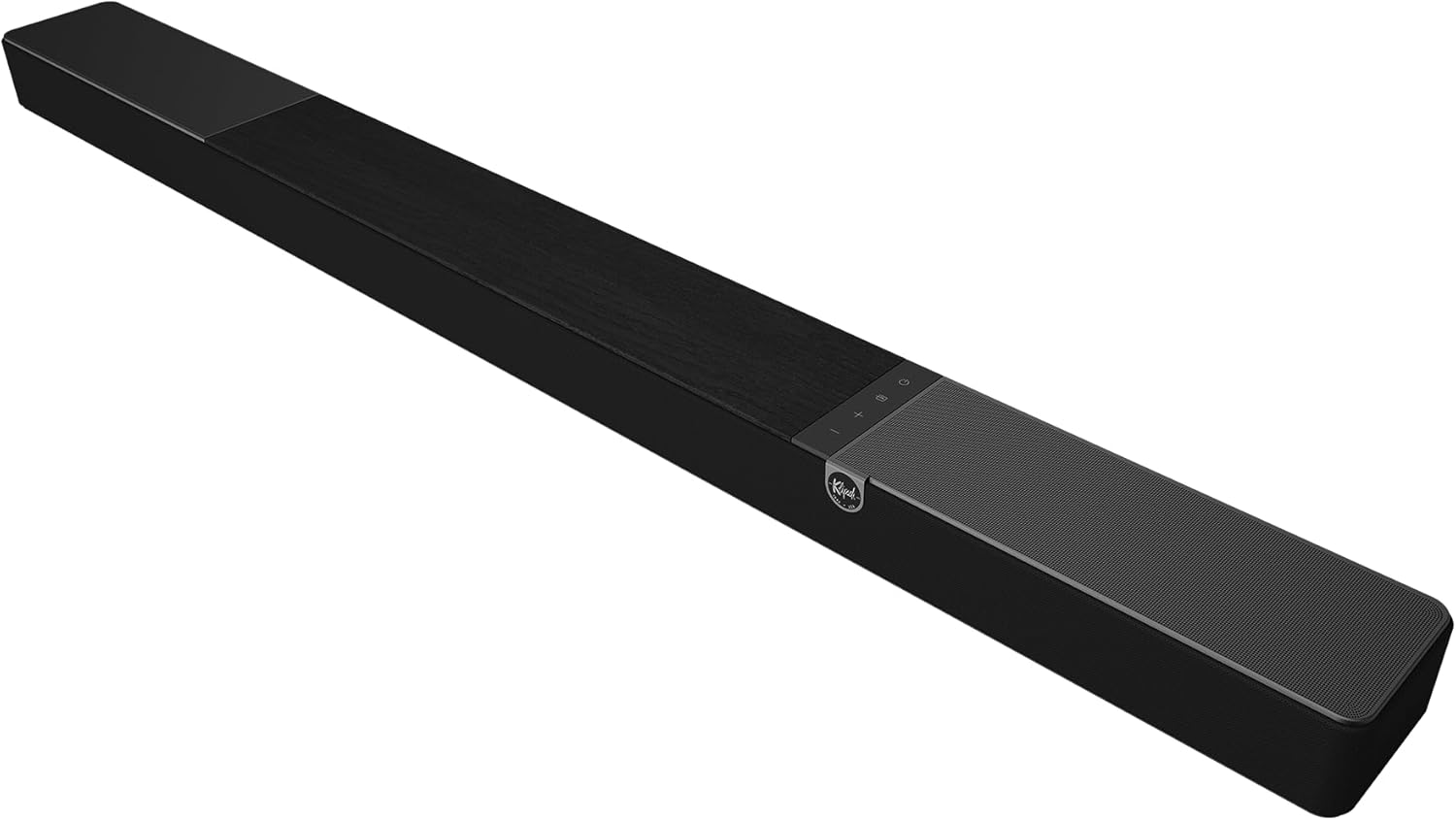
Image: Top-down view of the Klipsch Flexus CORE 300 Sound Bar, showcasing its sleek design and integrated controls.
Video: An official product video titled "Klipsch Flexus Wave 2" from the vendor, providing an overview of the Klipsch Flexus Sound System's features, including Dirac Live Room Correction, Dolby Atmos, app control, and system expandability.
2. Unboxing and Components
Carefully unpack your Klipsch Flexus CORE 300 Sound Bar. Ensure all components are present before proceeding with setup.
What's in the Box:
- Klipsch Flexus CORE 300 Sound Bar

Image: Front view of the Klipsch Flexus CORE 300 Sound Bar, highlighting its speaker grille and minimalist design.
3. Setup and Installation
Placement
The Klipsch Flexus CORE 300 is designed for versatile placement. It can be used as a tabletop mount or wall-mounted to suit your home theater setup.
- Tabletop Placement: Place the sound bar on a stable, flat surface directly below your television. Ensure there is adequate space around the sound bar for proper airflow and sound dispersion.
- Wall Mounting: The sound bar is wall mountable. Refer to the included wall-mount template and hardware for detailed instructions. Ensure the wall can support the weight of the sound bar (approximately 18.7 pounds).

Image: The Klipsch Flexus CORE 300 Sound Bar positioned on a media console in a living room, demonstrating a typical tabletop setup.
Connections
Connect your sound bar to your television and other devices using the available ports.
- HDMI (eARC): For the best audio quality and simplified control, connect the sound bar to your TV's HDMI eARC/ARC port using a high-quality HDMI cable. This allows for two-way communication and supports advanced audio formats like Dolby Atmos.
- Optical: If your TV does not have an HDMI eARC/ARC port, use an optical cable to connect the sound bar's OPTICAL input to your TV's optical digital audio output.
- Bluetooth: For wireless audio streaming from mobile devices, enable Bluetooth on your device and pair it with the sound bar.
- Network Streaming: Connect the sound bar to your home network via Ethernet or Wi-Fi for access to high-resolution music streaming services and smart features.

Image: Rear view of the Klipsch Flexus CORE 300 Sound Bar, showing the various input and output ports including HDMI eARC, Optical, USB-C, and Ethernet.
Initial Power On
After connecting all necessary cables, plug the sound bar into a power outlet. The sound bar will typically power on automatically or can be turned on using the power button on the unit or remote control.
4. Operating Your Sound Bar
Basic Controls
The sound bar can be controlled using the included remote control or the physical buttons on the top panel of the unit.
- Power Button: Turns the sound bar on or off.
- Volume Up/Down: Adjusts the master volume level.
- Input Selection: Cycles through available input sources (TV, Bluetooth, Optical, Network).
Klipsch Connect Plus App
Download the Klipsch Connect Plus app on your smartphone or tablet for advanced control and customization of your sound bar.
- Custom EQ: Personalize your audio experience by adjusting equalizer settings.
- Sound Modes: Select from various sound modes optimized for movies, music, games, and more.
- Dialogue Enhancement: Improve vocal clarity for clearer conversations in movies and TV shows.
- Channel Levels: Adjust individual channel levels, including surround and subwoofer output.
- Firmware Updates: Access and install the latest firmware updates to ensure optimal performance and new features.
Dirac Live Room Correction
The Klipsch Flexus CORE 300 features Dirac Live Room Correction, a state-of-the-art technology that optimizes the sound performance of your system to your specific room acoustics. This process involves using a microphone (sold separately or included in specific bundles) to measure your room's acoustic properties and then applying digital corrections to eliminate sound imperfections caused by the room itself. Follow the in-app instructions for the Dirac Live calibration process to achieve the best possible listening experience.
Dolby Atmos and DTS:X Decoding
The sound bar supports Dolby Atmos and DTS:X decoding, providing an immersive, three-dimensional audio experience. When playing content encoded with these formats, the sound bar will automatically process the audio to create a dynamic soundstage with sounds appearing to come from all around and above you.
5. System Expansion
Expand your Klipsch Flexus Sound System wirelessly to create a more robust home theater setup.
- Flexus Subwoofers: Add one or two Klipsch Flexus subwoofers for enhanced bass performance and deeper low-frequency impact.
- Flexus Surrounds: Integrate Klipsch Flexus surround speakers to achieve true surround sound, placing you in the center of the action.
These components connect wirelessly to your Flexus CORE 300 sound bar, simplifying setup and reducing cable clutter.

Image: The Klipsch Flexus CORE 300 Sound Bar paired with a wireless subwoofer, illustrating system expansion for enhanced audio.
6. Care and Maintenance
Proper care will ensure the longevity and optimal performance of your Klipsch Flexus CORE 300 Sound Bar.
- Cleaning: Use a soft, dry cloth to clean the surfaces of the sound bar. Avoid using abrasive cleaners, waxes, or solvents as they may damage the finish.
- Dusting: Regularly dust the speaker grilles with a soft brush or vacuum cleaner with a brush attachment to prevent dust buildup.
- Placement: Avoid placing the sound bar in direct sunlight, near heat sources, or in areas with high humidity.
- Storage: If storing the sound bar for an extended period, disconnect it from power and store it in a cool, dry place, preferably in its original packaging.
7. Troubleshooting
If you encounter issues with your sound bar, refer to the table below for common problems and their solutions.
| Problem | Possible Cause | Solution |
|---|---|---|
| No Sound | Incorrect input selected; Cables not connected properly; TV audio output settings incorrect. | Ensure correct input is selected. Check all cable connections. Verify TV audio output is set to external speakers (e.g., PCM, Bitstream). |
| Bluetooth Pairing Issues | Sound bar not in pairing mode; Device too far; Interference. | Put sound bar in Bluetooth pairing mode. Move device closer. Reduce interference from other wireless devices. |
| Dirac Live Calibration Fails | Microphone not positioned correctly; Room too noisy. | Ensure microphone is placed as per app instructions. Perform calibration in a quiet environment. |
| Remote Control Not Working | Batteries low/dead; Obstruction between remote and sound bar. | Replace batteries. Remove any obstructions. Ensure remote is pointed at the sound bar's IR receiver. |
8. Technical Specifications
| Specification | Detail |
|---|---|
| Model Name | Flexus CORE 300 |
| Mounting Type | Tabletop Mount |
| Speaker Type | Soundbar |
| Special Feature | Dirac Live Room Correction |
| Included Components | Sound Bar |
| Product Dimensions | 4.94"D x 44"W x 3.06"H |
| Item Weight | 18.7 Pounds |
| UPC | 743878066692 |
| Item Model Number | 1072083 |
| Speaker Maximum Output Power | 300 Watts |
| Frequency Response | 20 Hz |
| Connectivity Technology | Bluetooth |
| Audio Output Mode | Stereo |
9. Warranty and Support
Warranty Information
Your Klipsch Flexus CORE 300 Sound Bar is covered by a manufacturer's warranty. Please refer to the warranty card included with your product for specific terms, conditions, and duration. Keep your proof of purchase for warranty claims.
Customer Support
For technical assistance, troubleshooting, or service inquiries, please visit the official Klipsch website or contact their customer support team. You can find contact details and additional resources on the Klipsch website: www.klipsch.com.


