
1. Introduction
Welcome to the AcclaFit D2 Smartwatch user manual. This guide provides essential information to help you set up, operate, and maintain your new smartwatch. Please read this manual thoroughly to ensure proper use and to fully utilize all the features of your device.
The AcclaFit D2 Smartwatch is designed to enhance your daily life with comprehensive health monitoring, extensive fitness tracking, and smart connectivity, all within a durable and stylish design.
2. Product Overview
The AcclaFit D2 Smartwatch combines advanced technology with a comfortable design, offering a range of features to support your well-being and connectivity.
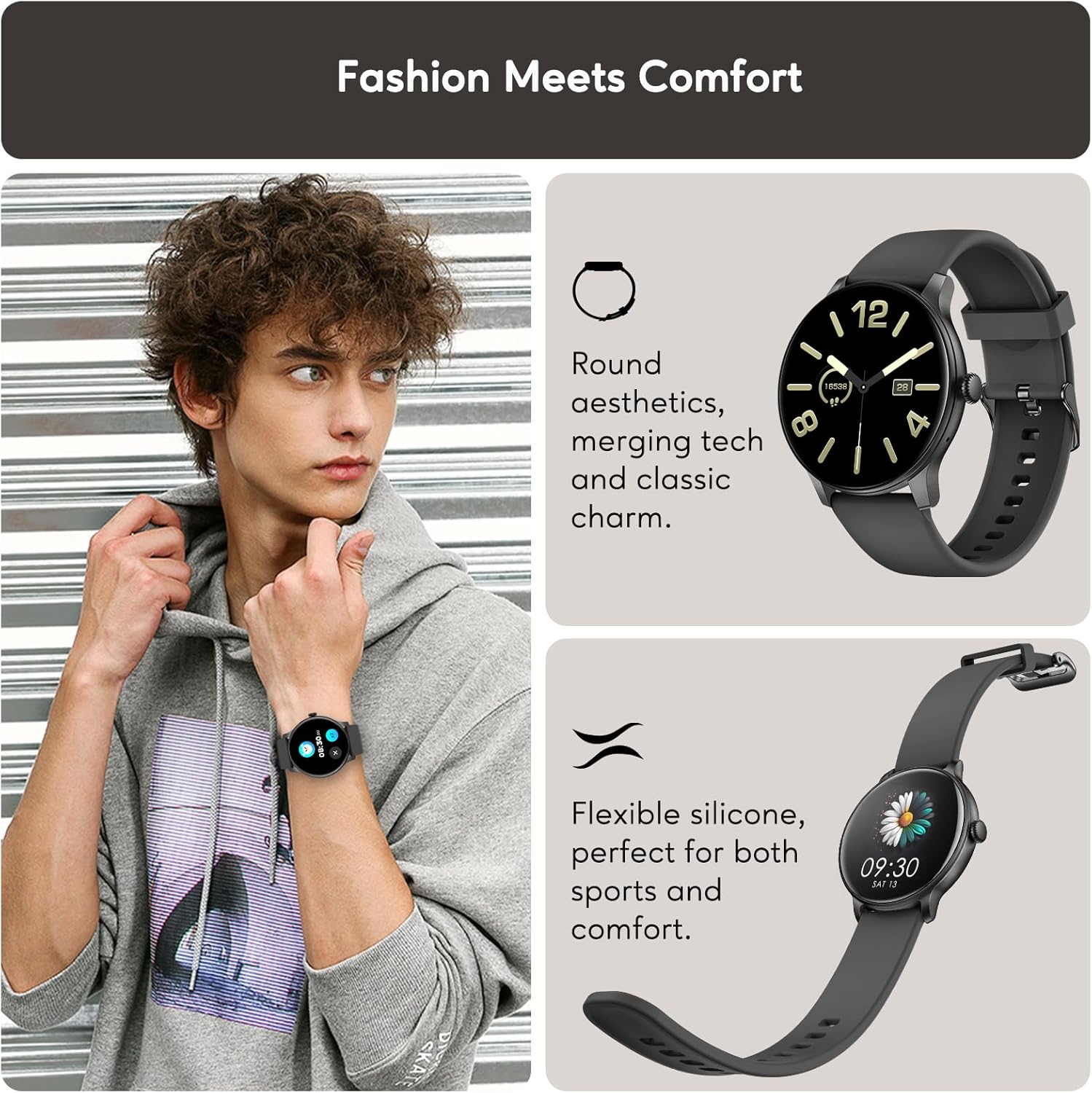
Fashion Meets Comfort: The AcclaFit D2 Smartwatch features a round aesthetic, merging technology with classic charm. Its flexible silicone band ensures comfort for both sports and daily wear.
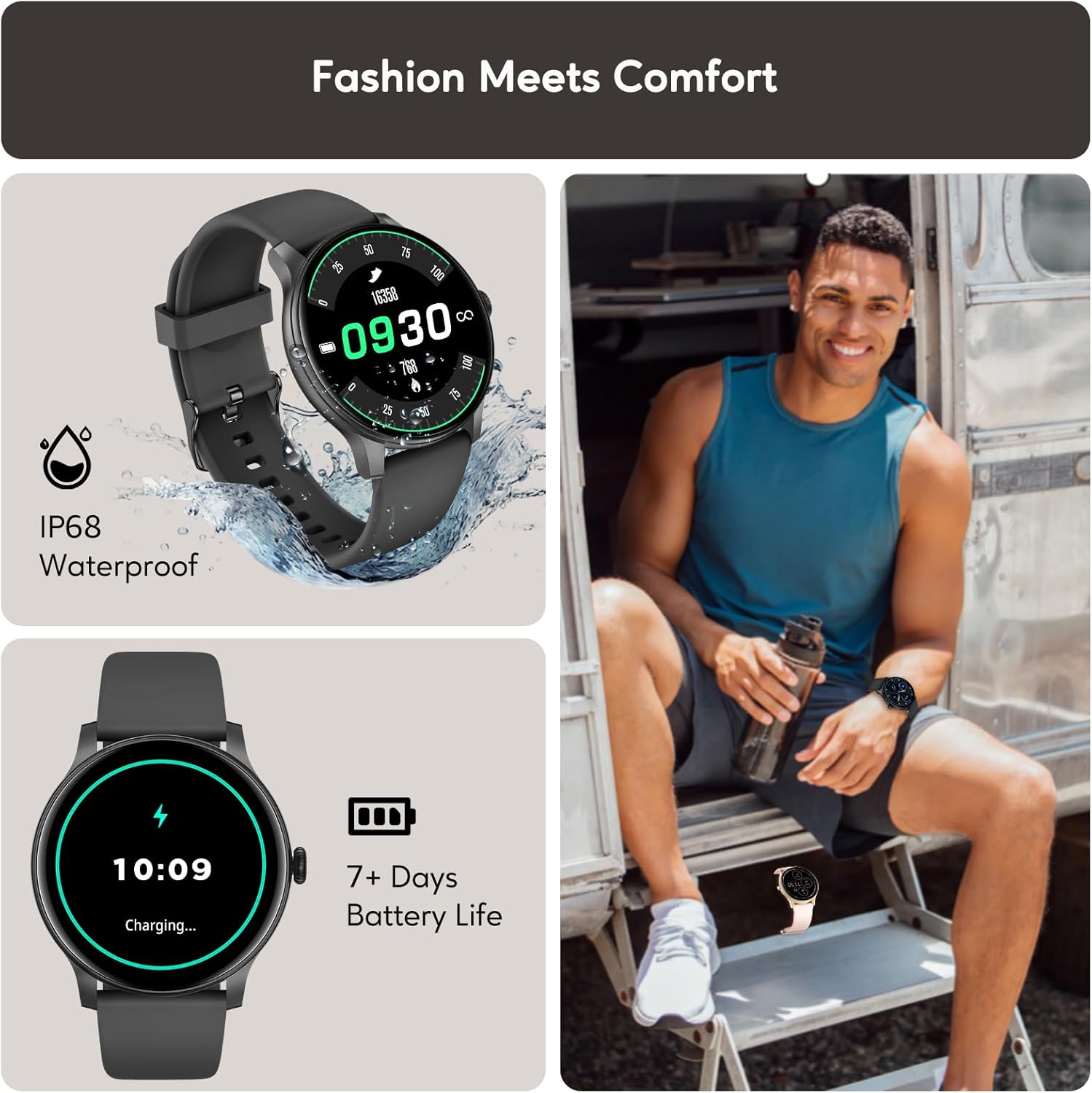
Durable Design and Long Battery Life: The watch boasts an IP68 waterproof rating, making it suitable for various environments. Enjoy up to 15 days of battery life on a single charge, with quick charging capabilities.
3. Setup
3.1 Charging the Smartwatch
Before first use, fully charge your AcclaFit D2 Smartwatch. Connect the magnetic charging cable to the charging points on the back of the watch and plug the USB end into a standard USB power adapter (not included).
- A full charge typically takes approximately 2 hours.
- The watch will display a charging indicator on its screen.
3.2 Downloading the Da Fit App
The AcclaFit D2 Smartwatch requires the 'Da Fit' application for full functionality and data synchronization. Download the app from your smartphone's app store:
- For Android devices, search for 'Da Fit' on the Google Play Store.
- For iOS devices, search for 'Da Fit' on the Apple App Store.
3.3 Pairing with Your Smartphone
- Ensure your smartwatch is charged and powered on.
- Enable Bluetooth on your smartphone.
- Open the 'Da Fit' app on your smartphone.
- Follow the in-app instructions to add a new device. Select 'D2' from the list of available devices.
- Confirm the pairing request on both your smartphone and the smartwatch.
- Once paired, the watch will synchronize data and settings with the app.
4. Operating Instructions
4.1 Basic Navigation
- Touchscreen: Swipe left/right to navigate between main functions, swipe up/down for quick settings or notifications. Tap to select.
- Side Button: Press to wake the screen, return to the home screen, or access the app menu. Long press for power options.
4.2 Customizing Watch Faces
You can change the watch face directly on the device or through the 'Da Fit' app:
- On Watch: From the home screen, long-press the display. Swipe left/right to browse available watch faces and tap to select.
- Via App: Open the 'Da Fit' app, navigate to the 'Watch Faces' section, and choose from a wider selection or customize your own.
4.3 Adjusting Settings
Access various settings directly on the watch by swiping down from the home screen to open the quick settings panel, or by navigating to the 'Settings' menu. For more detailed configurations, use the 'Da Fit' app.
5. Health Monitoring Features
The AcclaFit D2 Smartwatch provides comprehensive 24/7 health monitoring to help you stay informed about your physical condition.

Real-time Health Metrics: Monitor your heart rate, blood oxygen (SpO2), and blood pressure throughout the day. Note: Blood pressure readings from smartwatches are for reference only and should not be used for medical diagnosis.

Advanced Sleep Tracking: Gain insights into your sleep patterns, including deep sleep, light sleep, and awake times. The watch provides a sleep score and smart alarms to help improve your sleep quality.
5.1 Stress Monitoring
Track your stress levels throughout the day to understand your body's responses and manage stress effectively. The 'Da Fit' app provides detailed graphs and insights.
5.2 Menstrual Cycle Tracking
For female users, the smartwatch offers a menstrual cycle tracker with reminders, helping you monitor and predict your cycle phases.
6. Fitness Tracking
The AcclaFit D2 Smartwatch is equipped with over 120 sport modes to accurately track your workouts and daily activity.
120+ Sport Modes: Choose from a wide range of activities, including running, cycling, walking, yoga, and more. Each mode tracks key data points such as distance, pace, calories burned, steps, and heart rate.
6.1 Activity Tracking
Beyond specific sport modes, the watch continuously tracks your daily steps, distance covered, and calories burned, providing a comprehensive overview of your activity levels.
6.2 IP68 Water Resistance
The AcclaFit D2 Smartwatch has an IP68 waterproof rating, meaning it is resistant to dust and can withstand immersion in water up to 1.5 meters for 30 minutes. It is suitable for showering, swimming in shallow water, and daily use. It is not suitable for diving, hot baths, or high-pressure water activities.
7. Smart Connectivity
Stay connected and informed with the AcclaFit D2 Smartwatch's intelligent features.

Bluetooth Calling: Make and receive calls directly from your wrist when connected to your smartphone via Bluetooth. Enjoy clear communication without needing to take out your phone.

Notifications and Additional Features: Receive instant notifications for messages, emails, and app alerts. Control music playback on your phone, check weather forecasts, set sedentary reminders, and manage alarms. The watch is compatible with both iOS and Android devices.
8. Maintenance
8.1 Cleaning Your Smartwatch
To maintain the appearance and functionality of your watch:
- Wipe the screen and strap regularly with a soft, damp cloth.
- Avoid using harsh chemicals or abrasive materials.
- Ensure the charging contacts are clean and dry before charging.
8.2 Battery Care
- Charge the watch regularly, even if not in constant use, to prolong battery life.
- Avoid extreme temperatures, which can affect battery performance.
8.3 Water Resistance Guidelines
While IP68 rated, proper care is essential:
- Do not expose the watch to hot water, steam, or high-pressure water jets.
- Dry the watch thoroughly after exposure to water to prevent corrosion of charging contacts.
9. Troubleshooting
If you encounter issues with your AcclaFit D2 Smartwatch, try the following solutions:
| Problem | Possible Solution |
|---|---|
| Watch not turning on | Ensure the watch is fully charged. Connect it to the charger for at least 30 minutes. |
| Unable to pair with phone | Check if Bluetooth is enabled on your phone. Restart both the watch and your phone. Ensure the 'Da Fit' app is updated. |
| Inaccurate health readings | Ensure the watch is worn snugly on your wrist, not too tight or too loose. Clean the sensor on the back of the watch. Avoid excessive movement during readings. Remember, readings are for reference. |
| Notifications not received | Check app notification settings on your phone and within the 'Da Fit' app. Ensure the watch is connected via Bluetooth. |
| Short battery life | Reduce screen brightness, disable unnecessary features (e.g., continuous heart rate monitoring if not needed), and ensure the app is not running excessively in the background. |
10. Specifications
| Feature | Detail |
|---|---|
| Brand | AcclaFit |
| Model Number | D2 |
| Screen Size | 1.38 Inches |
| Memory Storage Capacity | 128 MB |
| Wireless Communication Standard | Bluetooth |
| Strap Width | 22 Millimeters |
| Water Resistance | IP68 |
| Battery Life | Up to 15 days (typical usage) |
| Compatibility | Android, iOS |
11. Warranty and Support
For warranty information and customer support, please refer to the documentation provided with your purchase or contact the seller/manufacturer directly. Keep your proof of purchase for warranty claims.
For further assistance, you can also visit the official AcclaFit website or contact their customer service.


