Introduction
Thank you for choosing the COSTWAY Commercial Dehumidifier. This manual provides essential information for the safe and efficient operation, maintenance, and troubleshooting of your dehumidifier. Please read this guide thoroughly before use and retain it for future reference.
Safety Instructions
To reduce the risk of fire, electric shock, or injury, always follow these basic safety precautions:
- Ensure the power supply matches the voltage specified on the rating label.
- Do not operate the dehumidifier with a damaged cord or plug.
- Always unplug the unit before cleaning, servicing, or moving it.
- Do not block the air inlet or outlet. Maintain adequate clearance around the unit.
- Do not use the dehumidifier in areas where flammable gases or liquids are stored.
- Keep children and pets away from the unit during operation.
- Do not attempt to repair or modify the unit yourself. Contact qualified service personnel.
- Place the unit on a stable, level surface to prevent tipping.
Product Overview
The COSTWAY Commercial Dehumidifier is designed for high-efficiency moisture removal in large industrial and commercial spaces. Key features include:
- High dehumidification capacity of up to 118 L/day.
- Suitable for areas up to 790 m².
- Digital control panel for easy operation and monitoring.
- Integrated 24-hour timer for customizable operation.
- Automatic defrost function for smooth operation in cooler conditions.
- Automatic gravity drainage with included 100 cm drain hose.
- Equipped with 4 universal wheels and 2 integrated handles for easy mobility.
- Removable and washable filter for simple maintenance.
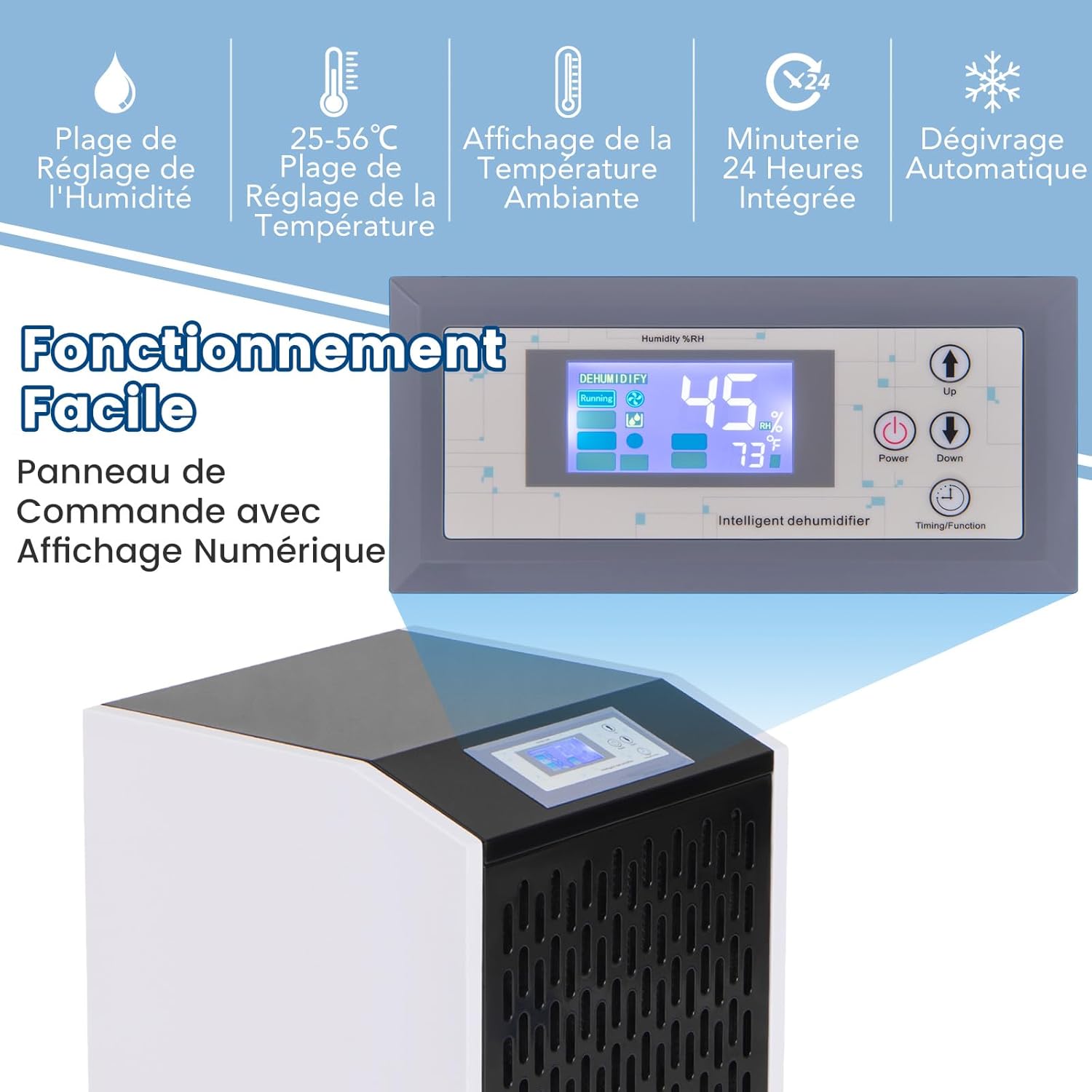
Figure 1: Control Panel and Features. This image displays the digital control panel, highlighting features such as humidity setting range, temperature setting range, ambient temperature display, 24-hour timer, and automatic defrost function.

Figure 2: High Efficiency Dehumidification. The dehumidifier is shown in an industrial environment, illustrating its high airflow (612 m³/h) and maximum coverage area (790 m²), with a dehumidification capacity of 118 L/day at 35℃, 90% RH.
Setup
- Unpacking: Carefully remove the dehumidifier from its packaging. Inspect for any shipping damage.
- Placement: Place the dehumidifier on a firm, level surface. Ensure there is at least 20 cm (8 inches) of space around the air inlet and outlet for proper airflow. Avoid placing it near heat sources or in direct sunlight.
- Drainage Connection: For continuous operation, connect the included 100 cm drain hose to the drainage outlet on the unit. Ensure the hose is sloped downwards to allow for automatic gravity drainage into a suitable drain or container. No manual emptying is required with this setup.

Figure 3: Automatic Gravity Drainage Setup. This image demonstrates how to connect the 1-meter drain hose for continuous, automatic water removal, eliminating the need for manual emptying.
- Power Connection: Plug the power cord into a grounded electrical outlet that matches the unit's voltage requirements (220-240 V/50 Hz).
Operating Instructions
The dehumidifier features an intuitive digital control panel for easy operation.
- Power On/Off: Press the 'Power' button to turn the unit on or off.
- Setting Humidity: Use the 'Up' and 'Down' buttons to adjust the desired humidity level. The humidity setting range is 10% to 98% Relative Humidity (RH). The unit will operate until the ambient humidity reaches the set level.
- Timer Function: Press the 'Timing/Function' button to access the timer settings. Use the 'Up' and 'Down' buttons to set the desired operating duration (up to 24 hours). The unit will automatically turn off or on after the set time.
- Display: The digital display shows the current ambient temperature and humidity levels.
- Automatic Defrost: The unit is equipped with an automatic defrost function. If frost builds up on the evaporator coils, the unit will automatically enter defrost mode to melt the frost, ensuring continuous and efficient operation.
Maintenance
Regular maintenance ensures optimal performance and extends the lifespan of your dehumidifier.
- Filter Cleaning: The dehumidifier features a removable and washable filter. Regularly check the filter for dust and debris. To clean, slide out the filter, wash it with mild soap and water, rinse thoroughly, and allow it to air dry completely before reinserting.
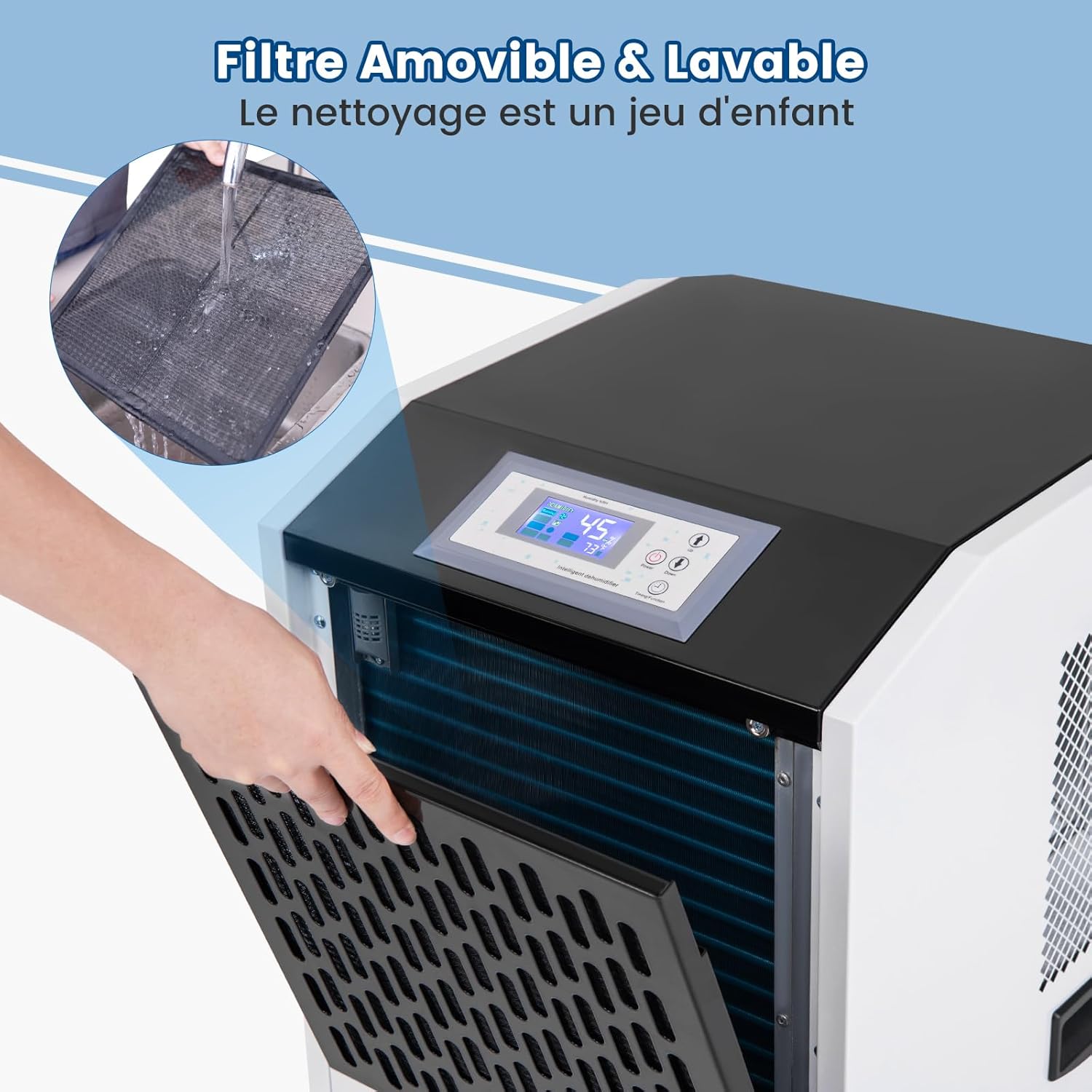
Figure 4: Removable and Washable Filter. This image shows the process of removing the filter for cleaning, emphasizing the ease of maintenance.
- Exterior Cleaning: Wipe the exterior of the unit with a soft, damp cloth. Do not use harsh chemicals or abrasive cleaners.
- Storage: If storing the unit for an extended period, ensure it is clean and dry. Coil the power cord neatly and store the unit in a cool, dry place.
Troubleshooting
Before contacting customer support, please refer to the following common issues and solutions:
| Problem | Possible Cause | Solution |
|---|---|---|
| Unit does not turn on | No power supply; Power cord not plugged in; Power outage. | Check power connection; Ensure outlet is functional; Restore power. |
| No dehumidification | Humidity setting is too high; Room temperature is too low; Air filter is clogged. | Lower the humidity setting; Ensure room temperature is within operating range (25-56 ℃); Clean the air filter. |
| Unit is noisy | Unit not on a level surface; Obstruction in fan. | Place on a level surface; Check for and remove any obstructions. |
| Water leakage | Drain hose is clogged or improperly connected; Unit is not level. | Check and clear drain hose; Ensure proper hose connection and slope; Place unit on a level surface. |
Specifications
| Specification | Value |
|---|---|
| Brand | COSTWAY |
| Model Number | QE32577PQ-ITFR |
| Color | White + Black |
| Product Dimensions (L x W x H) | 42.5 x 42 x 81.5 cm |
| Net Weight | 39 kg |
| Material | Metal + PVC |
| Dehumidification Capacity (35℃, 90% RH) | 118 L/day |
| Dehumidification Capacity (27℃, 60% RH) | 47 L/day |
| Dehumidification Capacity (18℃, 60% RH) | 28 L/day |
| Power Source | 220-240 V/50 Hz |
| Rated Input Power | 1300 W |
| Rated Input Current | 11 A |
| Maximum Coverage Area | 790 m² |
| Airflow | 612 m³/h |
| Humidity Setting Range | 10% - 98% RH |
| Temperature Setting Range | 25 - 56 ℃ |
| Drain Hose Length | 100 cm |
| Power Cord Length | 175 cm |

Figure 5: Product Specifications. This image provides a visual summary of the dehumidifier's key specifications, including dimensions, capacity, power, and coverage area.

Figure 6: Effortless Movement. This image highlights the integrated handles and 360° universal wheels, designed for easy transport and positioning of the dehumidifier.

Figure 7: Commercial & Industrial Applications. This image illustrates the versatility of the dehumidifier, showing its suitability for environments such as factories, basements, construction sites, and warehouses for effective humidity management.
Package Contents
- 1 x Industrial Dehumidifier
- 1 x Drain Hose
- 1 x User Manual
Warranty and Support
For warranty information or technical support, please refer to the contact details provided with your purchase documentation or visit the official COSTWAY website. Information regarding spare parts availability is not provided at this time.


