
FITUEYES b4038ed1-6dd9-4015-a6bb-0743460a0456
FITUEYES Zen Series Soundbar Mounting Bracket Instruction Manual
Model: b4038ed1-6dd9-4015-a6bb-0743460a0456
Introduction
This manual provides detailed instructions for the assembly, operation, and maintenance of your FITUEYES Zen Series Soundbar Mounting Bracket. This bracket is specifically designed to integrate with FITUEYES Zen Series TV Stands, offering a secure and adjustable solution for mounting your soundbar.
Please read these instructions carefully before installation and retain this manual for future reference.

Figure 1: The FITUEYES Zen Series Soundbar Mounting Bracket integrated with a TV stand in a home setting.
Safety Information
- Ensure all components are present and undamaged before assembly.
- Do not exceed the maximum load capacity of 14 lbs (6.5 kg).
- Always use appropriate tools and follow assembly steps precisely.
- Keep small parts away from children.
- If you encounter any difficulties, contact customer support.
Package Contents
Verify that all parts listed below are included in your package. If any parts are missing or damaged, please contact FITUEYES customer service.
- Soundbar Mounting Bracket components
- Mounting hardware (screws, washers, etc.)
- EVA protective padding
- Instruction Manual
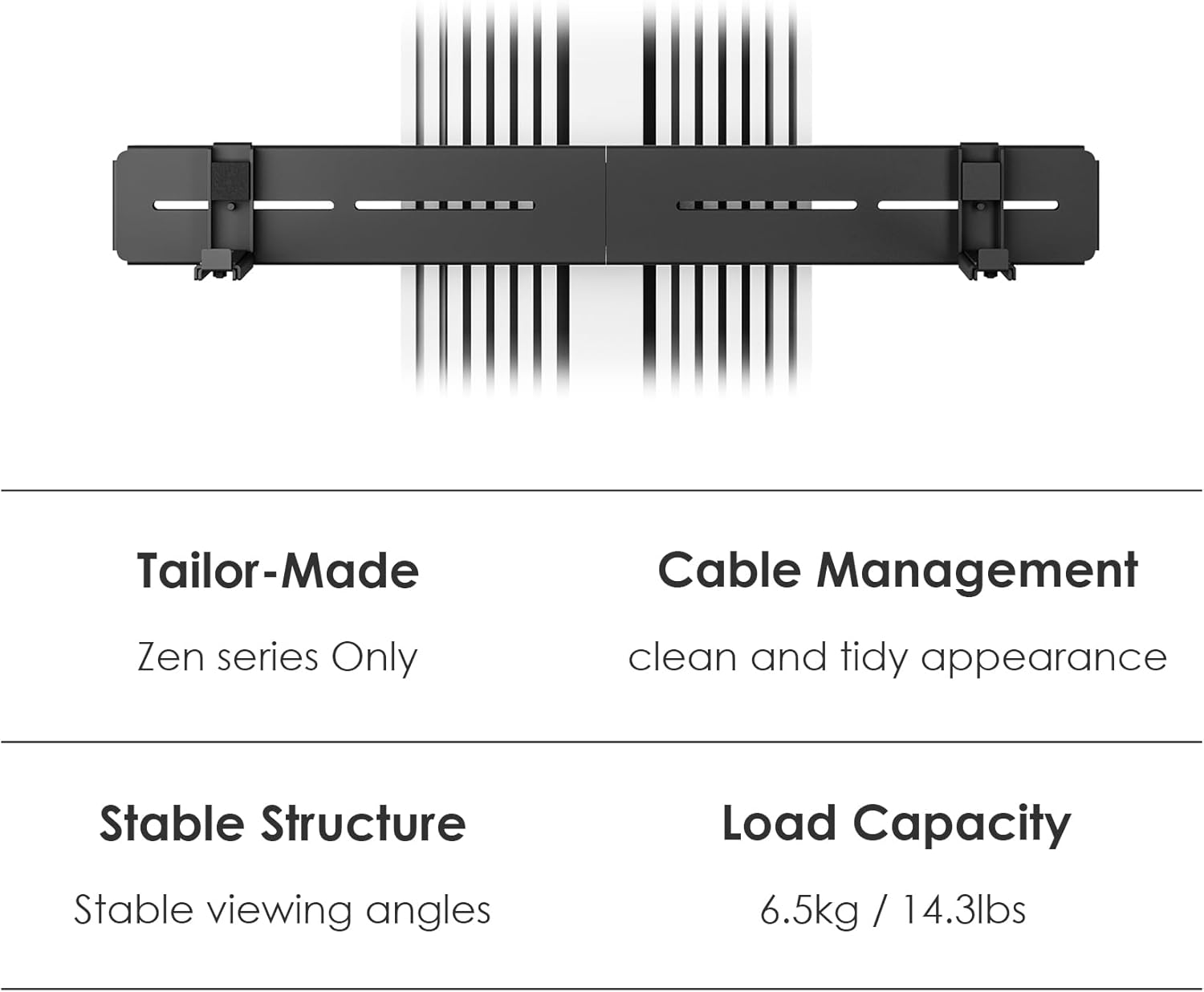
Figure 2: Overview of bracket components and key features.
Setup and Installation
This soundbar mounting bracket is designed for exclusive use with FITUEYES Zen Series TV Stands. Ensure your TV stand is a Zen Series model for proper compatibility and installation.
Step 1: Prepare the TV Stand
Ensure your FITUEYES Zen Series TV Stand is fully assembled and stable. Identify the designated mounting points on the stand's central column for the soundbar bracket.

Figure 3: Example of a FITUEYES Zen Series TV Stand, compatible with this soundbar bracket.
Step 2: Attach the Bracket to the TV Stand
- Align the soundbar bracket with the pre-drilled holes on the central column of your Zen Series TV stand.
- Secure the bracket using the provided screws and hardware. Ensure all connections are tight and secure.
Step 3: Mount the Soundbar
- Apply the EVA protective padding to the contact surfaces of the bracket where the soundbar will rest. This prevents scratches and reduces vibration.
- Carefully place your soundbar onto the bracket. Ensure it is centered and stable.
- If your soundbar has mounting points, use the additional hardware (if provided and compatible) to secure it to the bracket.
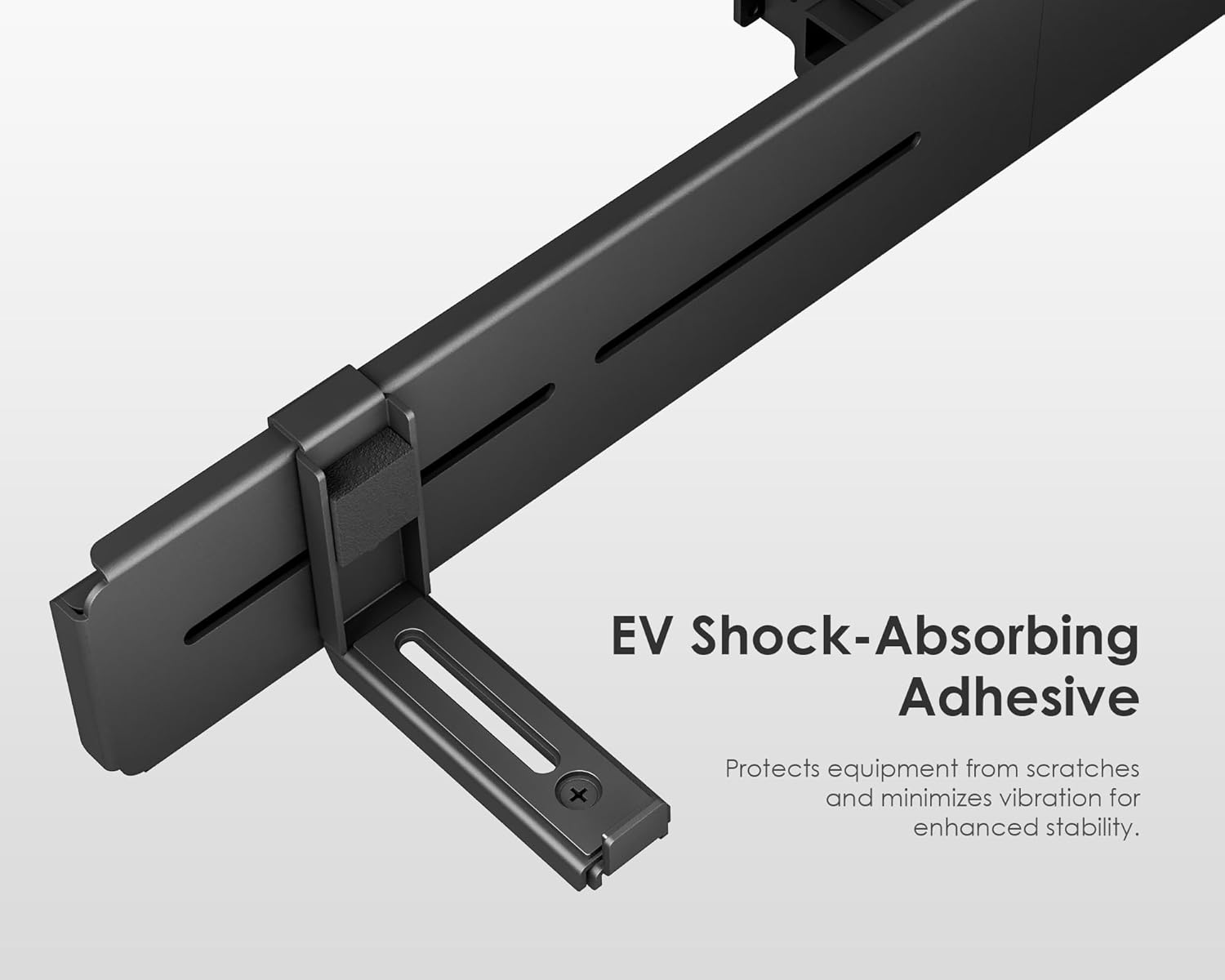
Figure 4: Detail of EVA padding for soundbar protection.
Operating Instructions
Height Adjustment
The soundbar bracket offers infinite height adjustment from 1.96 inches (50mm) to 27.55 inches (700mm) from the base of the TV stand. This allows you to position your soundbar optimally below your television for the best audio experience.
- To adjust the height, loosen the securing screws on the bracket that connect it to the TV stand's column.
- Carefully slide the soundbar and bracket assembly up or down to your desired height.
- Once the desired height is achieved, firmly tighten all securing screws to lock the bracket in place.

Figure 5: Height adjustment range from 50mm to 700mm.
Cable Management
The bracket is designed to integrate with the cable management system of your Zen Series TV stand. Utilize the built-in cable channels to route your soundbar's power and audio cables, ensuring a clean and organized setup.
- Gather all cables connected to your soundbar.
- Route the cables through the designated openings and channels on the soundbar bracket and the TV stand's column.
- Secure cables with ties or clips if necessary to prevent tangling and maintain a tidy appearance.
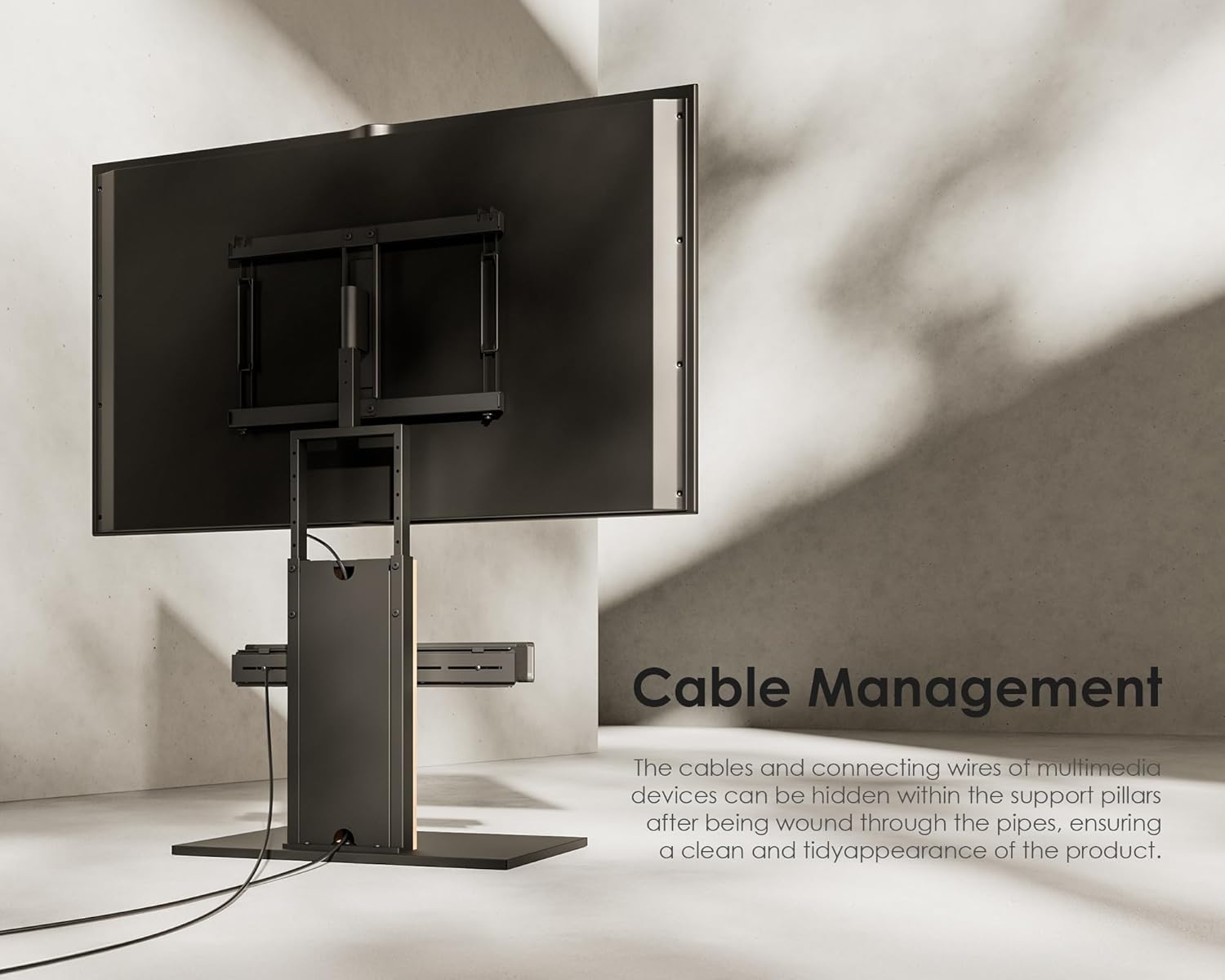
Figure 6: Cable management through the TV stand column.
Maintenance
- Cleaning: Wipe the bracket with a soft, dry cloth. Avoid abrasive cleaners or solvents that may damage the finish.
- Inspection: Periodically check all screws and connections to ensure they remain tight and secure. Retighten if necessary.
- EVA Padding: Ensure the EVA padding remains in place and provides adequate protection for your soundbar. Replace if worn or damaged.
Troubleshooting
| Problem | Possible Cause | Solution |
|---|---|---|
| Soundbar feels unstable. | Screws are loose; soundbar not centered; weight exceeds capacity. | Ensure all mounting screws are tightened. Center the soundbar. Verify soundbar weight is within 14 lbs (6.5 kg). |
| Bracket does not fit the TV stand. | TV stand is not a FITUEYES Zen Series model. | This bracket is designed exclusively for FITUEYES Zen Series TV Stands. Confirm your TV stand model. |
| Cables are messy. | Cables not routed through management channels. | Utilize the integrated cable management features of the TV stand and bracket. Use cable ties if needed. |
Specifications
| Brand | FITUEYES |
| Model Number | b4038ed1-6dd9-4015-a6bb-0743460a0456 |
| Material | Metal with EVA padding |
| Color | Black |
| Finish Type | Powder Coated |
| Mounting Type | Attaches to FITUEYES Zen Series TV Stands |
| Maximum Load Capacity | 14 lbs (6.5 kg) |
| Height Adjustment Range | 1.96 inches (50mm) to 27.55 inches (700mm) |
Warranty and Support
FITUEYES products are designed for durability and performance. This product comes with a warranty to cover manufacturing defects.
- Warranty: Up to a 10-year warranty on structural components. Please refer to the official FITUEYES website for specific warranty terms and conditions.
- Customer Service: FITUEYES offers 24-hour global service. For assistance with assembly, missing parts, or any product-related inquiries, please contact our support team.
- Contact Information:
- Website: www.fitueyes.com
- Email: support@fitueyes.com (Example, actual email not provided)

Figure 7: FITUEYES Customer Care details.
Related documentsb4038ed1-6dd9-4015-a6bb-0743460a0456


Ask a question about this manual
Ask about setup, troubleshooting, compatibility, parts, safety, or missing instructions. Manuals+ will review the question and use this page’s manual context to help answer it.