
1. Introduction
This manual provides detailed instructions for the installation, operation, and maintenance of your SEHMUA CB84S 4G LTE Outdoor Security Camera. This camera is designed for outdoor surveillance in areas without Wi-Fi coverage, utilizing 3G/4G cellular networks and solar power for continuous operation. It features 2K HD resolution, human detection, custom alert zones, and IP66 weather resistance.
Please read this manual thoroughly before using the product to ensure proper setup and functionality.
2. Package Contents
Verify that all items are present in your package:
- 1x SEHMUA CB84S 4G LTE Camera
- 1x Solar Panel
- 1x Camera Bracket
- 1x Mounting Screw Kit (screws, wall anchors)
- 1x USB Charging Cable
- 1x User Manual
- 1x SIM Card (pre-installed, with trial period)
- 1x Warning Sticker
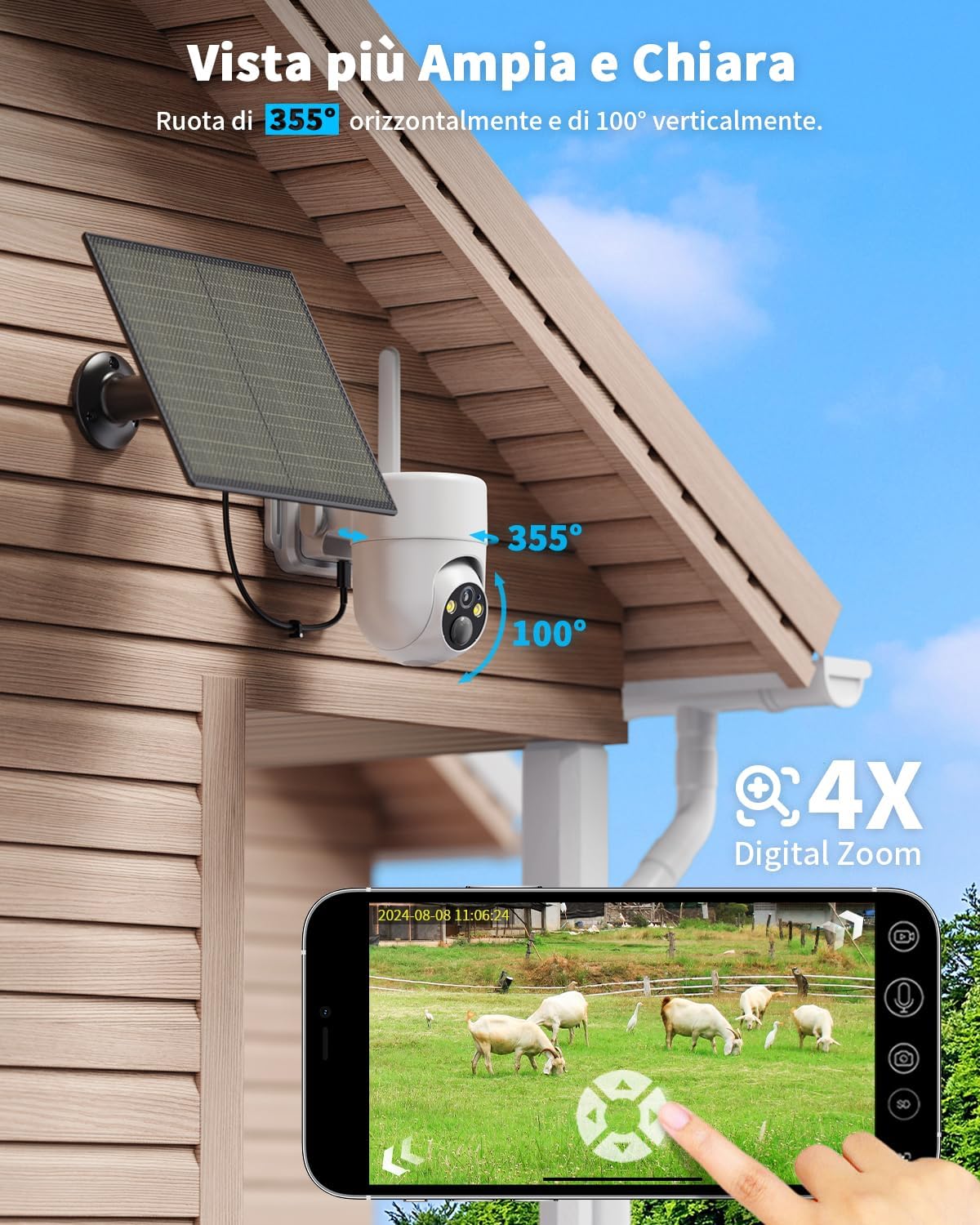
Image: All components included in the SEHMUA CB84S package.
3. Setup
3.1 Initial Charging
Before first use, fully charge the camera's internal battery using the provided USB cable. Connect the USB cable to the camera's charging port and a standard 5V USB power adapter (not included).
3.2 SIM Card Installation
The camera comes with a pre-installed SIM card for trial use. If you wish to use your own 3G/4G LTE SIM card, ensure it is activated and has a data plan. Insert the SIM card into the designated slot on the camera. This camera does not support Wi-Fi connectivity.

Image: Location of SIM card and Micro SD card slots on the camera.
3.3 App Installation and Pairing
- Download the Ubox app from your smartphone's app store (iOS or Android).
- Register for an account and log in.
- Follow the in-app instructions to add your camera. This typically involves scanning a QR code on the camera or entering its device ID.
- Ensure your phone has a stable internet connection during the pairing process.
3.4 Physical Installation
Choose a location with good 3G/4G signal reception and ample sunlight for the solar panel. The camera is IP66 weatherproof, suitable for various outdoor conditions.
- Mount the camera bracket securely to a wall or pole using the provided screws and anchors.
- Attach the solar panel to the camera or mount it separately in a position that receives maximum direct sunlight throughout the day.
- Connect the solar panel cable to the camera's power input.
- Adjust the camera's angle for optimal surveillance coverage.

Image: SEHMUA CB84S camera and solar panel installed outdoors.
4. Operating Instructions
4.1 Live View and Playback
Open the Ubox app on your smartphone to access the live feed from your camera. You can view real-time video, capture screenshots, and record video directly from the app. Recorded events can be played back from the cloud storage or the installed Micro SD card.
4.2 Pan, Tilt, and Digital Zoom
The camera offers a 355° horizontal pan and 100° vertical tilt. Use the controls within the Ubox app to remotely adjust the camera's viewing angle. The camera also supports 4x digital zoom to view details more closely.

Image: Camera pan, tilt, and digital zoom capabilities controlled via smartphone app.
4.3 Human Detection and Custom Alert Zones
The camera features precise human detection to minimize false alarms. You can also set up custom detection zones within the app. When human motion is detected in the designated zones, the camera will send instant notifications to your phone.
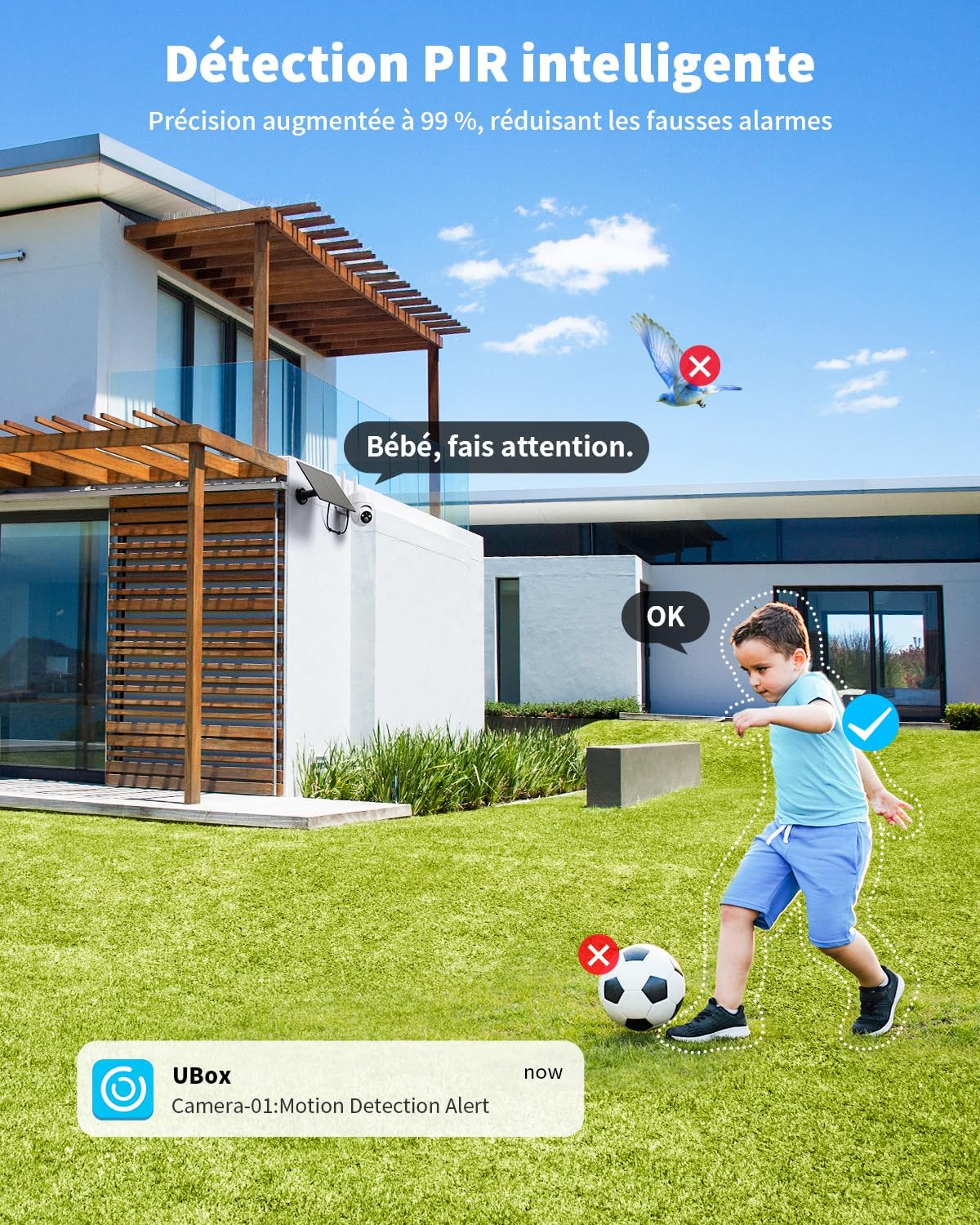
Image: Smart PIR human detection in action.

Image: Setting up custom alert zones in the app.
4.4 Night Vision Modes
The camera offers three night vision modes for clear surveillance in low-light conditions:
- Color Night Vision: Utilizes built-in spotlights to provide full-color video at night.
- Infrared Night Vision: Provides black and white video using infrared LEDs, ideal for discreet monitoring.
- Smart Night Vision: Automatically switches between infrared and color night vision upon detection of motion.

Image: Comparison of different night vision modes.
4.5 Two-Way Audio
The camera supports two-way audio communication. Use the microphone and speaker functions in the Ubox app to listen in or speak through the camera.
4.6 Storage Options
The camera supports two storage methods for recorded events:
- Micro SD Card: Supports up to 128GB (not included). Insert the card into the designated slot.
- Cloud Storage: A trial period is often included, with subscription plans available for continuous cloud recording.
5. Maintenance
5.1 Solar Panel Efficiency
Ensure the solar panel is kept clean and free from obstructions (e.g., leaves, dirt) to maximize charging efficiency. Periodically wipe the panel with a soft, damp cloth.

Image: Solar panel ensuring continuous power for the camera.
5.2 Weather Resistance
The camera has an IP66 rating, making it resistant to dust and water jets. While designed for outdoor use, avoid submerging the camera in water or exposing it to extreme pressure washing.

Image: Camera demonstrating IP66 weather resistance in various conditions.
5.3 Firmware Updates
Periodically check the Ubox app for available firmware updates. Keeping your camera's firmware updated ensures optimal performance and access to new features.
6. Troubleshooting
- Camera Offline:
- Check 3G/4G signal strength in the camera's location.
- Ensure the SIM card has an active data plan and sufficient balance.
- Verify the camera battery is charged; check solar panel connection and sunlight exposure.
- Restart the camera by powering it off and on.
- Frequent False Alarms:
- Adjust the human detection sensitivity in the Ubox app.
- Refine custom alert zones to exclude areas with irrelevant motion (e.g., swaying trees, passing animals).
- Cannot Pair with App:
- Ensure your smartphone has a stable internet connection.
- Verify the camera is powered on and its indicator light is behaving as expected (refer to app for specific light patterns).
- Try resetting the camera (refer to device for reset button location, usually a small pinhole).
- If using a personal email for registration, try a common provider like Gmail if issues persist (as noted in customer reviews).
- Poor Image Quality:
- Clean the camera lens.
- Ensure adequate lighting for optimal image capture, especially at night.
- Check the 3G/4G signal strength, as weak signals can affect streaming quality.
7. Specifications
| Feature | Specification |
|---|---|
| Model Name | CB84S |
| Connectivity Technology | 4G LTE Cellular (No Wi-Fi support) |
| Power Source | Solar Powered |
| Resolution | 2K HD (3 Megapixels effective capture resolution, 1296p screen resolution) |
| Pan/Tilt Range | 355° Horizontal, 100° Vertical |
| Digital Zoom | 4x |
| Night Vision | Color Night Vision, Infrared Night Vision, Smart Night Vision (up to 20 meters) |
| Weather Resistance | IP66 |
| Storage Options | Micro SD Card (up to 128GB, not included), Cloud Storage |
| Control Method | Ubox App (Smartphone) |
| Dimensions | 24.3 x 17.5 x 15 cm |
8. Warranty and Support
8.1 Manufacturer's Warranty
The SEHMUA CB84S camera comes with a 1-year manufacturer's warranty. Please retain your proof of purchase for warranty claims.
8.2 Customer Support
For technical assistance, troubleshooting, or warranty inquiries, please contact SEHMUA customer support. Contact information can typically be found within the Ubox app or on the official SEHMUA website. Many users have reported responsive and helpful customer service.