
Introduction
This manual provides instructions for the ForeverPRO 2033682 White Remote, designed for use with compatible Lasko appliances. Please read this manual thoroughly before using the remote control to ensure proper operation and longevity of the product.
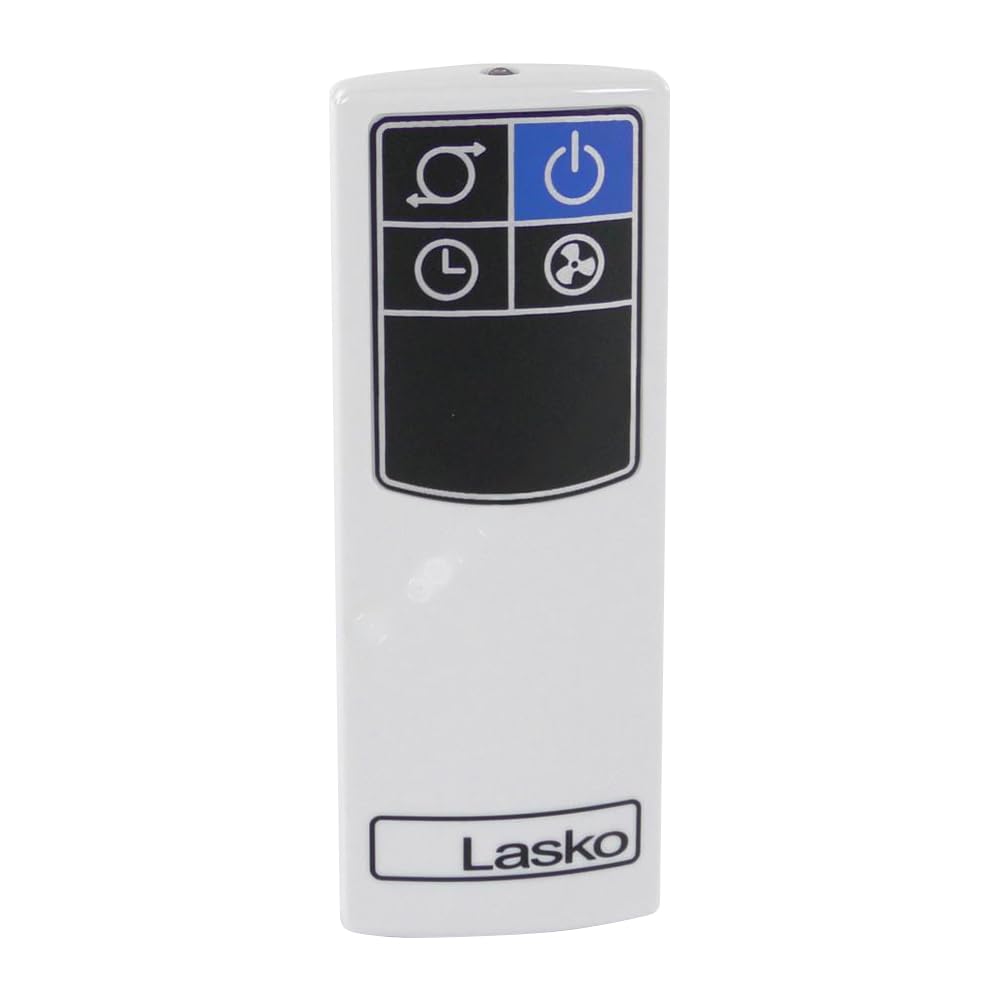
Image of the ForeverPRO 2033682 White Remote control, showing its design and button layout.
Setup
The ForeverPRO 2033682 remote is a replacement unit for Lasko appliances. According to specifications, this remote does not require user-installed batteries. It is designed for immediate use with compatible Lasko appliances.
- Ensure your Lasko appliance is powered on and functioning correctly.
- Point the ForeverPRO remote directly towards the Lasko appliance's receiver.
- Press the desired function button (e.g., Power, Fan Speed, Mode).
- If the appliance does not respond, some Lasko models may require a specific pairing sequence. Refer to your original Lasko appliance's user manual for detailed pairing instructions if necessary.
Operating Instructions
The ForeverPRO 2033682 remote provides control over various functions of your compatible Lasko appliance. The buttons on the remote are typically labeled to indicate their specific functions.
- Power Button: Turns the appliance on or off.
- Fan Speed: Adjusts the fan speed settings (e.g., Low, Medium, High).
- Mode Button: Cycles through different operating modes (e.g., Fan, Cool, Heat, Auto, Sleep).
- Timer Button: Sets or cancels the appliance's timer function.
- Oscillation Button: Activates or deactivates the oscillation feature (if available on your appliance).
For specific functions and their corresponding buttons, refer to the labels on your remote control and the user manual of your Lasko appliance.
Maintenance
Proper care and maintenance will help extend the life of your remote control.
- Cleaning: Wipe the remote control with a soft, slightly damp cloth. Do not use abrasive cleaners, solvents, or harsh chemicals, as these can damage the surface or internal components.
- Storage: When not in use for extended periods, store the remote in a cool, dry place, away from direct sunlight and extreme temperatures.
- Handling: Avoid dropping the remote or subjecting it to strong impacts, which can cause internal damage.
Troubleshooting
If you experience issues with your ForeverPRO 2033682 remote, try the following troubleshooting steps:
- Remote Not Responding:
- Ensure the Lasko appliance is properly plugged in and powered on.
- Verify there are no physical obstructions between the remote control and the appliance's infrared receiver.
- Confirm you are within the effective operating range of the appliance.
- Intermittent Operation:
- Check for any sources of strong light or electromagnetic interference that might affect the remote's signal.
- Appliance Not Pairing:
- If your Lasko appliance requires a specific pairing procedure for replacement remotes, consult the original Lasko appliance user manual for detailed instructions.
If the problem persists after attempting these steps, contact ForeverPRO customer support or a qualified service technician.
Specifications
| Feature | Detail |
|---|---|
| Model Number | 2033682 |
| Item Weight | 8 ounces |
| Product Dimensions | 9 x 6 x 4 inches |
| Included Components | White Remote |
| Batteries Required? | No |
| Manufacturer | ForeverPRO |
| Brand | ForeverPRO |
Warranty Information
This ForeverPRO 2033682 White Remote comes with a 90-day manufacturer's warranty. This warranty covers defects in materials and workmanship under normal use.
For warranty claims or to obtain further details regarding the terms and conditions of the warranty, please retain your proof of purchase and contact ForeverPRO customer support directly.
Customer Support
For technical assistance, product inquiries, or support regarding your ForeverPRO 2033682 White Remote, please contact ForeverPRO customer service.
Contact information can typically be found on the product packaging, the ForeverPRO official website, or through your retailer.