
1. Introduction
This user manual provides detailed instructions for the K&F CONCEPT 36-Slot SD and Micro SD Memory Card Case (Model KF31.106). This product is designed to offer secure, water-resistant, and anti-shock storage for your valuable memory cards, ensuring their protection during transport and storage. Please read this manual thoroughly before using the product to ensure proper handling and longevity.

Image 1.1: K&F CONCEPT 36-Slot Memory Card Case, showcasing its design and capacity for both SD and Micro SD cards.
2. Product Overview
The K&F CONCEPT memory card case is engineered for durability and convenience, featuring a robust exterior and a precisely designed interior to protect your digital storage media.
2.1 Key Features
- Large Capacity: Accommodates up to 12 standard SD cards and 24 Micro SD (TF) cards.
- Waterproof & Dustproof: Constructed with a premium ABS shell and a durable silicone sealing ring to prevent water and dust ingress.
- Anti-Shock Protection: Features a soft EVA lining with precision-fit slots to absorb impacts and secure cards.
- Compact & Portable: Designed for easy carrying, includes an anti-loss keeper cord.
2.2 Components
- Memory Card Case (1 unit)
- Anti-Loss Tether (1 unit)
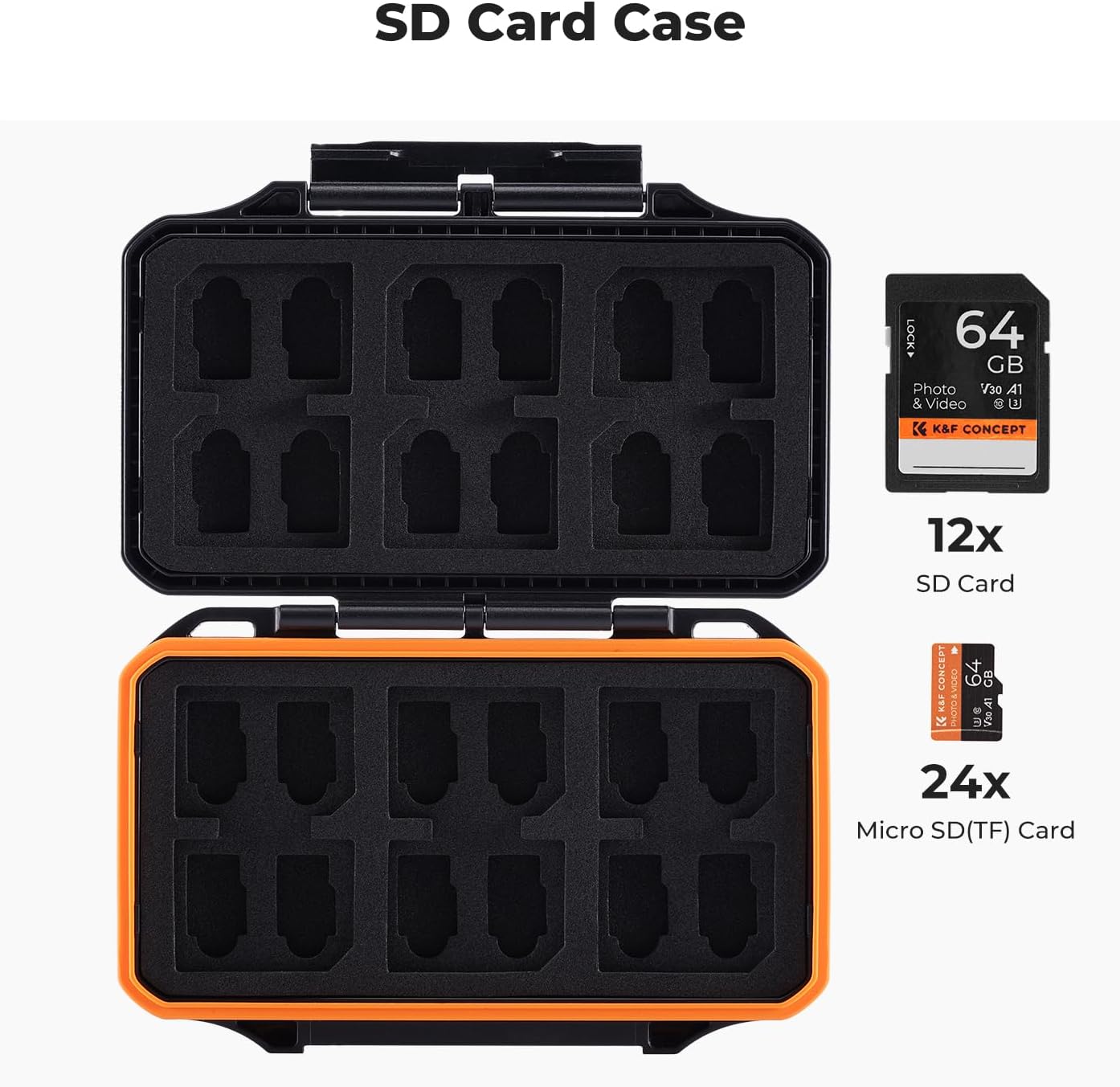
Image 2.1: Internal layout of the case, illustrating the dedicated slots for 12 SD cards and 24 Micro SD cards.
3. Setup and Usage
3.1 Opening and Closing the Case
- To open: Locate the snap closure on the front of the case. Gently lift the latch to release the lid.
- To close: Align the lid with the base and press down firmly until the snap closure engages with an audible click. Ensure the silicone sealing ring is properly seated to maintain waterproof and dustproof integrity.

Image 3.1: Detail of the case's snap closure and the internal sealing ring, highlighting its protective features.
3.2 Inserting and Removing Memory Cards
- Inserting Cards: Gently push each SD or Micro SD card into its designated slot within the soft EVA lining. The precision-fit design will hold the cards securely in place. Do not force cards into slots.
- Removing Cards: Use the small notch or edge of the card to gently pull it out from its slot. The soft EVA material allows for easy removal without damaging the cards.

Image 3.2: View of the soft EVA card slots, designed for secure and easy insertion/removal of memory cards.
3.3 Using the Anti-Loss Tether
The included anti-loss tether can be attached to the case and then secured to a backpack, camera bag, or belt loop. This prevents accidental drops or loss during travel and outdoor activities.
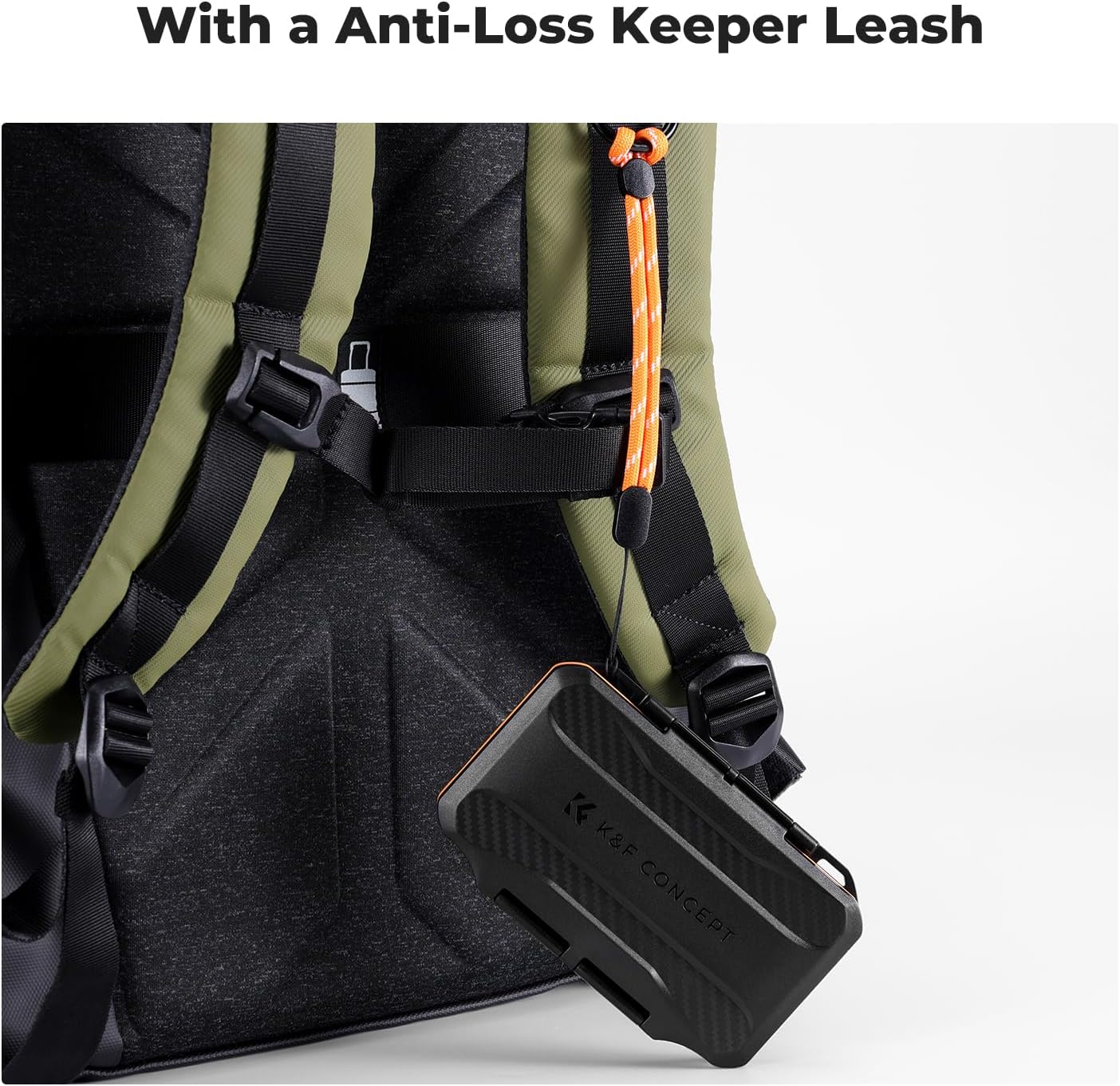
Image 3.3: The memory card case secured to a backpack using the anti-loss tether, demonstrating its portability feature.
4. Maintenance
Proper maintenance ensures the longevity and continued protective performance of your memory card case.
- Cleaning the Exterior: Wipe the exterior with a soft, damp cloth. Avoid abrasive cleaners or solvents that could damage the ABS material.
- Cleaning the Interior: Use a soft, dry brush or compressed air to remove any dust or debris from the EVA slots. Ensure no moisture enters the case.
- Sealing Ring Inspection: Periodically inspect the silicone sealing ring for any signs of wear, cracks, or debris. A clean and intact sealing ring is crucial for waterproof and dustproof protection.
- Storage: Store the case in a cool, dry place away from direct sunlight and extreme temperatures when not in use.
5. Troubleshooting
If you encounter any issues with your memory card case, refer to the following common solutions:
- Case does not close securely: Check if any foreign objects are obstructing the sealing ring or the snap closure. Ensure the lid is properly aligned with the base before pressing to close.
- Cards are difficult to insert or remove: Verify that you are using the correct slot size for your card type (SD vs. Micro SD). Ensure the cards are inserted straight and not at an angle. The EVA slots are designed for a snug fit to prevent movement.
- Moisture or dust inside the case: Immediately remove all memory cards. Inspect the silicone sealing ring for damage or debris. Clean the sealing ring and ensure the case is closed properly. If the sealing ring is damaged, contact customer support.
6. Specifications
| Feature | Detail |
|---|---|
| Model Number | KF31.106 |
| Capacity | 12 SD Cards, 24 Micro SD (TF) Cards |
| Product Dimensions | 5.12 x 3.46 x 0.87 inches (130 x 88 x 22 mm) |
| Item Weight | 3.2 ounces (90.7 grams) |
| Material | ABS (Exterior), EVA (Interior) |
| Color | Black with Orange accents |
| Special Features | Waterproof, Dustproof, Anti-Shock, Lightweight, Travel-friendly |

Image 6.1: The compact size of the memory card case, with approximate dimensions indicated.
7. Warranty and Support
K&F CONCEPT products are manufactured to high-quality standards. For warranty information, technical support, or any product-related inquiries, please contact K&F CONCEPT customer service through their official website or the retailer where the product was purchased. Please retain your proof of purchase for warranty claims.
For further assistance, visit the official K&F CONCEPT website: www.kentfaith.com