Product Overview
The SVAKOM Sam Neo 2 Pro is an interactive, rechargeable device designed for personal use, featuring heating, suction, and vibration functions. It is crafted from silicone and designed for a realistic experience. This manual provides essential information for the safe and effective use of your device.
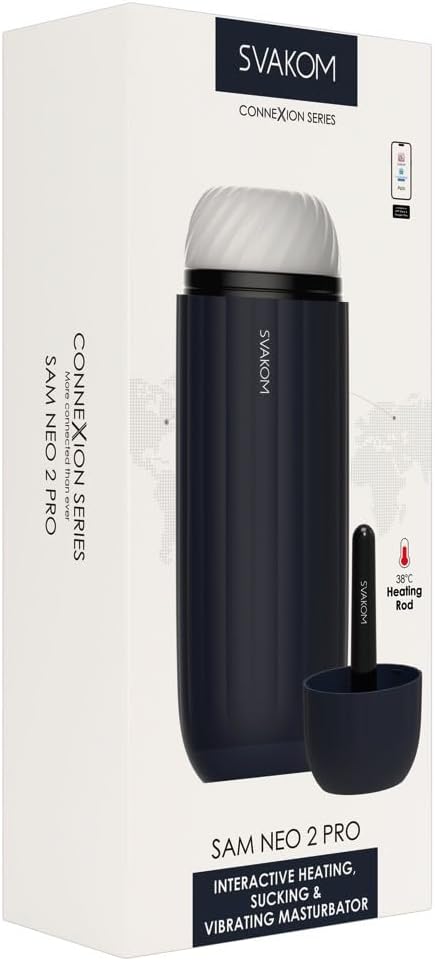
Image: SVAKOM Sam Neo 2 Pro product packaging. The box displays the device, a separate heating rod, and mentions "38°C Heating Rod" and "CONNEXION SERIES".
Key Features:
- Interactive Heating: Warms the internal sleeve to 38°C for enhanced realism.
- Powerful Suction & Vibration: Provides intense sensations.
- Extended O Function: Designed to prolong the experience.
- App Connectivity: Compatible with SVAKOM App for additional play options, FeelConnect 3 App for video synchronization, and FeelPerformer for webcam site interaction.
- USB-Recharging: Convenient and eco-friendly charging.
- Battery Indicator: Provides clear status of battery life.
- Travel Lock: Ensures safe transport and prevents accidental activation.
Setup
1. Initial Charging
Before first use, fully charge your SVAKOM Sam Neo 2 Pro. Locate the USB charging port at the bottom of the device. Connect the provided USB cable to the device and a suitable USB power source (e.g., computer USB port, wall adapter). The battery indicator lights will show the charging progress. A full charge typically takes a few hours.

Image: The bottom of the SVAKOM Sam Neo 2 Pro, clearly showing the USB charging port. This is where the charging cable connects.
2. Cleaning Before First Use
For hygiene, clean the internal sleeve thoroughly before its initial use. Refer to the "Maintenance" section for detailed cleaning instructions.
Operating Instructions
1. Power On/Off and Travel Lock
To power on the device, press and hold the power button (usually located on the top or base) for a few seconds until the indicator lights illuminate. To power off, press and hold the power button again. The travel lock feature can be activated/deactivated by pressing and holding specific buttons (refer to the device's physical markings or quick start guide for exact combination) to prevent accidental activation during travel.
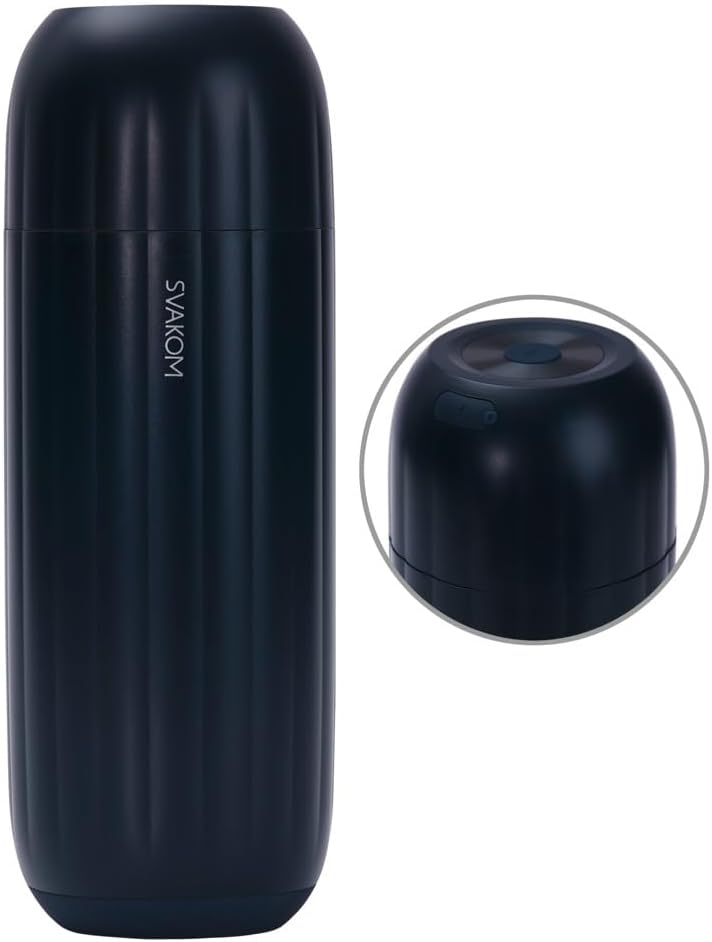
Image: The top section of the SVAKOM Sam Neo 2 Pro, displaying the power button and other control buttons. These buttons are used to operate the device's functions.
2. Using Heating, Suction, and Vibration Functions
Once powered on, use the designated function buttons to activate and adjust the heating, suction, and vibration modes. The device is designed to heat the internal sleeve to 38°C for a realistic sensation. Experiment with different intensity levels and patterns to find your preferred settings.

Image: A detailed view of the SVAKOM Sam Neo 2 Pro's internal silicone sleeve, revealing its intricate textures designed for enhanced sensation.
3. Extended O Function
The 'Extended O' function is designed to prolong your experience. Activate this feature via its dedicated button or through the SVAKOM App. This function adjusts the intensity to help extend the duration of use.
4. App Connectivity
Enhance your experience by connecting your device to the SVAKOM App. This app offers additional control options and play modes. The device is also compatible with FeelConnect 3 for syncing with adult videos and FeelPerformer for interactive webcam sessions. Download the respective apps from your device's app store and follow the in-app instructions for pairing.
Maintenance
1. Cleaning
After each use, it is crucial to clean the device thoroughly. Remove the internal sleeve from the main unit. Wash the silicone sleeve with warm water and a mild, toy-safe soap. Rinse thoroughly to remove all soap residue. The main unit can be wiped clean with a damp cloth. Do not submerge the main unit in water. Ensure all parts are completely dry before reassembling or storing.
2. Storage
Store your SVAKOM Sam Neo 2 Pro in a clean, dry, and cool place, away from direct sunlight and extreme temperatures. Keep it away from other materials that might react with silicone. Ensure the travel lock is activated if storing for an extended period or transporting.
Troubleshooting
- Device not turning on:
Ensure the device is fully charged. Connect it to the charger and check the battery indicator. Deactivate the travel lock if it is engaged.
- Heating function not working:
Verify the device is adequately charged. Ensure the heating function is activated correctly via the control buttons or app. If the issue persists, contact customer support.
- App connection issues:
Ensure Bluetooth is enabled on your mobile device. Make sure the SVAKOM Sam Neo 2 Pro is powered on and within range. Try restarting both the device and the app. Update the app to the latest version.
- Reduced suction or vibration:
Check the battery level. A low battery can affect performance. Ensure the internal sleeve is correctly seated and clean. Obstructions can reduce suction effectiveness.
Specifications
| Attribute | Detail |
|---|---|
| Brand | SVAKOM |
| Model Number | 54053860000 |
| Product Dimensions | 12.4 x 5.51 x 3.94 inches |
| Item Weight | 2.84 Pounds |
| Material | Silicone |
| Color | Navy Blue |
| Heating Temperature | Up to 38°C |
| Recharging | USB-recharging |
Warranty and Support
Warranty Information
SVAKOM products are manufactured to high-quality standards. For specific warranty terms and conditions, please refer to the warranty card included with your product or visit the official SVAKOM website. Keep your proof of purchase for warranty claims.
Customer Support
If you encounter any issues or have questions regarding your SVAKOM Sam Neo 2 Pro, please contact SVAKOM customer support. You can often find contact information on the official SVAKOM website or through the retailer where you purchased the product. For more information, you may also visit the SVAKOM Store on Amazon.


