
1. Safety Information
Please read all safety instructions carefully before using this appliance. Failure to follow these instructions may result in electric shock, fire, or serious injury.
- This appliance is equipped with 8-layer protection features for enhanced safety.
- Features include patented FortPlug, V-0 flame retardant construction, overheat protection, and tip-over protection.
- Thermal insulated wiring and cool-touch housing ensure safe operation.
- A child lock feature is included to prevent accidental changes to settings.
- The product is ETL certified for safety standards.
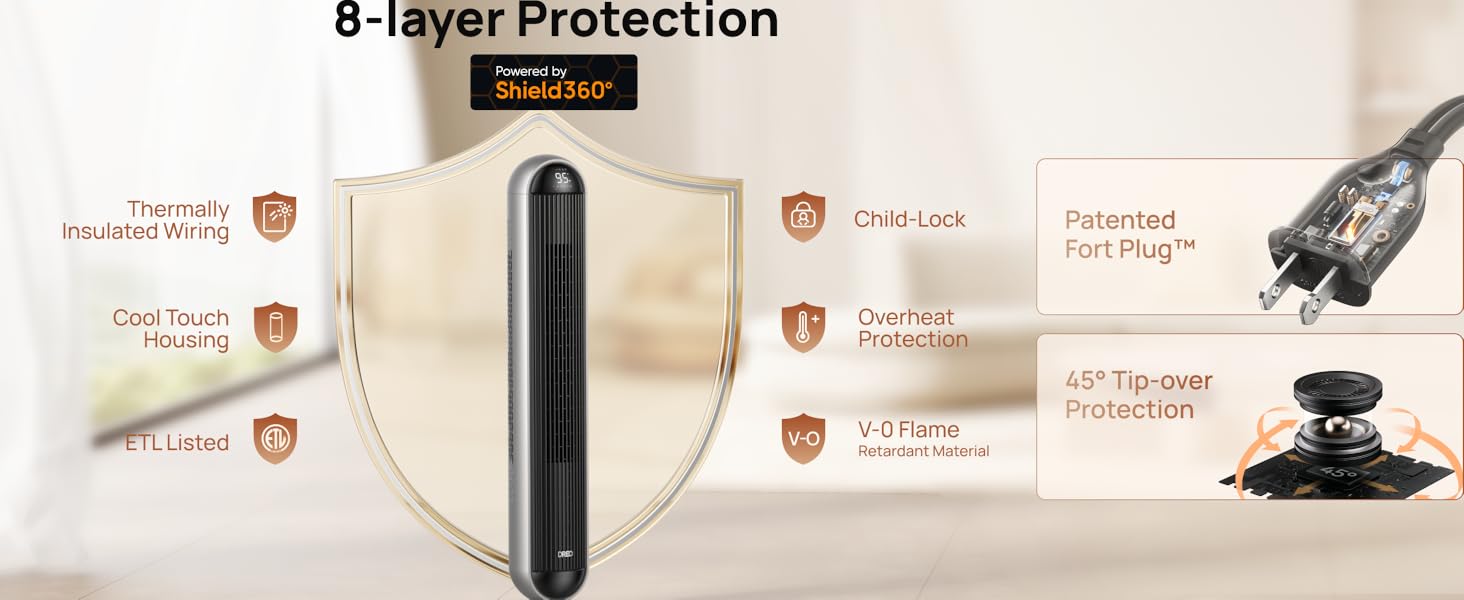
Figure 1: Overview of the 8-layer safety protection system.
2. Product Overview
The Dreo Tower Fan and Heater Combo (Model: DR-HSH016) is designed to provide year-round comfort with both powerful heating and efficient cooling capabilities. Its sleek tower design makes it suitable for various indoor spaces.

Figure 2: Dreo Tower Fan and Heater Combo with remote control.
What's Included:
- 1 x Dreo 42'' PTC Space Heater
- 1 x Remote Control
- 1 x User Guide
3. Setup
Assembly is required for this appliance. Please follow these steps to set up your Dreo Tower Fan and Heater Combo:
- Carefully remove all packaging materials and ensure all components are present.
- Attach the base to the main body of the tower fan/heater. Ensure it is securely fastened according to the instructions in the included User Guide.
- Place the appliance on a firm, level surface.
- Plug the power cord into a standard 120V electrical outlet.
4. Operating Instructions
The Dreo Tower Fan and Heater Combo offers versatile control and multiple modes for optimal comfort.
Key Features:
- Auto-Shift Technology: Seamlessly transitions between heating and cooling modes.
- Heating: 5 levels of 1500W PTC heating, providing instant heat in 2 seconds. Temperature can be set from 41-95°F with ±1.5°F precision using ECO mode.
- Cooling: 12 fan speeds delivering 1585 CFM of air volume up to 40 ft away.
- Oscillation: Ultra-wide 120° oscillation for broad air distribution.
- Quiet Operation: Operates as quietly as 25dB, ideal for bedrooms and offices.
- Timer: 12-hour timer for automated operation.
- Control: Easily controlled via the top control panel or the included remote control.

Figure 3: The 2-in-1 functionality providing both heat and cool comfort.

Figure 4: High-performance airflow for effective cooling.

Figure 5: Intuitive touch controls for easy operation.

Figure 6: Hyperamics PTC element for rapid heating.

Figure 7: Quiet operation for undisturbed environments.

Figure 8: Additional features for enhanced user experience.
Official Product Videos:
Video 1: Auto-Shift PTC Technology. This video demonstrates the seamless transition between heating and cooling modes using the auto-shift PTC technology.
Video 2: Dreo 42 Inch Tower Fan and Heater Combo. This video provides a comprehensive overview of the product's features and benefits.
5. Maintenance
Regular maintenance ensures optimal performance and longevity of your appliance.
- Cleaning: The appliance is designed for effortless clean-up. Refer to the detailed cleaning instructions in the User Guide for proper maintenance of filters and external surfaces.
- Always unplug the appliance before cleaning.
- Do not immerse the appliance in water or other liquids.
6. Troubleshooting
If you encounter any issues with your Dreo Tower Fan and Heater Combo, please refer to the following common troubleshooting tips:
- Appliance not turning on: Ensure the power cord is securely plugged into a working electrical outlet. Check if the power button is pressed.
- No heat/fan: Verify that the correct mode (heat or fan) is selected. Adjust temperature settings or fan speeds as needed.
- Unusual noise: Check for any obstructions in the air intake or output vents. Ensure the appliance is on a stable, level surface.
- Automatic shut-off: The appliance may have activated its overheat or tip-over protection. Unplug the unit, allow it to cool down, and ensure it is placed upright on a stable surface before restarting.
For more detailed troubleshooting steps, please consult the comprehensive User Guide provided with your product.
7. Specifications
| Feature | Specification |
|---|---|
| Brand | Dreo |
| Model Number | DR-HSH016 |
| Color | Silver |
| Form Factor | Tower |
| Indoor/Outdoor Usage | Indoor |
| Product Dimensions | 12.91"D x 12.91"W x 42.46"H |
| Item Weight | 13.5 Pounds |
| Fuel Type | Electric |
| Number of Speeds | 12 |
| Voltage | 120 Volts |
| Max Temperature Setting | 95 Degrees Fahrenheit |
| UPC | 810142851411 |
| Assembly Required | Yes |
| Batteries Required | Yes |
| Included Components | 1 x Remote Control, 1 x Dreo 42'' PTC Space Heater, 1 x User Guide |
8. Warranty and Support
Dreo is committed to providing high-quality products and excellent customer service.
- Customer Support: Our product experts are available to guide you through any issues or questions you might have with the product. Please refer to the contact information in your User Guide for the customer support line.
- Protection Plans: Extended protection plans are available for purchase to provide additional coverage for your appliance. Options include 3-Year and 4-Year Protection Plans, as well as a Complete Protect plan.