Opmind 5-in-1 STEM RC Robot Building Kit User Manual
Model: 8028 | Brand: Opmind
1. Introduction
This manual provides detailed instructions for assembling, operating, and maintaining your Opmind 5-in-1 STEM RC Robot Building Kit. This kit allows for the construction of five distinct models, including a Robot, Racing Tank, and Tracked Cars, offering versatile play and learning experiences. The assembled models can be controlled via a dedicated remote control or a smartphone application.
Image: The Opmind 5-in-1 STEM RC Robot Building Kit showcasing its various buildable forms, including a robot and tracked vehicles, along with the remote control and a smartphone displaying the app interface.
2. Safety Information
For external use only. This product contains small parts and is recommended for ages 6 years and up. Adult supervision is advised during assembly and play to prevent choking hazards. Ensure all electrical components are handled with care and batteries are installed correctly to avoid damage or injury.
3. Components Overview
The Opmind 5-in-1 STEM RC Robot Building Kit includes 398 pieces, categorized into various bags for organized assembly. Key components are:
Assorted building blocks (various sizes and colors, primarily blue, white, and grey)
Main control unit (black box, requires batteries)
Remote control (grey, LEGO-style design)
USB charging cable for the main control unit
Two detailed instruction manuals for different models
Sticker sheets for customization
Small screwdriver for battery compartment
Image: A comprehensive view of the kit's contents, including sealed bags of building blocks, the remote control, the main control unit, and instruction manuals, ready for assembly.
4. Setup and Assembly
4.1. Battery Installation
The main control unit requires 1 Lithium Ion battery (included). The remote control requires 2 AAA batteries (not included). Use the provided screwdriver to open the battery compartments, insert batteries with correct polarity, and secure the covers.
4.2. Assembly Instructions
The kit includes two comprehensive instruction manuals. Each manual provides step-by-step visual guides for building different robot models. The bags of building blocks are numbered to correspond with the instructions, ensuring ease of identification during the building process. Follow the numbered steps carefully to assemble your chosen model.
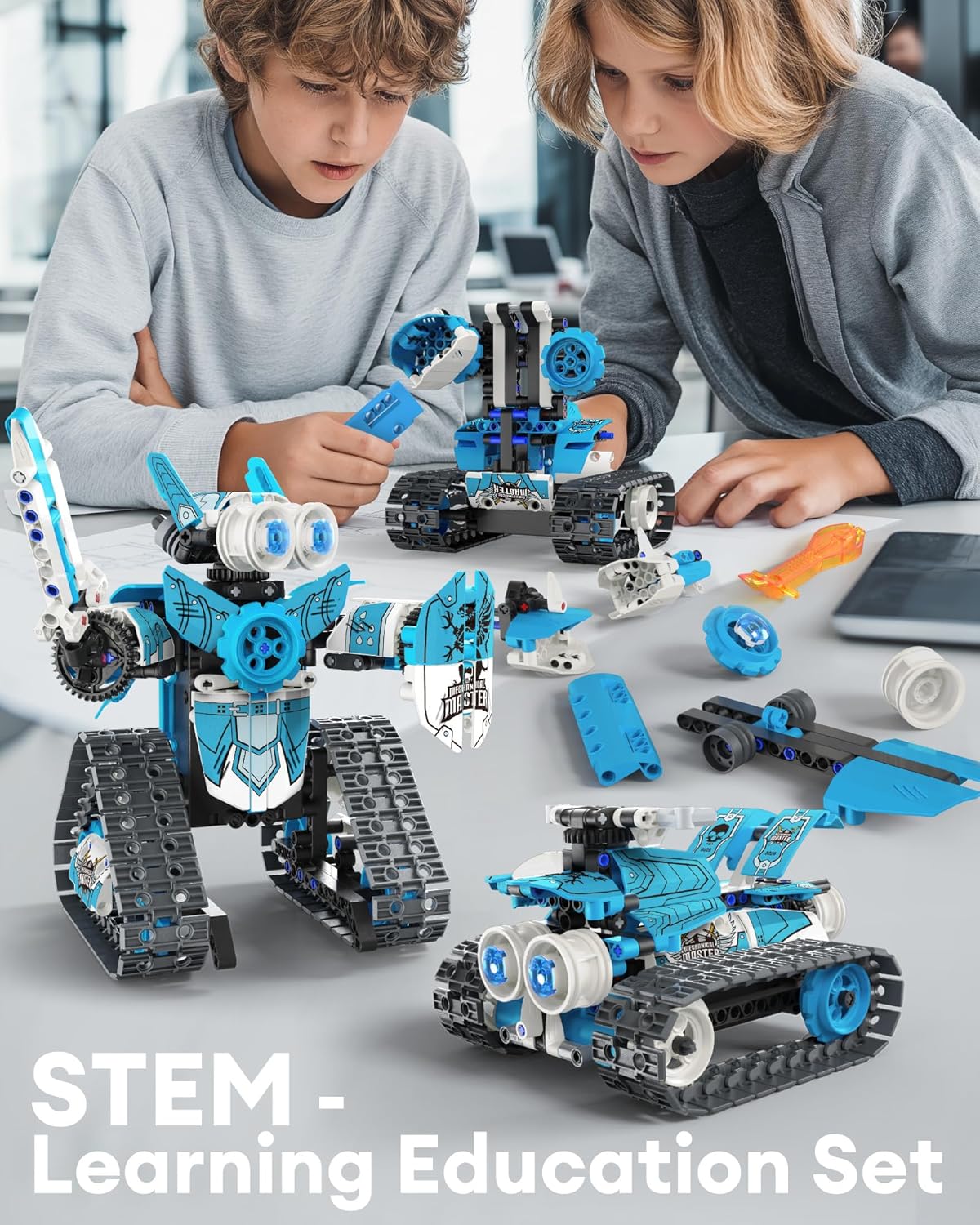
Image: Two children engaged in the assembly process of the robot building kit, demonstrating the hands-on nature of the product.
4.3. Pairing the Remote Control
To pair the remote control with the main control unit:
Ensure both the remote control and the main control unit have fresh batteries installed.
Turn on the main control unit using the switch on its base.
Turn on the remote control.
The devices should automatically pair. If not, refer to the '2.4G Pair Coding' section in the included small instruction sheet for specific pairing steps.
5. Operating Instructions
The Opmind RC Robot can be controlled using either the included remote control or a smartphone application.
5.1. Remote Control Operation
The grey remote control features two joysticks and several levers for directional movement and other functions. Familiarize yourself with the controls to maneuver your robot. The remote control allows for movement in all directions (left, right, front, back) and 360-degree stunt rotation, with a range of over 20 meters.
5.2. Smartphone APP Control
Download the dedicated Opmind app (check the box or manual for QR code/app name) to control the robot via Bluetooth. The app offers four control modes:
Driving Mode: Standard remote control functionality via the app interface.
Path Mode: Draw a path on your screen, and the robot will follow it.
Gravity Sensor Mode: Control the robot's movement by tilting your smartphone.
Programming Mode: Program custom sequences of movements and actions for the robot.
Image: A smartphone screen illustrating the different control modes available through the app, including Driving, Gravity Sensor, Path, Gyro, and Programming modes.
6. Maintenance
To ensure the longevity and optimal performance of your Opmind RC Robot Building Kit, follow these maintenance guidelines:
Cleaning: Wipe down the robot and its components with a dry, soft cloth. Avoid using water or harsh chemicals, as these can damage the electronic parts.
Storage: Store the kit in a cool, dry place away from direct sunlight and extreme temperatures. If disassembling, keep all parts organized, preferably in their original bags or a suitable storage container.
Battery Care: Remove batteries from the remote control and main control unit if the toy will not be used for an extended period to prevent leakage. Recharge the main control unit's battery as needed using the provided USB cable.
Inspection: Periodically check for any loose or damaged parts. Replace or reattach components as necessary to maintain structural integrity.
7. Troubleshooting
If you encounter issues with your Opmind RC Robot, refer to the following common problems and solutions:
Problem
Possible Cause
Solution
Robot does not respond to remote/app.
Low batteries, not paired, power switch off.
Check and replace batteries. Ensure main unit and remote are turned on. Re-pair devices according to pairing instructions.
Robot moves erratically or slowly.
Low battery in main unit, obstruction in moving parts.
Recharge the main control unit's battery. Check for any debris or loose parts obstructing movement.
App connection issues.
Bluetooth off, app not updated, interference.
Ensure Bluetooth is enabled on your device. Update the app to the latest version. Move away from other electronic devices that may cause interference.
Parts do not fit together.
Incorrect part selection, misalignment.
Double-check the instruction manual for the correct part and orientation. Apply gentle, even pressure.
8. Specifications
Product Dimensions: 9.5 x 2.5 x 12 inches
Item Weight: 2.29 pounds
Item Model Number: 8028
Manufacturer Recommended Age: 6 years and up
Number of Pieces: 398
Control: Remote Control (2.4GHz) & APP Bluetooth Control
Battery (Main Unit): 1 Lithium Ion battery (included)
For warranty information or technical support regarding your Opmind 5-in-1 STEM RC Robot Building Kit, please refer to the contact details provided on the product packaging or visit the official Opmind store on Amazon. Keep your purchase receipt as proof of purchase for any warranty claims.
iM.Master Mechanical Master Building Set - Assembly Guide Detailed assembly instructions and product information for the iM.Master Mechanical Master building set (Model No. 8028, 398 Pieces). Includes FCC compliance information.
Homesolv Glass Cleaner Safety Data Sheet (SDS) - Product Information and Safety Comprehensive Safety Data Sheet (SDS) for Homesolv Glass Cleaner by Citra Solv LLC. Includes detailed information on product identification, hazard assessment, safe handling, first aid, emergency procedures, physical and chemical properties, toxicology, and regulatory compliance.
Optimax360 Laser-Optics Robo Vac User Guide | Tzumi Comprehensive user guide for the Tzumi Optimax360 laser-optics robo vac, covering setup, operation, maintenance, troubleshooting, and safety information.
FTBRBC-8027 & FTBRBC-8028 Furniture Assembly Instructions Comprehensive guide for assembling FTBRBC-8027 and FTBRBC-8028 furniture. Includes a detailed parts list, hardware identification, and step-by-step visual instructions for a successful build.
ABB Pilot Devices: Installation and Safety Instructions Comprehensive guide to the installation, safety, and configuration of ABB's modular and compact pilot devices, covering various product series, accessories, and essential safety precautions.