
1. Introduction
This manual provides essential information for the safe and efficient installation, operation, and maintenance of your Orient Electric 1200mm Aerosense BLDC Ceiling Fan. Please read these instructions carefully before use and retain them for future reference. This fan features a highly efficient BLDC motor, remote control, app operability, and voice control capabilities, designed for optimal air circulation and energy saving.
2. Product Features
- BLDC Motor: Energy-efficient motor for reduced power consumption.
- BEE 5-Star Rated: Certified for high energy efficiency.
- Remote Control: Convenient operation from a distance.
- App Operable & IoT Enabled: Control via a smart application and integrate with smart home systems.
- Voice Control: Compatible with voice assistants for hands-free operation.
- Aerodynamic Blades: Designed for superior airflow and quiet operation.
- Two-Way Rotation: Provides cooling effect in summers and warmth sensation in winters.
- Seamless Minimalist Design: Modern aesthetic to complement various room decors.
Aerodynamic Blade Design

Image: Close-up view of the fan's aerodynamically designed blades, highlighting their shape for efficient air delivery and quiet performance.
Two-Way Rotation Function

Image: Diagram showing the fan's two-way rotation capability. Clockwise rotation provides a sensation of warmth for winters, while counter-clockwise rotation creates a cooling effect for summers.
3. What's in the Box
Carefully unpack the contents and ensure all items are present and undamaged. If any parts are missing or damaged, contact customer support immediately.
- Motor
- Down Rod
- Shackle Kit & A pair of canopies
- A set of 3 Blades
- Remote with Pair of Batteries
Unboxing Video
Video: An overview of the Orient Electric 1200mm Aerosense BLDC Ceiling Fan, showcasing its features and the contents of the box.
4. Setup and Installation
Installation of this ceiling fan requires electrical knowledge and should ideally be performed by a qualified electrician to ensure safety and proper functioning. Always switch off the main power supply before beginning installation.
General Installation Steps:
- Mounting Bracket: Securely attach the mounting bracket to a ceiling joist or a suitable electrical box capable of supporting the fan's weight.
- Down Rod Assembly: Assemble the down rod with the motor unit, ensuring all screws are tightened.
- Wiring: Connect the fan's electrical wires to the household wiring according to local electrical codes. Ensure proper grounding.
- Blade Attachment: Carefully attach the three blades to the motor housing.
- Canopy Installation: Install the upper and lower canopies to cover the wiring and mounting bracket.
- Final Check: Verify all connections are secure and the fan is properly balanced.
Warning: Improper installation can lead to electrical shock, fire, or personal injury. Consult a professional if you are unsure about any step.
5. Operating Instructions
Your Aerosense BLDC Ceiling Fan offers multiple control options for convenience.
Remote Control Operation
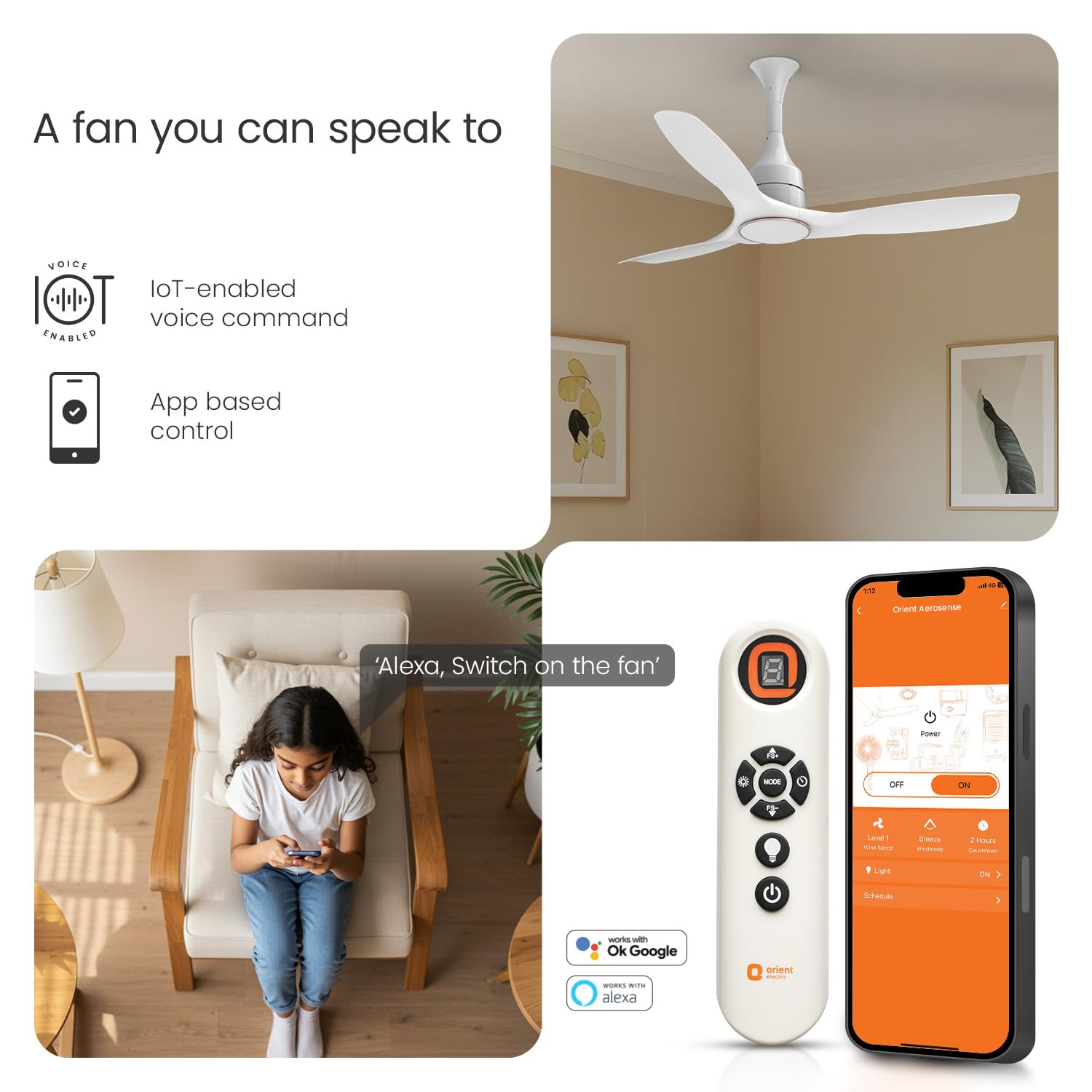
Image: The fan's remote control and a smartphone displaying the Orient Smart application interface, demonstrating multiple control options.
The included remote control allows you to adjust fan speed, set timers, and control any integrated light (if applicable). Insert the provided batteries into the remote before first use.
- Power Button: Turns the fan ON/OFF.
- Speed Control: Adjusts fan speed (typically 5 levels).
- Timer Function: Sets the fan to turn off automatically after a specified duration.
- Mode Button: Cycles through different fan modes, including two-way rotation.
- Light Button: Controls the fan's integrated light (if present).
App and Voice Control
The fan is IoT enabled and can be controlled via the Orient Smart application on your smartphone. It also supports voice commands through compatible smart home assistants like Alexa and Google Assistant.
- Download App: Download the 'Orient Smart' app from your device's app store.
- Pair Device: Follow the in-app instructions to pair your fan with the application.
- Voice Assistant Setup: Link your Orient Smart account with your preferred voice assistant (e.g., Amazon Alexa, Google Home) through their respective apps.
- Commands: Use voice commands such as "Alexa, turn on the fan" or "Hey Google, set fan speed to 3."
6. Maintenance
Regular maintenance ensures optimal performance and longevity of your ceiling fan.
- Cleaning: Dust the fan blades and motor housing regularly with a soft, damp cloth. The ABS blades with PU finish are designed for easy cleaning. Do not use abrasive cleaners or solvents.
- Blade Screws: Periodically check and tighten all blade screws to prevent wobbling and noise.
- Motor Lubrication: The BLDC motor is designed to be maintenance-free and does not require lubrication.
- Power Off: Always switch off the power supply to the fan before cleaning or performing any maintenance.
7. Troubleshooting
If you encounter issues with your fan, refer to the following common troubleshooting steps. For persistent problems, contact customer support.
| Problem | Possible Cause | Solution |
|---|---|---|
| Fan does not start | No power supply; Loose wiring; Remote batteries dead. | Check circuit breaker; Ensure wiring is secure; Replace remote batteries. |
| Fan wobbles or makes noise | Loose blade screws; Unbalanced blades; Loose mounting. | Tighten all blade screws; Check blade balance; Ensure mounting is secure. |
| Remote control not working | Dead batteries; Obstruction between remote and receiver; Remote not paired. | Replace batteries; Remove obstructions; Refer to pairing instructions in the full manual. |
| Speed varies automatically | Interference; Faulty sensor/motor. | Ensure no strong electromagnetic interference nearby. If issue persists, contact customer support. |
8. Specifications
| Feature | Detail |
|---|---|
| Brand | Orient Electric |
| Model Name | Aerosense BLDC |
| Colour | White |
| Electric Fan Design | Ceiling Fan |
| Power Source | Corded Electric |
| Product Dimensions | 60.2D x 34.5W x 23.8H Centimeters |
| Wattage | 40 Watts |
| Number of Blades | 3 |
| Blade Length | 1200 Millimetres |
| Air Flow Capacity | 245 Cubic Meters Per Minute |
| Speed | 280 RPM |
| Item Weight | 4.9 Kilograms |
| Indoor/Outdoor Usage | Indoor |
| Number of Power Levels | 5 |
| Efficiency | High Efficiency |
| Control Method | Remote, App, Voice |
9. Warranty and Support
Your Orient Electric 1200mm Aerosense BLDC Ceiling Fan comes with a 5-year warranty from Orient Electric, covering manufacturing defects under normal use. Please retain your purchase receipt for warranty claims.
For any technical assistance, service requests, or warranty-related inquiries, please contact Orient Electric customer support. Refer to the contact information provided in your product packaging or on the official Orient Electric website.

