
1. Introduction
The BAOFENG DR-1802U is a versatile Digital Mobile Radio (DMR) designed for reliable communication. It supports both digital and traditional analog modes, offering seamless transition and compatibility. Key features include advanced AES256 encryption for secure transmissions, 1024 memory channels, a 1.77-inch display, and DMO True 2-Slot functionality. This manual provides essential instructions for setting up, operating, and maintaining your DR-1802U radio.
2. Product Overview
2.1. Components and Controls
Familiarize yourself with the various parts and controls of your BAOFENG DR-1802U radio as illustrated below.

Image: Front and side view of the BAOFENG DR-1802U radio with labels for its components, including Antenna, Channel Switch, Power/Volume Knob, Flashlight, Speaker, PTT, SK1/SK2/SK3 Keys, MENU Key, Mic, 1.77” Screen, EXIT Key, and Keypad.
- Antenna: For transmitting and receiving signals.
- Channel Switch: Rotary knob to select channels.
- Power/Volume Knob: Turns the radio on/off and adjusts volume.
- Flashlight: Integrated light source.
- Speaker: Outputs audio.
- PTT (Push-To-Talk) Button: Press to transmit, release to receive.
- SK1/SK2/SK3 Keys: Programmable side keys for various functions.
- MENU Key: Accesses the radio's menu system.
- Mic: Microphone for voice input.
- 1.77” Screen: Displays radio status, menu, and channel information.
- EXIT Key: Exits menus or functions.
- Keypad: For entering frequencies, channel numbers, and menu selections.
3. Setup
3.1. Unpacking and Included Components
Carefully unpack your BAOFENG DR-1802U radio and verify that all components are present:
- DMR DR-1802U Radio (x1)
- High Gain Antenna (x1)
- 2200mAh Battery (x1)
- USB-C Charging Cable (x1)
- Charging Dock (x1)
- Power Adapter (x1)
- Belt Clip (x1)
- Lanyard (x1)
- User's Manual (x1)
- 18.89in Tactical Antenna (x1)
- Programming Cable (x1)
- 12V Car Charger Cable (x1)
3.2. Battery Installation and Charging
- Align the battery with the battery compartment on the back of the radio.
- Gently push the battery into place until it clicks securely.
- To charge the battery, connect the USB-C charging cable to the radio directly or place the radio in the charging dock. Connect the other end of the USB-C cable to a power source (e.g., power adapter, car charger, laptop, power bank).

Image: The BAOFENG DR-1802U radio being charged via USB-C cable and a charging dock, illustrating various compatible power sources such as a laptop, USB port, car charger, and power bank.
3.3. Antenna Attachment
Screw the antenna clockwise onto the connector at the top of the radio until it is finger-tight. Do not overtighten.
3.4. PC Programming
The DR-1802U supports PC programming for advanced configuration of channels, frequencies, and other settings. Use the provided programming cable and compatible software (not included, typically available from the manufacturer's website) to connect the radio to your computer. Refer to the software's instructions for detailed programming steps.
4. Operating Instructions
4.1. Power On/Off and Volume Adjustment
Rotate the Power/Volume Knob clockwise to turn the radio on. Continue rotating to increase the volume. Rotate counter-clockwise to decrease volume and turn the radio off.
4.2. Channel Selection
Use the Channel Switch (rotary knob on top) to select desired channels. The selected channel number or name will be displayed on the 1.77-inch screen.
4.3. Digital and Analog Mode Operation
The DR-1802U operates in both Digital (DMR) and Analog modes. The radio will automatically detect the mode of the incoming signal or can be manually set per channel during programming. The display will indicate the current operating mode (e.g., 'DM' for Digital Mode, 'Analog Zone').

Image: The BAOFENG DR-1802U radio with text overlay 'DMR Radio Dual Mode Digital Analog', highlighting its compatibility with both digital and analog communication modes.
4.4. Transmitting and Receiving
- To transmit, press and hold the PTT (Push-To-Talk) Button on the side of the radio. Speak clearly into the microphone.
- Release the PTT button to stop transmitting and return to receive mode.
- When receiving a signal, the speaker will output the audio.
4.5. Menu Navigation
Press the MENU Key to access the radio's main menu. Use the arrow keys on the keypad to navigate through menu options. Press the MENU Key again to confirm a selection, or the EXIT Key to go back or exit the menu.
4.6. AES256 Encryption
The DR-1802U features AES256 encryption for secure communications. When enabled (via programming), your transmissions are protected from unauthorized listening, ensuring privacy for sensitive information.
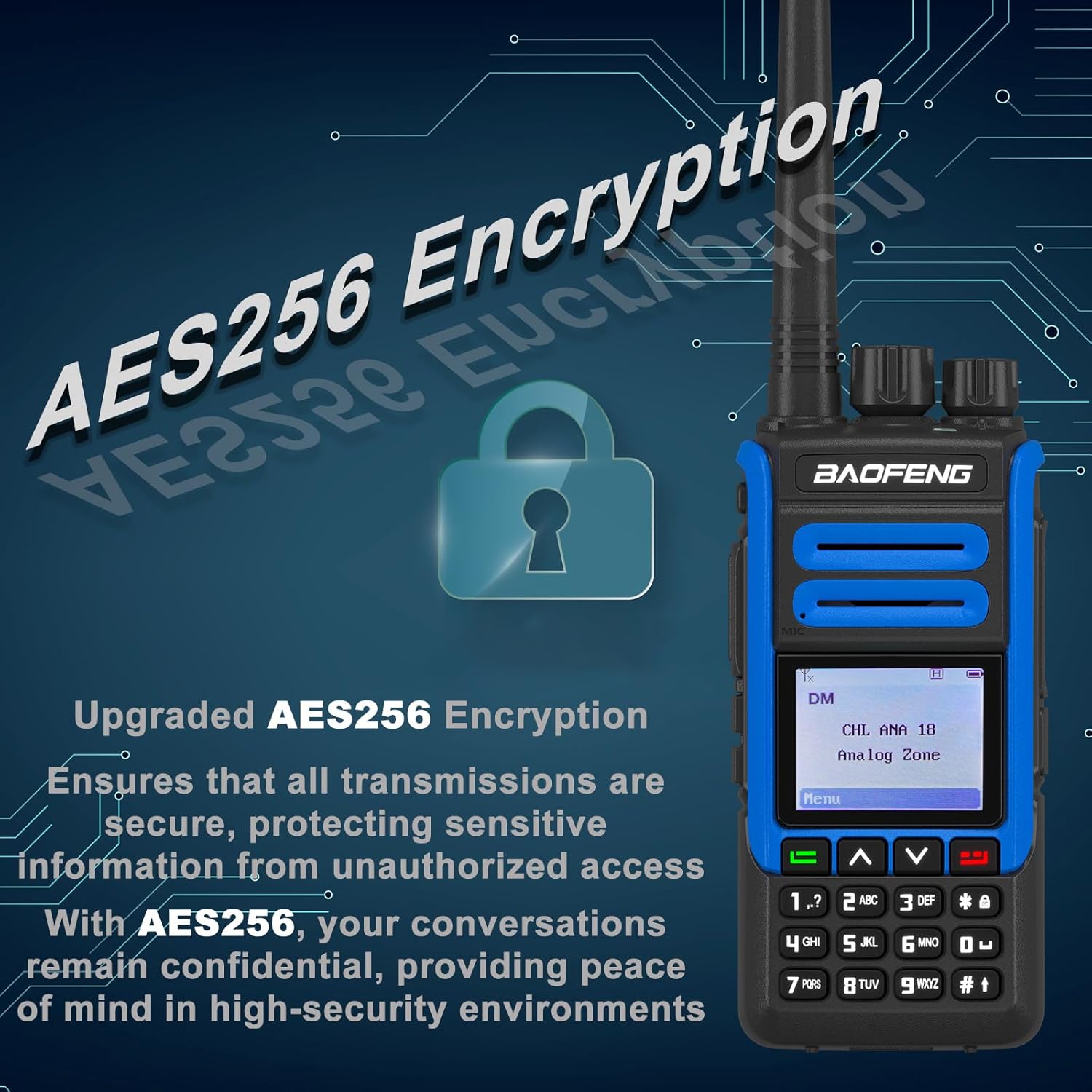
Image: Close-up of the BAOFENG DR-1802U display showing 'DM' and 'CHL ANA 18 Analog Zone', with a graphic overlay indicating AES256 encryption and secure communication capabilities.
4.7. DMO True 2-Slot
In Digital Mobile Radio (DMR) mode, the DR-1802U supports DMO True 2-Slot operation. This allows two simultaneous conversations on a single frequency, effectively doubling channel capacity in direct mode (radio-to-radio) without needing a repeater.
4.8. VOX Function
The Voice Operated Exchange (VOX) function allows hands-free transmission. When VOX is enabled, the radio will automatically transmit when it detects your voice, and stop transmitting when you stop speaking. This feature can be configured in the radio's menu.
4.9. SMS Function
The DR-1802U supports basic SMS (Short Message Service) functionality in digital mode, allowing users to send and receive text messages between compatible DMR radios. This feature is typically configured via PC programming.
5. Maintenance
5.1. Cleaning
To clean the radio, use a soft, damp cloth. Do not use harsh chemicals, solvents, or abrasive cleaners. Ensure the radio is powered off and the battery is removed before cleaning.
5.2. Battery Care
- Charge the battery fully before initial use.
- Avoid overcharging or completely discharging the battery to prolong its lifespan.
- If the radio will not be used for an extended period, remove the battery and store it in a cool, dry place.
5.3. Storage
Store the radio in a dry, dust-free environment away from direct sunlight and extreme temperatures. Keep it away from strong magnetic fields.
6. Troubleshooting
If you encounter issues with your DR-1802U, refer to the following common problems and solutions:
- Radio does not power on:
- Ensure the battery is properly installed and charged.
- Check if the Power/Volume knob is turned clockwise sufficiently.
- Cannot transmit or receive:
- Verify the antenna is securely attached.
- Ensure you are on the correct channel and frequency.
- Check if the radio is in the correct mode (Digital/Analog) for the channel.
- Confirm that the PTT button is being pressed correctly during transmission.
- Poor audio quality:
- Adjust the volume level.
- Check for obstructions around the microphone and speaker.
- Ensure you are within range of the other radio or repeater.
- Digital noise canceling technology should provide clear calls; if not, check channel settings.
- Display is blank or frozen:
- Try turning the radio off and then on again.
- If the issue persists, contact customer support.
7. Specifications
The following table outlines the key technical specifications for the BAOFENG DR-1802U DMR Radio:
| Feature | Specification |
|---|---|
| Brand | BAOFENG |
| Model Number | DR-1802U |
| Number of Channels | 1024 |
| Special Features | AES256 Encryption, DMR Radio, DMR True 2-Slot, USB-C Charging |
| Product Dimensions (D x W x H) | 1.37" x 2.16" x 4.72" |
| Tuner Type | UHF |
| Water Resistance Level | Not Water Resistant |
8. Warranty Information
This product comes with a 1-year warranty. The warranty is provided exclusively through "Shiqun Electronics Co., Ltd." Please retain your proof of purchase for warranty claims.
9. Support
For technical assistance, troubleshooting beyond this manual, or warranty inquiries, please contact the seller, Shiqun Electronics Co., Ltd., or refer to the official BAOFENG website for support resources.


